
1. Johdanto
This manual provides detailed instructions for the setup, operation, and maintenance of your CYCPLUS M3 GPS Cycle Computer. Please read this manual thoroughly before using the device to ensure proper functionality and to maximize your cycling experience.
2. Pakkauksen sisältö
Varmista, että pakkauksessasi on kaikki tarvittavat osat:
- CYCPLUS M3 GPS Cycle Computer
- USB-C latauskaapeli
- Bike Mount and Rubber Bands
- Käyttöopas (tämä asiakirja)
3. Tuote ohiview
The CYCPLUS M3 features a 2.8-inch FSTN reflective LCD display, designed for clear visibility in various lighting conditions, including direct sunlight. It includes physical buttons for navigation and control.

Kuva: Edessä view of the CYCPLUS M3 GPS Cycle Computer, displaying current speed, time, altitude, distance, and other metrics.

Image: The CYCPLUS M3 mounted on a bicycle handlebar, showcasing its compact and slim profile.
Painikkeet ja toiminnot:
- Left Button (L1): Long press for Power ON/OFF. Short press to Start/Pause recording.
- Right Button (R1): Navigate display screens. Confirm selection in settings.
- Right Button (R2): Long press to save current ride data.
4. Asennus
4.1 Laitteen asennus
- Attach the bike mount to your handlebar or stem using the provided rubber bands.
- Align the back of the M3 device with the mount and twist it clockwise until it locks securely into place.
4.2 Alkukäynnistys ja perusasetukset
- Long press the Left Button (L1) to power on the device.
- Upon first use, the device may prompt you to set basic parameters such as language, time zone, and unit system (metric/imperial). Use the Right Button (R1) to navigate and confirm.
- The device will automatically search for GPS signals. For optimal performance, ensure you are in an open outdoor area. The M3 supports 5 satellite systems (GPS / GLONASS / Galileo / BeiDou / QZSS) for fast and stable positioning.

Image: Visual representation of the M3's multi-satellite system (GPS, GLONASS, Galileo, BeiDou, QZSS) for enhanced positioning accuracy.
4.3 App Pairing (CYCPLUS FIT)
To unlock full customization and data synchronization features, pair your M3 with the CYCPLUS FIT app.
- Download the "CYCPLUS FIT" app from Google Play Store (Android) or Apple App Store (iOS).
- Luo tili tai kirjaudu sisään.
- In the app, navigate to the device pairing section and select the M3.
- Follow the on-screen instructions in the app to complete the pairing process via Bluetooth.

Image: The CYCPLUS FIT app interface, demonstrating features like data synchronization and analysis.
4.4 Sensor Pairing (ANT+)
The M3 supports ANT+ sensors for additional data such as heart rate, speed, cadence, and power. These sensors are sold separately.
- Varmista, että ANT+-anturi on aktiivinen ja M3:n kantaman sisällä.
- On the M3, navigate to the sensor pairing menu (refer to the device's on-screen menu for exact steps, usually found under 'Settings' or 'Sensors').
- Valitse 'Lisää anturi' ja valitse yhdistettävän anturin tyyppi.
- The M3 will scan for available sensors. Select your sensor from the list to pair.

Image: An illustration of the various data metrics the M3 can display, including those requiring optional ANT+ sensors such as heart rate, cadence, and power.
5. Käyttöohjeet
5.1 Basic Ride Recording
- Power on the device (long press L1).
- Wait for GPS signal acquisition (indicated by a stable GPS icon).
- Short press L1 to start recording your ride.
- During the ride, short press L1 to pause recording. Short press again to resume.
- To end and save the ride, long press R2.
5.2 Data Display Customization
The M3 allows you to customize the data fields displayed on its screen via the CYCPLUS FIT app. You can configure up to 8 data items per page.
- Open the CYCPLUS FIT app on your smartphone and ensure it's connected to your M3.
- Navigate to the 'Device Settings' or 'Display Settings' section within the app.
- Select the data fields you wish to display on each screen page.
- Sync the settings to your M3 device.
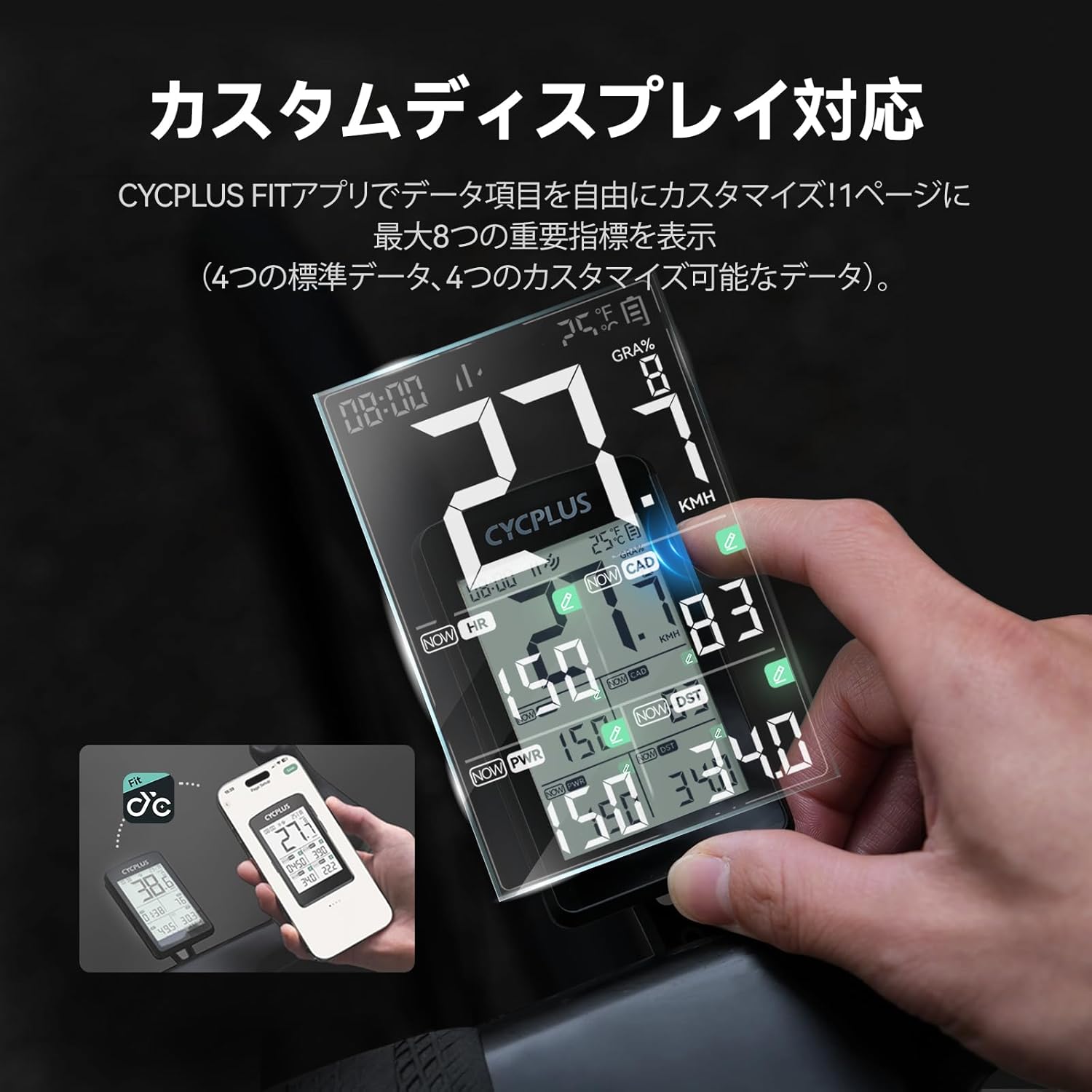
Image: Customizing the M3's display layout and data fields using the CYCPLUS FIT smartphone application.
5.3 Automatic Backlight and Auto-Wake Function
The M3 features an automatic backlight that activates in low-light conditions (e.g., 6 PM to 9 AM) for improved visibility. The device also has an auto-wake function: if it detects no movement for 10 minutes, it enters a sleep state. Vibration or movement will automatically restart it.
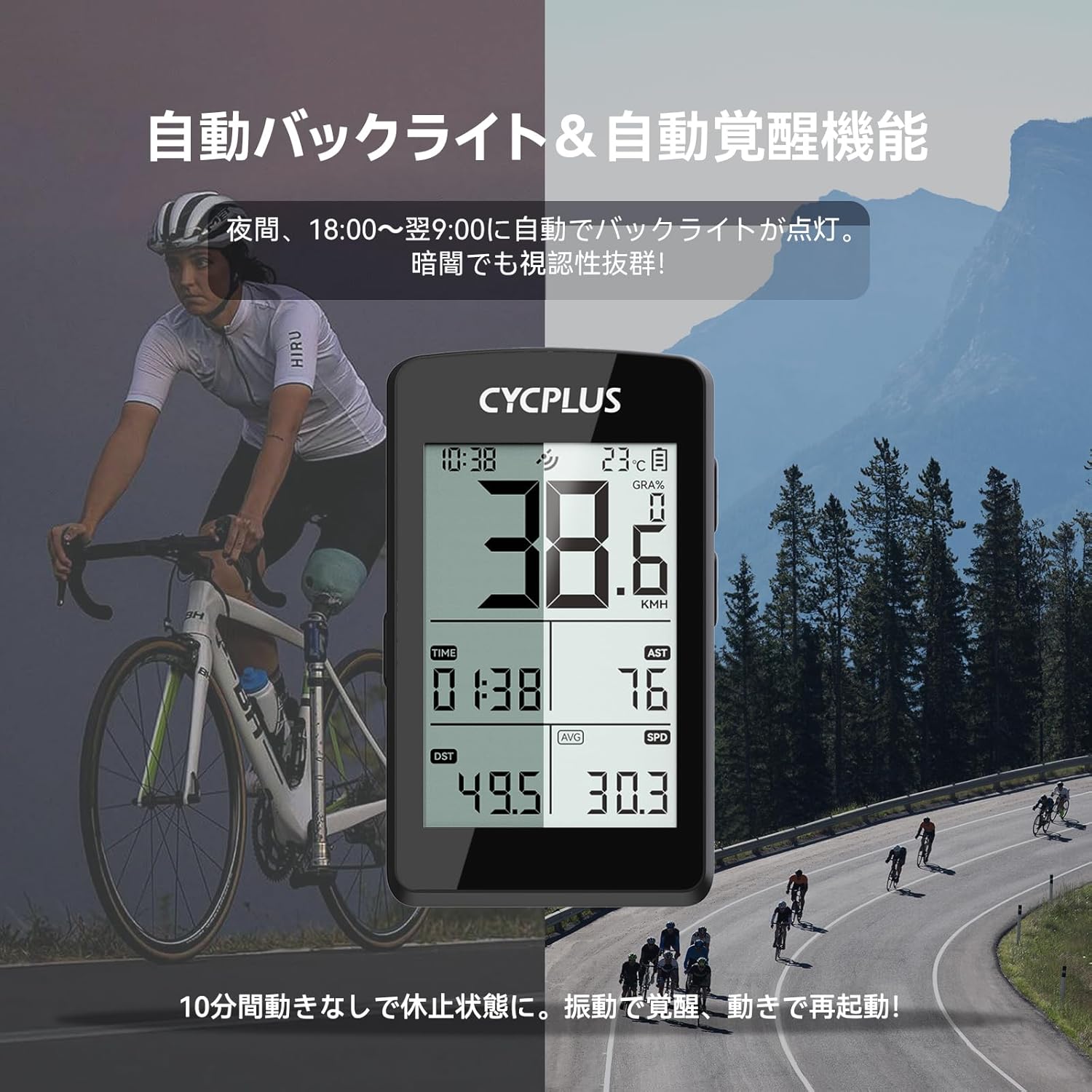
Image: The M3's automatic backlight feature shown during a night ride, ensuring data visibility in dark conditions, alongside a daytime usage scenario.
6. Lataus
The M3 is equipped with a 1500mAh lithium battery, providing up to 100 hours of continuous operation. It supports USB-C fast charging.
- Connect the provided USB-C cable to the charging port on the M3.
- Liitä kaapelin toinen pää tavalliseen USB-virtalähteeseen (ei sisälly toimitukseen) tai tietokoneen USB-porttiin.
- A full charge takes approximately 2.5 hours. The battery indicator on the screen will show charging status.

Image: The USB-C charging port of the M3, emphasizing its long battery life of up to 100 hours.
7. Tietojen synkronointi
After your ride, you can synchronize your data to the CYCPLUS FIT app and other platforms like Strava.
- Ensure your M3 is connected to the CYCPLUS FIT app via Bluetooth.
- The app will automatically detect and download new ride data from the M3.
- Within the CYCPLUS FIT app, you can configure automatic synchronization with third-party platforms such as Strava for further analysis and sharing.
8. Huolto
8.1 Puhdistus
Pyyhi laite pehmeällä, damp cloth. Do not use abrasive cleaners or solvents, as they may damage the device's surface or screen.
8.2 Vedenkestävyys
The CYCPLUS M3 has an IPX67 water resistance rating, meaning it is protected against dust and can withstand immersion in water up to 1 meter for 30 minutes. It is suitable for use in rain, but avoid prolonged submersion or high-pressure water jets.

Image: The M3 demonstrating its IPX67 waterproof capability during a rainy cycling session.
9. Vianmääritys
- Laite ei käynnisty: Ensure the battery is charged. Connect to a USB-C charger for at least 30 minutes. If still unresponsive, perform a soft reset by holding down all buttons for 10 seconds.
- Ei GPS-signaalia: Ensure you are in an open outdoor area. Avoid tall buildings or dense tree cover. Allow a few minutes for the device to acquire satellites.
- Inaccurate speed/distance: Ensure GPS signal is strong. If using a speed sensor, verify it is correctly paired and calibrated.
- Anturit eivät muodosta yhteyttä: Ensure sensors are active and have fresh batteries. Re-pair the sensors through the M3's settings menu.
- Sovellus ei synkronoi tietoja: Ensure Bluetooth is enabled on your smartphone and the M3 is connected to the CYCPLUS FIT app. Check for app updates.
- Display issues (e.g., blank screen in extreme heat): The device may temporarily shut down or experience display issues in extreme temperatures. Allow it to return to a normal operating temperature.
10. Tekniset tiedot
| Ominaisuus | Erittely |
|---|---|
| Malli | M3 |
| Näyttö | 2.8 tuuman FSTN LCD |
| GPS-järjestelmä | GPS / GLONASS / Galileo / BeiDou / QZSS |
| Akun kesto | Jopa 100 tuntia |
| Latausportti | USB-C |
| Yhteydet | ANT+, Bluetooth |
| Vedenkestävyys | IPX67 |
| Materiaali | Muovi |
| Mitat (paketti) | 15.4 x 9.2 x 3.4 cm |
| Paino (pakkaus) | 130 g |
11. Takuu ja tuki
The CYCPLUS M3 GPS Cycle Computer comes with a 2-year product warranty. For technical support, warranty claims, or any inquiries regarding your device, please contact CYCPLUS customer service. Support is available 24 hours a day, 365 days a year.
For further assistance, please visit the official CYCPLUS websivustolta tai katso ostoksesi yhteydessä annetut yhteystiedot.