
1. Johdanto
This manual provides essential information for the safe and efficient use of your BOOX Go 7 ePaper Tablet. Please read it thoroughly before operating the device and retain it for future reference.

Figure 1.1: BOOX Go 7 ePaper Tablet
2. Turvallisuustiedot
- Älä altista laitetta äärimmäisille lämpötiloille, suoralle auringonvalolle tai korkealle kosteudelle.
- Vältä laitteen pudottamista tai altistamista voimakkaille iskuille.
- Käytä lataamiseen vain mukana toimitettua USB-kaapelia.
- Keep the device away from water and liquids, despite its water-repellent features.
- Älä yritä purkaa tai korjata laitetta itse. Ota yhteyttä valtuutettuun huoltohenkilöstöön.
3. Pakkauksen sisältö
Varmista, että pakkauksessa on kaikki tarvittavat osat:
- BOOX Go 7 ePaper Tablet
- USB-kaapeli
- Pikaopas (voi vaihdella alueittain)

Figure 3.1: BOOX Go 7 Package Contents
4. Laite loppuview
4.1 Fyysiset komponentit
Familiarize yourself with the main components of your BOOX Go 7 tablet:
- E Ink Screen: 7-inch monochrome display with 300 ppi resolution.
- Etuvalo: Adjustable illumination for reading in various lighting conditions.
- Sivunkääntöpainikkeet: Ergonomically designed buttons for easy navigation.
- USB-C-portti: Lataamiseen ja tiedonsiirtoon.
- Virtapainike: Sijaitsee yläreunassa.
- Sisäänrakennettu mikrofoni: Äänituloa varten.
- Sisäänrakennetut kaksoiskaiuttimet: Äänilähtöön.

Figure 4.1: Page-Turn Buttons and Water-Repellent Protection
5. Asennus
5.1 Ensimmäinen lataus
Before first use, fully charge your BOOX Go 7 tablet. Connect the provided USB-C cable to the device and a compatible power adapter (not included) or a computer's USB port. The charging indicator will show the charging status.
5.2 Virta päälle/pois
- Virran kytkeminen: Press and hold the Power button until the BOOX logo appears.
- Virran sammuttaminen: Pidä virtapainiketta painettuna ja valitse sitten näytön vaihtoehdoista "Virta pois".
- Nukkumaan/heräämään: Paina lyhyesti virtapainiketta.
5.3 Verkkoyhteys (Wi-Fi)
- Pyyhkäise aloitusnäytössä ylhäältä alaspäin päästäksesi pika-asetuspaneeliin.
- Ota Wi-Fi käyttöön napauttamalla Wi-Fi-kuvaketta.
- Avaa Wi-Fi-asetukset napauttamalla Wi-Fi-kuvaketta ja pitämällä sitä painettuna.
- Valitse haluamasi verkko luettelosta ja anna salasana, jos sitä pyydetään.
- Kun yhteys on muodostettu, Wi-Fi-kuvake osoittaa yhteyden muodostumisen onnistuneen.
6. Käyttöohjeet
6.1 Perusnavigointi
- Kosketusnäyttö: Tap, swipe, and pinch to navigate menus, open applications, and interact with content.
- Sivunkääntöpainikkeet: Use the physical buttons on the side to turn pages in documents and books.
6.2 Reading Documents and Books
The BOOX Go 7 supports various document formats. Open your desired file from the library. Use the page-turn buttons or swipe gestures to navigate through pages. Adjust font size, contrast, and frontlight settings for optimal reading comfort.
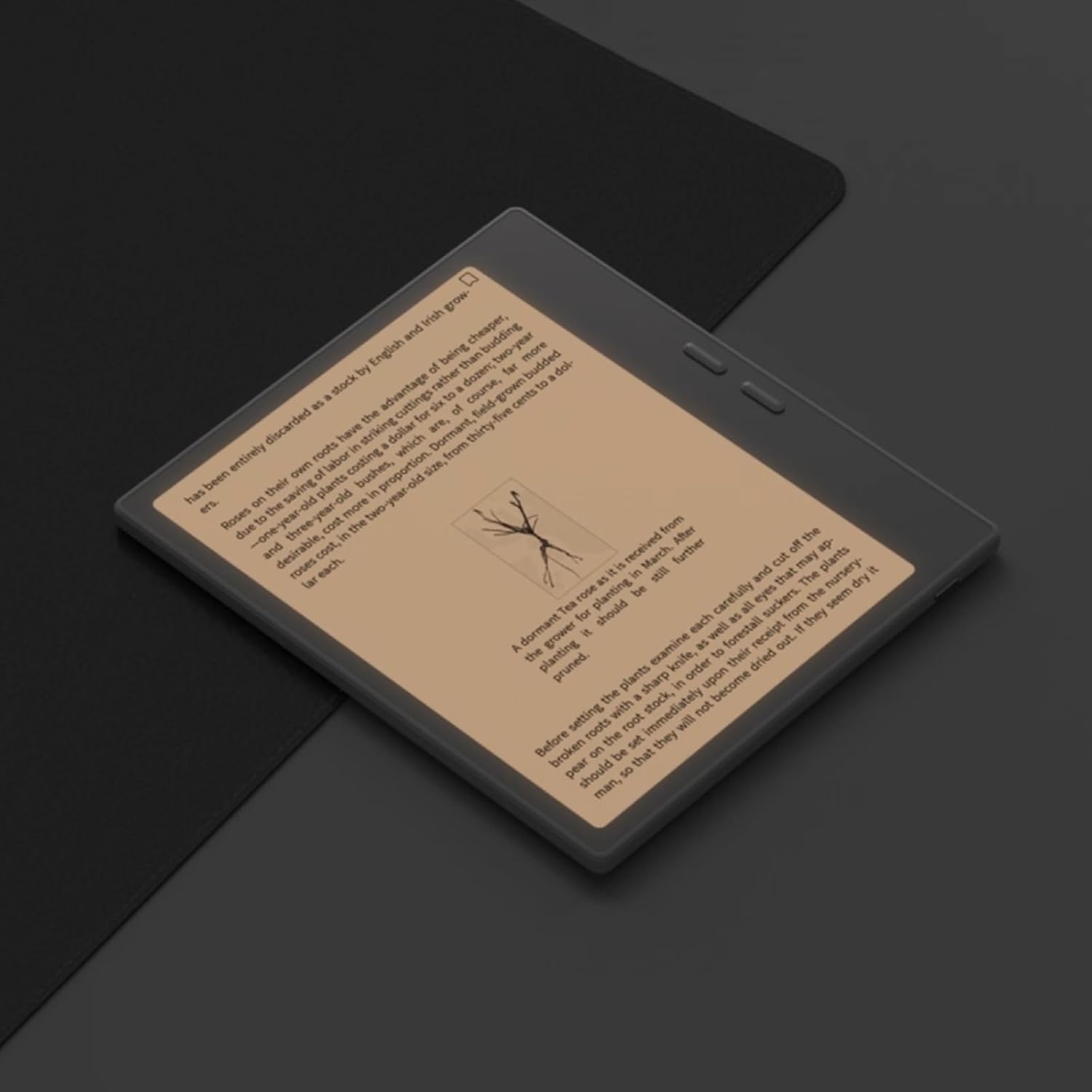
Figure 6.1: Reading with Frontlight
6.3 Using Android Applications
As an Android 13 device, the BOOX Go 7 allows installation of various applications from the Google Play Store. Navigate to the App Store, search for your desired application, and install it. Note that some applications may not be fully optimized for ePaper displays.

Figure 6.2: Various Android Applications on BOOX Go 7
6.4 Muistiinpanojen tekeminen ja piirtäminen
Utilize the stylus (if included or purchased separately) for note-taking, sketching, and annotating documents. The device offers various templates and tools for creative and organizational tasks.

Figure 6.3: Stylus Use for Note-Taking

Figure 6.4: Handwriting to Text Conversion
7. Huolto
7.1 Laitteen puhdistaminen
Use a soft, lint-free cloth to gently wipe the screen and body of the device. Do not use harsh chemicals, abrasive cleaners, or excessive moisture.
7.2 Ohjelmistopäivitykset
Regularly check for and install software updates to ensure optimal performance and access to new features. Connect to Wi-Fi and navigate to Asetukset > Järjestelmä > Järjestelmäpäivitys tarkistamaan saatavilla olevat päivitykset.
8. Vianmääritys
- Laite ei käynnisty: Varmista, että laite on ladattu. Liitä se virtalähteeseen ja yritä uudelleen.
- Näyttö ei vastaa: Perform a soft reset by holding the Power button for 10-15 seconds.
- Wi-Fi-yhteysongelmat: Verify your Wi-Fi password and router settings. Try restarting your router and the device.
- Sovellukset kaatuvat: Ensure applications are updated to their latest versions. Clear the app's cache or reinstall if issues persist.
9. Tekniset tiedot
| Merkki | BOOX |
| Mallin nimi | Mene 7 |
| Tallennuskapasiteetti | 64 Gt |
| Näytön koko | 7 tuumaa |
| Näytön maksimiresoluutio | 300 Pixels per inch |
| Käyttöjärjestelmä | Android 13 |
| Väri | Noir (musta) |
| Asennetun RAM-muistin koko | 4 Gt |
| Erikoisominaisuudet | USB OTG support, Expandable storage, Stylus support |
| Mallin vuosi | 2025 |
| Akun tyyppi | Litium-ioni |
| Akun energiasisältö | 8.8 wattituntia |
| Prosessorin merkki | Qualcomm |
| Prosessorin kuvaus | Qualcomm Snapdragon |
| Kamera | Ei kameraa |
| Anturin tyyppi | Gyroskooppi |
| Item Dimensions (LxWxT) | 15.6L x 0.6W x 13.7T centimeters |
| Syöttötapa | Touchscreen with stylus |
| Grafiikkakortin kuvaus | Integroitu |
| Yhteensopivat laitteet | Stylus |
| Näytön tyyppi | Elektroninen muste |
| Näytön resoluutio | 1280 x 800 pikseliä |
| Kuvasuhde | 16:10 |
| Laitteistoyhteydet | USB |
| Langaton tekniikka | Bluetooth, Wi-Fi (802.11ax) |
| USB-portteja yhteensä | 1 |

Figure 9.1: BOOX Go 7 Energy Label (EPREL-linkki)
10. Takuutiedot
The BOOX Go 7 ePaper Tablet comes with a 2 vuoden rajoitettu takuu. This warranty covers manufacturing defects under normal use. For specific terms and conditions, please refer to the warranty card included in your package or contact customer support.
The standard return policy allows for returns within 30 days of purchase for refund or replacement.
11. Tukea
For technical assistance, troubleshooting, or warranty claims, please contact BOOX customer service. You can find support resources and submit inquiries through the official BOOX help center.
- Laiteohjelmistopäivitykset: BOOX commits to at least 3 years of firmware updates for each product.
- Pilvitallennus: 10 GB of free cloud storage is provided for each user.
- Vastausaika: Asiakaskyselyihin vastataan yleensä 24 tunnin kuluessa.
Lisätietoja on osoitteessa BOOX Brand Store on Amazon.