
Johdanto
Kiitos ostoksestasiasing the GIANTEX 59 Inch Computer Desk with Charging Station. This manual provides important information regarding the safe assembly, operation, and maintenance of your new desk. Please read it thoroughly before assembly and retain it for future reference.
Turvallisuustiedot
Tärkeitä turvallisuusohjeita:
- Kokoa työpöytä aina mukana toimitettujen ohjeiden mukaisesti.
- Varmista ennen käyttöä, että kaikki osat on kiinnitetty kunnolla.
- Älä ylitä painorajaa 275 lbs (125 kg) työpöydällä.
- Älä ylitä painorajaa 55 lbs (25 kg) on each shelf.
- Aseta työpöytä tasaiselle ja vakaalle alustalle kaatumisen estämiseksi.
- Keep liquids away from the built-in power strip to avoid electrical hazards.
- Älä yritä muokata pöytää tai sen sähkökomponentteja.
Pakkauksen sisältö
Ennen kokoamisen aloittamista tarkista, että kaikki osat ovat mukana ja vahingoittumattomia. Pakkauksen tulee sisältää:
- 1 x Computer Desk (all necessary parts)
- 1 x Käyttöopas (tämä käyttöohje)
- Kokoonpanotarvikkeet (ruuvit, työkalut jne.)
Jos jokin osa puuttuu tai on vaurioitunut, ota yhteyttä asiakastukeen.
Kokoamisohjeet
Detailed assembly instructions are included in your package. Please follow the step-by-step guide carefully to ensure correct and safe assembly of your desk.
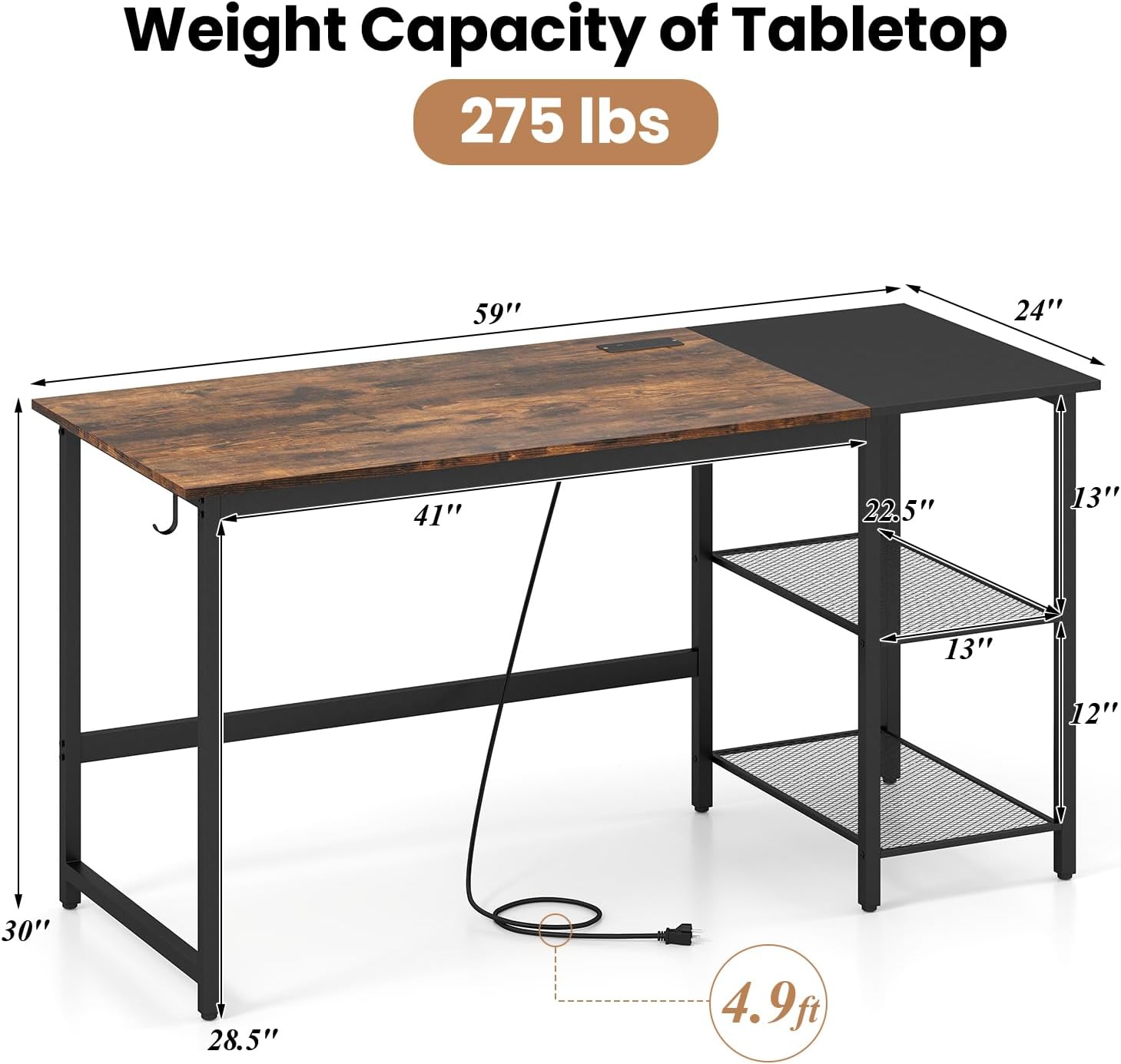
Image: Desk dimensions and components. The desk measures 59 inches wide, 24 inches deep, and 30 inches high. It features a main tabletop, a side storage unit with two shelves, and a power cord extending from the tabletop.
- Pura kaikki osat pakkauksesta ja aseta ne puhtaalle, pehmeälle alustalle naarmuuntumisen estämiseksi.
- Tunnista kaikki osat ja laitteisto toimitetun osaluettelon avulla.
- Follow the numbered steps in the assembly guide. Do not overtighten screws until all components are aligned.
- Once assembled, ensure the desk is stable and all connections are secure.
Ominaisuudet
The GIANTEX Computer Desk is designed with several features to enhance your workspace:
- AmpTyötila: A 59-inch tabletop provides generous space for multiple monitors, keyboards, and other essentials.
- Integroitu tallennustila: Two metal mesh shelves offer organized storage. The middle shelf is removable to accommodate a computer tower.
- Sisäänrakennettu latausasema: Features 2 AC outlets (125V/12A), 1 USB port (5V/2.4A), and 1 Type-C port (12W Max) for convenient device charging.
- Kuulokkeiden koukku: A convenient hook is included for hanging headphones or bags.
- Tukeva rakenne: Built with a robust metal frame, reinforced crossbars, and adjustable foot pads for stability.

Image: Built-in Power Strip. This image shows the integrated power strip with two AC outlets, one USB-A port, and one USB-C port, along with a 4.9 ft power cord.
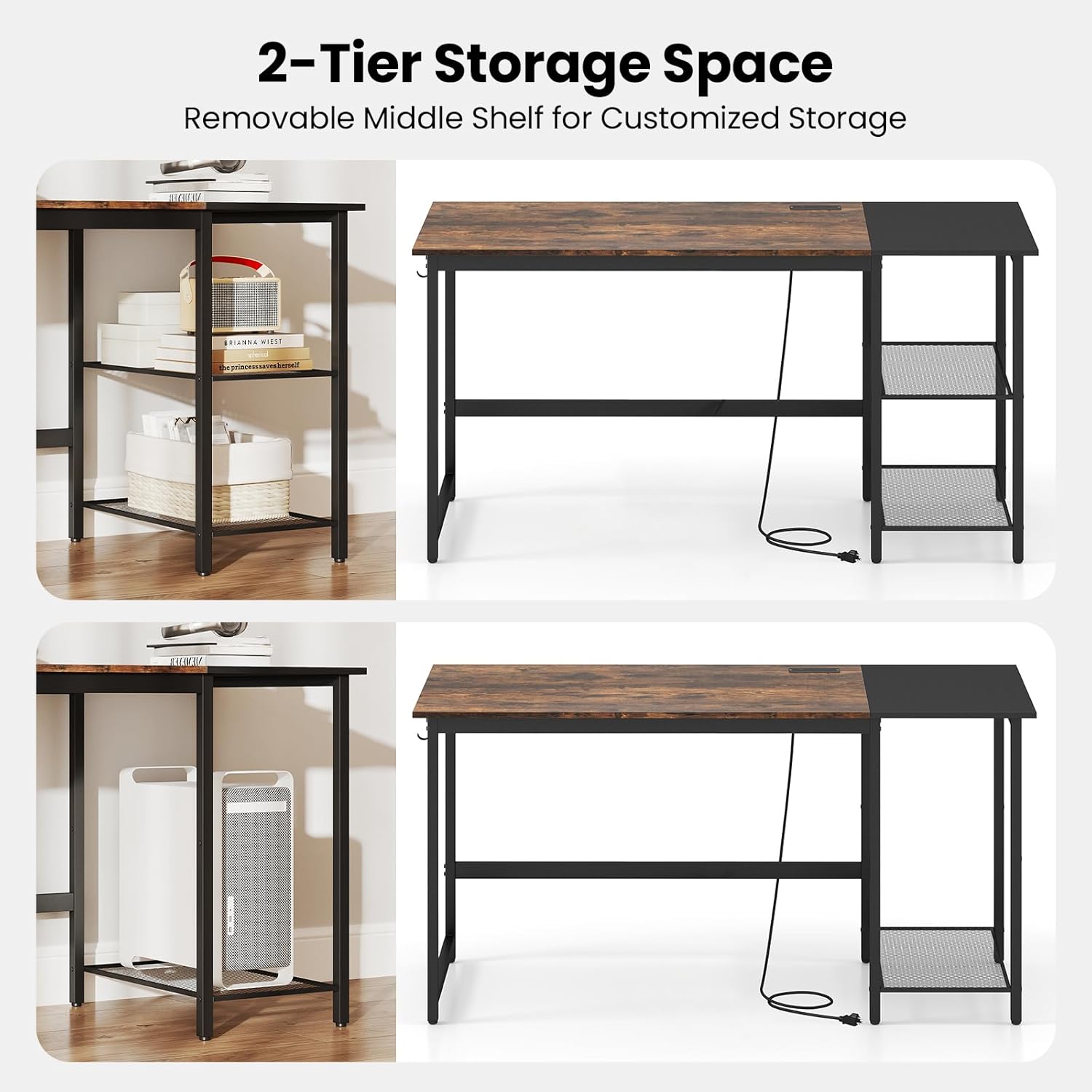
Image: 2-Tier Storage Space. This image illustrates the flexibility of the side shelves, showing how the middle shelf can be removed to create space for larger items like a computer tower.
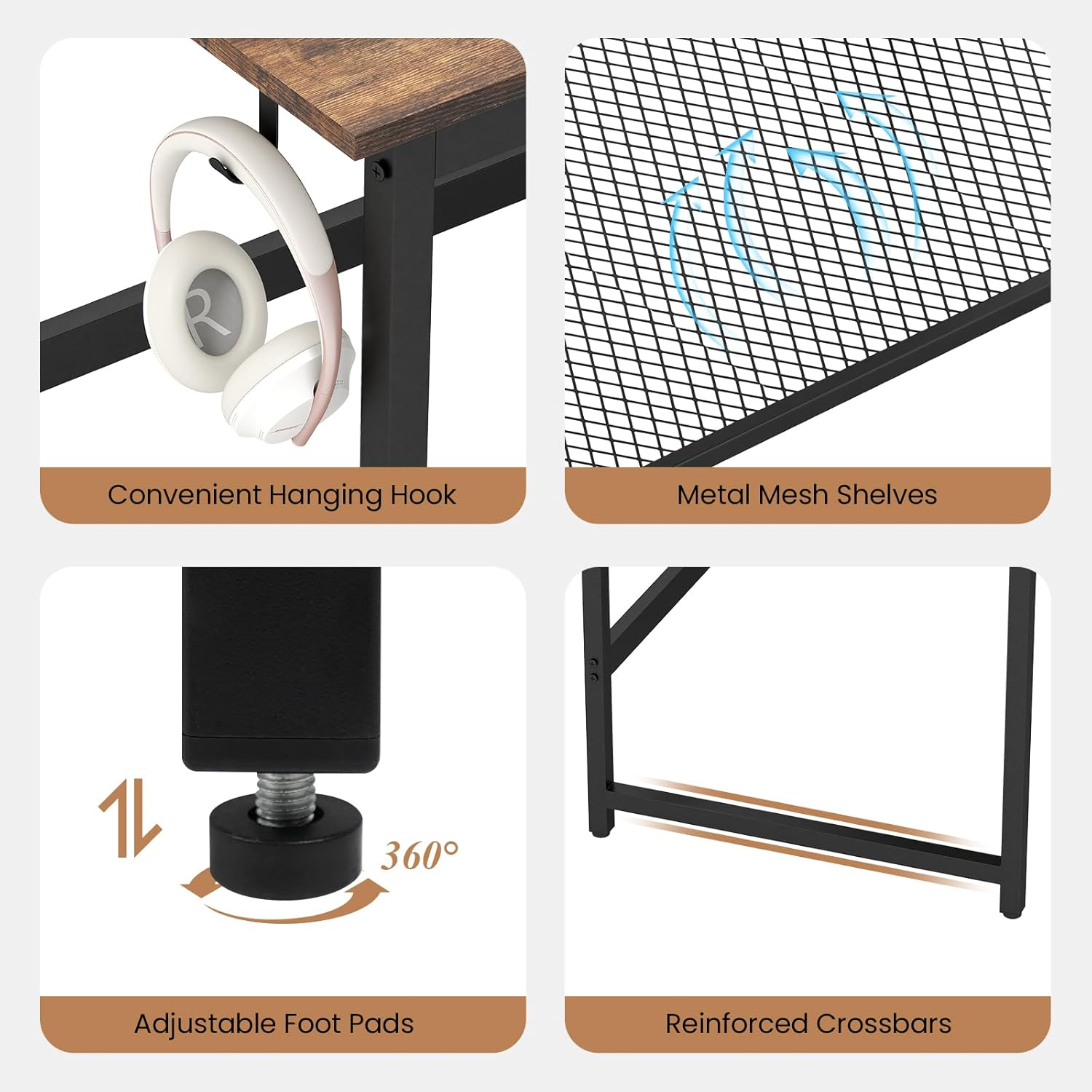
Image: Detailed Features. This composite image highlights the convenient hanging hook for headphones, the durable metal mesh shelves, the adjustable foot pads for stability on uneven floors, and the reinforced crossbars for structural integrity.
Asennus
After assembly, follow these steps for initial setup:
- Sijoitus: Choose a suitable location for your desk, ensuring it is on a level surface and away from direct sunlight or heat sources.
- Vaaitus: Adjust the foot pads at the bottom of the desk legs to ensure stability and prevent wobbling.
- Virtaliitäntä: Plug the desk's power cord into a standard wall outlet.
- Kaapelin hallinta: Utilize the desk's design to manage cables neatly, preventing clutter and potential hazards.

Image: Desk in a home office setting. This image shows the desk fully set up with a laptop, monitor, and other office supplies, demonstrating its amptyötila.
Latausaseman käyttö
Integroitu latausasema tarjoaa kätevän virransyötön elektronisille laitteillesi.
- AC-pistorasiat: Plug in devices requiring standard AC power, such as monitors, lamps, or laptops.
- USB-A-portti: Connect USB-A compatible devices for charging (e.g., smartphones, tablets).
- USB-C-portti: Liitä USB-C-yhteensopivia laitteita lataamista varten.
Huomautus: Ensure the total power draw of all connected devices does not exceed the charging station's maximum capacity to prevent overload.
Huolto
Jotta pöytäsi pysyisi kauniina ja toimisi pitkään, noudata näitä huolto-ohjeita:
- Puhdistus: Pyyhi työpöydän pinnat pehmeällä,amp liinalla. Vältä voimakkaita kemikaaleja tai hankaavia puhdistusaineita, jotka voivat vahingoittaa pintaa.
- Roiskeet: Clean up spills immediately to prevent staining or damage to the wood grain finish.
- Laitteiston tarkistus: Tarkista säännöllisesti kaikkien ruuvien ja kiinnittimien tiukka kiinnitys. Kiristä tarvittaessa.
- Painon jakautuminen: Jaa paino tasaisesti työpöydälle ja hyllyille vakauden säilyttämiseksi ja vääntymisen estämiseksi.
Vianetsintä
Jos työpöydässäsi ilmenee ongelmia, katso seuraavia yleisiä ratkaisuja:
| Ongelma | Mahdollinen syy | Ratkaisu |
|---|---|---|
| Työpöytä on heiluva | Epätasainen lattia; löysät kiinnikkeet | Adjust the foot pads; tighten all assembly screws. |
| Latausasema ei toimi | Desk not plugged in; overloaded circuit; faulty device cable | Ensure power cord is securely plugged into a working outlet; reduce number of connected devices; test with a different device cable. |
| Osat eivät sovi yhteen kokoonpanon aikana | Väärä suunta; käytetty vääriä osia | Refer to the assembly instructions and diagrams carefully; ensure correct parts are used for each step. |
If the problem persists, please contact GIANTEX customer support for assistance.
Tekniset tiedot
| Ominaisuus | Yksityiskohta |
|---|---|
| Mallinumero | GX-10887-BC |
| Tuotteen mitat (S x L x K) | 24" x 59" x 30" (61 cm x 150 cm x 76 cm) |
| Pöytätietokoneen painokapasiteetti | 275 lbs (125 kg) |
| Hyllyn painokapasiteetti (kpl) | 55 lbs (25 kg) |
| Materiaali | Suunniteltu puu, metalli |
| Väri | Maalaismainen ruskea ja musta |
| Pistorasiat | 2 x AC-pistorasiaa (125V/12A) |
| USB-portit | 1 x USB-A (5V/2.4A), 1 x USB-C (12W Max) |
| Virtajohdon pituus | 4.9 jalkaa (1.5 m) |
Takuu ja tuki
GIANTEX products are manufactured with quality and care. For warranty information or technical support, please refer to the contact details provided with your purchase documentation or visit the official GIANTEX websivusto.
Yhteystiedot:
- Websivusto: GIANTEX Official Store (yleisiä tiedusteluja varten)
- Customer Service: Refer to your purchase receipt or product packaging for specific contact details.