
1. Johdanto
Kiitos ostoksestasiasing the JVC XS-N3214PB Portable Bluetooth Party Speaker. This manual provides important information regarding the setup, operation, and maintenance of your speaker. Please read it thoroughly before using the product to ensure proper function and to maximize your listening experience. Keep this manual for future reference.
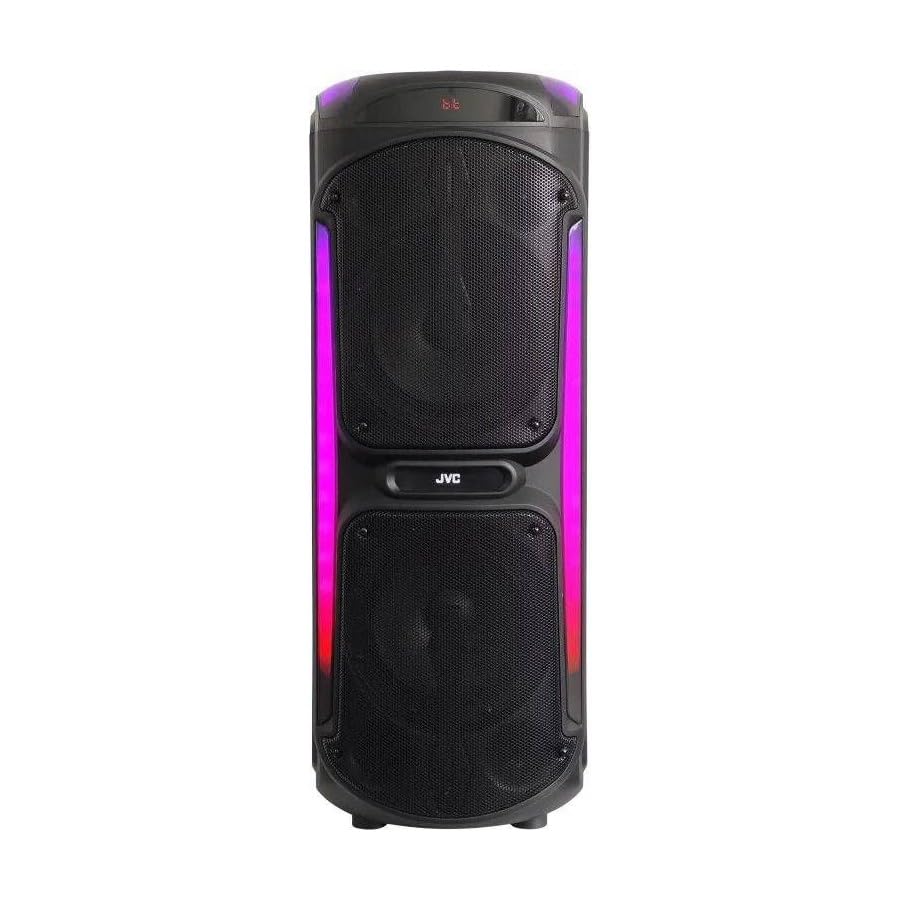
Image: The JVC XS-N3214PB Portable Bluetooth Party Speaker, shown with two microphones, highlighting its versatile connectivity options including Bluetooth, FM Radio, MP3 playback, AUX input, and USB input. The speaker features integrated LED lighting.
2. Turvallisuustiedot
Turvallisen käytön varmistamiseksi ja vaurioiden välttämiseksi noudata seuraavia varotoimia:
- Älä altista kaiutinta vedelle, kosteudelle tai äärimmäisille lämpötiloille.
- Älä yritä purkaa tai muokata kaiutinta. Jätä kaikki huoltotyöt pätevän henkilöstön tehtäväksi.
- Pidä kaiutin poissa lämmönlähteistä, suorasta auringonvalosta ja syttyvistä materiaaleista.
- Käytä ainoastaan määritettyä lataussovitinta.
- Vältä raskaiden esineiden asettamista kaiuttimen päälle.
- Puhdista kaiutin pehmeällä, kuivalla liinalla. Älä käytä nestemäisiä puhdistusaineita tai aerosoleja.
- Varmista, että kaiuttimen ympärillä on riittävä ilmanvaihto käytön aikana.
3. Pakkauksen sisältö
Varmista, että pakkauksessa on kaikki tarvittavat osat:
- JVC XS-N3214PB Portable Bluetooth Party Speaker (1 unit)
- Power Adapter/Charging Cable (1 unit)
- Kaukosäädin (1 kpl)
- Käyttöopas (tämä asiakirja)
- (Optional: Microphone, if included with your specific purchase)
4. Tuote ohiview
4.1. Ominaisuudet
- Powerful 800W Audio Output
- Langaton Bluetooth-yhteys
- Sisäänrakennettu ladattava akku siirtää
- Integrated LED Party Lights
- FM radioviritin
- USB-toisto
- AUX-tulo
- Mikrofonitulo karaokekäyttöön
- Kaukosäätimen toiminta
- Deep Bass Performance
4.2. Ohjaimet ja portit
Familiarize yourself with the speaker's control panel and connection ports. (Refer to diagrams in the full printed manual for exact locations).
- Virtapainike: Kytkee kaiuttimen päälle/pois.
- Tilapainike: Vaihtaa Bluetooth-, FM-, USB- ja AUX-tilojen välillä.
- Äänenvoimakkuuden säätö: Säätää päääänenvoimakkuutta.
- Toisto/tauko-painike: Ohjaa median toistoa.
- Edellinen/seuraava kappale -painikkeet: Navigoi kappaleiden tai FM-asemien läpi.
- LED -valopainike: Vaihtaa LED-valaistustehosteet päälle/pois.
- Microphone Volume/Echo Controls: Adjusts microphone input and echo effect.
- USB-portti: USB-aseman toistoa varten.
- AUX-tulo (3.5 mm): Ulkoisten äänilaitteiden liittämiseen.
- Mikrofonitulo (6.35 mm): Langallisen mikrofonin kytkemiseen.
- DC IN -portti: Kaiuttimen lataamiseen tarkoitetun virtalähteen kytkemistä varten.
5. Asennus
5.1. Kaiuttimen lataaminen
- Connect the power adapter to the DC IN port on the speaker.
- Liitä verkkolaitteen toinen pää pistorasiaan.
- The charging indicator light will illuminate (color may vary) to show the speaker is charging.
- Allow approximately 4-6 hours for a full charge. The indicator light may change or turn off when fully charged.
- Disconnect the power adapter once charging is complete or when using the speaker on battery power.
5.2. Virta päälle / pois
- Virran kytkeminen: Paina virtapainiketta ja pidä sitä painettuna muutaman sekunnin ajan, kunnes näyttö syttyy.
- Virran sammuttaminen: Paina virtapainiketta uudelleen muutaman sekunnin ajan, kunnes näyttö sammuu.
6. Käyttöohjeet
6.1. Bluetooth-pariliitos
- Power on the speaker. It will automatically enter Bluetooth pairing mode, indicated by a flashing Bluetooth icon or voice prompt.
- Ota mobiililaitteessasi (älypuhelin, tabletti jne.) käyttöön Bluetooth ja hae käytettävissä olevia laitteita.
- Select "JVC XS-N3214PB" from the list of devices.
- Once paired, the speaker will confirm with an audible tone or a solid Bluetooth icon.
- Voit nyt toistaa ääntä laitteestasi kaiuttimen kautta.
6.2. FM-radio
- Press the Mode button until "FM" is displayed.
- Paina Toista/Tauko-painiketta skannataksesi ja tallentaaksesi saatavilla olevat FM-asemat automaattisesti.
- Voit selata tallennettuja asemia Edellinen/Seuraava kappale -painikkeilla.
6.3. USB-toisto
- Aseta USB-muistitikku (alustettu FAT32-muotoon), joka sisältää MP3-äänitiedostoja. files USB-porttiin.
- The speaker will automatically switch to USB mode and begin playing the first track. If not, press the Mode button to select USB.
- Ohjaa toistoa Toista/tauko- ja Edellinen/seuraava kappale -painikkeilla.
6.4. AUX -tulo
- Liitä 3.5 mm:n äänikaapelin (ei sisälly toimitukseen) toinen pää kaiuttimen AUX IN -porttiin.
- Liitä kaapelin toinen pää ulkoisen laitteen (esim. MP3-soittimen tai kannettavan tietokoneen) äänilähtöön.
- Press the Mode button until "AUX" is displayed.
- Ohjaa toistoa ja äänenvoimakkuutta ulkoisesta laitteestasi.
6.5. Mikrofoni- ja karaoketoiminto
- Connect a wired microphone (not included) to the Microphone Input port.
- Adjust the microphone volume and echo effect using the dedicated controls on the speaker.
- Play music via Bluetooth, USB, or AUX, and sing along through the microphone.
6.6. LED-juhlavalot
Press the LED Light button to cycle through different lighting modes or to turn the lights off.
6.7. Kaukosäädin
The included remote control allows for convenient operation of the speaker from a distance. Functions include power on/off, mode selection, volume adjustment, track control, and LED light control. Ensure the remote control has working batteries and is pointed towards the speaker's sensor.
7. Huolto
- Puhdistus: Wipe the speaker's exterior with a soft, dry, lint-free cloth. Do not use abrasive cleaners, waxes, or solvents.
- Varastointi: If storing the speaker for an extended period, ensure it is fully charged, then power it off. Store in a cool, dry place away from direct sunlight. Recharge the battery every few months to maintain its lifespan.
- Akun hoito: To prolong battery life, avoid fully discharging the speaker frequently. Charge it before the battery is completely depleted.
8. Vianmääritys
| Ongelma | Mahdollinen syy | Ratkaisu |
|---|---|---|
| Kaiutin ei käynnisty. | Battery is depleted. Power cable not connected. | Charge the speaker. Ensure power cable is securely connected to both speaker and outlet. |
| Ei ääntä. | Volume is too low. Incorrect mode selected. Device not paired (Bluetooth). AUX cable loose. | Increase volume on speaker and source device. Press Mode button to select correct input. Re-pair Bluetooth device. Check AUX cable connection. |
| Bluetooth-laite ei voi muodostaa pariliitosta. | Kaiutin ei ole pariliitostilassa. Laite liian kaukana. Häiriöitä. | Ensure speaker is in Bluetooth mode and flashing. Move device closer to speaker. Turn off other Bluetooth devices. |
| USB-toisto ei toimi. | USB drive not formatted correctly (FAT32). Unsupported file format. USB drive faulty. | Ensure USB drive is FAT32 and contains MP3 files. Kokeile toista USB-asemaa. |
| Kaukosäädin ei toimi. | Batteries depleted. Obstruction between remote and speaker. | Replace remote control batteries. Ensure clear line of sight to speaker's IR sensor. |
9. Tekniset tiedot
| Mallinumero | XS-N3214PB |
| Merkki | JVC |
| Lähtöteho | 800 W (huippu) |
| Yhteydet | Bluetooth, USB, AUX (3.5mm), FM Radio, Microphone Input (6.35mm) |
| Äänilähtötila | Stereot |
| Materiaali | Muovi |
| Asennustyyppi | Lattia seisoo |
| Valvontamenetelmä | Kaukosäädin, painike |
| Mitat (S x L x K) | 35D x 31W x 94H senttimetriä |
| Mukana olevat komponentit | 1 x JVC XS-N3214PB 800W Party Portable Bluetooth Speaker, Power Adapter, Remote Control, User Manual |
10. Takuu ja tuki
10.1. Takuutiedot
This JVC XS-N3214PB speaker comes with a 1 vuoden takuu ostopäivästä lukien. Tämä takuu kattaa valmistusvirheet ja työn laadun normaalissa käytössä. Se ei kata väärinkäytöstä, onnettomuuksista, luvattomista muutoksista tai normaalista kulumisesta aiheutuneita vahinkoja. Säilytä ostokuitti takuuvaatimuksia varten.
10.2. Asiakastuki
For technical assistance, warranty claims, or product inquiries, please contact JVC customer support through the retailer where the product was purchased or visit the official JVC websivustolta alueesi yhteystiedot.