
Johdanto
Kiitos ostoksestasiasing the SWOFY 128GB MP3 Player with Bluetooth. This manual provides detailed instructions on how to set up, operate, and maintain your device. Please read this manual thoroughly before use to ensure proper functionality and to maximize your listening experience.
Tuotteen ominaisuudet
- Suuri tallennuskapasiteetti: 128GB built-in memory, expandable up to 512GB via Micro SD card.
- HiFi-häviötön ääni: Supports MP3, OGG, FLAC, AAC, WMA, WAV, APE audio formats.
- Bluetooth 5.3 -yhteydet: Enhanced speed and stable connection for wireless audio.
- Pitkä akun käyttöikä: Up to 50 hours of usage time on a full charge (approximately 2 hours charging time).
- 2.4-Inch Sensitive Touchscreen: Intuitiivinen navigointi ja hallinta.
- Useita toimintoja: Includes Music Player, FM Radio, Voice Recorder, Video Player, Picture Viewer, E-Book Reader, Calendar, and Settings.

Image: The SWOFY MP3 Player highlighting its 128GB built-in storage, expandable to 512GB, with charging and usage times.

Image: A person enjoying music with headphones, representing the HiFi Lossless Sound quality and supported audio formats.
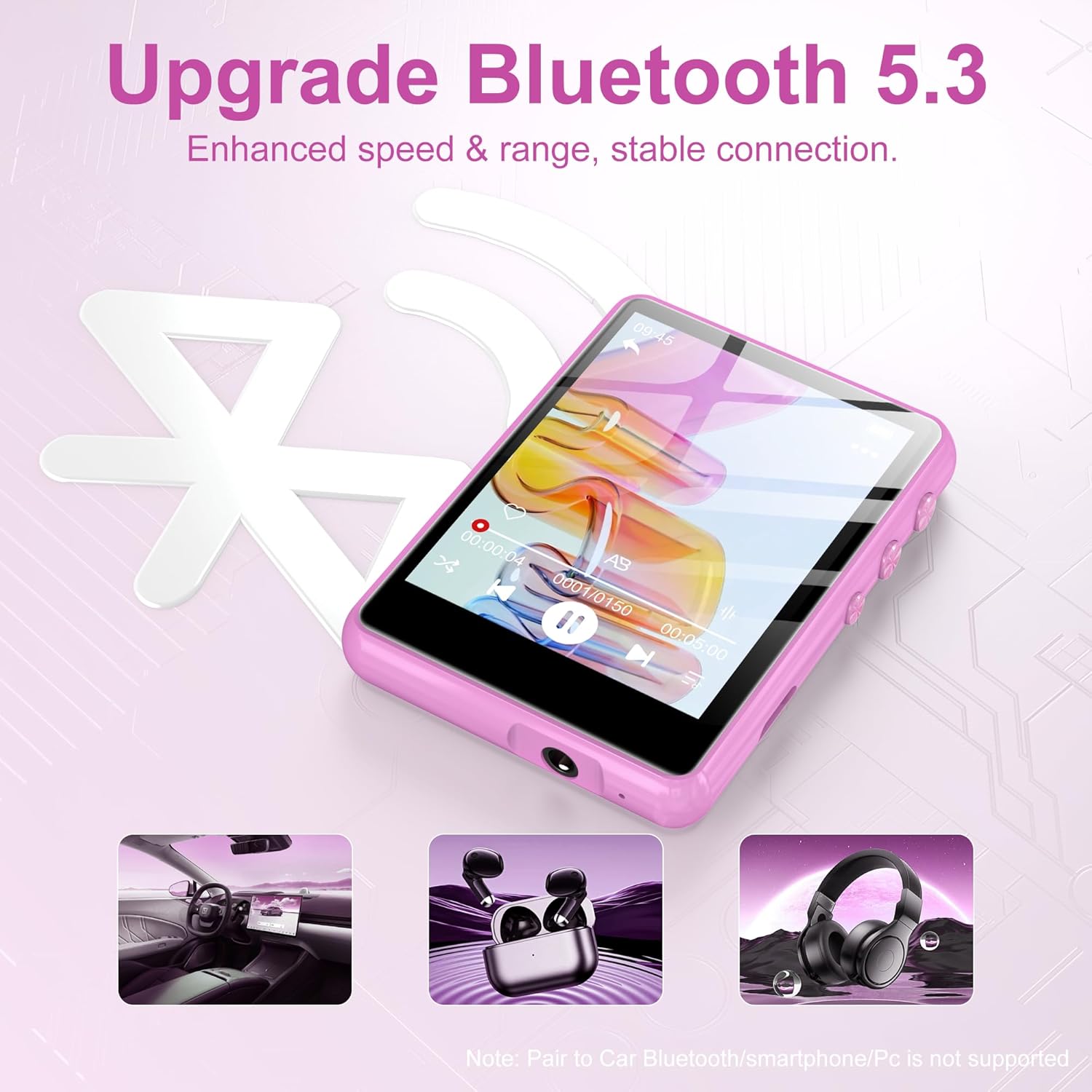
Image: The MP3 player displaying the Bluetooth 5.3 feature, indicating enhanced speed and stable connection. Note: Direct pairing to car Bluetooth, smartphones, or PCs is not supported for audio streaming.

Image: The MP3 player screen indicating a long battery life of up to 50 hours of continuous music playback after a 2-hour charge.
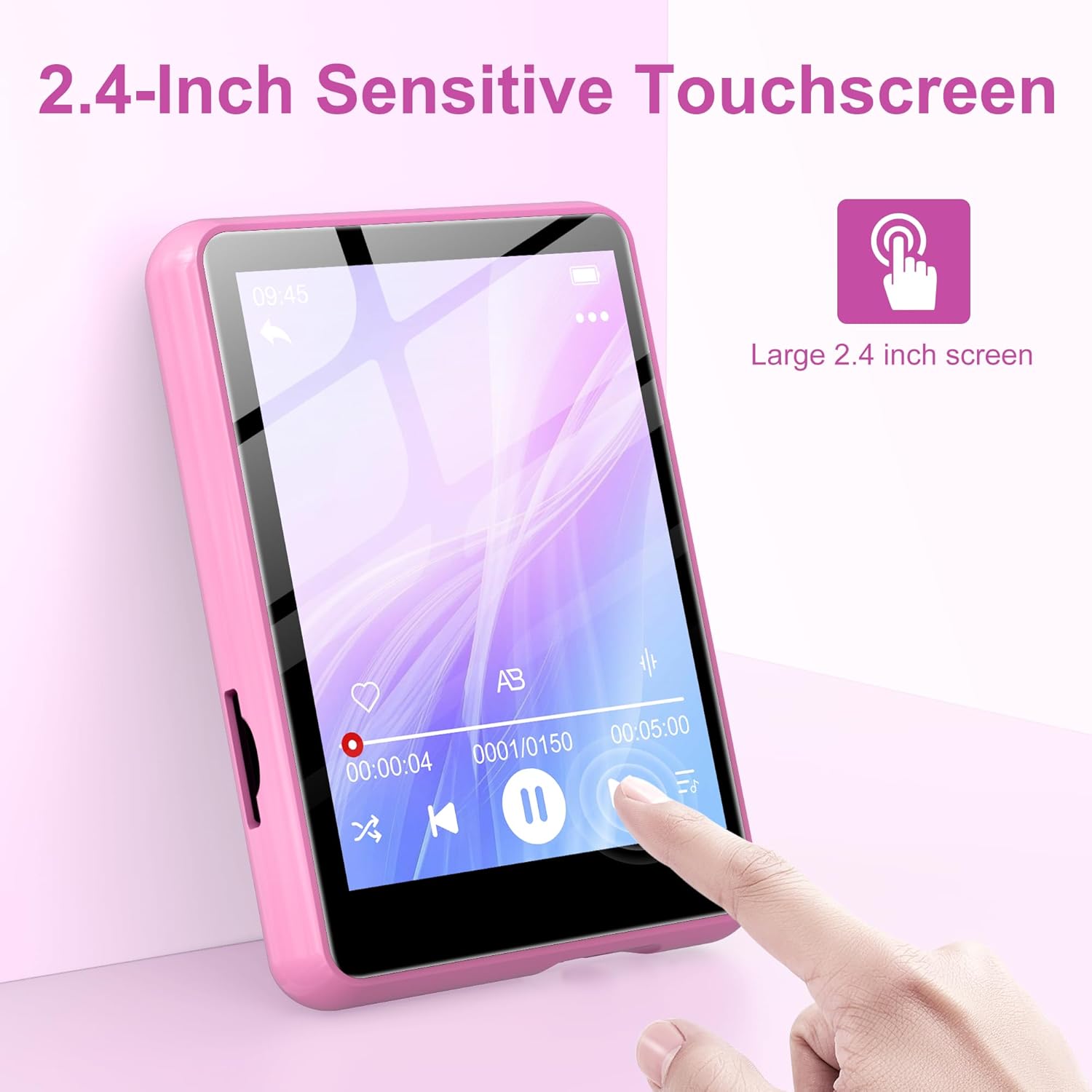
Image: A hand interacting with the 2.4-inch sensitive touchscreen of the MP3 player, demonstrating its touch interface.

Image: The MP3 player showcasing its various functions through icons, including Music, FM Radio, Folder, Bluetooth, Recording, Picture, Video, Calendar, EBook, and Settings.
Pakkauksen sisältö
Tarkista pakkauksesta seuraavat tuotteet:
- SWOFY 128GB MP3 Player
- USB-latauskaapeli
- Kiinteät kuulokkeet
- Protective Case (silicone)
- Käyttöopas
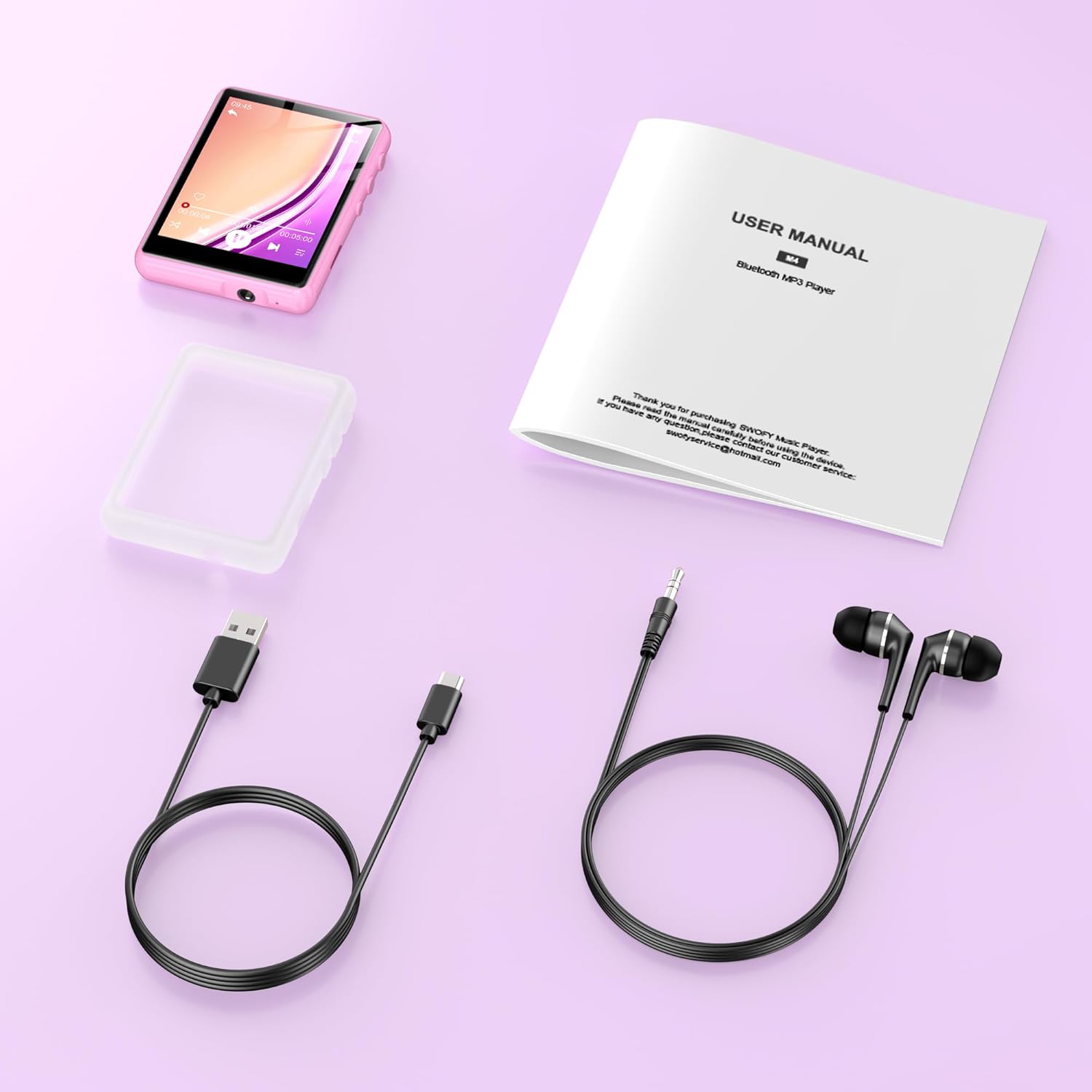
Image: All items included in the product package: the MP3 player, USB charging cable, wired earphones, a protective case, and the user manual.
Asennus
1. Laitteen lataaminen
- Connect the small end of the USB charging cable to the MP3 player's charging port.
- Liitä USB-kaapelin suurempi pää USB-virtalähteeseen (ei sisälly toimitukseen) tai tietokoneen USB-porttiin.
- The device will indicate charging status. A full charge takes approximately 2 hours.
2. MicroSD-kortin asettaminen (valinnainen)
To expand storage beyond the built-in 128GB, you can insert a Micro SD card (up to 512GB).
- Locate the Micro SD card slot on the side of the MP3 player.
- Työnnä Micro SD -kortti varovasti korttipaikkaan, kunnes se napsahtaa paikalleen. Varmista, että kortti on oikein päin.
- Irrota kortti painamalla sitä varovasti sisäänpäin, kunnes se ponnahtaa ulos.
3. Siirto Files
To transfer music, videos, pictures, or e-books to your MP3 player:
- Liitä MP3-soitin tietokoneeseen mukana toimitetulla USB-kaapelilla.
- Laite näkyy tietokoneellasi siirrettävänä levynä.
- Vedä ja pudota haluamasi files into the appropriate folders on the MP3 player (e.g., 'Music' for audio files, 'Video' for videos).
- Kerran filesiirretään, irrota laite turvallisesti tietokoneesta ennen USB-kaapelin irrottamista.
Käyttöohjeet
1. Virta päälle/pois
- Virran kytkeminen: Pidä virtapainiketta painettuna, kunnes näyttö syttyy.
- Virran sammuttaminen: Pidä virtapainiketta painettuna, kunnes näytölle tulee virrankatkaisuvaihtoehto, ja vahvista sitten valinta.
2. Perusnavigointi
- The device features a 2.4-inch sensitive touchscreen. Tap icons to select functions or options.
- Swipe left/right or up/down to navigate through menus or lists.
- Use the physical buttons on the side for volume control and screen lock/unlock.
3. Musiikin toisto
- Napauta päävalikosta Musiikki-kuvaketta.
- Browse your music by Artist, Album, Songs, or Folder.
- Aloita toisto napauttamalla kappaletta.
- On the playback screen, you can pause/play, skip tracks, adjust volume, and access playback settings.
4. Bluetooth-yhteys
Yhdistääksesi Bluetooth-kuulokkeisiin tai -kaiuttimiin:
- Napauta päävalikosta Bluetooth-kuvaketta.
- Ota Bluetooth käyttöön MP3-soittimessa.
- Varmista, että Bluetooth-äänilaitteesi on pariliitostilassa.
- MP3-soitin etsii käytettävissä olevia laitteita. Valitse laite luettelosta pariliitosta varten.
- Once paired, audio will be routed to your Bluetooth device.
5. FM-radio
- Connect wired earphones to the 3.5mm audio jack; they act as the antenna.
- Napauta päävalikosta FM-radio-kuvaketta.
- Käytä näytön säätimiä kanavien hakemiseen tai taajuuden manuaaliseen virittämiseen.
6. Muut toiminnot
- Tallennus: Tap the 'Recording' icon to access the voice recorder.
- Video/Picture: Tap 'Video' or 'Picture' to browse and view mediasi files.
- Sähkökirja: Tap 'EBook' to read supported text files.
- Asetukset: Access device settings such as display, date/time, language, and system information.
Huolto
- Puhdistus: Puhdista laite pehmeällä, kuivalla liinalla. Vältä nestemäisiä puhdistusaineita tai hankaavia aineita.
- Varastointi: Säilytä MP3-soitinta viileässä, kuivassa paikassa, poissa suorasta auringonvalosta ja äärimmäisistä lämpötiloista.
- Akun hoito: Akun käyttöiän pidentämiseksi vältä laitteen usein toistuvaa tyhjentämistä kokonaan. Lataa se säännöllisesti, vaikka sitä ei käytettäisi pitkään aikaan.
- Ohjelmistopäivitykset: Tarkista valmistajalta websivustolta säännöllisesti saatavilla olevien laiteohjelmistopäivitysten varalta.
Vianetsintä
- Laite ei käynnisty: Varmista, että akku on ladattu. Liitä laite virtalähteeseen ja yritä uudelleen.
- Ei voi siirtää files: Varmista, että USB-kaapeli on kytketty kunnolla ja että tietokoneesi tunnistaa laitteen. Kokeile toista USB-porttia tai kaapelia.
- Ei ääntä: Check the volume level. Ensure headphones or Bluetooth devices are properly connected and functioning.
- Bluetooth-laite ei pariliitu: Ensure both devices are in pairing mode and within range. Disconnect and reconnect Bluetooth on the MP3 player.
- Näyttö ei reagoi: Kokeile käynnistää laite uudelleen. Jos ongelma jatkuu, ota yhteyttä asiakastukeen.
Tekniset tiedot
| Ominaisuus | Erittely |
|---|---|
| Merkki | SWOFY |
| Mallinumero | M4-128GB |
| Yhteystekniikka | Bluetooth 5.3, USB |
| Muistin tallennuskapasiteetti | 128 Gt (laajennettavissa jopa 512 Gt:iin Micro SD -kortilla) |
| Näytön koko | 2.4 tuumaa |
| Näyttötekniikka | LCD |
| Yhteensopivat laitteet | Headphones, Personal Computer, Speaker |
| Tuettu mediatyyppi | Micro SD |
| Tuetut äänimuodot | MP3, OGG, FLAC, AAC, WMA, WAV, APE |
| Latausaika | Noin 2 tuntia |
| Käyttöaika | Jopa 50 tuntia |
| Tuotteen paino | 0.18 kiloa |
Takuu ja tuki
This product comes with a standard manufacturer's warranty. For detailed warranty information, please refer to the warranty card included in your package or visit the official SWOFY website. For technical support, troubleshooting assistance, or any other inquiries, please contact SWOFY customer service through the contact information provided on the product packaging or websivusto.