
1. Johdanto
This manual provides essential information for the safe and efficient use of your Philips B4000 Soundbar. Please read these instructions carefully before using the product and retain them for future reference. The Philips B4000 Soundbar is designed to enhance your television's audio experience with clear 2.0 channel sound and versatile connectivity options.

Image: The Philips B4000 Soundbar, its remote control, and a television displaying colorful content, illustrating the product in use.
2. Pakkauksen sisältö
Varmista, että pakkauksessasi on kaikki tarvittavat osat:
- Philips B4000 Soundbar
- Kaukosäädin
- 2 x AAA-paristoa (kaukosäätimeen)
- Seinäkiinnikkeet
- Pika-aloitusopas
- Takuukortti
3. Tuote ohiview
The Philips B4000 Soundbar features a compact design with integrated speakers and various input options for seamless integration with your home entertainment system.

Image: The Philips B4000 Soundbar positioned below a television in a living room, emphasizing its 2.0 channel audio, 60W maximum output power, and dual full-range speakers.
4. Asennus ja asennus
4.1 Sijoitteluvaihtoehdot
The soundbar offers flexible placement to suit your setup:
- TV-telineen sijoitus: Place the soundbar on a flat surface directly in front of your TV. Ensure it does not obstruct the TV's remote sensor.
- Seinäkiinnitys: Use the included wall mount brackets to attach the soundbar to the wall below your TV. Refer to the Quick Start Guide for detailed wall mounting instructions.
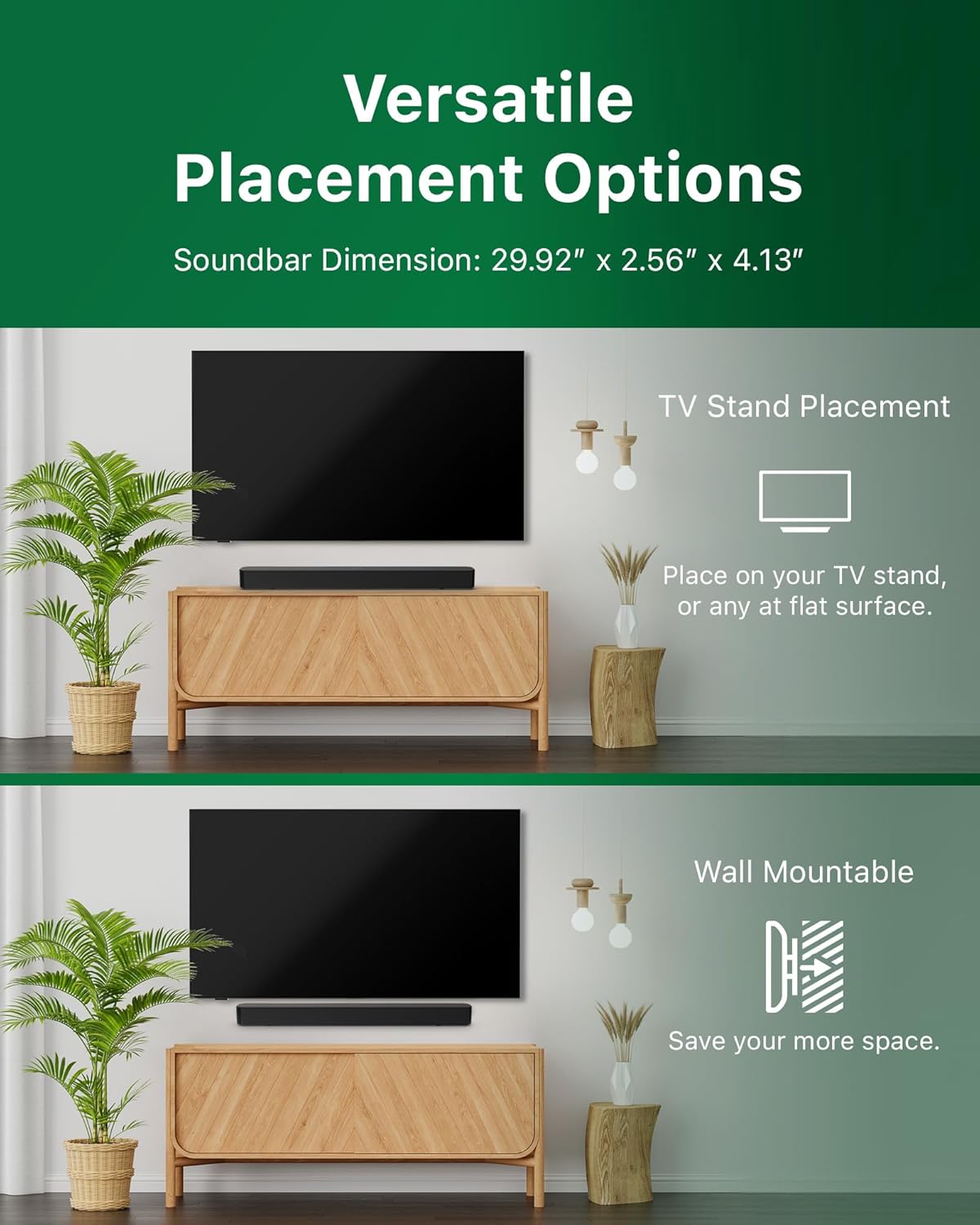
Image: Illustrations demonstrating the two primary placement methods for the soundbar: resting on a TV stand and securely mounted on a wall.
4.2 Televisioon kytkeminen
Soundbar tukee useita liitäntätyyppejä:
- HDMI ARC (Suositeltu): Connect an HDMI cable (not included) from the HDMI ARC port on your TV to the HDMI ARC port on the soundbar. This allows for audio return and control via your TV remote.
- Bluetooth: For wireless audio streaming, pair your soundbar with a Bluetooth-enabled device.
- USB: Connect a USB device for audio playback.
- DC IN: Connect the power adapter to the DC IN port.

Image: A visual representation of the soundbar's available audio input ports, including HDMI (ARC), USB, Bluetooth, and DC IN for power.
4.3 Roku TV Ready -asennus
The Philips B4000 Soundbar is Roku TV Ready certified, simplifying setup and control when paired with a Roku TV.
- Connect the soundbar to your Roku TV via HDMI ARC.
- Your Roku TV should automatically detect and configure the soundbar.
- Use your Roku TV remote to control the soundbar's power and volume.

Image: The Philips B4000 Soundbar seamlessly integrated with a television, illustrating its 'Roku TV Ready' certification for simplified setup and control.
4.4 Kaukosäätimen asetukset
Insert the two included AAA batteries into the remote control, ensuring correct polarity.
5. Käyttö
5.1 Virta päälle/pois
Käynnistä tai sammuta laite painamalla soundbarin tai kaukosäätimen virtapainiketta.
5.2 Tulon valinta
Press the 'Source' button on the remote control to cycle through available input sources (HDMI ARC, Bluetooth, USB).
5.3 Äänenvoimakkuuden säätö
Use the 'Volume Up' and 'Volume Down' buttons on the remote control to adjust the audio level. If connected via HDMI ARC to a Roku TV, your TV remote may also control the volume.
5.4 Bluetooth -pariliitos
- Press the 'Bluetooth' button on the remote control to enter Bluetooth pairing mode. The indicator light on the soundbar will flash.
- On your mobile device, search for Bluetooth devices and select 'Philips B4000'.
- Once paired, the indicator light will become solid, and you can stream audio wirelessly.
5.5 Äänitilat ja taajuuskorjain
The soundbar may offer various sound modes or equalizer settings to optimize audio for different content types (e.g., Movie, Music, News). Use the remote control to access and adjust these settings. While specific equalizer details are not extensively documented, experimentation with available settings is encouraged to find your preferred audio profile.

Image: The Philips soundbar remote control in the foreground, with a television screen in the background displaying the EasyLink 2.0 menu for adjusting sound styles, including Bass, Treble, and Custom Equalize options.
6. Huolto
Varmistaaksesi soundbarisi pitkän käyttöiän ja optimaalisen suorituskyvyn, noudata näitä huolto-ohjeita:
- Puhdistus: Puhdista soundbarin pinta pehmeällä, kuivalla liinalla. Älä käytä nestemäisiä puhdistusaineita tai hankaavia aineita, sillä ne voivat vahingoittaa pintaa.
- Ilmanvaihto: Varmista, että soundbarin tuuletusaukot eivät ole tukossa. Riittävä ilmankierto estää ylikuumenemisen.
- Varastointi: Jos soundbaria säilytetään pitkään, irrota se virtalähteestä ja säilytä sitä viileässä ja kuivassa paikassa.
7. Vianmääritys
If you encounter issues with your Philips B4000 Soundbar, refer to the following common problems and solutions:
| Ongelma | Mahdollinen syy | Ratkaisu |
|---|---|---|
| Ei ääntä soundbarista |
|
|
| Staattinen tai vääristynyt ääni |
|
|
| Bluetooth-pariliitosongelmat |
|
|
| Kaukosäädin ei toimi |
|
|
8. Tekniset tiedot
| Ominaisuus | Yksityiskohta |
|---|---|
| Mallin nimi | TAB4000/37 |
| Kaiuttimen tyyppi | Soundbar |
| Surround-äänikanavan asetukset | 2.0 |
| Kaiuttimen suurin lähtöteho | 60 wattia |
| Yhteystekniikka | Bluetooth (5.4), HDMI ARC, USB |
| Erikoisominaisuudet | Advanced Bluetooth 5.4 Connectivity, Bass Boost, Roku TV Ready™ Certification, Wall mountable |
| Tuotteen mitat | 4.1" S x 30" L x 2.56" K |
| Tuotteen paino | 4.89 puntaa (2.22 kiloa) |
| Virtalähde | Battery Powered (for remote), AC Power (for soundbar) |
| Tulo Voltage | 120 volttia |
| Mukana olevat komponentit | Battery, Quick Start Guide, Remote, Wall Mount Bracket, Warranty Card |
9. Takuu ja tuki
9.1 Takuutiedot
The Philips B4000 Soundbar comes with a Limited Warranty. Please refer to the included Warranty Card for specific terms, conditions, and duration of coverage. Retain your proof of purchase for warranty claims.
9.2 Asiakastuki
Jos tarvitset lisäapua, teknistä tukea tai huoltoa, käy Philipsin virallisella tukisivustolla. websivustolta tai ota yhteyttä heidän asiakaspalveluunsa. Yhteystiedot löytyvät yleensä Philipsin verkkosivuilta. websivustolla tai pikaoppaassa.