
1. Johdanto
Kiitos ostoksestasiasing the MONODEAL T23 3-Speed Turntable. This manual provides essential information for the safe and correct operation of your device. Please read it thoroughly before use and retain it for future reference.
2. Turvallisuustiedot
- Älä altista laitetta sateelle tai kosteudelle tulipalon tai sähköiskun välttämiseksi.
- Älä avaa kaappia. Anna huolto vain pätevän henkilöstön tehtäväksi.
- Ensure the power adapter matches your local power supply.
- Place the unit on a stable, level surface away from direct sunlight, heat sources, and excessive dust or vibration.
- Pidä poissa lasten ulottuvilta.
3. Pakkauksen sisältö
Varmista, että pakkauksessa on kaikki tarvittavat osat:
- 1 x MONODEAL T23 Record Player
- 1 x 5 V 1.5 A virtajohto
- 1 x Käyttöohje (tämä asiakirja)
4. Tuote ohiview
Familiarize yourself with the various parts and controls of your MONODEAL T23 Turntable.

Kuva 4.1: Ylä- ja takaosa View of the MONODEAL T23 Turntable with labeled components including Power Switch, Headphone Jack, Mode button, LED Light, USB Port, Power Adapter Input, RCA Output Jacks, 45 RPM Fixator, Tone Arm Raise Lever, Auto Stop Switch, LP Speed Switch, and Stylus.
- Power Switch/Volume Knob: Kytkee laitteen päälle/pois ja säätää äänenvoimakkuutta.
- Kuulokeliitäntä: Yksityiseen kuunteluun kuulokkeilla.
- Tilapainike: Switches between different input modes (e.g., Phono, Bluetooth, USB).
- LED-valo: Ilmaisee virran ja tilan tilan.
- USB-portti: USB-toistoa varten.
- Virtalähteen tulo: Connects to the provided 5V 1.5A power cord.
- RCA-lähtöliittimet (V/O): Yhdistää ulkoiseen ampnostin tai teholliset kaiuttimet.
- 45 RPM Fixator: Adapter for 7-inch records with large center holes.
- Äänivarren nostovipu: Lifts and lowers the tone arm gently.
- Automaattinen pysäytyskytkin: Ottaa automaattisen pysäytystoiminnon käyttöön tai poistaa sen käytöstä.
- LP-nopeuskytkin: Valitsee toistonopeuden (33, 45 tai 78 rpm).
- Kynä: Neula, joka lukee levyn urat.
5. Asennus
- Purkaminen: Poista levysoitin varovasti pakkauksestaan. Säilytä pakkaus myöhempää kuljetusta tai säilytystä varten.
- Sijoitus: Place the turntable on a stable, level surface. Ensure there is adequate ventilation around the unit.
- Virtaliitäntä: Connect the provided 5V 1.5A power cord to the DC IN port on the back of the turntable and then plug it into a wall outlet.
- Pölysuoja: The transparent dust cover can be opened or closed to protect the platter and stylus when not in use.
6. Käyttöohjeet
6.1 Vinyylilevyjen soittaminen
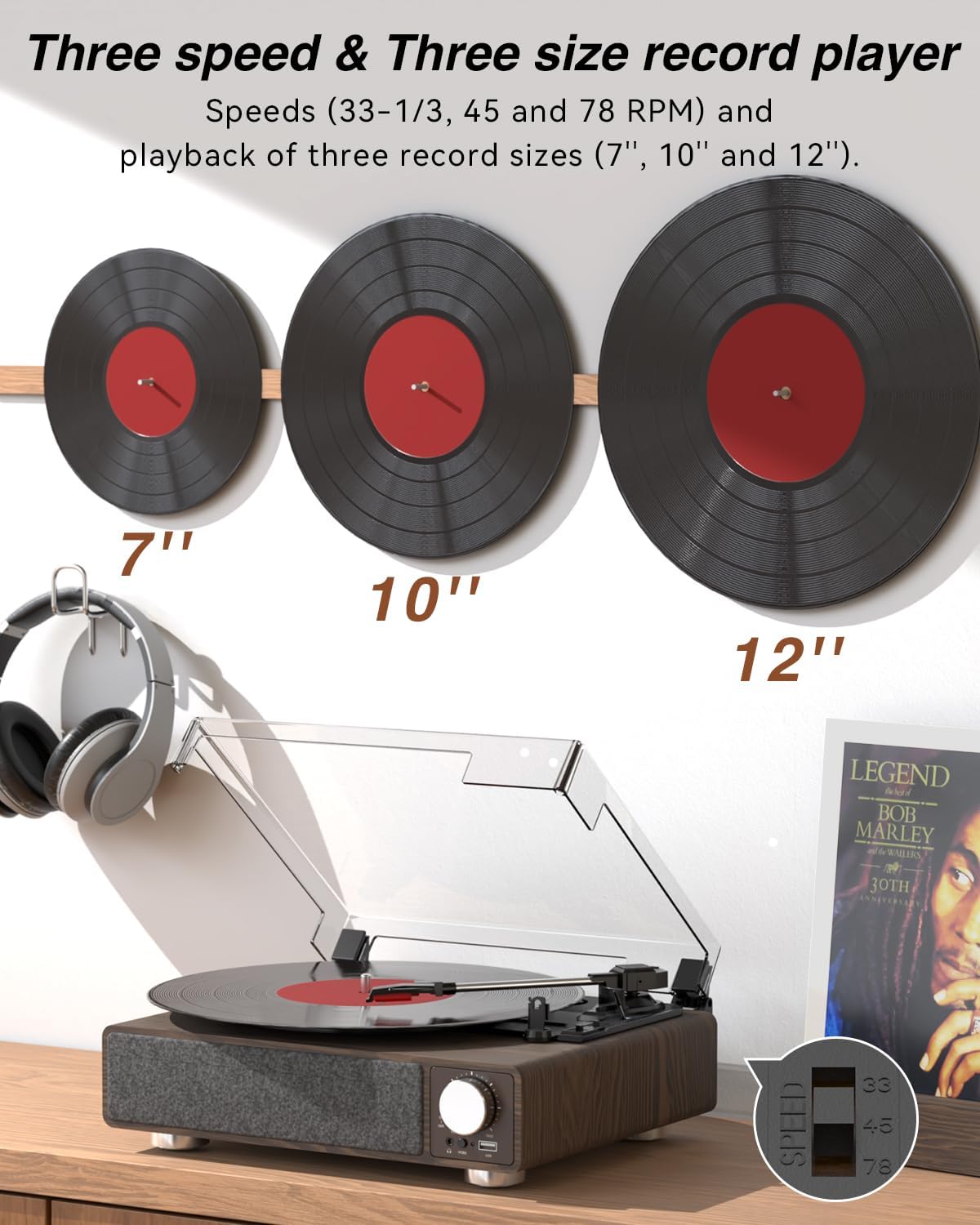
Kuva 6.1: The MONODEAL T23 Turntable supports 3 speeds and 3 record sizes.
- Turn the Power Switch/Volume Knob clockwise to turn on the unit.
- Nosta pölysuoja.
- Place a vinyl record on the turntable platter. If playing a 7-inch record with a large center hole, place the 45 RPM fixator on the spindle first.
- Select the appropriate speed (33, 45, or 78 RPM) using the LP Speed Switch, matching the record you are playing.
- Push the Tone Arm Raise Lever up to lift the tone arm.
- Siirrä äänivarsi manuaalisesti levyn halutun aloitusraidan päälle.
- Push the Tone Arm Raise Lever down to gently lower the tone arm onto the record. Playback will begin.
- Adjust the volume using the Power Switch/Volume Knob.
- Automaattinen pysäytystoiminto: If the Auto Stop Switch is set to ON, the turntable will automatically stop rotating when the record finishes playing. If set to OFF, it will continue to rotate.
- To stop playback, lift the tone arm using the lever and return it to the tone arm rest. Turn the Power Switch/Volume Knob counter-clockwise to turn off the unit.
6.2 Bluetooth Transmission (BT OUT)
This feature allows you to stream audio from the turntable to external Bluetooth speakers or headphones.

Kuva 6.2: Bluetooth transmission from the turntable to external devices.
- Ensure the turntable is powered on and in Phono mode (playing a record).
- Press and hold the Mode button until the LED indicator flashes blue, indicating Bluetooth transmission pairing mode.
- Aseta Bluetooth-kaiutin tai -kuulokkeet pariliitostilaan.
- The turntable will automatically search for and connect to the nearest Bluetooth device. Once connected, the LED indicator will turn solid blue.
- Audio from the record will now play through your connected Bluetooth device.
6.3 Bluetooth Reception (BT IN)
This feature allows you to stream audio from your mobile device (phone, tablet) to the turntable's built-in speakers.
Kuva 6.3: Bluetooth reception by the turntable from a smartphone.
- Kytke levysoitin päälle.
- Press the Mode button repeatedly until the LED indicator flashes blue, indicating Bluetooth reception pairing mode.
- On your mobile device, enable Bluetooth and search for available devices. Select "MONODEAL T23" from the list.
- Kun yhteys on muodostettu, LED-merkkivalo palaa tasaisen sinisenä.
- Play audio on your mobile device, and it will sound through the turntable's speakers. Adjust volume using the turntable's volume knob or your mobile device.
6.4 USB-toisto
The turntable supports playing audio files USB -muistitikulta.
- Insert a USB flash drive into the USB port on the front of the turntable.
- Press the Mode button to switch to USB mode. The LED indicator will change to reflect USB mode.
- The turntable will automatically begin playing audio files from the USB drive. Use the control buttons (if available, or refer to the specific model's USB control instructions) to navigate tracks.
6.5 RCA-lähtö
Liitä levysoitin ulkoiseen laitteeseen amplifier-kaiuttimet tai aktiivikaiuttimet parannetun äänen saamiseksi.

Kuva 6.4: RCA output for external speakers and headphone jack for private listening.
- Ensure the turntable and your external audio system are turned off.
- Connect an RCA cable (not included) to the RCA Output Jacks (L/R) on the back of the turntable.
- Liitä RCA-kaapelin toinen pää vastaavaan äänituloon televisiossasi. ampnostin tai teholliset kaiuttimet.
- Turn on both the turntable and your external audio system.
- Play a record as described in Section 6.1. Audio will be routed through your external system. Adjust volume on both devices as needed.
6.6 Kuulokeliitäntä
For private listening, connect headphones to the 3.5mm headphone jack on the front of the unit.
- Plug your 3.5mm headphones into the Headphone Jack.
- Adjust the volume using the Power Switch/Volume Knob.
7. Huolto
7.1 Levysoittimen puhdistaminen
- Pyyhi laitteen ulkopinta pehmeällä, kuivalla liinalla. Älä käytä hankaavia puhdistusaineita tai liuottimia.
- Pidä pölysuojus suljettuna, kun sitä ei käytetä, jotta pölyä ei kerry.
7.2 Kynän hoito
- Handle the stylus with extreme care. Avoid touching the stylus tip with your fingers.
- Puhdista osoitin säännöllisesti pehmeällä harjalla varovasti takaa eteenpäin.
- A worn stylus can damage records and degrade sound quality. Replace the stylus when signs of wear appear (e.g., distorted sound, skipping).
7.3 Asiakirjojen hoito
- Always hold records by their edges or center label.
- Säilytä levyjä pystysuunnassa suojakoteloissaan viileässä ja kuivassa paikassa.
- Puhdista levyt säännöllisesti levynpuhdistusharjalla tai -liuoksella pölyn ja staattisen sähkön poistamiseksi.
8. Vianmääritys
| Ongelma | Mahdollinen syy | Ratkaisu |
|---|---|---|
| Ei virtaa | Power cord not connected; Power outlet not working; Unit not turned on. | Ensure power cord is securely connected; Try a different outlet; Turn the Power Switch/Volume Knob clockwise. |
| Ei ääntä sisäänrakennetuista kaiuttimista | Volume too low; RCA output connected; Bluetooth transmission active. | Increase volume; Disconnect RCA cables if not using external speakers; Ensure Bluetooth transmission is off if you want sound from built-in speakers. |
| Ääni vääristynyt tai hyppivä | Record dirty or damaged; Stylus dirty or worn; Turntable not level; Excessive vibration. | Clean record; Clean or replace stylus; Place turntable on a stable, level surface; Ensure turntable is away from sources of vibration. |
| Bluetooth-pariliitos epäonnistuu | Device too far; Device not in pairing mode; Interference. | Move devices closer; Ensure both devices are in pairing mode; Turn off other Bluetooth devices nearby. |
| Auto stop not working | Auto Stop Switch is OFF. | Set the Auto Stop Switch to ON. Note: Some records may stop prematurely or not at all due to variations in groove patterns. |
9. Tekniset tiedot
| Ominaisuus | Erittely |
|---|---|
| Mallin nimi | T23 |
| Merkki | MONODEAL |
| Tuotteen mitat | 11.81 x 9.84 x 4.31 tuumaa (30 x 25 x 11 cm) |
| Tuotteen paino | 5.77 puntaa (2.62 kg) |
| Materiaali | Puu |
| Toistonopeudet | 33-1/3, 45, 78 kierrosta minuutissa |
| Tuetut tietuekoot | 7", 10", 12" |
| Yhteydet | Bluetooth (Reception & Transmission), USB, RCA Output, Headphone Jack |
| Virtalähde | Johdollinen sähkölaite (5 V 1.5 A) |
| Erikoisominaisuudet | Built-in Stereo Speakers, Auto Stop, Belt-Drive System |
10. Takuu ja tuki
MONODEAL products are designed and manufactured to the highest quality standards. For warranty information and technical support, please refer to the warranty card included with your purchase or visit the official MONODEAL website. Please have your model number (T23) and purchase date available when contacting support.