
Johdanto
This manual provides detailed instructions for the installation, operation, and maintenance of your NINEYIN Motorcycle Dash Cam (Model RM). This device is designed to capture high-quality 1080p footage from both the front and rear of your motorcycle, offering enhanced safety and recording capabilities during your rides. Please read this manual thoroughly before use to ensure proper functionality and longevity of your device.
The dash cam features IP67 waterproofing, night vision, app connectivity for easy control, and loop recording to ensure continuous coverage. It also includes emergency recording functionality to secure critical footage in the event of an incident.
Pakkauksen sisältö
Varmista, että pakkauksessasi on kaikki alla luetellut tuotteet:
- Main DVR Unit
- Front Camera (1080p)
- Rear Camera (1080p)
- Power Cable (Hard-wire kit)
- Langallinen kaukosäädin
- GPS-moduuli
- Kiinnitystelineet ja liimat
- Asennustyökalu
- Käyttöopas

Image: Contents of the NINEYIN Motorcycle Dash Cam package, including the main unit, front and rear cameras, wiring, and accessories.
Asennus ja asennus
The NINEYIN Motorcycle Dash Cam requires hard-wiring to your motorcycle's power system. It is recommended to consult a professional for installation if you are unfamiliar with motorcycle electrical systems. Ensure the motorcycle is turned off and the battery is disconnected before beginning installation.
1. Pääyksikön sijoittelu
The main DVR unit is compact and designed to fit discreetly under your seat or in another secure, protected location. Avoid areas exposed to extreme heat or direct impact.

Image: Dimensions of the main DVR unit and cameras, illustrating their compact size for discreet installation.
2. Johdotusliitäntä
The dash cam requires connection to your motorcycle's battery (B+) for constant power and an ACC (Accessory) power source that turns on/off with the ignition. The black wire connects to the negative terminal (GND) of the battery.
Video: Detailed tutorial on how to install the motorcycle dash cam's power wiring, including identifying appropriate fuse box connections for constant and switched power.
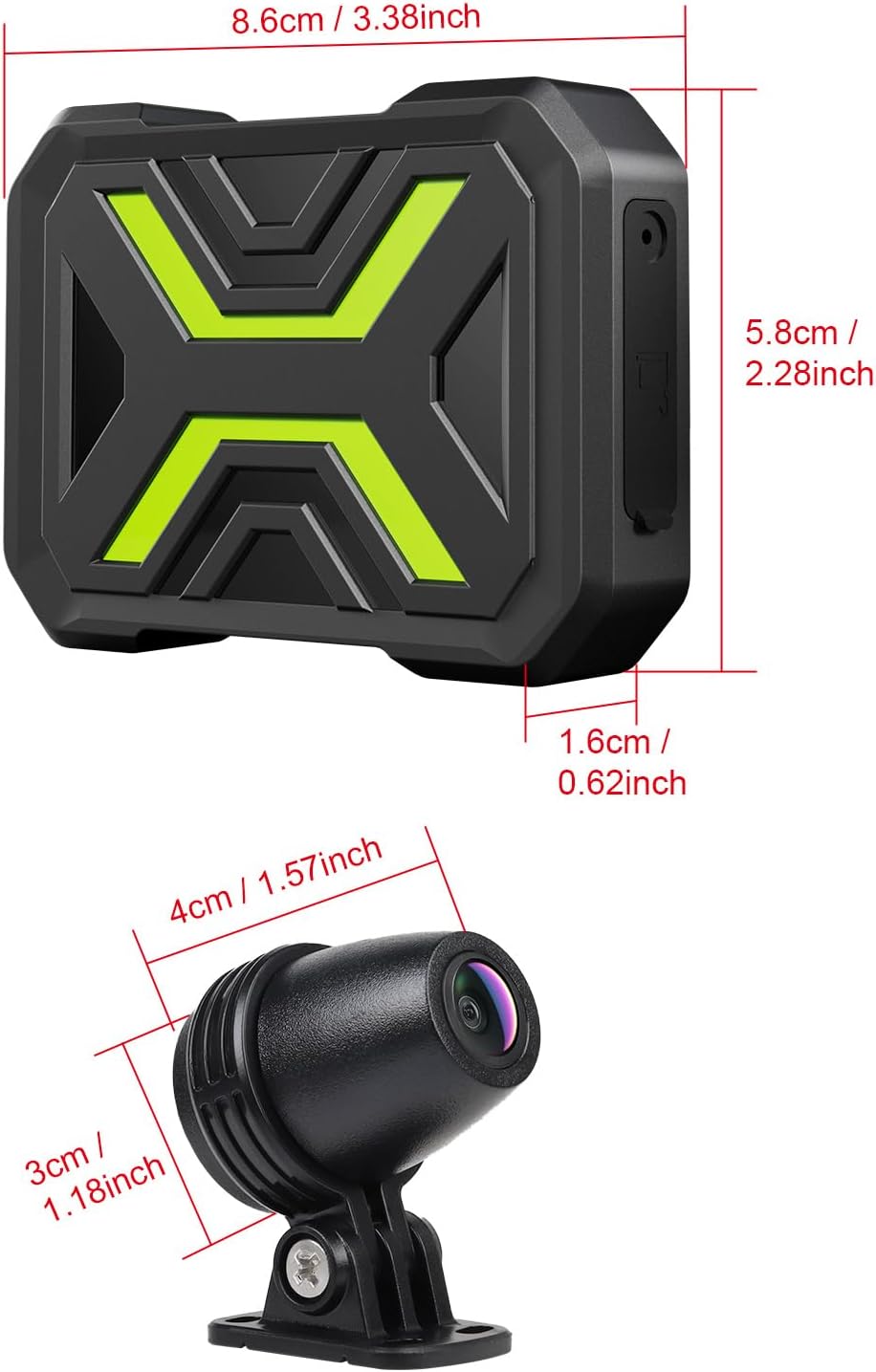
Image: A clear diagram illustrating the wiring connections for the NINEYIN Motorcycle Dash Cam, showing connections for front camera, ACC, GND, BATT+, and rear camera.
3. Kameran asennus
Mount the front and rear cameras in suitable positions, ensuring a clear, unobstructed view. Use the provided adhesive pads and mounting brackets for secure attachment. The cameras are IP67 waterproof, suitable for various weather conditions.
Video: Step-by-step guide on installing the front and rear cameras, including adhesive application and cable routing for a clean setup.

Image: The dash cam's main unit and cameras are shown being exposed to water, highlighting their IP67 waterproof and dustproof design.
4. SD-kortin asennus
Insert a microSD card (up to 128GB, not included) into the main DVR unit. Ensure the card is correctly oriented before insertion. The device will automatically format the card upon first use or if a new card is detected.
5. Sovellusyhteys (Wi-Fi)
Download the dedicated app from your mobile app store. Turn on the dash cam, enable Wi-Fi on your smartphone, and connect to the dash cam's Wi-Fi network. The default password is typically provided in the manual or on the device itself. Once connected, you can access live view, toisto ja asetukset.

Image: A smartphone screen displaying the dash cam's app interface, showing options for live view, settings, and video playback, with the main unit nearby indicating Wi-Fi connectivity.
Video: Demonstration of connecting the dash cam to a smartphone via Wi-Fi and navigating the app interface for live viewasetusten säätö.
Käyttöohjeet
1. Automaattinen tallennus
The dash cam automatically starts recording when the motorcycle ignition is turned on (via ACC power) and stops when the ignition is turned off. This ensures that every ride is captured without manual intervention.
2. Dual Channel 1080p Recording
The front and rear cameras simultaneously record in 1080p resolution, providing a comprehensive view of your surroundings. The 160° ultra-wide-angle lenses minimize blind spots.
Image: Illustrates the dual 1080p recording capability of the front and rear cameras, showing the wide 160-degree field of view from both perspectives on a motorcycle.
3. Silmukkanauhoitus
The dash cam utilizes loop recording, continuously recording and overwriting the oldest files when the microSD card is full. This ensures uninterrupted recording without the need to manually delete files. Recording length can be adjusted via the app (e.g., 1/3/5 minutes).
4. Hätätallennus (G-anturi)
In the event of a collision or sudden vibration, the built-in G-sensor automatically triggers emergency recording. This locks the current footage to prevent it from being overwritten, providing crucial evidence. Sensitivity can be adjusted through the app. For theft or vandalism, it records a 10-15 second protected video.
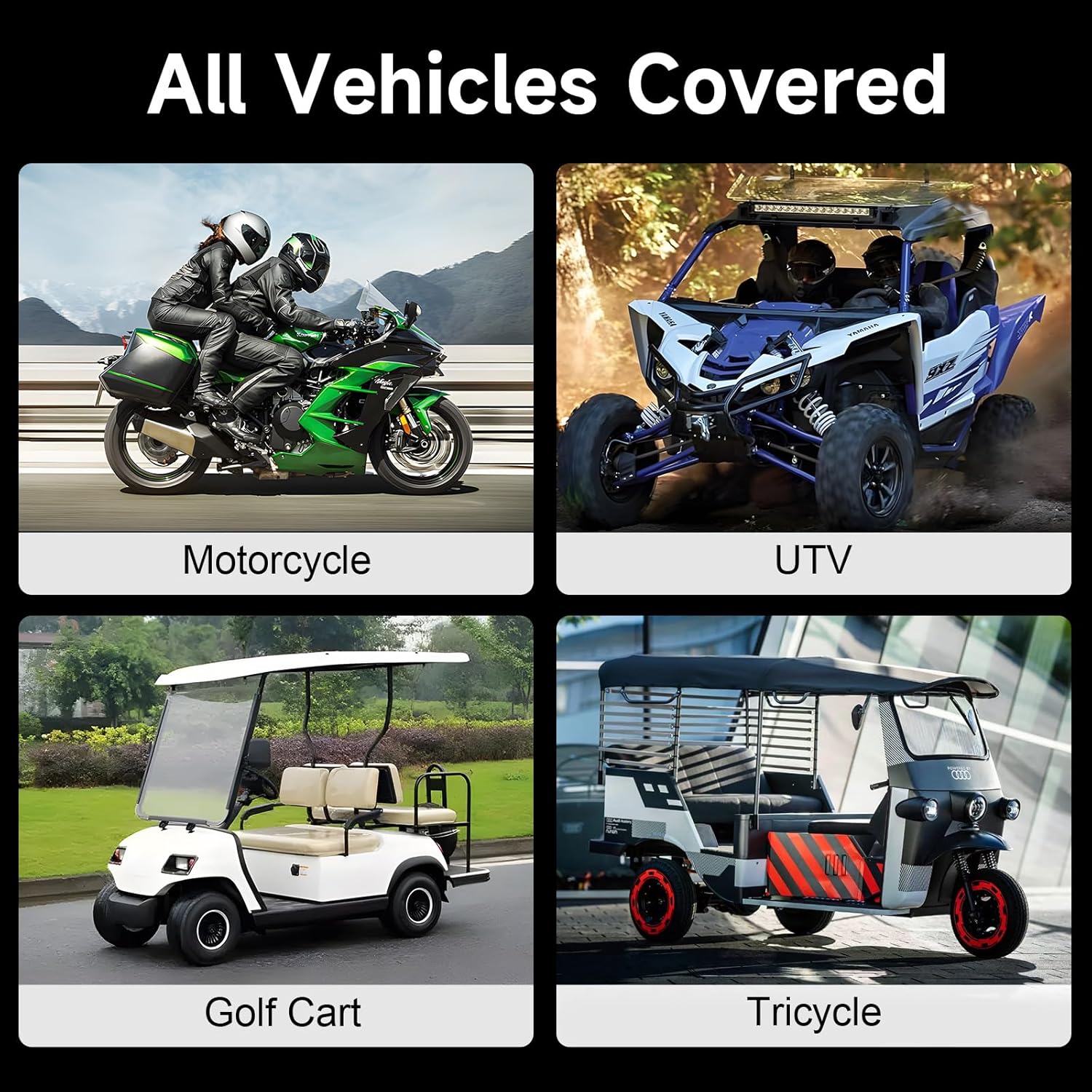
Image: Depicts the dash cam's collision detection and loop recording features, showing a locked video icon over a motorcycle being bumped by a car, indicating protected footage.
5. Night Vision
The dash cam is equipped with night vision functionality, allowing it to capture clear footage in low-light or nighttime environments, enhancing safety during night rides.

Image: A split image showing the difference between normal and night vision footage from the motorcycle dash cam, with the night vision side appearing brighter and clearer.
6. Wi-Fi- ja sovellushallinta
Connect your smartphone to the dash cam via Wi-Fi to access the dedicated app. The app allows for real-time viewfootage, playback of recorded videos, downloading files to your phone, and adjusting various settings without needing a cumbersome screen on the dash cam itself.
Huolto
1. SD-kortin hallinta
Due to loop recording, the microSD card will automatically manage storage by overwriting older files. It is recommended to periodically back up important footage to your computer or cloud storage. Format the SD card every few months to maintain optimal performance and prevent data corruption.
2. Puhdistus
Pyyhi kameran linssit ja pääyksikkö pehmeällä,amp cloth to remove dust and dirt. Avoid using harsh chemicals or abrasive materials that could damage the device. Ensure all connections are dry before operating the dash cam after cleaning.
Vianetsintä
If you encounter any issues with your NINEYIN Motorcycle Dash Cam, please refer to the following common solutions:
- Ei virtaa: Ensure all power connections (B+, ACC, GND) are secure and correctly wired. Check the motorcycle's fuse box for any blown fuses.
- Wi-Fi-yhteysongelmat: Verify that the dash cam is powered on and its Wi-Fi is active. Ensure your smartphone's Wi-Fi is enabled and connected to the correct dash cam network. Try restarting both the dash cam and your phone.
- SD Card Not Recognized/Recording Errors: Ensure the microSD card is inserted correctly. Try formatting the card via the app. If issues persist, try a different, high-quality microSD card (Class 10 or higher recommended).
- Huono videon laatu: Ensure camera lenses are clean and free from obstructions. Check app settings to confirm recording resolution is set to 1080p.
For further technical assistance, please contact customer support.
Tekniset tiedot
- Tuotteen mitat: 3.38 x 2.28 x 0.62 tuumaa
- Tuotteen paino: 12.7 unssia
- Akut: Tarvitaan 1 litiumioniakkua (mukana)
- Yhteysteknologiat: Wi-Fi
- Erikoisominaisuudet: App Control, Compact Design, G-Sensor, Loop Recording, Night Vision
- Videokaappauksen resoluutio: 1080p
- Asennustyyppi: License Plate Mount (Note: Product images show various mounting options, refer to manual for specific camera mounting)
- Kenttä View: 160 astetta
- Valvontamenetelmä: Sovellus
- Vedenpitävyysluokitus: IP67
- SD-korttien enimmäistuki: 128GB (microSD, not included)
Takuu ja tuki
Your NINEYIN Motorcycle Dash Cam comes with a 12 kuukauden laatutakuuOlemme sitoutuneet tarjoamaan erinomaista asiakaspalvelua.
For technical support or any inquiries, please reach out to our 24/7 asiakastuki team. We guarantee a solution within 24 hours.
Please refer to the contact information provided on the product packaging or official websivusto tukitietojen saamiseksi.