
Johdanto
The 1MORE P20 USB-C Wired Earphones are designed to provide a high-quality audio experience with powerful sound, clear call quality, and ergonomic comfort. This manual provides essential information for setting up, operating, maintaining, and troubleshooting your earphones.

Image: The 1MORE P20 USB-C Wired Earphones, showcasing their sleek black design and the Hi-Res Audio certification.
Asennus
1. Korvatyynyjen valinta ja istuvuus
For optimal sound quality and comfort, select the ear tips that best fit your ears. The earphones come with various sizes of silicone ear tips. Gently insert the earphones into your ear canals at a 45° angle until they feel secure and comfortable. A proper seal is crucial for effective acoustic isolation and bass response.
2. Yhteyden muodostaminen laitteeseen
The 1MORE P20 earphones feature a USB-C connector for direct plug-and-play compatibility. Simply plug the USB-C connector into the USB-C port of your smartphone, tablet, iPad, or other compatible digital device. No additional drivers or software are typically required.
Käyttöohjeet
1. Äänen toisto
Once connected, your device should automatically recognize the earphones. Begin playing audio from your preferred application. The earphones support Hi-Res Stereo Audio for a detailed and immersive listening experience.
2. Äänenvoimakkuuden säätö
The in-line remote control allows you to adjust the volume. Use the '+' button to increase volume and the '-' button to decrease volume. Short press the center button to play/pause music or answer/end calls.
3. Puhelunhallinta
The earphones are equipped with an advanced MEMS microphone and AI ENC noise suppression technology for clear voice capture during calls. To answer an incoming call, short press the center button. To end a call, short press the center button again. To reject a call, long press the center button.
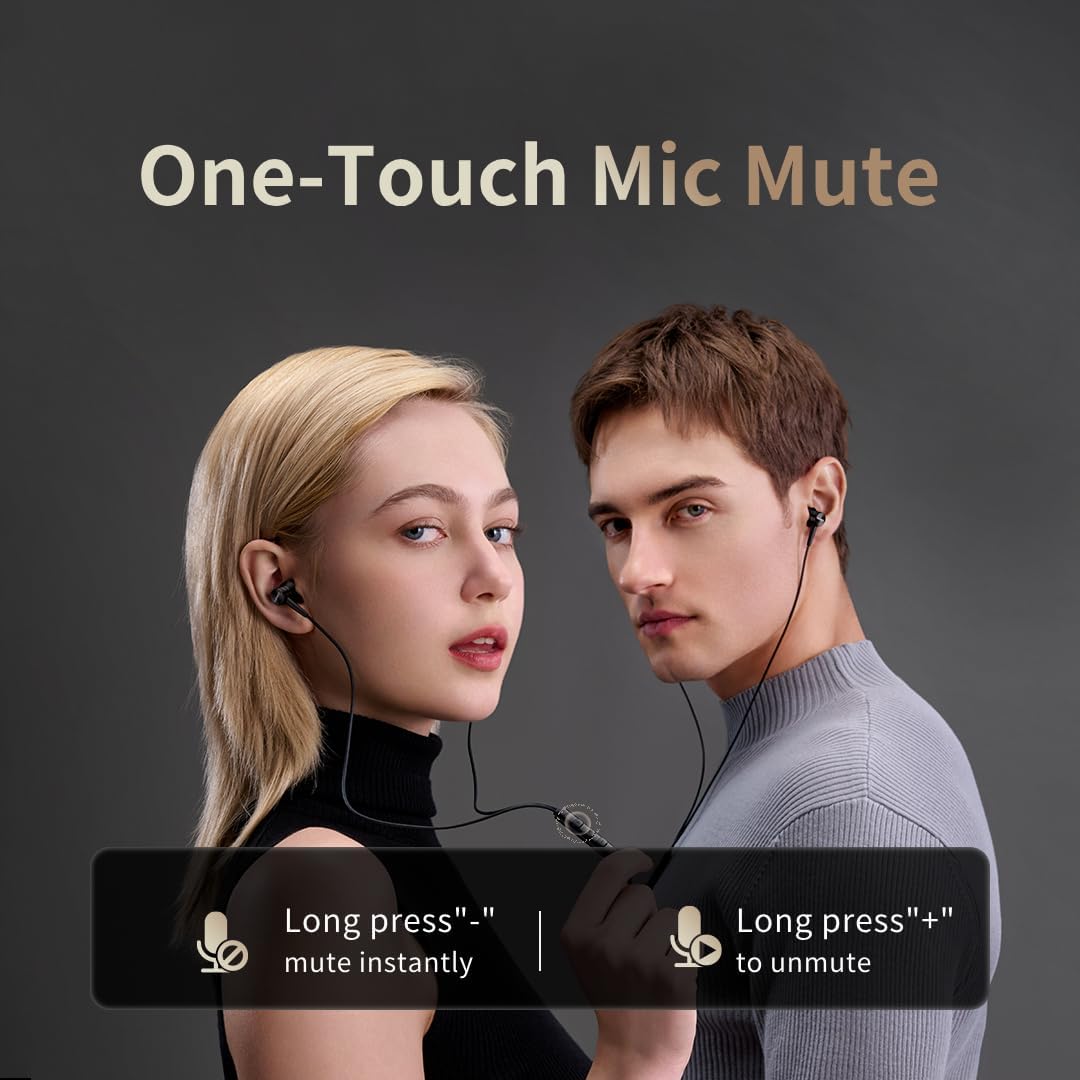
Image: Illustration of the one-touch microphone mute function. Long press '-' to mute instantly, long press '+' to unmute.
4. Mikrofonin mykistystoiminto
To instantly mute the microphone during a call, long press the '-' button on the in-line remote. To unmute, long press the '+' button.
Huolto
1. Puhdistus
- Puhdista korvakärjet säännöllisesti pehmeällä, kuivalla liinalla korvavaikun ja roskien poistamiseksi.
- Wipe the earphone bodies and cable with a slightly damp liinalla ja kuivaa sitten huolellisesti.
- Älä käytä puhdistukseen voimakkaita kemikaaleja tai hankaavia materiaaleja.
2. Varastointi
When not in use, store the earphones in a clean, dry place, preferably in a protective pouch, to prevent tangling and damage to the cable or drivers.
Vianetsintä
- Ei ääntä:
- Varmista, että USB-C-liitin on työnnetty kokonaan laitteeseen.
- Check the volume level on both your device and the earphone remote.
- Testaa kuulokkeita toisella laitteella sulkeaksesi pois laitekohtaiset ongelmat.
- Huono äänenlaatu:
- Ensure ear tips provide a proper seal in your ear canal. Try different sized ear tips.
- Clean any debris from the earphone nozzles.
- Tarkista, onko äänilähteen laatu korkea.
- Mikrofoni ei toimi:
- Ensure the microphone is not muted (check the mute function using the in-line remote).
- Tarkista yhdistetyn laitteen mikrofoniasetukset.
- Varmista, että USB-C-liitäntä on tukevasti kiinni.
Tekniset tiedot

Kuva: Räjähtänyt view illustrating the 10mm Diamond-Like Carbon (DLC) dynamic driver, responsible for the powerful and compact sound.
| Ominaisuus | Erittely |
|---|---|
| Mallin nimi | P20 Black EU |
| Yhteystekniikka | Langallinen |
| Kuulokeliitäntä | USB-C |
| Korvien sijoitus | Korvassa |
| Muototekijä | Korvassa |
| Impedanssi | 32 ohmia |
| Taajuusalue | 20 Hz–40,000 XNUMX Hz |
| Ääniohjaimen tyyppi | Dynamic (10mm DLC Diaphragm) |
| Melunhallinta | Active Noise Suppression (AI ENC for microphone) |
| Valvontamenetelmä | Painike |
| Yhteensopivat laitteet | Phone, Tablet, iPad |
| Vedenkestävyystaso | Ei vedenkestävä |
| Sisäinen materiaali | Alumiini |

Image: A woman enjoying music with the 1MORE P20 earphones, highlighting the Hi-Res Audio capability and immersive sound.
Takuu ja tuki
For warranty information or technical support, please refer to the official 1MORE websivustolta tai ota yhteyttä suoraan heidän asiakaspalveluunsa. Säilytä ostokuitti takuuvaatimuksia varten.