
Johdanto
This manual provides detailed instructions for the Roxicosly Digital Calendar Day Clock (Model CR1029). This device is designed to clearly display time, date, and day of the week with a large, high-definition screen, making it suitable for various users, including seniors and those with vision impairment. It offers extensive alarm and reminder functionalities, customizable display options, and a photo playback feature.
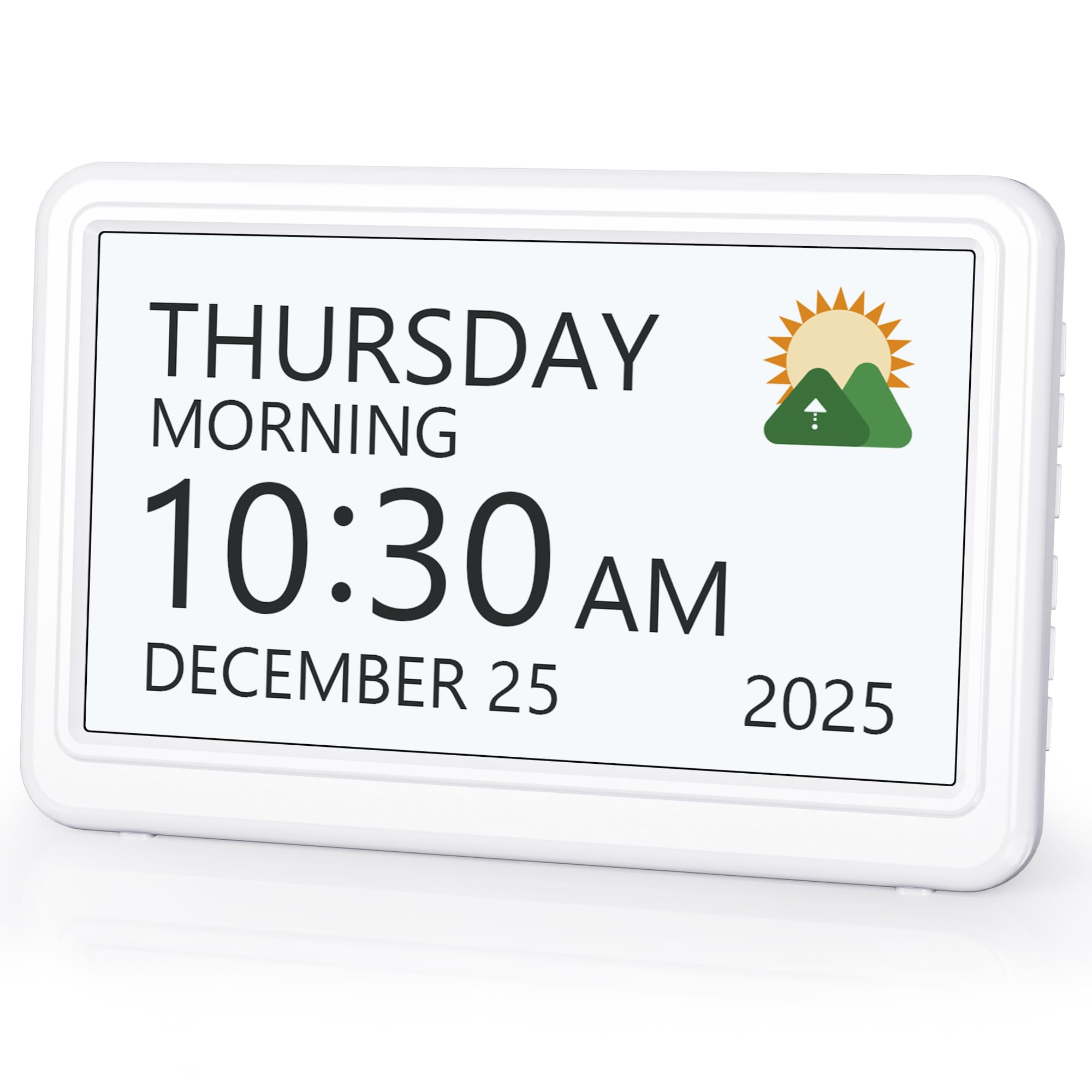
Image: The Roxicosly Digital Calendar Day Clock, showing a clear display of the time, day, and date.
Tärkeitä turvallisuustietoja
- Always use the provided power adapter. The clock requires AC power for operation.
- 2 AA batteries (not included) are for backup memory function only, preserving settings during a power outage. They do not power the clock for continuous display.
- Pidä laite poissa vedestä ja korkeasta kosteudesta.
- Älä yritä purkaa tai korjata laitetta itse. Ota yhteyttä asiakaspalveluun saadaksesi apua.
- Varmista riittävä ilmanvaihto laitteen ympärillä.
Pakkauksen sisältö
Varmista, että pakkauksessa on kaikki tarvittavat osat:
- Roxicosly Digital Calendar Day Clock (Model CR1029)
- Power Adapter (AC 100-240V, DC 5V/2A)
- USB to Type-C Cable (1.4m/55inch)
- Käyttöopas

Image: The clock, USB cable, power adapter, and user manual included in the package.
Asennus
1. Virran kytkeminen
- Connect the USB to Type-C cable to the clock's power input.
- Kytke virtalähde tavalliseen pistorasiaan.
- The clock will automatically power on and display the current time and date.
- For memory backup during power outages, insert 2 AA batteries (not included) into the designated battery compartment.

Image: Illustration of the clock powered by an adapter and the location for optional AA battery backup.
2. Initial Settings (Date & Time)
The clock typically sets itself automatically. If manual adjustment is needed:
- Access the 'Settings' menu using the control buttons on the back or side of the clock.
- Navigate to 'Date & Time' to adjust year, month, day, hour, and minute.
- Select your preferred 12-hour or 24-hour time format.
- Adjust Daylight Saving Time (DST) manually if applicable using the dedicated DST button.
Käyttöohjeet
1. Näytön ominaisuudet
- HD Screen & Large Font: The 7-inch (1024x600P) LCD screen provides a clear display of time, date, and day of the week in large, easy-to-read fonts.
- Time Periods: The day is divided into six distinct periods: Morning, Noon, Afternoon, Evening, Night, and Midnight, each accompanied by sun or moon icons for visual clarity.

Image: The clock display illustrating different time periods (Morning, Noon, Afternoon, Evening, Night, Pre-Dawn) with corresponding sun and moon icons.
2. Alarms and Reminders
The clock supports up to 20 standard alarms and 20 customizable reminders.
- Vakiohälytykset: Set alarms for specific times, daily, weekdays, weekends, or specific dates.
- Mukautetut muistutukset: Create personalized reminders for tasks such as taking medication, drinking water, appointments, or other daily activities. Clear icons and text accompany triggered alarms.

Image: A visual representation of the clock's 20 separate alarms and 20 reminders, including medication reminders.
3. Sleep Mode & Brightness
- One-Touch Sleep Mode: Press the top button to instantly turn off the display for an undisturbed sleep environment.
- Säädettävä kirkkaus: Choose from 10 brightness levels (10% to 100%) to suit day or night viewing, reducing eye strain.

Image: The clock demonstrating its 10-level adjustable brightness feature, from 100% to 10% illumination.

Image: A visual showing the clock's one-touch sleep mode, where the display turns off.
4. Themes and Language Support
- 12 Display Themes: Customize the clock's appearance with 12 different display themes and various color options to suit personal preferences or indoor settings.
- 6 Language Support: The clock supports English, French, German, Italian, Spanish, and Japanese.

Image: The clock showcasing its 12 themes and multiple color options, along with flags representing the 6 supported languages.
5. Volume Control & Snooze
- Säädettävä äänenvoimakkuus: Select from 9 adjustable volume levels and 18 ringtones for alarms.
- Torkkutoiminto: Customize snooze duration to 3, 5, or 9 minutes.

Image: A person stretching in bed, with the clock displaying an alarm and icons representing 18 different ringtones.
6. Pictures Playback Function
The clock can function as an HD electronic photo frame.
- Insert an SD card or USB Flash Drive (not included, max 64GB) into the slot on the back of the clock.
- The clock will automatically play photos from the inserted drive.

Image: The clock displaying a slideshow of family photos, highlighting its electronic photo frame capability with Micro SD and USB Flash Drive support.
Huolto
- Clean the screen and exterior with a soft, dry cloth. Avoid abrasive cleaners or solvents.
- Varmista, että virtalähde ja kaapeli ovat vahingoittumattomia.
- If storing the clock for an extended period, remove the backup batteries.
Vianetsintä
| Ongelma | Mahdollinen syy | Ratkaisu |
|---|---|---|
| Kello ei käynnisty | No power supply; faulty adapter/cable | Ensure power adapter is securely plugged in. Check cable for damage. Try a different outlet. |
| Display is dim or too bright | Brightness settings incorrect | Adjust brightness levels in the 'Brightness' menu. |
| Hälytykset eivät soi | Alarm not set; volume too low | Verify alarm settings in the 'Alarms' menu. Increase alarm volume. |
| Time/Date incorrect after power outage | No backup batteries or batteries depleted | Install fresh AA batteries for backup. Manually reset time/date if necessary. |
| Valokuvat eivät näy | SD card/USB drive not inserted correctly; unsupported format; corrupted files | Ensure drive is fully inserted. Check file format (FAT/FAT32/exFAT32/NTFS). Try different photos or drive. |
Tekniset tiedot
- Merkki: Roksimaisesti
- Mallinumero: CR1029
- Näyttötyyppi: Digitaalinen nestekidenäyttö
- Näytön koko: 7 Inches (1024x600P)
- Tuotteen mitat: 7.17 cm L x 4.6 cm K
- Virtalähde: Johdollinen sähkö (vaihtovirta)
- Akun varmuuskopiointi: 2 AA batteries (not included) for memory function
- Hälytykset: Up to 20 standard alarms
- Muistutukset: Up to 20 customizable reminders (including 6 medicine reminders)
- Kirkkaustasot: 10 (10–100 %)
- Display Themes: 12
- Soittoäänet: 18
- Torkkuajan kesto: 3, 5 tai 9 minuuttia
- Aikamuodot: 12H/24H
- Kielituki: English, French, German, Italian, Spanish, Japanese
- Valokuvien toisto: Supports SD/USB Flash Drive (Max 64GB)
- Materiaali: Muovi
- Asennustyyppi: Pöytälevy
Takuu ja tuki
Roxicosly products are designed for reliability and performance. This product comes with a standard manufacturer's warranty. For specific warranty details, please refer to the warranty card included in your package or contact Roxicosly customer support.
If you encounter any issues or have questions regarding your Digital Calendar Day Clock, please contact our customer support team for assistance. Our team is available to help with troubleshooting, setup, and general inquiries.
For support, please visit the Roxicosly store on Amazon or refer to the contact information provided in your product documentation.