
1. Johdanto
This manual provides essential information for the safe and efficient use of your CANDY Smart Inverter Washer Dryer, model CSWS496TWMRRE/FR. Please read these instructions carefully before installing, operating, or performing maintenance on the appliance. Keep this manual for future reference.
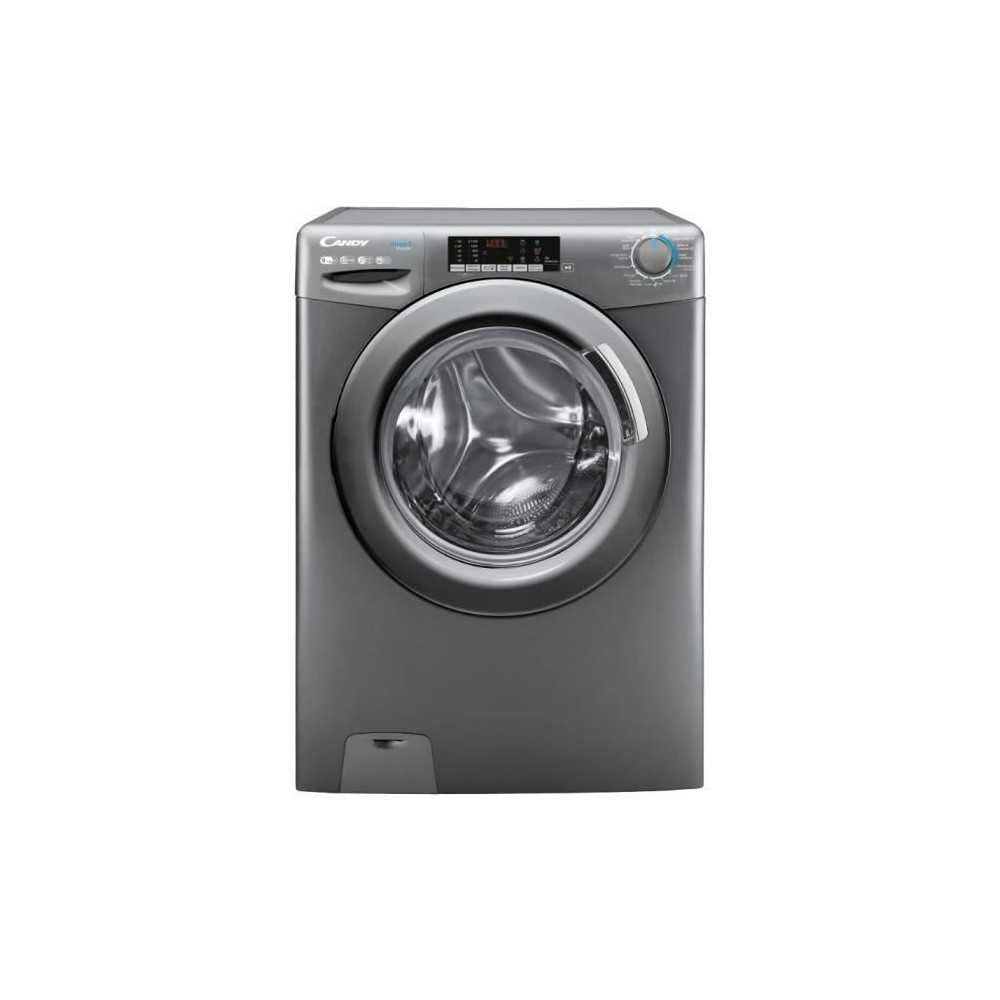
Kuva 1.1: Edessä view of the CANDY Smart Inverter Washer Dryer.
2. Turvallisuustiedot
Noudata aina sähkölaitteita käyttäessäsi perusturvallisuusohjeita tulipalon, sähköiskun ja henkilövahinkojen vähentämiseksi. Tämä laite on tarkoitettu vain kotitalouskäyttöön.
- Varmista, että laite on kunnolla maadoitettu.
- Älä anna lasten leikkiä laitteella tai käyttää sitä.
- Älä koske laitteeseen märin käsin.
- Irrota laite pistorasiasta ennen puhdistusta tai huoltotoimenpiteitä.
- Älä pese tai kuivaa vaatteita, jotka on puhdistettu, pesty, liotettu tai joihin on tahriintunut syttyviä tai räjähtäviä aineita.
- Keep the area around the exhaust opening free from the accumulation of lint, dust, and dirt.
3. Tuote ohiview
3.1. komponentit
- Ohjauspaneeli: Features a program selector dial, digital display, and touch buttons for various functions.
- Pesuainelokero: Vasemmassa yläkulmassa sijaitseva lokero pesuaineen ja huuhteluaineen lisäämistä varten.
- Rumpu: Stainless steel interior for washing and drying clothes.
- Ovi: Front-loading door with a secure latch.
- Suodattaa: Located at the bottom front, for collecting lint and foreign objects.
3.2. Ohjauspaneeli

Kuva 3.1: Yksityiskohtainen view ohjauspaneelista.
The control panel allows you to select wash and dry programs, adjust settings, and monitor the cycle status. Key elements include:
- Ohjelmanvalitsin: Used to choose from 15 available wash and dry programs.
- Digitaalinen näyttö: Näyttää jäljellä olevan ajan, virhekoodit ja valitut vaihtoehdot.
- Lämpötilan valinta: Säätää pesuveden lämpötilaa.
- Linkousnopeuden valinta: Modifies the spin cycle speed up to 1400 rpm.
- Viivästetty aloitus: Sets a delayed start time for the cycle (1-24 hours).
- Options Buttons: Activates special functions like Steam, Mix Power System, and quick cycles.
3.3. Pesuainelokero
The detergent drawer has compartments for pre-wash detergent, main wash detergent, and fabric softener. Refer to the markings on the drawer for correct placement.
3.4. Drum Interior

Image 3.2: Interior of the washer dryer drum.
The stainless steel drum is designed for effective washing and drying. Ensure no foreign objects are left inside before starting a cycle.
4. Asennus
4.1. Purkaminen
- Poista kaikki pakkausmateriaalit, mukaan lukien polystyreenipohja ja mahdolliset rummun sisäosat.
- Remove the transport bolts from the rear of the appliance. Keep these bolts for future transport.
4.2. Paikannus
- Aseta laite tukevalle, tasaiselle lattialle.
- Adjust the feet to ensure the machine is stable and level.
- Varmista, että laitteen ympärillä on riittävästi tilaa ilmanvaihtoa varten.

Kuva 4.1: Esim.ample of washer dryer placement in a domestic environment.
4.3. Vesi- ja sähköliitännät
- Liitä vedenottoletku kylmävesihanaan.
- Position the drain hose into a standpipe or sink, ensuring it is securely fixed to prevent displacement during operation.
- Kytke virtajohto maadoitettuun pistorasiaan (230 volttia).
5. Käyttöohjeet
5.1. Ennen ensimmäistä käyttöä
Run a short wash cycle without laundry and detergent to clean the drum and remove any manufacturing residues.
5.2. Pyykin lataaminen
- Open the door and load laundry into the drum, ensuring not to overload (max 9 kg for wash, 6 kg for dry).
- Sulje ovi tiukasti.
5.3. Pesuaineen ja huuhteluaineen lisääminen
Pull out the detergent drawer and add appropriate amounts of detergent and fabric softener to their respective compartments. Close the drawer.
5.4. Ohjelman valinta
- Turn the program selector dial to choose the desired wash or dry program. The appliance offers 15 programs, including 7 quick cycles.
- Digitaalinäyttö näyttää valitun ohjelman oletusasetukset.
5.5. Adjusting Settings and Special Functions
- Lämpötila: Press the temperature button to adjust the wash temperature (e.g., 20°, 30°, 40°, 60°, 90°).
- Pyörimisnopeus: Press the spin speed button to select the desired spin speed (e.g., 400, 800, 1000, 1400 rpm).
- Viivästetty aloitus: Press the delay start button repeatedly to set a delay from 1 to 24 hours.
- Steam-toiminto: Activates the steam option to reduce wrinkles and refresh clothes.
- Sekoitusvoimajärjestelmä: Ensures thorough cleaning by pre-mixing water and detergent.
- Nopeat syklit: Select one of the 7 rapid cycles, including a full load program in 59 minutes.
5.6. Syklin käynnistäminen
Käynnistä valittu ohjelma painamalla Käynnistä/Tauko-painiketta. Näytössä näkyy jäljellä oleva aika.
5.7. Jakson loppu
At the end of the cycle, the appliance will signal with an audible alert and/or a message on the display. Open the door and remove the laundry.
6. Huolto
6.1. Pesuainelokeron puhdistaminen
Regularly clean the detergent drawer to prevent residue buildup. Remove the drawer, rinse it under running water, and clean any stubborn deposits with a brush. Reinsert the drawer.
6.2. Rummun puhdistaminen
Use the dedicated 'Drum Cleaning' program (if available) or run an empty hot wash cycle with a descaling agent or white vinegar to maintain drum hygiene.
6.3. Suodattimen puhdistaminen
Periodically clean the drain pump filter to ensure proper drainage. Place a shallow container under the filter cover, unscrew the filter, remove any lint or debris, and then securely replace it.
6.4. Ulkopuolen puhdistus
Wipe the exterior surfaces of the appliance with a soft, damp kangas. Älä käytä hankaavia puhdistusaineita tai liuottimia.
7. Vianmääritys
If you encounter issues with your appliance, consult the table below for common problems and solutions. If the problem persists, contact customer support.
| Ongelma | Mahdollinen syy | Ratkaisu |
|---|---|---|
| Laite ei käynnisty | Power cord unplugged; door not closed; program not selected; Start/Pause button not pressed. | Tarkista virtaliitäntä; varmista, että luukku on lukittu; valitse ohjelma; paina Käynnistä/Tauko-painiketta. |
| Ei vedenottoa | Vesihana kiinni; vedenottoletku mutkalla; vedensuodatin tukossa. | Avaa vesihana; suorista letku; puhdista vedenottosuodatin. |
| Vesi ei valu | Tyhjennysletku mutkalla tai tukossa; tyhjennyspumpun suodatin tukossa. | Suorista tai puhdista tyhjennysletku; puhdista tyhjennyspumpun suodatin. |
| Liiallinen tärinä | Laite ei ole vaakasuorassa; kuljetuspultteja ei ole poistettu; epätasainen kuorma. | Adjust leveling feet; remove transport bolts; redistribute laundry. |
| Vaatteet eivät kuivu kunnolla | Overloaded; incorrect drying program; lint filter blocked. | Vähennä täyttömäärää; valitse sopiva kuivausohjelma; puhdista nukkasihti. |
8. Tekniset tiedot
| Ominaisuus | Erittely |
|---|---|
| Mallin nimi | C SWS496TWMRRE/FR |
| Merkki | CANDY |
| Tuotteen mitat (S x L x K) | 54P x 60lx 86K cm |
| Pesukapasiteetti | 9 kiloa |
| Kuivakapasiteetti | 6 kiloa |
| Max Spin Speed | 1400 rpm |
| Ohjelmien määrä | 15 |
| Energialuokka (pesu) | A |
| Melutaso | 76 dB |
| Voitage | 230 volttia |
| Materiaali (rumpu) | Ruostumaton teräs |
| Paino | 65 kiloa |
| Asennustyyppi | freestanding |
| Ohjaustyyppi | Kosketa |
9. Takuu ja tuki
9.1. Takuutiedot
This CANDY appliance comes with a 2 vuoden valmistajan takuu. Please retain your proof of purchase for warranty claims. The warranty covers defects in materials and workmanship under normal domestic use.
9.2. Asiakastuki
For technical assistance, spare parts, or to schedule a service appointment, please contact CANDY customer support. Refer to the contact information provided in the separate warranty card or on the official CANDY websivusto.
The user manual is included with the product for detailed instructions and further support.