
ttec KM156
ttec SoundFlow OWS Langattomat Bluetooth-kuulokkeet KM156 Käyttöohje
Malli: KM156
1. Johdanto
This manual provides instructions for the proper use and maintenance of your ttec SoundFlow OWS Wireless Bluetooth Earphones, model KM156. Please read this manual thoroughly before using the product to ensure optimal performance and longevity.
The ttec SoundFlow OWS earphones feature an open-ear design for situational awareness, dynamic acoustic system for clear sound, and Bluetooth 5.4 for stable wireless connectivity.
2. Pakkauksen sisältö
Varmista, että tuotepakkauksessa on kaikki tarvittavat osat:
- ttec SoundFlow OWS Wireless Bluetooth Earphones (Left and Right)
- Latauskotelo
- USB-C latauskaapeli
- Käyttöopas
3. Tuote ohiview
Familiarize yourself with the components of your ttec SoundFlow OWS earphones.

Image 3.1: ttec SoundFlow OWS Earphones and Charging Case. The image displays the two black earphones with ear hooks, positioned above their open black charging case.
Kuulokkeiden osat:
- Korvakoukku: Tarjoaa turvallisen ja mukavan istuvuuden korvan yli.
- Kaiutinyksikkö: Tarjoaa äänen ulostulon.
- Mikrofoni: Puheluita ja äänikomentoja varten.
- Touch Sensor Area: For controlling music, calls, and other functions.
- Latausyhteystiedot: Liitetään latauskoteloon virransyöttöä varten.

Image 3.2: Close-up of an earbud highlighting the touch sensor area. The image shows a detailed view of the earbud's outer surface, indicating the touch-sensitive zone for controls.
Latauskotelon osat:
- Earphone Slots: Pitää kuulokkeet tukevasti paikallaan ja lataa ne.
- USB-C-latausportti: Kotelon lataamiseen.
- LED-ilmaisin: Näyttää lataustilan ja akun varaustason.
4. Asennus
4.1 Kuulokkeiden ja kotelon lataaminen
Lataa kuulokkeet ja latauskotelo täyteen ennen ensimmäistä käyttökertaa.
- Aseta kuulokkeet latauskoteloon. Varmista, että latauskoskettimet ovat kohdakkain.
- Liitä USB-C-latauskaapeli kotelon latausporttiin ja toinen pää virtalähteeseen (esim. USB-seinälaturiin tai tietokoneen USB-porttiin).
- The LED indicator on the case will show the charging status. Once fully charged, the indicator will change or turn off.
A full charge provides up to 6 hours of earphone use, and the charging case provides up to 30 hours of additional battery life. The Charge&Go feature allows 2.5 hours of use from a 15-minute charge.
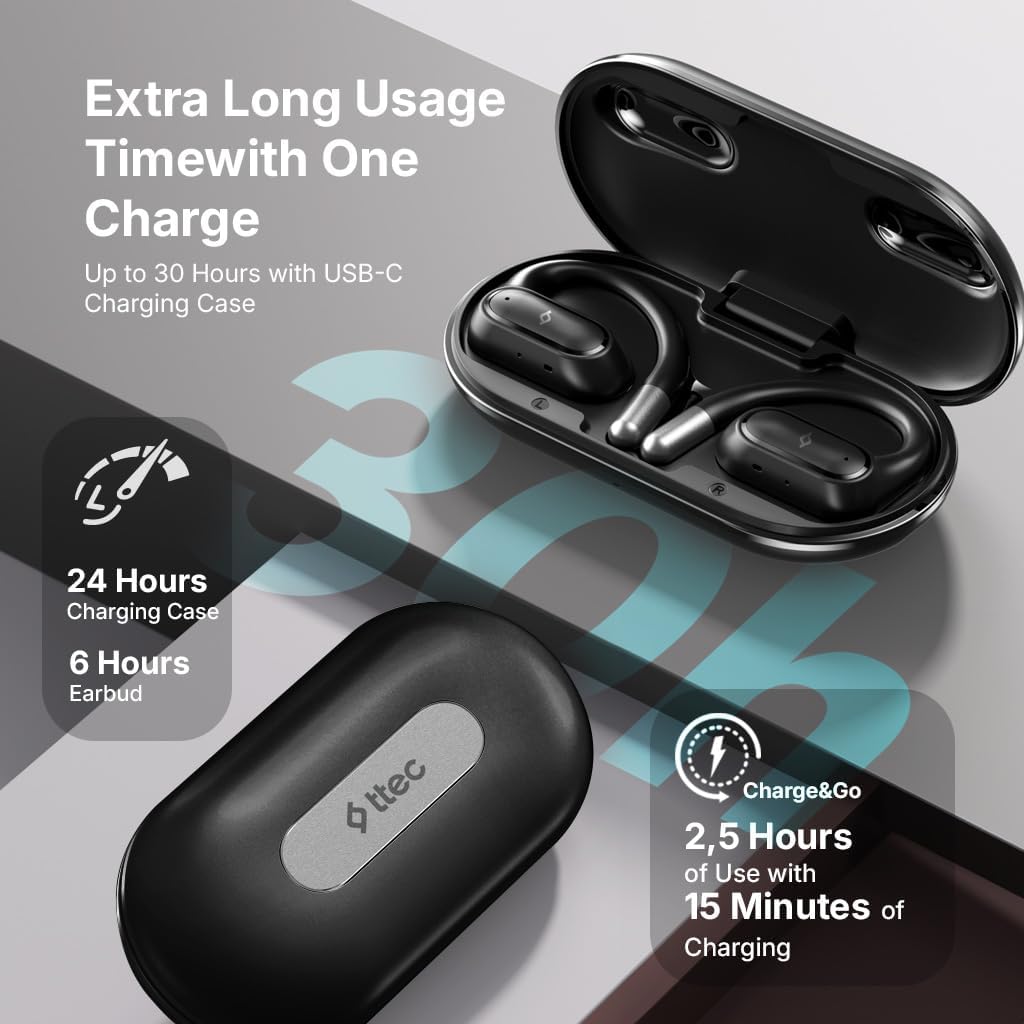
Image 4.1: Charging case displaying battery life. The image illustrates the charging case with text indicating 24 hours from the charging case, 6 hours from earbuds, and 2.5 hours of use from 15 minutes of charging.
4.2 Pariliitos Bluetooth-laitteen kanssa
To connect your earphones to a smartphone or other Bluetooth-enabled device:
- Varmista, että kuulokkeet on ladattu ja asetettu latauskoteloon.
- Avaa latauskotelo. Kuulokkeet siirtyvät automaattisesti pariliitostilaan ja niiden LED-merkkivalot vilkkuvat.
- Ota Bluetooth käyttöön laitteessasi ja etsi käytettävissä olevia laitteita.
- Select "ttec SoundFlow" from the list of found devices.
- Once connected, the earphone LED indicators will stop flashing or turn off, and you will hear a confirmation tone.
Kuulokkeet muodostavat automaattisesti yhteyden viimeksi pariliitettyyn laitteeseen, kun ne otetaan pois kotelosta, jos Bluetooth on käytössä laitteessa.
5. Käyttöohjeet
5.1 Kuulokkeiden käyttö
Gently place the ear hook over your ear and position the speaker unit comfortably in front of your ear canal. The open-ear design allows you to remain aware of your surroundings.

Image 5.1: A person cycling while wearing the ttec SoundFlow OWS earphones. The image highlights the open-ear design, allowing the user to stay connected to their surroundings.

Image 5.2: A woman wearing a ttec SoundFlow earbud, demonstrating the comfortable and secure fit. The image also indicates the lightweight design: 8.2g per earbud and 52g for the charging case.
5.2 Kosketusohjaimet
The earphones feature touch sensors for easy control of various functions:
| Toiminta | Toiminto |
|---|---|
| Yksi napautus (V/O) | Toista/keskeytä musiikki, vastaa puheluun |
| Kaksoisnapautus (V) | Edellinen kappale |
| Kaksoisnapautus (R) | Seuraava kappale |
| Kolmoisnapautus (V/O) | Aktivoi Voice Assistant |
| Pitkä painallus (V/O) | Reject Call, End Call |
5.3 Pelitila
The earphones feature a low-latency game mode for an enhanced gaming and video experience. This mode reduces audio delay to 50ms.
- To activate Game Mode: Refer to the specific instructions in the quick start guide or product packaging for the exact touch gesture to enable/disable game mode. (Typically a specific tap sequence or long press).
- When Game Mode is active, you may notice a slight change in audio profile, optimized for lower latency.

Image 5.3: ttec SoundFlow earphones and charging case, surrounded by gaming console symbols, highlighting the 50ms low latency feature for an optimized gaming and video experience.
6. Huolto
6.1 Puhdistus
- Pyyhi kuulokkeet ja latauskotelo pehmeällä, kuivalla ja nukkaamattomalla liinalla.
- Älä käytä hankaavia puhdistusaineita, alkoholia tai kemiallisia liuottimia.
- Ensure charging contacts are clean and dry to prevent charging issues.
6.2 Veden- ja hienkestävyys
The ttec SoundFlow OWS earphones are IPX6 rated, meaning they are resistant to high-pressure water jets from any direction. This makes them suitable for use during workouts and in light rain.
- Älä upota kuulokkeita veteen.
- Ensure the earphones are dry before placing them back into the charging case to prevent damage.

Image 6.1: A man running outdoors, illustrating the sweat and water-resistant design of the ttec SoundFlow earphones, which are IPX6 rated.
6.3 Varastointi
Kun kuulokkeita ei käytetä, säilytä niitä latauskotelossa niiden suojaamiseksi ja latauksen ylläpitämiseksi. Säilytä viileässä, kuivassa paikassa, poissa äärimmäisistä lämpötiloista.
7. Vianmääritys
Jos kuulokkeissasi on ongelmia, katso seuraavia yleisiä ratkaisuja:
| Ongelma | Ratkaisu |
|---|---|
| Kuulokkeet eivät muodosta pariliitosta | Ensure earphones are charged. Turn off and on Bluetooth on your device. Forget the device in your Bluetooth settings and re-pair. |
| Vain yksi kuuloke toimii | Place both earphones back in the case, close the lid, then open again. Ensure both are charged. |
| Ei ääntä | Check device volume. Ensure earphones are connected. Try playing different audio. |
| Latausongelmat | Ensure charging cable is securely connected. Clean charging contacts on earphones and case. Try a different USB-C cable or power source. |
Jos ongelma jatkuu, ota yhteyttä asiakastukeen.
8. Tekniset tiedot
| Ominaisuus | Yksityiskohta |
|---|---|
| Mallin nimi | SoundFlow |
| Mallinumero | KM156 |
| Yhteystekniikka | Langaton (Bluetooth 5.4) |
| Muototekijä | True Wireless, Open-Ear |
| Korvanapin paino | 8.2 grammaa (kukin) |
| Latauskotelon paino | 52 grammaa |
| Kuulokkeiden akunkesto | Jopa 6 tuntia (yksi lataus) |
| Akun kokonaiskesto (kotelon kanssa) | Jopa 30 tuntia |
| Pikalataus | 15 min charge for 2.5 hours use (Charge&Go) |
| Vedenkestävyys | IPX6 Rated (Sweat and Water Resistant) |
| Matala latenssi | 50 ms (pelitila) |
| Valmistaja | ttec |
9. Takuu ja tuki
Your ttec SoundFlow OWS Wireless Bluetooth Earphones are covered by a manufacturer's warranty. For detailed warranty information, please refer to the warranty card included in your product packaging or visit the official ttec websivusto.
For technical support, troubleshooting assistance, or to inquire about replacement parts, please contact ttec customer service through their official channels. Contact information can typically be found on the product packaging or the official ttec websivusto.