
DOQAUS Life 4
DOQAUS Life 4 Bluetooth-kuulokkeiden käyttöohje
Malli: Life 4
1. Johdanto
Thank you for choosing DOQAUS Life 4 Bluetooth Headphones. This manual provides instructions for the proper setup, operation, and maintenance of your headphones. Please read this manual thoroughly before use to ensure optimal performance and longevity of your device.
Pakkauksen sisältö
- DOQAUS Life 4 Bluetooth Headphones
- USB-C latauskaapeli
- 3.5 mm audiokaapeli
- Käyttöopas
2. Turvallisuustiedot
To prevent damage to your headphones or injury to yourself, please observe the following safety precautions:
- Älä altista kuulokkeita äärimmäisille lämpötiloille, kosteudelle tai syövyttäville ympäristöille.
- Vältä kuulokkeiden pudottamista tai voimakkaiden iskujen kohteeksi altistamista.
- Älä pura tai yritä korjata kuulokkeita itse. Tämä mitätöi takuun.
- Puhdista kuulokkeet ainoastaan pehmeällä, kuivalla liinalla. Älä käytä nestemäisiä puhdistusaineita.
- Pitkäaikainen kuuntelu suurella äänenvoimakkuudella voi aiheuttaa kuulovaurioita. Säädä äänenvoimakkuus turvalliselle tasolle.
- Pidä poissa lasten ulottuvilta.
3. Tuote ohiview
The DOQAUS Life 4 headphones are designed for comfort and high-quality audio. They feature 40mm drivers for clear sound and Bluetooth 5.4 technology for stable wireless connectivity.
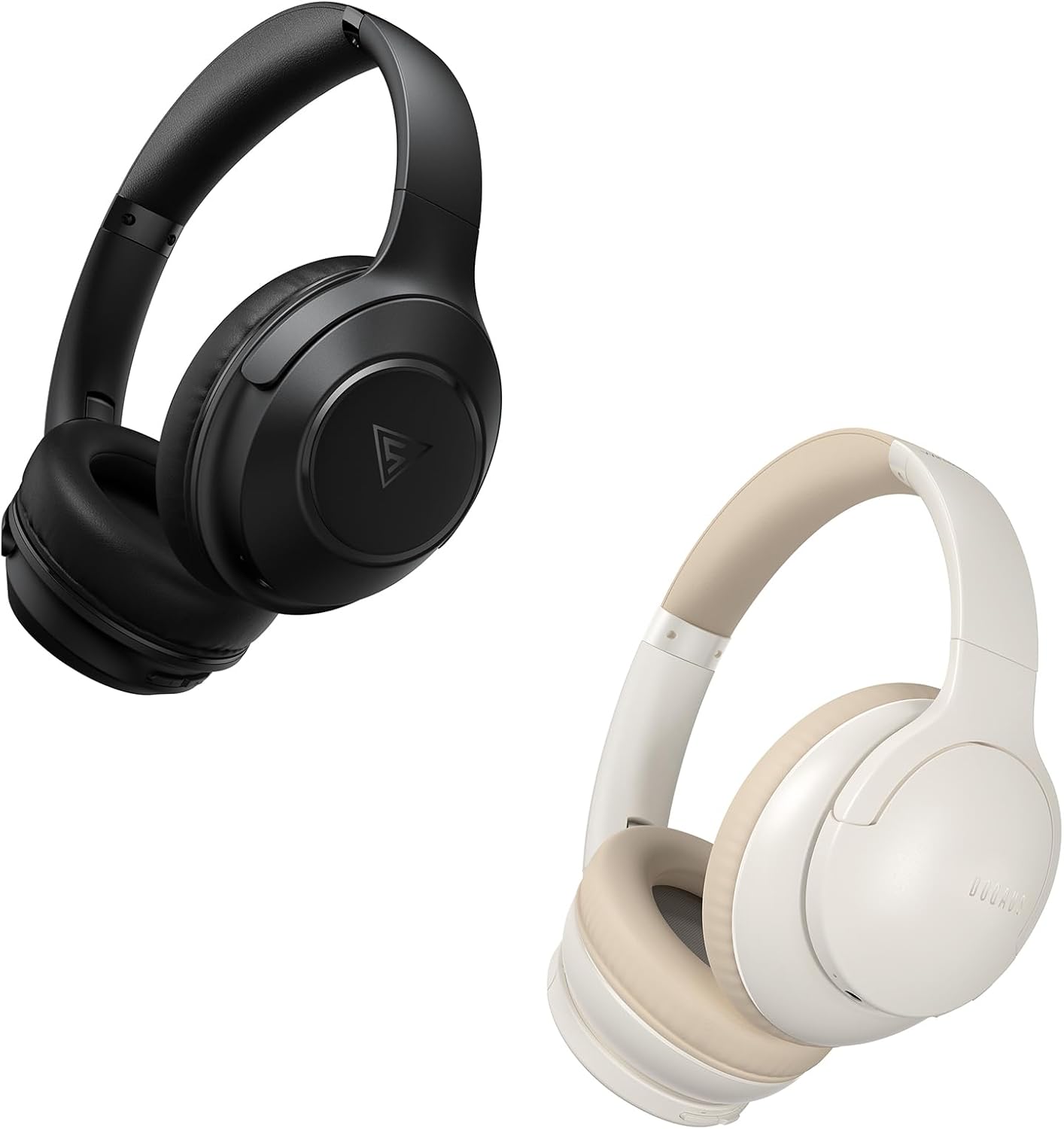
Image: DOQAUS Life 4 Bluetooth Headphones, showing both black and white color variants. These over-ear headphones feature soft earcups and an adjustable headband for comfortable wear.

Kuva: Sisäinen view of the DOQAUS Life 4 headphone, highlighting the advanced Bluetooth 5.4 wireless technology chip for stable and fast connections.

Image: A close-up of the DOQAUS Life 4 headphone earcup, illustrating the 40mm large-aperture driver responsible for powerful HD sound quality.

Image: A person wearing the DOQAUS Life 4 headphones, illustrating their comfortable design suitable for all-day wear.
4. Asennus
4.1 Ensimmäinen lataus
Before first use, fully charge your headphones. Connect the USB-C charging cable to the charging port on the headphones and the other end to a USB power source (e.g., computer, wall adapter). The LED indicator will show charging status.
- A full charge provides up to 90 hours of playtime in Bluetooth mode.
- Nopealla viiden minuutin latauksella saa noin neljä tuntia kuunteluaikaa.

Image: The DOQAUS Life 4 headphones displayed with text indicating "90-HOURS PLAYTIME" and "10 minutes of charging for 5 hours of listening," highlighting the extended battery life.
4.2 Bluetooth -pariliitos
- Varmista, että kuulokkeet on kytketty pois päältä.
- Pidä virtapainiketta painettuna, kunnes LED-merkkivalo vilkkuu vuorotellen sinisenä ja punaisena osoittaen pariliitostilan.
- Ota Bluetooth käyttöön laitteellasi (älypuhelin, tabletti, tietokone) ja hae käytettävissä olevia laitteita.
- Select "DOQAUS Life 4" from the list of found devices.
- Kun yhteys on muodostettu, LED-merkkivalo vilkkuu hitaasti sinisenä.
Monipisteyhteys: The DOQAUS Life 4 headphones support connecting to two Bluetooth devices simultaneously. After connecting to the first device, disable Bluetooth on that device, then pair with the second device. Re-enable Bluetooth on the first device, and the headphones should connect to both.
4.3 Kiinteä liitäntä (AUX-tila)
To use the headphones in wired mode, connect one end of the 3.5mm audio cable to the AUX port on the headphones and the other end to your audio source. The headphones will automatically switch to wired mode, and Bluetooth functionality will be disabled.

Image: The DOQAUS Life 4 headphones demonstrating both wireless Bluetooth connectivity with a smartphone and a wired connection using a 3.5mm audio cable, illustrating versatile connection options.
5. Käyttöohjeet
5.1 Perusohjaimet
- Virta päälle/pois: Paina virtapainiketta 3 sekunnin ajan.
- Toista/tauko: Paina monitoimipainiketta kerran.
- Ääni kovemmalle: Paina "+"-painiketta.
- Äänenvoimakkuutta pienemmälle: Paina "-"-painiketta.
- Seuraava kappale: Press and hold the "+" button for 2 seconds.
- Edellinen kappale: Press and hold the "-" button for 2 seconds.
- Puhelun vastaaminen/lopetus: Paina monitoimipainiketta kerran.
- Hylkää puhelu: Pidä monitoimipainiketta painettuna 2 sekunnin ajan.
- Aktivoi Voice Assistant: Paina monitoimipainiketta kahdesti.
5.2 EQ-tilaa
The DOQAUS Life 4 headphones feature three equalizer (EQ) modes to optimize your listening experience for different music styles. Press the EQ button to cycle through the modes:
- Raskas bassotila: Enhances low-frequency sounds for a deeper bass experience.
- Laulutila: Optimoi keskitaajuudet selkeämpää laulua varten.
- Tasapainotettu tila: Tarjoaa neutraalin äänenlaadunfile suitable for various genres.

Image: A collage demonstrating the three EQ music modes of the DOQAUS Life 4 headphones: Heavy Bass, Vocal, and Balanced. The image shows the headphones and individuals enjoying music, indicating the versatility of sound profiles.
6. Huolto
6.1 Puhdistus
- Pyyhi kuulokkeet pehmeällä, kuivalla ja nukkaamattomalla liinalla.
- Älä käytä hankaavia puhdistusaineita, alkoholia tai kemiallisia liuottimia.
- Ensure charging ports and audio jacks are free of dust and debris.
6.2 Varastointi
- Säilytä kuulokkeita viileässä, kuivassa paikassa, poissa suorasta auringonvalosta ja äärimmäisistä lämpötiloista.
- Jos kuulokkeita säilytetään pitkään, lataa ne säännöllisesti akun kunnon ylläpitämiseksi.
7. Vianmääritys
| Ongelma | Mahdollinen syy | Ratkaisu |
|---|---|---|
| Kuulokkeet eivät käynnisty. | Akku vähissä. | Lataa kuulokkeet täyteen. |
| Laitteen pariliitos ei onnistu. | Kuulokkeet eivät ole pariliitostilassa; Bluetooth poistettu käytöstä laitteessa; laite on liian kaukana. | Ensure headphones are in pairing mode (flashing blue/red). Enable Bluetooth on your device. Move device closer to headphones. |
| Ei ääntä. | Äänenvoimakkuus liian alhainen; kuulokkeita ei ole kytketty; väärä äänilähde. | Increase volume. Verify Bluetooth connection or 3.5mm cable connection. Check audio output settings on your device. |
| Äänenlaatu on heikko. | Weak Bluetooth signal; incorrect EQ mode. | Move closer to your device. Try switching EQ modes. |
8. Tekniset tiedot
- Malli: Elämä 4
- Bluetooth-versio: 5.4
- Kuljettajan koko: 40 mm
- Peliaika: Up to 90 hours (Bluetooth mode)
- Pikalataus: 10 minuutin latauksella 5 tuntia soittoaikaa
- Tuetut äänimuodot: A2DP, AVRCP, HSP, HFP, SBC, AAC
- Liitettävyys: Bluetooth, 3.5 mm AUX
9. Takuu ja tuki
DOQAUS Life 4 headphones come with a 30-day return policy and an 18-month replacement warranty. For any inquiries or support needs, please contact our customer service team. All inquiries are typically processed within 24 hours.
For further assistance, please refer to the contact information provided with your purchase or visit the official DOQAUS websivusto.
Ask a question about this manual
Ask about setup, troubleshooting, compatibility, parts, safety, or missing instructions. Manuals+ will review the question and use this page’s manual context to help answer it.