
1. Johdanto
The TMEZON H4 Trail Camera is designed for wildlife monitoring, security surveillance, and game tracking. It features 4K video recording, 48MP still image capture, integrated WiFi and Bluetooth connectivity, and a solar panel for extended operation. This manual provides detailed instructions for setting up, operating, and maintaining your camera to ensure optimal performance.
2. Pakkauksen sisältö
- TMEZON H4 Trail Camera
- Aurinkopaneeli
- Asennushihna
- Kiinnitysruuvit
- USB-kaapeli
- 64GB SD-kortti
- Käyttöopas
3. Tuote ohiview
Familiarize yourself with the main components of your TMEZON H4 Trail Camera.
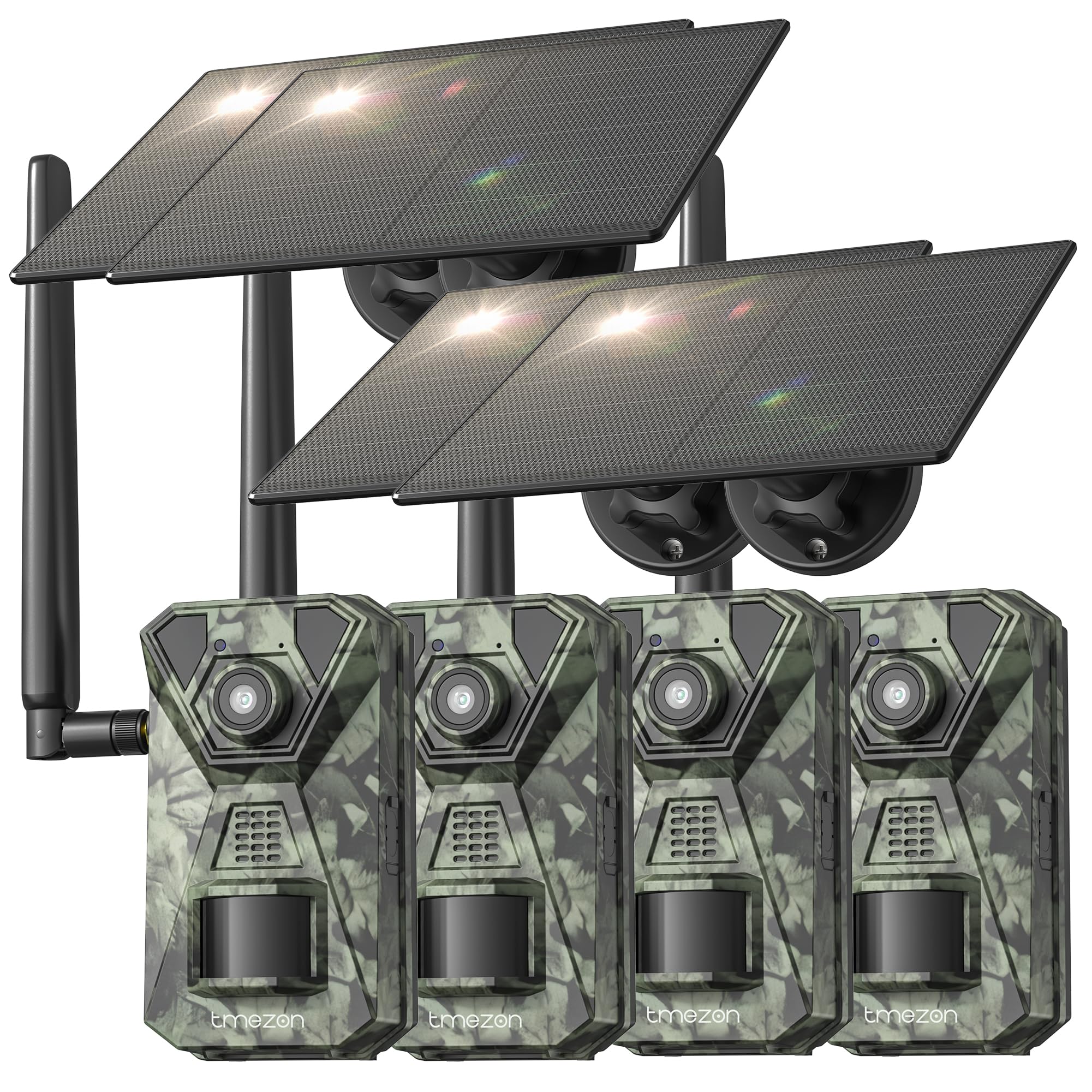
Kuva 1: Edessä view of the TMEZON H4 Trail Camera, showing the lens, PIR sensors, and integrated solar panel. This image illustrates the compact, camouflage design suitable for outdoor environments.
Kameran osat:
- Linssi: Ottaa kuvia ja videoita.
- PIR-anturit: Passiiviset infrapunasensorit havaitsevat liikettä.
- IR-LEDit: Infrapuna-LEDit yönäköä varten.
- LCD-näyttö: Valikon navigointia ja viewkaapatun median käsittely.
- Ohjauspainikkeet: Navigate menus and settings.
- SD-korttipaikka: Insert the provided 64GB SD card.
- USB-portti: Tietokoneeseen liittämistä varten.
- Ulkoinen virtalähdeportti: For connecting the solar panel or external power source.
- Akkulokero: Holds 8 AA batteries (not included) for backup power.
4. Asennus
4.1. Battery and Solar Panel Installation
- Avaa kameran paristolokero.
- Insert 8 new AA batteries (alkaline or rechargeable NiMH recommended) according to the polarity indicators. These batteries serve as a backup to the solar panel.
- Connect the solar panel cable to the camera's external power port. Ensure the solar panel is positioned to receive maximum sunlight.
4.2. SD-kortin asettaminen
- Paikanna SD-korttipaikka kameran sivusta tai pohjasta.
- Insert the provided 64GB SD card with the metal contacts facing the correct direction until it clicks into place.
- To remove, push the card in gently until it springs out.
4.3. Kameran asentaminen
- Use the included mounting strap to secure the camera to a tree or pole. Thread the strap through the slots on the back of the camera and tighten.
- Alternatively, use the mounting screws to attach the camera to a wall or other flat surface.
- Position the camera at a height of 3-6 feet (1-2 meters) and aim it towards the desired monitoring area. Ensure no obstacles block the PIR sensors.
4.4. Sovellusten lataus ja pariliitos
- Download the official TMEZON app from your smartphone's app store (iOS or Android). Etsi "TMEZON Trail Camera" or scan the QR code provided in the quick start guide.
- Ota Bluetooth käyttöön älypuhelimellasi.
- Kytke kamera päälle.
- Open the TMEZON app, select "Add Device," and follow the on-screen instructions to connect via Bluetooth.
- Once connected via Bluetooth, the app will prompt you to connect to the camera's WiFi network for faster data transfer and live view.
5. Kameran käyttö
5.1. Virran kytkentä/katkaisu ja tilan valinta
- OFF: Sammuta kamera.
- PERUSTAA: Enter setup mode to configure settings, view photos/videos, or connect to the app.
- PÄÄLLÄ: Activate the camera for monitoring. The camera will enter monitoring mode after a short countdown.
5.2. Valikon navigointi ja asetukset
In SETUP mode, use the control buttons to navigate the menu on the LCD screen. Press the 'MENU' button to access settings. Key settings include:
- Tila: Select Photo, Video, or Photo+Video (Hybrid).
- Valokuvan resoluutio: 48MP, 30MP, 20MP, etc.
- Videon resoluutio: 4K, 2.7K, 1080P, 720P.
- PIR-herkkyys: High, Medium, Low. Adjust based on environment to avoid false triggers.
- PIR-väli: Aikaviive havaintojen välillä.
- Aikaviive: Ota kuvia asetetuin väliajoin liikkeestä riippumatta.
- Päivämäärä ja aika: Aseta nykyinen päivämäärä ja aika.
- Alusta SD-kortti: Poista kaikki tiedot SD-kortilta. Varoitus: Tämä poistaa kaikki files.
5.3. Etävalvonta sovelluksen kautta
Once connected to the TMEZON app:
- View elää huijaritage kamerasta.
- Säädä kameran asetuksia etänä.
- Browse and download captured photos and videos to your smartphone.
- Receive notifications for detected motion (if 4G LTE cellular transmission is enabled and configured).
6. Huolto
6.1. Puhdistus
- Wipe the camera lens and PIR sensors with a soft, dry cloth to remove dust or smudges.
- Ensure the solar panel is clean for efficient charging.
- Älä käytä hankaavia puhdistusaineita tai liuottimia.
6.2. Varastointi
- If storing the camera for an extended period, remove the AA batteries.
- Säilytä kameraa viileässä, kuivassa paikassa, poissa suorasta auringonvalosta.
7. Vianmääritys
- Kamera ei käynnisty: Check battery installation and charge level. Ensure solar panel is connected and receiving sunlight.
- Huono kuvan-/videonlaatu: Clean the lens. Ensure sufficient lighting or proper night vision settings. Check resolution settings.
- Ei liiketunnistusta: Adjust PIR sensitivity (High for sparse areas, Low for busy areas). Ensure PIR sensors are not obstructed. Check PIR interval settings.
- SD-kortin virhe: Format the SD card in the camera's settings. If the issue persists, try a different compatible SD card.
- Sovellusyhteysongelmat: Ensure Bluetooth and WiFi are enabled on your phone. Restart both the camera and the app. Ensure the camera is in SETUP mode for initial pairing.
- Aurinkopaneeli ei lataudu: Ensure the solar panel is clean and positioned to receive direct sunlight. Check the connection cable.
8. Tekniset tiedot
| Mallin nimi | H4 |
| Tehokas Still-resoluutio | 48 MP |
| Tehokas videoresoluutio | 4K |
| Yhteystekniikka | Wireless (WiFi, Bluetooth, 4G LTE) |
| Virtalähde | Solar Powered, 8x AA Battery Backup |
| Flash-muistin tyyppi | SD Card (64GB included, max 64GB supported) |
| Yönäköalue | 65 jalkaa |
| Käynnistä nopeus | 0.2s |
| PIR -tunnistuskulma | 120° |
| Vesitiivis luokitus | IP66 |
| Tuotteen mitat | 4 x 3.5 x 6 tuumaa |
| Materiaali | Metallia, Muovia |
9. Takuu ja tuki
TMEZON products come with a standard manufacturer's warranty. For detailed warranty information, technical support, or service inquiries, please refer to the warranty card included in your package or visit the official TMEZON website. You can also contact customer support through the TMEZON app or the contact information provided on the product packaging.