
1. Johdanto
Welcome to the UGREEN ClipBuds Magic user manual. These open-ear Bluetooth headphones are designed to provide a comfortable, high-quality audio experience with innovative features like a smart display and dual-device connectivity. This manual will guide you through the setup, operation, and maintenance of your new headphones to ensure you get the most out of them.

The UGREEN ClipBuds Magic headphones feature an open-ear design for comfort and a smart display on the charging case for intuitive control.
2. Tuote ohiview
Tärkeimmät ominaisuudet
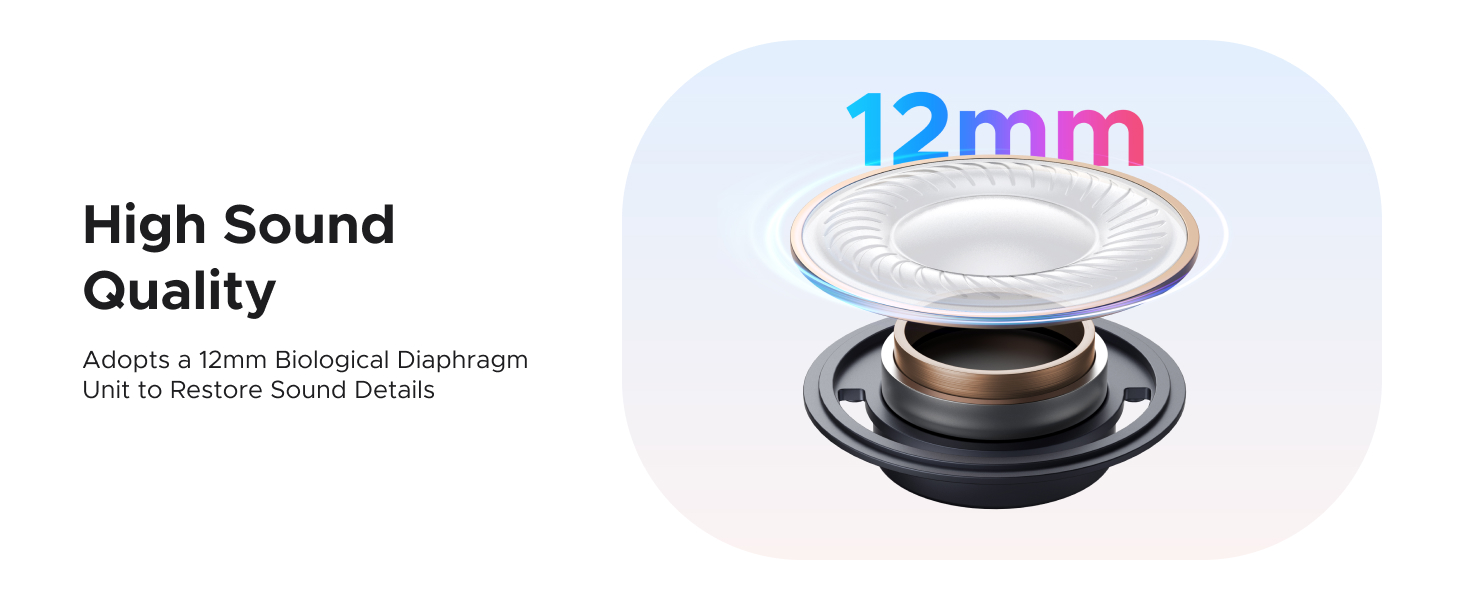
- High-definition Stereo Sound: Equipped with a 12mm Silicone + Bio-diaphragm Unit for powerful bass and clear audio.
- Open-Ear Canal Design: Comfortable ear clip design with airbag cushions and a bendable Memory titanium alloy connector for secure fit.
- Pidempi peliaika: Up to 6 hours on a single charge, and 30 hours total with the charging case. Fast charging provides 2 hours of playback from a 10-minute charge.
- Bluetooth 5.4: Ensures low latency (within 110ms), anti-interference, and low power consumption for stable connection.
- IPX5 vedenkestävä: Suitable for exercise and outdoor activities, resistant to sweat and splashes.
- Smart Display Charging Case: Intuitive touch screen for music control, Bluetooth connection, lyrics display, language selection, sound effect modes, wallpaper, volume adjustment, and finding earphones.
- DNN Passive Noise Reduction: Directional call noise reduction and AI ambient noise reduction for clear calls.
- Kahden laitteen yhteys: Connect to two devices simultaneously (Windows, iOS, Android).
Komponentit
The UGREEN ClipBuds Magic package includes:
- UGREEN HiTune S5 Bluetooth Headphones (Left and Right earbuds)
- Charging Case with Smart Display
- Käyttöopas
- Latauskaapeli (ei nimenomaisesti mainittu, mutta oletetaan lataukseen tarkoitetuksi)

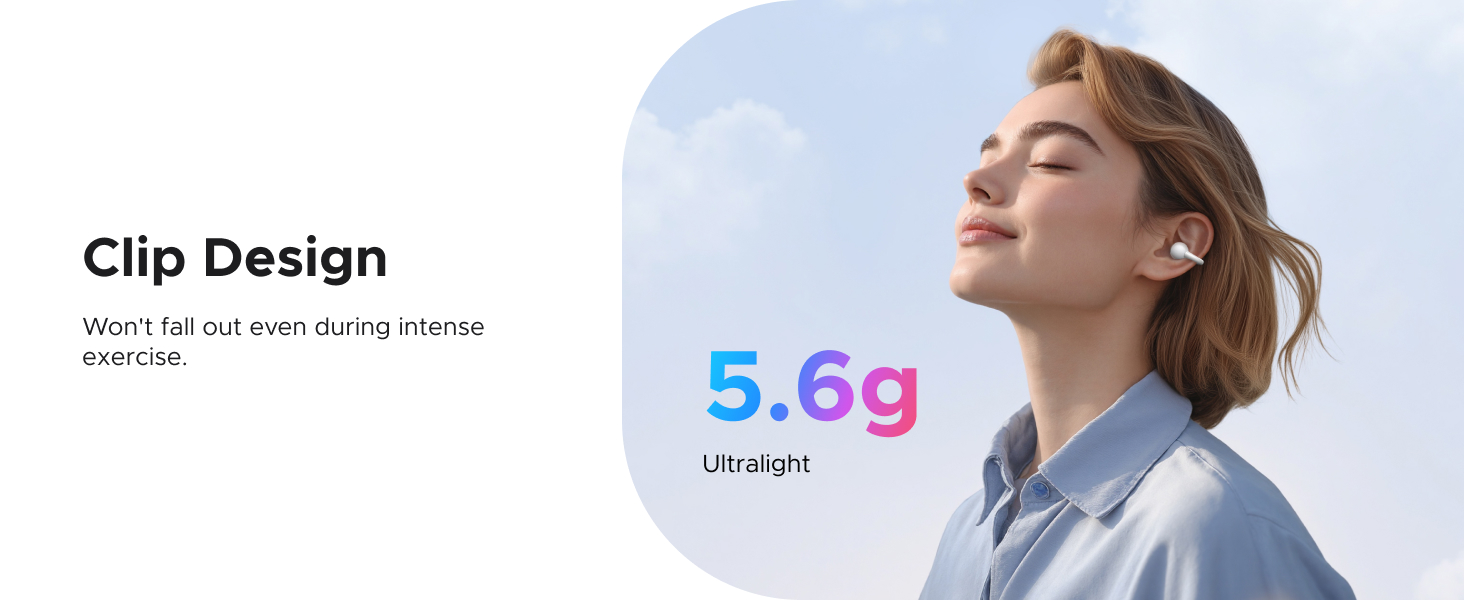
The ultralight 5.6g clip design ensures a comfortable and secure fit, eliminating the discomfort of traditional earbuds.

Experience high sound quality with the 12mm biological diaphragm unit, designed to restore rich sound details.

DNN Passive Noise Reduction provides directional call noise reduction and AI ambient noise reduction for clearer conversations.

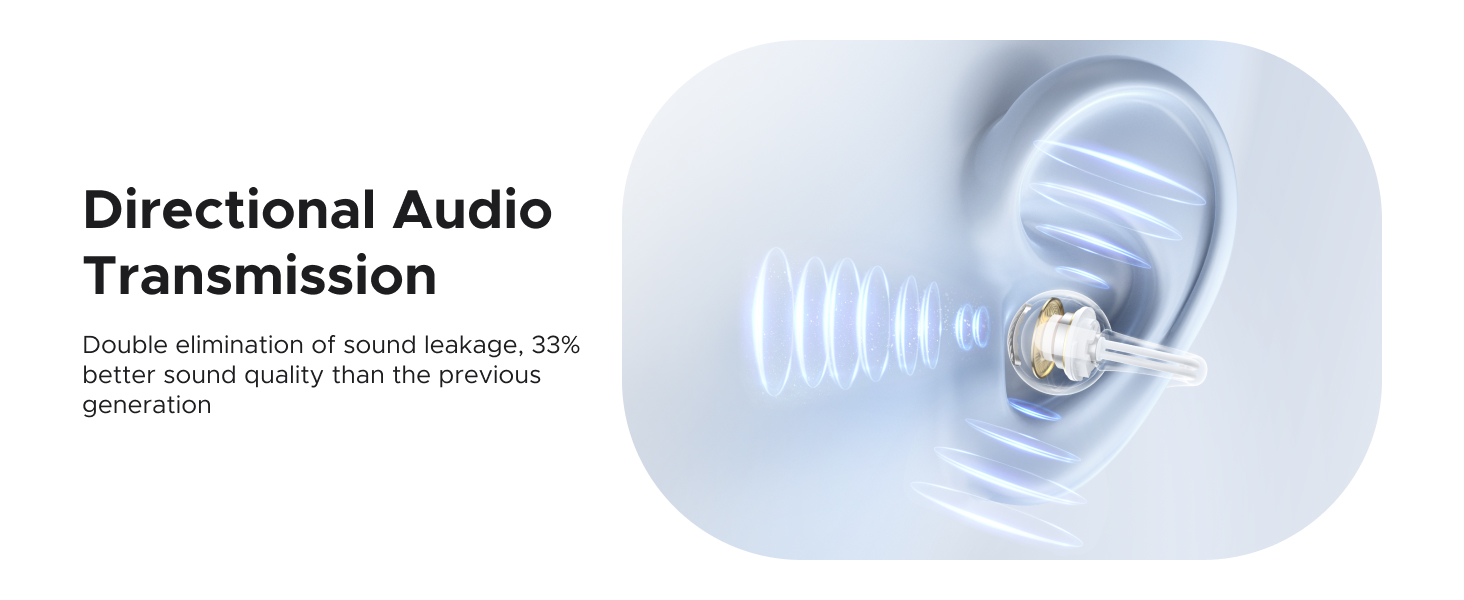
Directional Audio Transmission minimizes sound leakage and improves sound quality by 33% compared to previous generations.
3. Asennus
3.1 Kuulokkeiden ja kotelon lataaminen
Before first use, fully charge the UGREEN ClipBuds Magic. Place the earbuds into the charging case and connect the case to a power source using a USB-C cable (not included). The smart display will indicate charging status.
- Korvanapin latausaika: Noin 1.5 tuntia täydellä latauksella.
- Kotelon latausaika: Noin 2 tuntia täydellä latauksella.
- Pikalataus: 10 minutes of charging provides 2 hours of playback.
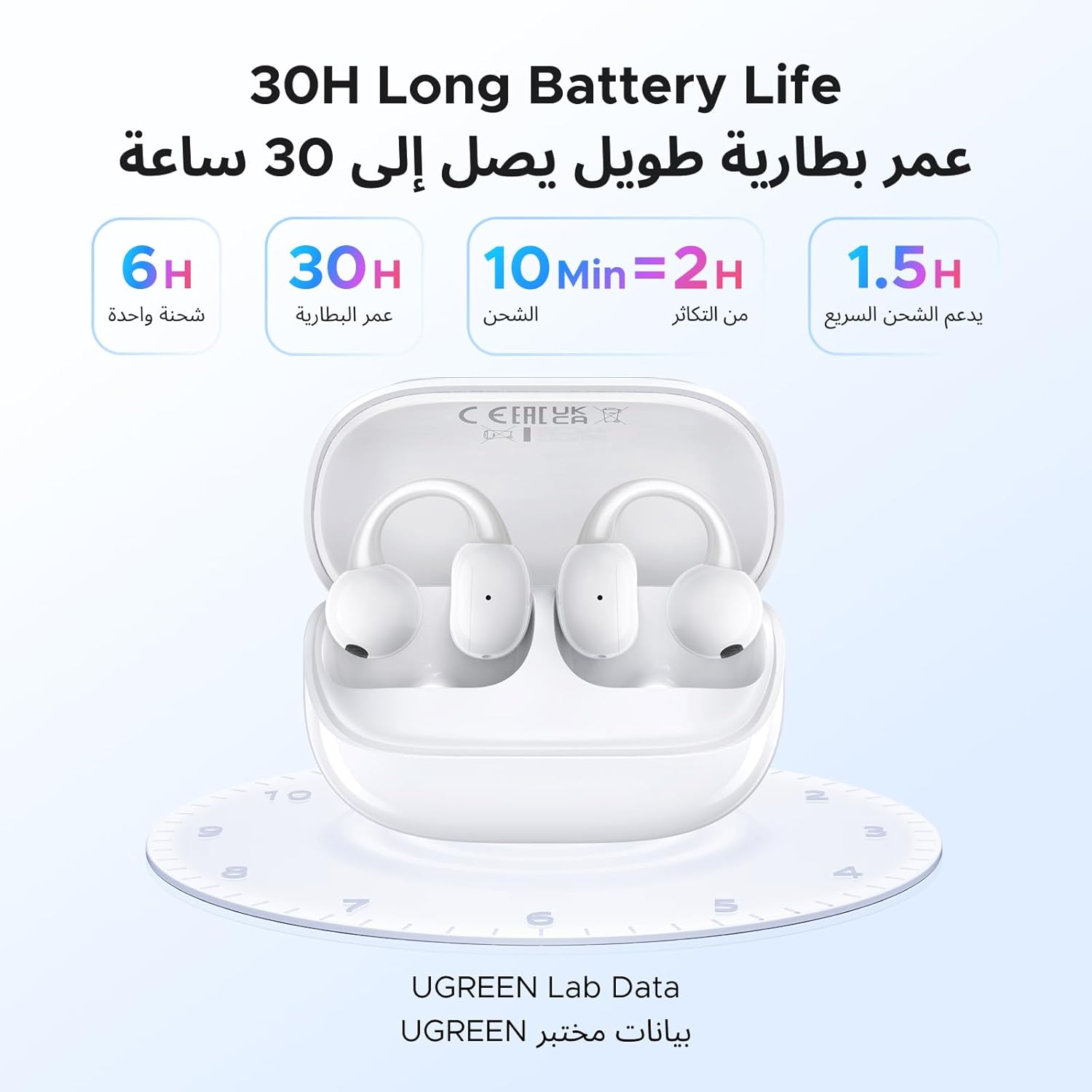
The ClipBuds Magic offer up to 30 hours of total playtime with the charging case, and support fast charging.
3.2 Alkuperäinen pariliitos
To pair your UGREEN ClipBuds Magic with a device for the first time:
- Varmista, että kuulokkeet ovat latauskotelossa ja että kotelossa on riittävästi akkua.
- Avaa latauskotelo. Kuulokkeet siirtyvät automaattisesti pariliitostilaan.
- Siirry laitteellasi (älypuhelin, tabletti, kannettava tietokone) Bluetooth-asetuksiin ja ota Bluetooth käyttöön.
- Etsi available devices and select "UGREEN ClipBuds Magic" from the list.
- Once connected, the smart display on the case will show a connected icon, and you will hear an audio prompt.

Bluetooth 5.4 ensures a more stable connection and faster data transmission for your audio.
4. Kuulokkeiden käyttö
4.1 Älykkään näytön toiminnot
The charging case features a smart display for easy control without needing your phone. To wake up the screen, open or close the case, or briefly press the button on the case. To unlock, slide to unlock on the screen. Swipe left or right to change the interface.
The smart display offers intuitive touch controls for various functions.
Available functions on the smart display include:
- Musiikin hallinta: Toista/tauko, ohita kappaleita.
- Bluetooth-yhteys: View yhteyden tila.
- Sanoitusten näyttö: (If supported by your music app)
- Kielen valinta: Vaihda näyttökieli.
- Äänitehostetila: Choose from 8 EQ presets.
- Taustakuva: Customize the display background.
- Äänenvoimakkuuden säätö: Lisää tai vähennä äänenvoimakkuutta.
- Etsi kuulokkeita: Paikanna kadonneet kuulokkeet.
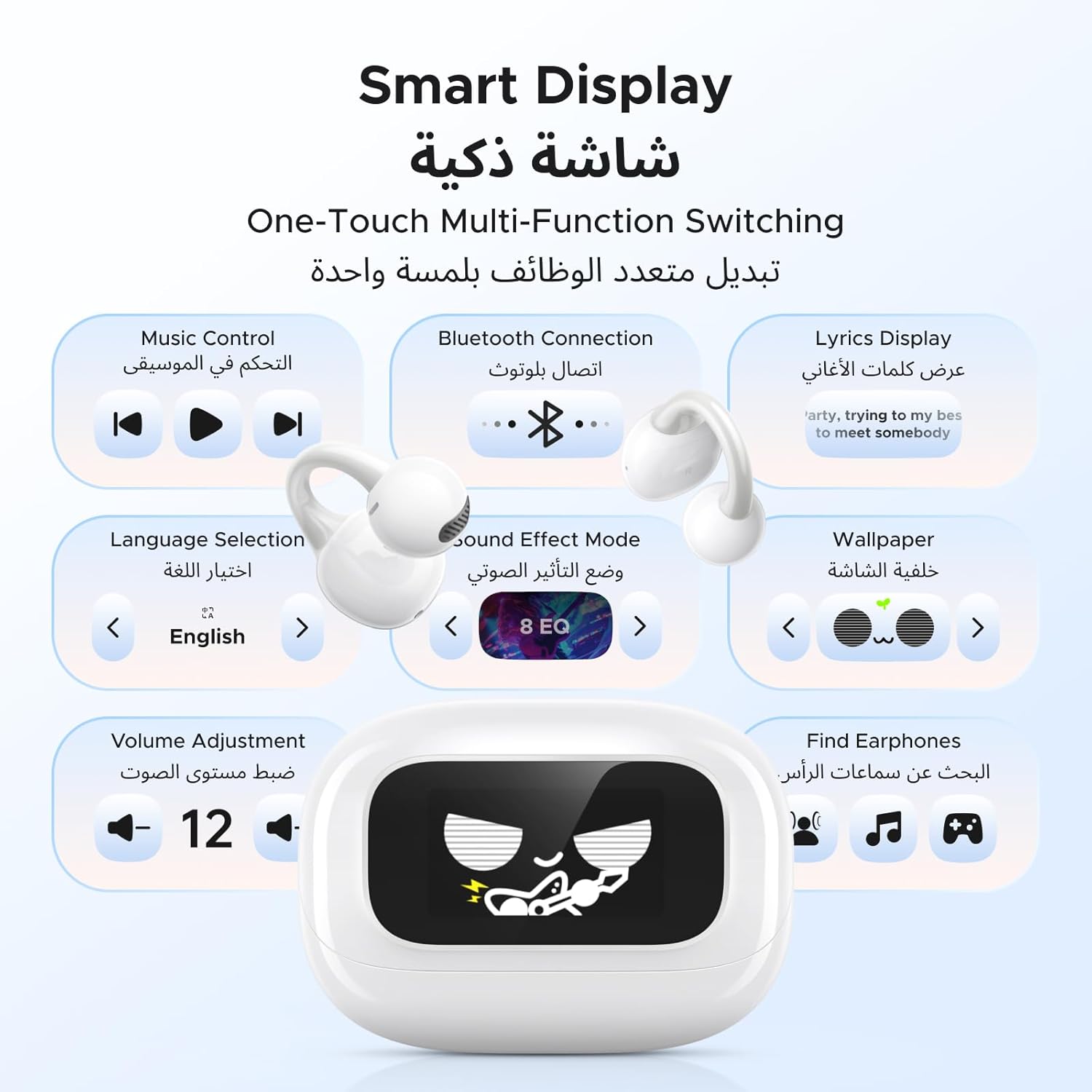
The smart display provides one-touch multi-function switching for convenient control.
4.2 Korvanappikuulokkeiden kosketussäätimet
The earbuds feature touch-sensitive areas for quick control of music and calls.
Control your audio and calls directly from the earbuds with simple touch gestures.
| Toiminta | Ele | Toiminto |
|---|---|---|
| Music Mode (L/R) | 1 napauta | Toista/Tauko |
| Next Song (R) | 1 napauta | Siirry seuraavaan kappaleeseen |
| Previous Song (L) | 1 napauta | Siirry edelliseen kappaleeseen |
| Game Mode (R) | 3 hanaa | Activate/Deactivate Game Mode (low latency) |
| Voice Activation (L) | 3 hanaa | Aktivoi ääniavustaja |
| Call Mode (L/R) | 2 hanaa | Vastaa / Lopeta puhelu |
| Reject Call (L/R) | 1 napauta | Hylkää saapuva puhelu |
4.3 Kahden laitteen yhteys
The UGREEN ClipBuds Magic can connect to two devices simultaneously, allowing seamless switching between them.
- Pair the earbuds with your first device (e.g., smartphone) as described in Section 3.2.
- Disconnect the earbuds from the first device's Bluetooth settings, or turn off Bluetooth on the first device. The earbuds will re-enter pairing mode.
- Pair the earbuds with your second device (e.g., laptop).
- Once paired with the second device, re-enable Bluetooth on your first device. The earbuds should automatically connect to both devices.
- Ääni toistetaan laitteesta, joka aktiivisesti lähettää ääntä.

Connect your ClipBuds Magic to two devices at the same time, compatible with Windows, iOS, and Android.
4.4 APP Settings Personalization
For advanced settings and personalization, download the UGREEN app. The app allows you to adjust sound effects, customize the screen display, manage dual device connections, and more.
Personalize your listening experience and control advanced features through the UGREEN app.
5. Huolto
5.1 Puhdistus ja varastointi
To maintain the performance and longevity of your UGREEN ClipBuds Magic:
- Pyyhi nappikuulokkeet ja latauskotelo pehmeällä, kuivalla ja nukkaamattomalla liinalla.
- Vältä hankaavien puhdistusaineiden, alkoholin tai kemiallisten liuottimien käyttöä.
- Säilytä kuulokkeita latauskotelossa, kun niitä ei käytetä, jotta ne ovat suojassa ja pysyvät ladattuina.
- Pidä nappikuulokkeiden ja kotelon sisäpuolen latauskoskettimet puhtaina ja vapaina roskista.
5.2 Vedenkestävyys (IPX5)
The UGREEN ClipBuds Magic are IPX5 water resistant, meaning they can withstand splashes and sweat. They are not designed for submersion in water or for use during swimming.
- Do not intentionally submerge the earbuds or charging case in water.
- If the earbuds get wet from sweat or splashes, wipe them dry before placing them back in the charging case.
- Ensure the charging port is dry before connecting a charging cable.
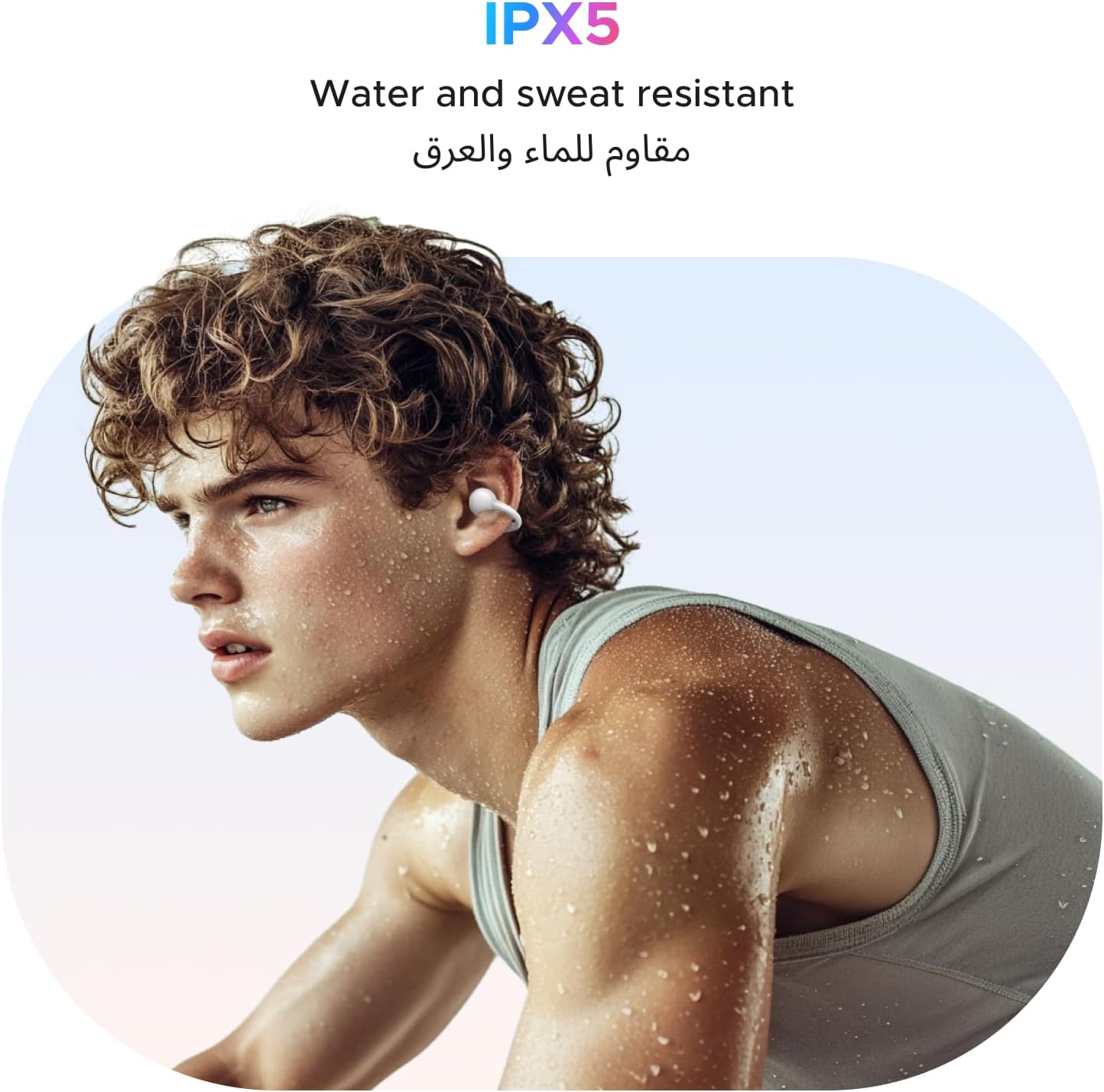
The IPX5 rating makes these earbuds ideal for sports and workouts, resisting sweat and light rain.
6. Vianmääritys
If you encounter any issues with your UGREEN ClipBuds Magic, refer to the following common problems and solutions:
| Ongelma | Mahdollinen syy | Ratkaisu |
|---|---|---|
| Kuulokkeet eivät muodosta pariliitosta | Low battery; not in pairing mode; Bluetooth off on device. | Charge earbuds and case. Ensure case is open to enter pairing mode. Turn on Bluetooth on your device and select "UGREEN ClipBuds Magic". |
| Ei ääntä yhdestä kuulokkeesta | Earbud not charged; connection issue. | Ensure both earbuds are charged. Place both earbuds back in the case, close it, then open again to reset connection. Re-pair if necessary. |
| Äänen katkaiseminen/sammuminen | Liian kaukana laitteesta; häiriö; akku vähissä. | Move closer to your device. Avoid strong electromagnetic interference. Charge earbuds and case. |
| Smart display unresponsive | Low battery; temporary software glitch. | Charge the case. Briefly press the button on the case to wake the screen. If unresponsive, try a soft reset by closing and reopening the case. |
| Cannot connect to two devices | Väärä pariliitosjärjestys. | Follow the dual-device connection steps in Section 4.3 carefully. Ensure Bluetooth is enabled on both devices after initial pairing. |
7. Tekniset tiedot
| Ominaisuus | Yksityiskohta |
|---|---|
| Mallinumero | 55136 |
| Merkki | VIHREÄ |
| Korvien sijoitus | Avaa korva |
| Muototekijä | Todellinen langaton |
| Melunhallinta | Active Noise Cancellation (DNN Passive Noise Reduction for calls) |
| Bluetooth-versio | 5.4 |
| Toistoaika (yksi lataus) | Jopa 6 tuntia |
| Kokonaispeliaika (kotelon kanssa) | Jopa 30 tuntia |
| Kuulokkeiden latausaika | 1.5 tuntia |
| Kotelon latausaika | 2 tuntia |
| Pikalataus | 10 minuuttia 2 tunnin toistoaikaa varten |
| Vedenkestävyys | IPX5 |
| Korvanapin paino | 5.6 g (ultrakevyt) |
| Valmistaja | Ugreen Group Limited |
| Alkuperämaa | Kiina |
8. Takuu ja tuki
UGREEN provides comprehensive support for your ClipBuds Magic headphones:
- Takuu: 24 kuukauden takuu ostopäivästä lukien.
- Asiakaspalvelu: 24 tunnin asiakaspalvelu saatavilla.
- Tekninen tuki: Lifetime technical support for your product.
For further assistance, please refer to the contact information provided on the UGREEN official websivustolta tai ostodokumentaatiostasi.