
Johdanto
This manual provides essential instructions for the safe and effective use of your ORGBRO Power Adapter, specifically designed for the Z1 Thermal Shipping Label Printer. Please read this manual thoroughly before using the product and retain it for future reference.
Turvallisuustiedot
- Ensure the power adapter is used with the specified ORGBRO Z1 Thermal Shipping Label Printer only.
- Älä altista sovitinta vedelle, kosteudelle tai äärimmäisille lämpötiloille.
- Vältä sovittimen pudottamista tai kovien iskujen kohteeksi asettamista.
- Älä yritä avata, muokata tai korjata sovitinta. Jätä kaikki huoltotyöt pätevän henkilöstön tehtäväksi.
- Irrota aina sovitin pistorasiasta ennen puhdistamista tai jos sitä ei käytetä pitkään aikaan.
- Pidä poissa lasten ulottuvilta.
Pakkauksen sisältö
Please check the package contents upon receipt. The package should contain:
- 1 x ORGBRO Power Adapter (for Z1 Thermal Shipping Label Printer)
Asennus
- Tunnista sovitin: Locate the ORGBRO Power Adapter. It features a standard AC plug on one end and a DC connector on the other.
- Yhdistä tulostimeen: Insert the DC connector end of the power adapter firmly into the power input port on your ORGBRO Z1 Thermal Shipping Label Printer. Ensure a secure connection.
- Liitä pistorasiaan: Plug the AC end of the power adapter into a standard electrical wall outlet (100-240V~50/60Hz).
- Tarkista yhteys: Once connected, the printer should receive power, indicated by its power indicator light (refer to your Z1 printer manual for specific light behavior).
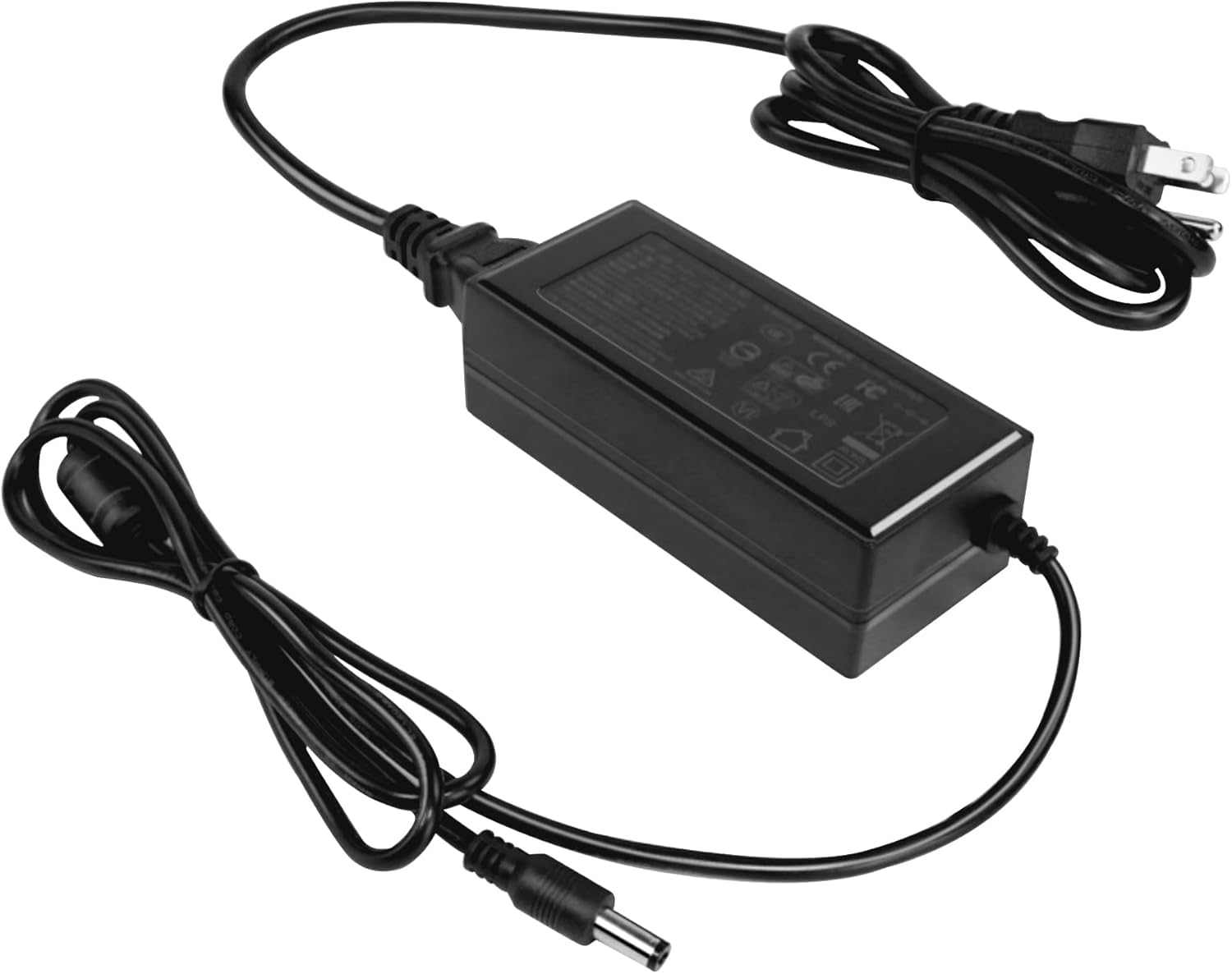
Image: The ORGBRO Power Adapter with its DC connector ready to be plugged into the Z1 Thermal Shipping Label Printer.
Käyttöohjeet
The ORGBRO Power Adapter is designed for continuous operation with your Z1 Thermal Shipping Label Printer. Once properly connected as described in the Setup section, the adapter will supply the necessary power to the printer.
- Ensure the printer's power switch is in the 'ON' position to begin operation.
- Always use the adapter in a well-ventilated area to prevent overheating.
- To power off the printer, first turn off the printer's power switch, then unplug the adapter from the wall outlet.
Huolto
- Puhdistus: Disconnect the adapter from both the printer and the power outlet. Use a soft, dry cloth to wipe the exterior of the adapter. Do not use liquid cleaners or sprays.
- Varastointi: Kun et käytä sovitinta, säilytä sitä viileässä, kuivassa paikassa, poissa suorasta auringonvalosta ja kosteudesta. Vältä kaapelin tiukkaa kelaamista vaurioiden välttämiseksi.
- Tarkastus: Periodically inspect the power cord and adapter housing for any signs of damage, such as cuts, fraying, or cracks. If damage is found, discontinue use immediately and replace the adapter.
Vianetsintä
No Power to Printer
- Tarkista liitännät: Ensure the power adapter is securely plugged into both the Z1 printer and a working wall outlet.
- Testilähtö: Plug another device into the wall outlet to confirm it is supplying power.
- Tarkasta sovitin: Check the adapter cable and housing for any visible damage. If damaged, do not use.
- Printer Power Switch: Verify that the Z1 printer's power switch is in the 'ON' position.
If the issue persists after performing these checks, contact ORGBRO customer support for assistance.
Tekniset tiedot
| Ominaisuus | Erittely |
|---|---|
| Tulo Voltage | 100-240V~50/60Hz 1.5A |
| Lähtö Voltage/Nykyinen | 24.0V-2.5A |
| Lähtöteho | 60.0W |
| Väri | Musta |
| Tuotteen paino | 7.1 unssia |
| Pakkauksen mitat | 4.72 x 3.15 x 1.97 tuumaa |
Takuu ja tuki
ORGBRO products are manufactured to high-quality standards. For information regarding warranty coverage, please refer to the warranty card included with your product or visit the official ORGBRO website. If you encounter any issues or have questions about your ORGBRO Power Adapter, please contact ORGBRO customer support for assistance.
You can typically find contact information for support on the ORGBRO brand store page or through the retailer where the product was purchased.