
1. Johdanto
Thank you for choosing the Baseus Picogo Magsafe Portable Charger. This ultra-slim, high-capacity power bank is designed to provide convenient and fast charging for your compatible devices, especially iPhone 12-17 series, AirPods, and other USB-C devices. This manual will guide you through its features, setup, operation, and maintenance to ensure optimal performance and longevity.
2. Tuote ohiview & Avainominaisuudet
The Baseus Picogo Magsafe Portable Charger combines advanced technology with a sleek design, making it an essential accessory for your mobile lifestyle. Key features include:
- Erittäin ohut ja kannettava muotoilu: Measuring just 4.0 x 2.67 x 0.5 inches and weighing 7.8 ounces, it's designed for maximum portability.
- Suuri kapasiteetti: Varustettu 10,000 mAh akulla, joka tarjoaa amptehoa pitkäkestoiseen käyttöön.
- Qi2-sertifioitu 15 W:n langaton lataus: Offers fast and efficient magnetic wireless charging for compatible devices.
- 27 W:n langallinen pikalataus: Features a USB-C port for rapid wired charging of various devices.
- Super-Strong Magnetic Attachment: Designed with 11N ultra-strong magnets for a secure connection to MagSafe-compatible iPhones.
- Kestävä ja turvallinen: Built with premium materials, including Tesla's lithium-polymer battery technology, and an NTC temperature control chip to prevent overheating.
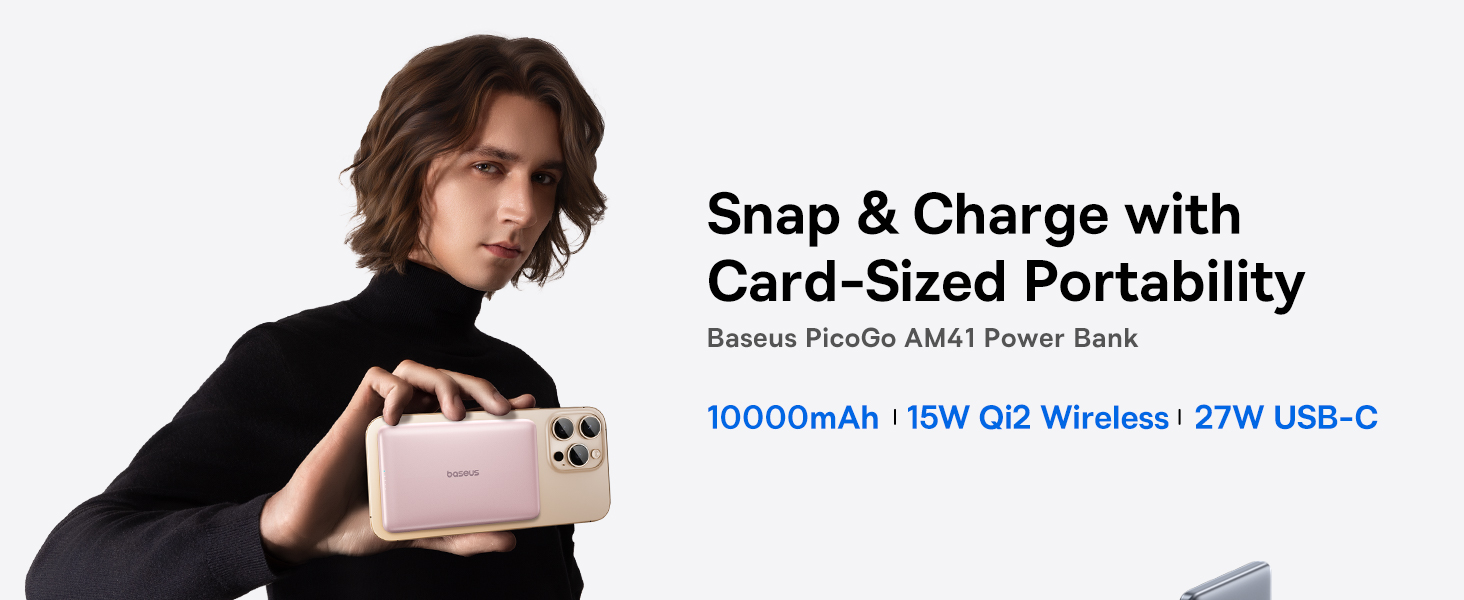
Image: The Baseus Picogo Magsafe Portable Charger demonstrating its ultra-slim, card-sized portability, highlighting its ergonomic design and lightweight nature.
3. Pakkauksen sisältö
Tarkista pakkauksesta seuraavat tuotteet:
- Baseus Picogo Magsafe Portable Charger (Nebula Pink)
- USB-C - USB-C-latauskaapeli
- Käyttöopas (tämä asiakirja)
4. Asennus
Before first use, it is recommended to fully charge your Baseus Picogo Portable Charger.
- Liitä mukana toimitettu USB-C–USB-C-kaapeli varavirtalähteen USB-C-porttiin.
- Kytke kaapelin toinen pää yhteensopivaan USB-seinäpistokkeeseen (ei sisälly toimitukseen).
- The LED indicators on the power bank will illuminate to show the charging progress. A full charge is indicated when all LED lights are solid.

Image: The power bank being recharged via its USB-C port, illustrating the recharging process.
5. Käyttöohjeet
5.1. Langaton lataus (MagSafe)
For MagSafe-compatible devices (iPhone 12-17 series):
- Varmista, että varavirtalähteessä on riittävästi virtaa.
- Align the MagSafe area of your iPhone with the magnetic charging surface of the power bank. The magnets will securely attach the devices.
- Langaton lataus alkaa automaattisesti. Varavirtalähteen LED-merkkivalot näyttävät jäljellä olevan varauksen.

Image: An iPhone wirelessly charging via magnetic attachment to the Baseus Picogo power bank, demonstrating the seamless connection.
5.2. Langallinen lataus (USB-C)
For devices that support USB-C charging:
- Connect your device to the power bank's USB-C port using a compatible USB-C cable.
- Lataus alkaa automaattisesti.
5.3. Charging Multiple Devices Simultaneously
The power bank supports charging multiple devices at once:
- You can wirelessly charge one device via MagSafe while simultaneously charging another device via the USB-C port.

Image: The power bank charging an iPhone wirelessly and another device via its USB-C port, showcasing its dual-charging capability.
5.4. Varavirtalähteen lataaminen
To recharge the power bank, follow the steps outlined in the
Ask a question about this manual
Ask about setup, troubleshooting, compatibility, parts, safety, or missing instructions. Manuals+ will review the question and use this page’s manual context to help answer it.