
1. Johdanto
This manual provides detailed instructions for the installation and basic understanding of the QSZN Android Canbus Box LNF1.10 and its accompanying 16-pin wiring harness. This product is designed to facilitate the integration of an aftermarket Android car radio into specific Renault vehicles, enabling communication between the new radio and the vehicle's CAN-bus system for functions such as steering wheel controls and vehicle data display.
Please read this manual thoroughly before beginning installation to ensure proper setup and to prevent damage to your vehicle or the product.
2. Tuote ohiview
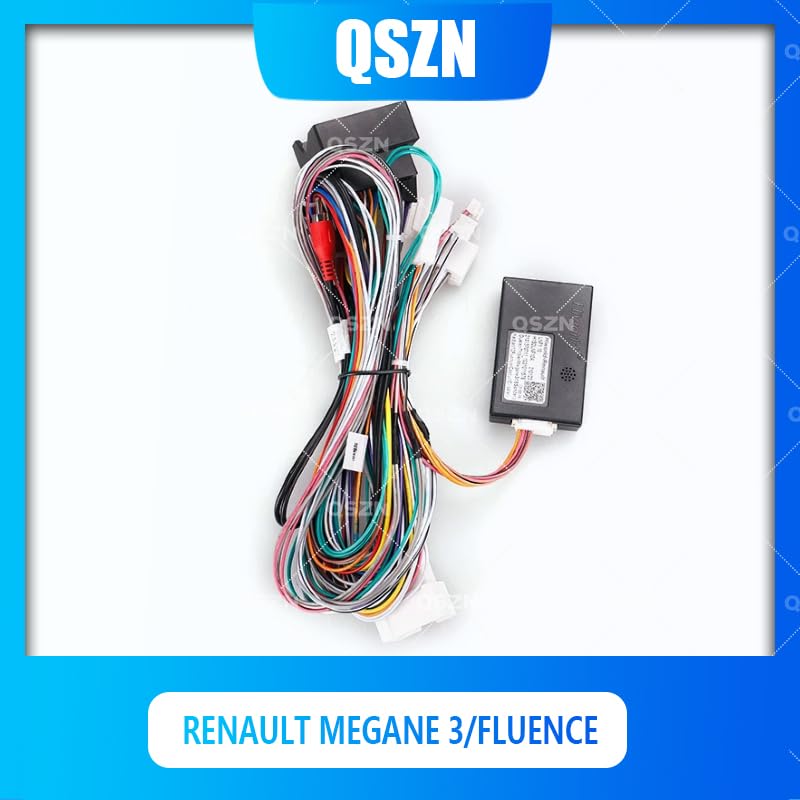
The QSZN Android Canbus Box LNF1.10 is an interface module that translates the vehicle's CAN-bus signals into a format compatible with aftermarket Android car radios. This allows the new radio to interact with various vehicle systems, such as receiving signals from steering wheel control buttons, displaying door status, or climate control information (depending on the vehicle and radio capabilities).
The included 16-pin wiring harness provides the necessary power, ground, speaker, and CAN-bus connections to integrate the Canbus box and the new radio into the vehicle's existing wiring system.
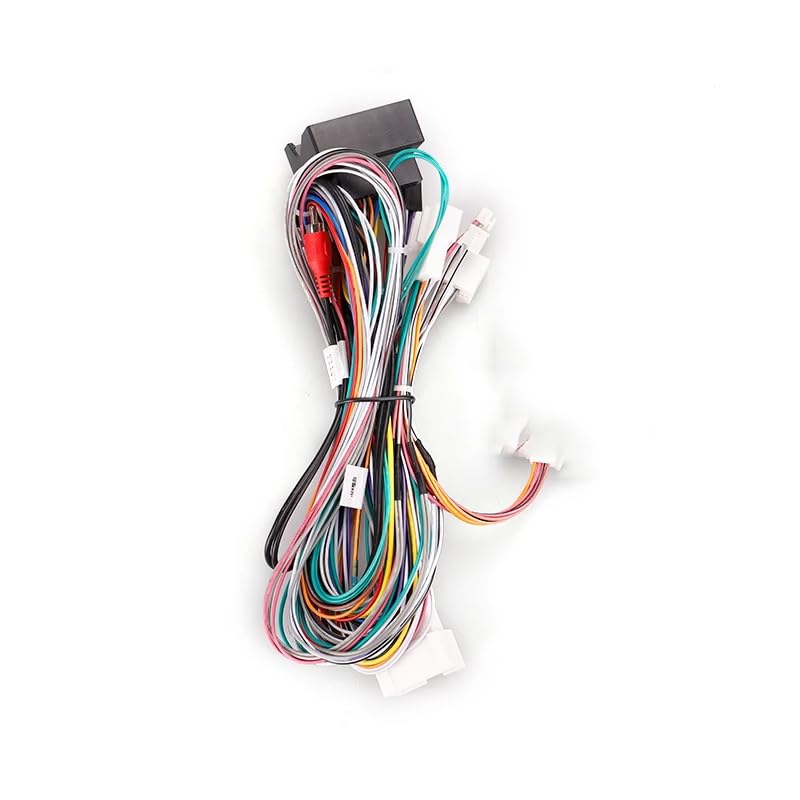
Image 2.1: The QSZN Android Canbus Box LNF1.10 with its integrated 16-pin wiring harness. This image displays the main components, including the black Canbus module and the multi-colored wires of the harness, designed for connecting an aftermarket car radio to a Renault vehicle's electrical system.

Kuva 2.2: Yksityiskohtainen view of the QSZN Canbus Box LNF1.10 module. The image shows the compact black plastic housing of the Canbus interface, with connection ports and identification labels visible, indicating its model number and compatibility information.
3. Yhteensopivuus
This Canbus box and wiring harness are specifically designed for the following vehicle models:
- Renault Mégane 3 (Model years: 2008, 2009, 2010, 2011, 2012, 2013, 2014)
- Renault Fluence (Model years: 2008, 2009, 2010, 2011, 2012, 2013, 2014)
Ensure your vehicle falls within these specifications before attempting installation. Compatibility with specific aftermarket Android head units may vary; consult your radio's manual for wiring diagrams and Canbus support.
4. Pakkauksen sisältö
Paketti sisältää seuraavat tuotteet:
- 1 x QSZN Android Canbus Box LNF1.10
- 1 x 16-Pin Wiring Power Cable Harness
Note: Other products or tools required for installation (e.g., aftermarket Android radio, trim removal tools, screwdrivers) are not included.
5. Asennus ja asennus
Ammattimainen asennus on erittäin suositeltavaa. Incorrect wiring can cause damage to your vehicle's electrical system or the new radio. Always disconnect the vehicle's battery before starting any electrical work.
5.1 Turvaohjeet
- Always disconnect the negative terminal of the vehicle's battery before installation.
- Käytä asianmukaisia suojavarusteita, mukaan lukien silmäsuojaimet.
- Varmista, että kaikki liitännät ovat tukevat ja asianmukaisesti eristettyjä.
- Refer to your vehicle's service manual for specific instructions on removing and installing the factory radio.
5.2 Asennusvaiheet
- Valmistele ajoneuvo: Disconnect the negative terminal of your vehicle's battery. Carefully remove the factory radio and any surrounding trim panels using appropriate trim removal tools.
- Ajoneuvoliittimien tunnistaminen: Locate the factory wiring harness connectors that were plugged into your original radio.
- Connect the Canbus Harness:
Kuva 5.1: Lähikuva view of the QSZN 16-pin wiring harness, showing the various colored wires and connectors. This harness connects the Canbus box to both the vehicle's existing wiring and the new aftermarket Android radio.
Connect the vehicle-specific end of the provided 16-pin wiring harness to the corresponding factory connectors in your Renault Megane 3 or Fluence. Ensure all connections are firm and secure.
- Liitä Canbus-boksi: Plug the Canbus box module (LNF1.10) into the designated connector on the 16-pin wiring harness. This connection is typically a multi-pin plug designed to fit only one way.
- Yhdistä Android-radioon: Connect the other end of the 16-pin wiring harness to the corresponding input on your aftermarket Android car radio. This harness typically includes connections for power, ground, speakers, and the Canbus data lines. Refer to your Android radio's wiring diagram for specific pin assignments.
- Testiliitännät: Before fully reassembling the dashboard, reconnect the vehicle's battery. Turn on the ignition and power on the Android radio. Test basic functions such as power, sound, and critically, the steering wheel controls. If steering wheel controls do not function, you may need to configure them within your Android radio's settings, often found under "SWC" or "Canbus Settings."
- Kiinnitä ja kokoa uudelleen: Once all functions are verified, carefully route the wiring to prevent pinching or interference. Secure the Canbus box in a safe, accessible location behind the dashboard. Reinstall the Android radio and all trim panels.
6. Käyttöohjeet
The QSZN Android Canbus Box LNF1.10 operates automatically once correctly installed. Its primary function is to translate vehicle data for your aftermarket Android radio. There are no user-adjustable settings directly on the Canbus box itself.
Key functions enabled by the Canbus box typically include:
- Ohjauspyörän säätimet (SWC): Allows your vehicle's factory steering wheel buttons to control functions on the new Android radio (e.g., volume up/down, track skip, mode). Configuration may be required within the Android radio's settings.
- Sytytyssignaali (ACC): Antaa oikean käynnistyssignaalin radion kytkemiseksi päälle ja pois päältä ajoneuvossa.
- Valaistussignaali: Himmentää radion näyttöä, kun ajovalot kytketään päälle.
- Peruutusvaihteen signaali: Aktivoi takaosanview kameratulo radiossa, kun ajoneuvo peruuttaa.
- Vehicle Speed Sensor (VSS) Signal: Provides speed data for navigation systems or speed-sensitive volume control.
- Seisontajarrun signaali: Provides parking brake status for safety features on the radio.
For specific operations and settings related to these functions, refer to the user manual of your aftermarket Android car radio.
7. Huolto
The QSZN Android Canbus Box LNF1.10 is a sealed electronic component and requires minimal maintenance. Follow these general guidelines:
- Pidä kuivana: Varmista, että moduuli ja sen liitännät pysyvät kuivina ja kosteudettomina.
- Turvallinen sijoitus: Ensure the Canbus box is securely mounted or placed behind the dashboard to prevent rattling or damage from movement.
- Puhtaat liitännät: If you ever need to disconnect and reconnect, ensure the electrical contacts are clean and free of debris.
- Vältä äärimmäisiä lämpötiloja: While designed for automotive use, avoid exposing the unit to extreme temperatures outside of normal vehicle operating conditions.
Do not attempt to open or repair the Canbus box, as this will void any potential warranty and may damage the unit.
8. Vianmääritys
Jos asennuksen jälkeen ilmenee ongelmia, harkitse seuraavia vianmääritysohjeita:
- Ei virtaa radioon:
- Check all power connections (constant 12V, ignition 12V, ground) from the harness to the vehicle and to the radio.
- Varmista, että ajoneuvon radiopiirin sulake on ehjä.
- Ensure the battery is properly reconnected.
- Ohjauspyörän säätimet eivät toimi:
- Confirm the Canbus box is securely connected to the harness.
- Check the Canbus data wires are correctly connected to the Android radio (refer to radio manual).
- Access the "SWC" or "Canbus Settings" menu on your Android radio and attempt to configure or learn the steering wheel buttons. Some radios require manual mapping.
- Ensure the correct Canbus protocol is selected in the Android radio's settings, if applicable.
- Ei ääntä:
- Verify all speaker wires are correctly connected from the harness to the radio.
- Check the radio's volume and mute settings.
- Ensure the vehicle's amplifier (if present) is receiving its turn-on signal (usually a blue/white wire).
- Other Vehicle Data (e.g., door status, climate) Not Displaying:
- Ensure the Canbus box is correctly connected.
- Verify your Android radio supports displaying this specific vehicle data via Canbus. Not all radios have this functionality.
- Check the radio's factory settings or Canbus settings for options related to vehicle information display.
If problems persist, consult a professional car audio installer or contact the product seller for further assistance.
9. Tekniset tiedot
| Malli: | LNF1.10 |
| Merkki: | Yleinen (QSZN) |
| Yhteensopivat ajoneuvot: | Renault Megane 3 (2008-2014), Renault Fluence (2008-2014) |
| Tuotetyyppi: | Kaapelit, sovittimet ja pistorasiat |
| Materiaali: | Muovi |
| Alkuperä: | Manner-Kiina |
10. Takuu ja tuki
For warranty information and technical support, please refer to the terms provided by your original retailer or contact the manufacturer directly. Keep your proof of purchase for any warranty claims.
Note: Opening or modifying the Canbus box will void any applicable warranty.