
1. Johdanto
The Delton S22 Vertical Wireless Mouse is designed to provide a comfortable and efficient computing experience. Its ergonomic vertical design aims to reduce wrist strain and promote a natural hand posture, making it suitable for extended use. This manual provides instructions for setting up, operating, maintaining, and troubleshooting your Delton S22 mouse.

This image illustrates the ergonomic benefits of the Delton S22 Vertical Wireless Mouse. It compares the unnatural wrist position required by a traditional mouse with the natural, handshake-like grip promoted by the vertical mouse, highlighting how it reduces strain and is recommended by rheumatologists.
2. Tuote ohiview ja komponentit
Familiarize yourself with the various parts of your Delton S22 Vertical Wireless Mouse:

Tämä kaavio tarjoaa yksityiskohtaisen view of the Delton S22 mouse, pointing out its key components: Left Button, Scroll Wheel, Right Button, DPI Switch, Detachable Wrist Pad, Optical Sensor, USB Receiver Compartment, Back Cover, 2*AA Battery Slot, Glide Pads, Forward Button, Back Button, and Power On/Off switch.
- Vasen painike: Normaali vasemman painikkeen napsautustoiminto.
- Oikea painike: Normaali hiiren kakkospainikkeen toiminto.
- Vierityspyörä: Pystysuuntaista vieritystä ja keskipainikkeen napsautusta varten.
- Eteenpäin-painike: Navigoi eteenpäin kohdassa web selaimet tai file tutkimusmatkailijoita.
- Takaisin-painike: Navigoi taaksepäin web selaimet tai file tutkimusmatkailijoita.
- DPI-kytkin: Säätää kohdistimen herkkyyttä (800/1600/2400 DPI).
- Virtakytkin: Conserves battery life when the mouse is not in use.
- Optinen anturi: Seuraa hiiren liikettä.
- USB-vastaanottimen lokero: Stores the 2.4G USB dongle.
- Akkupaikka: Pitää sisällään kaksi AA-paristoa (eivät sisälly).
- Detachable Wrist Pad: Provides additional wrist support and reduces friction.
3. Asennus
- Asenna paristot: Open the battery compartment on the underside of the mouse. Insert two AA batteries, ensuring correct polarity. Close the compartment.
- Liitä USB-sovitin: Locate the USB receiver (dongle) stored in its compartment on the underside of the mouse. Plug the USB dongle into an available USB-A port on your computer (PC, laptop, or tablet PC).
- Virta päälle: Flip the Power On/Off switch on the underside of the mouse to the "On" position.
- Automaattinen pariliitos: The mouse should automatically pair with the USB dongle. Your computer's operating system will typically install the necessary drivers automatically.
- Attach Wrist Pad (Optional): If desired, attach the detachable wrist pad to the base of the mouse for enhanced comfort.
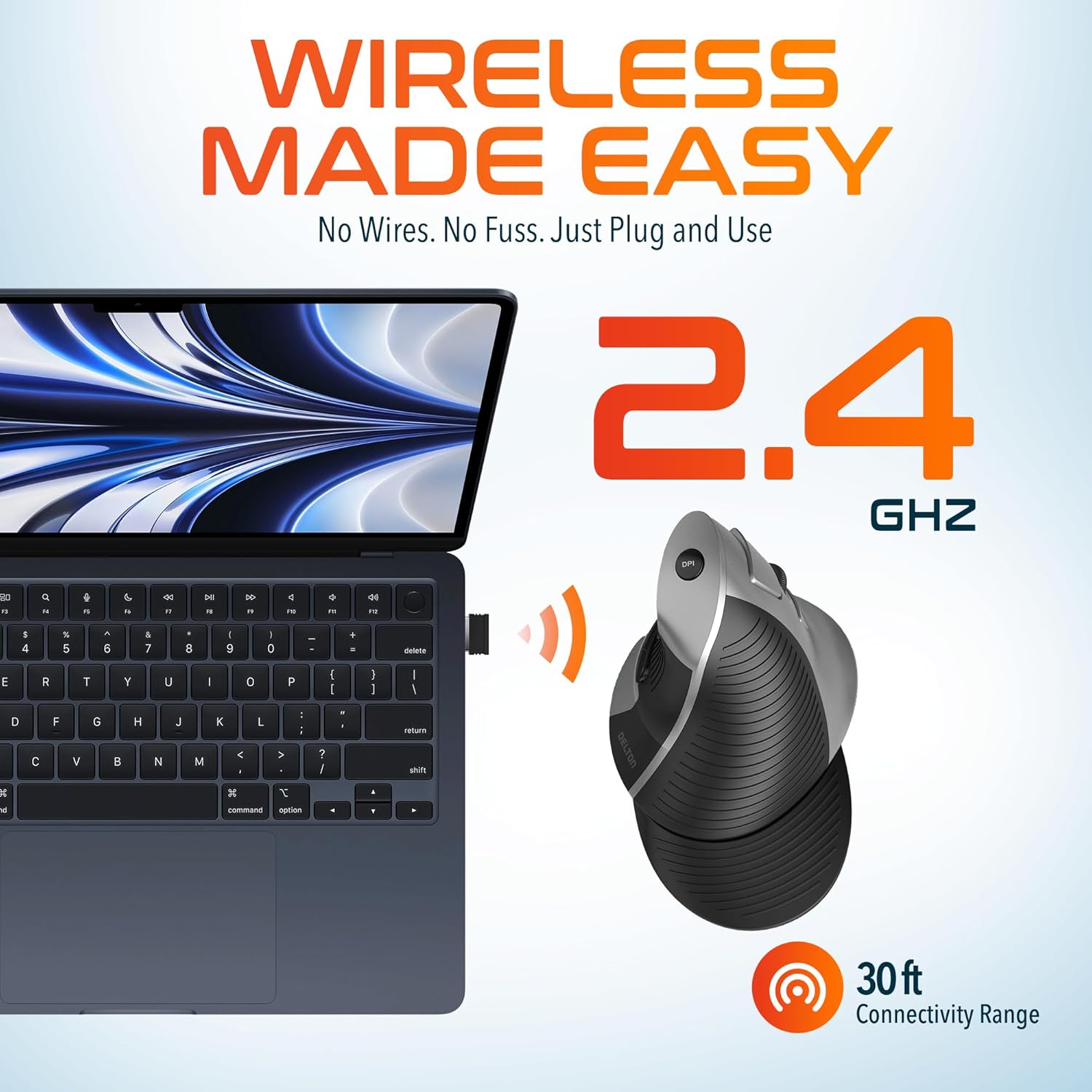
This image demonstrates the wireless connectivity of the Delton S22 mouse. It shows the mouse operating wirelessly with a laptop, emphasizing the 2.4 GHz connection and a 30 ft connectivity range, indicating a simple plug-and-use setup.
4. Käyttöohjeet
Painikkeiden toiminnot
The Delton S22 mouse features 6 buttons for enhanced functionality:
- Vasen painallus: Ensisijainen valinta ja aktivointi.
- Oikealla painikkeella: Accesses context menus.
- Vierityspyörä: Vierittää dokumentteja pystysuunnassa ja web pages. Pressing it acts as a middle-click.
- Eteenpäin-painike: Navigates to the next page in supported applications.
- Takaisin-painike: Navigates to the previous page in supported applications.
- DPI-kytkin: Selaa DPI-asetuksia.
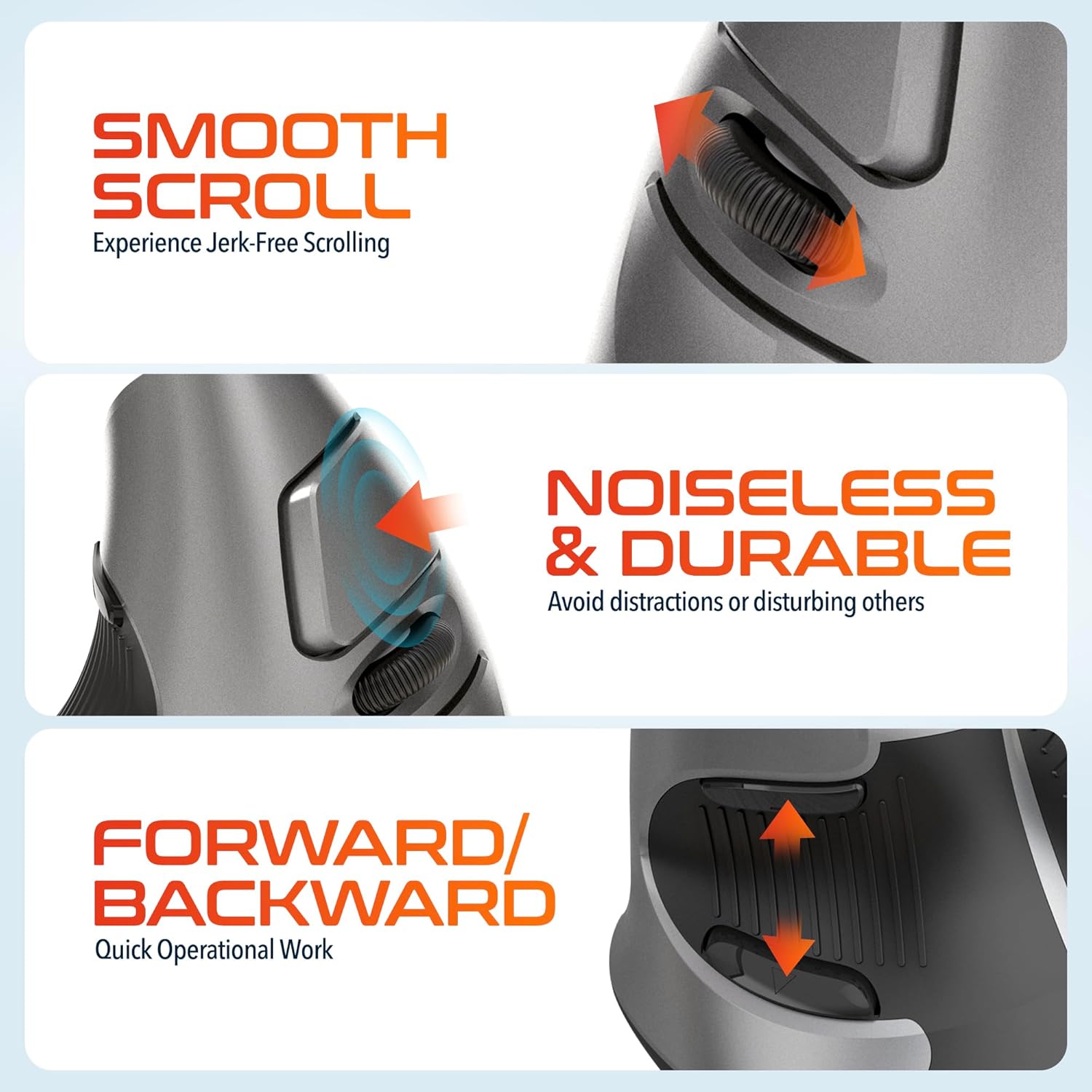
This composite image highlights three key operational features: the smooth, jerk-free scrolling experience, the noiseless and durable buttons designed to prevent distractions, and the convenient forward/backward buttons for quick navigation.
DPI-säätö
The DPI (Dots Per Inch) switch allows you to adjust the cursor sensitivity to match your preference or task requirements. Press the DPI button located on the top of the mouse to cycle through the following settings:
- 800 DPI: Alhaisempi herkkyys tarkkoja tehtäviä varten.
- 1600 DPI: Medium sensitivity for general use.
- 2400 DPI: Korkeampi herkkyys nopeampaa kohdistimen liikettä varten.

This image focuses on the high precision control offered by the Delton S22 mouse. It shows the DPI switch button and how it allows users to toggle between 800, 1600, and 2400 DPI settings for customized cursor sensitivity.
Virranhallinta
To conserve battery life, switch the mouse to the "Off" position using the power switch on the underside when not in use for extended periods.
5. Yhteensopivuus
The Delton S22 Vertical Wireless Mouse is designed for broad compatibility with various operating systems and devices:
- Käyttöjärjestelmät: Windows, macOS, iOS, Android, Chrome OS, Linux.
- Yhteensopivat laitteet: Laptop, Personal Computer, Tablet.
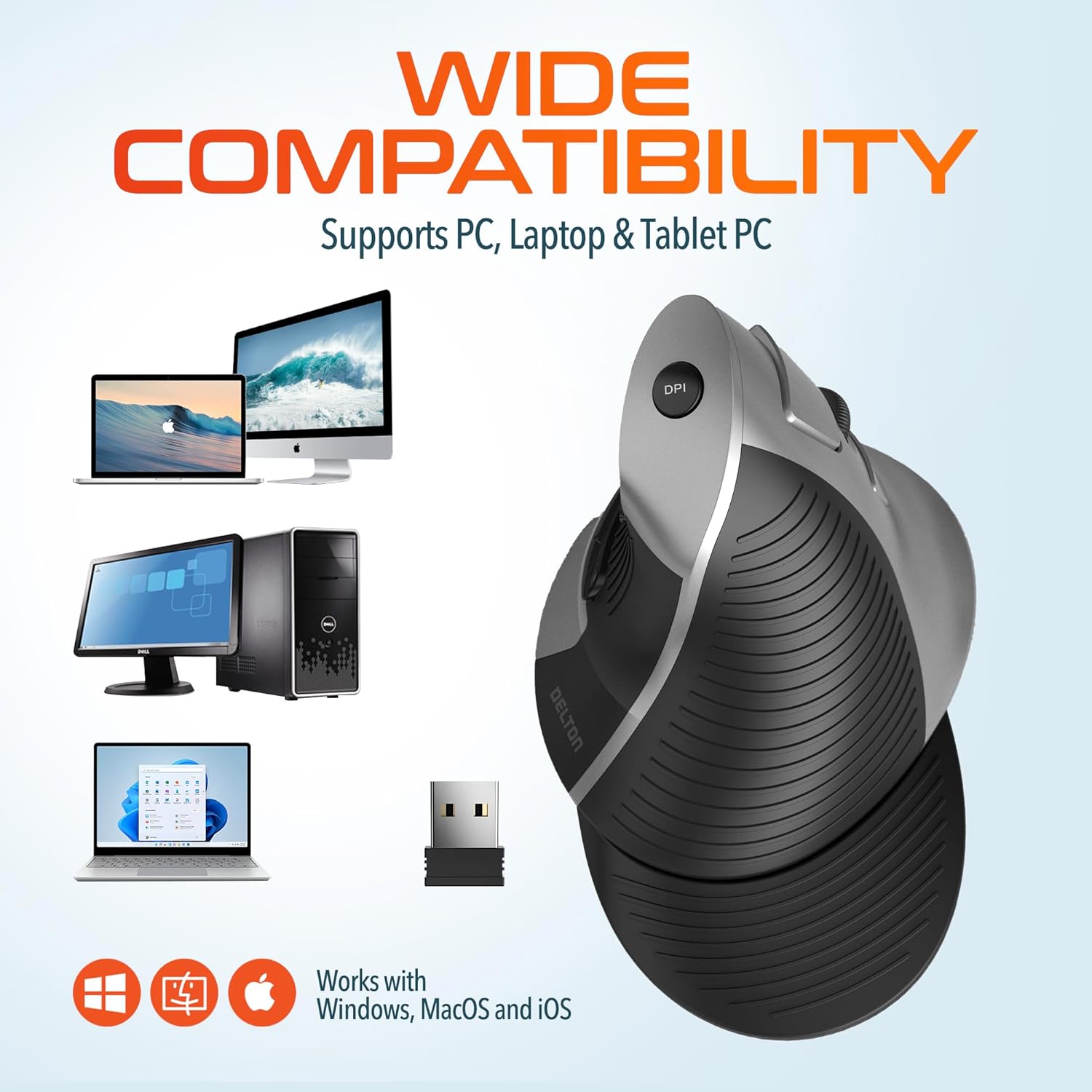
This image illustrates the wide compatibility of the Delton S22 mouse, showing it works seamlessly with PCs, laptops, and tablet PCs across Windows, macOS, and iOS operating systems. The USB dongle is also depicted as the connection method.
6. Huolto
- Puhdistus: Puhdista hiiri pehmeällä, kuivalla liinalla. Pinttyneeseen likaan pyyhi kevyesti.ampKostuta liina vedellä tai miedolla puhdistusliuoksella. Vältä voimakkaita kemikaaleja tai hankaavia materiaaleja.
- Akun vaihto: When the mouse performance degrades or it stops responding, replace the two AA batteries. Ensure the power switch is off before replacing batteries.
- Varastointi: When transporting or storing the mouse, ensure the USB dongle is securely placed in its dedicated compartment to prevent loss.
7. Vianmääritys
| Ongelma | Mahdollinen ratkaisu |
|---|---|
| Hiiri ei vastaa. |
|
| Kohdistimen liike on epätasaista tai nykivää. |
|
| DPI setting is not changing. |
|
| Forward/Back buttons not working. |
|
8. Tekniset tiedot
| Ominaisuus | Yksityiskohta |
|---|---|
| Merkki | Delton |
| Mallinumero | S22 |
| Yhteystekniikka | 2.4G langaton (USB-sovitin) |
| Erikoisominaisuus | Vertical, Ergonomic Design, Wireless |
| Liiketunnistustekniikka | Optinen |
| Painike Määrä | 6 |
| Käsien suuntautuminen | Oikein |
| Yhteensopivat laitteet | Kannettava tietokone, henkilökohtainen tietokone, tabletti |
| Käyttöjärjestelmän yhteensopivuus | Windows, macOS, iOS, Android, Chrome OS, Linux |
| Virtalähde | Paristokäyttöinen (2 x AA-paristoa, eivät sisälly toimitukseen) |
| DPI-tasot | 800, 1600, 2400 |
| Wireless Range | Jopa 30 jalkaa |
| Väri | Musta |
| Tuotteen mitat (P x L) | 5.3" P x 3.7" L |
| UPC | 802029086375 |
9. Takuu ja tuki
The Delton S22 Vertical Wireless Mouse comes with a 1 vuoden valmistajan takuu. Tämä takuu kattaa materiaali- ja valmistusvirheet normaalikäytössä.
For warranty claims, technical support, or any questions regarding your product, please refer to the contact information provided with your purchase or visit the official Delton webtukiresurssien sivusto.
Verkkoresurssit: For additional information, FAQs, or driver downloads (if applicable), please visit the Delton Store on Amazon.