
Johdanto
Thank you for choosing the SWOFY D26 MP3 Player. This device combines advanced audio and video playback capabilities with the versatility of the Android 13 operating system, offering a comprehensive portable entertainment experience. This manual provides essential information for setting up, operating, and maintaining your device.
Tuote loppuview
Tärkeimmät ominaisuudet
- Android 13 -käyttöjärjestelmä: Powered by an MTK 8-core chip for fast and smooth operation.
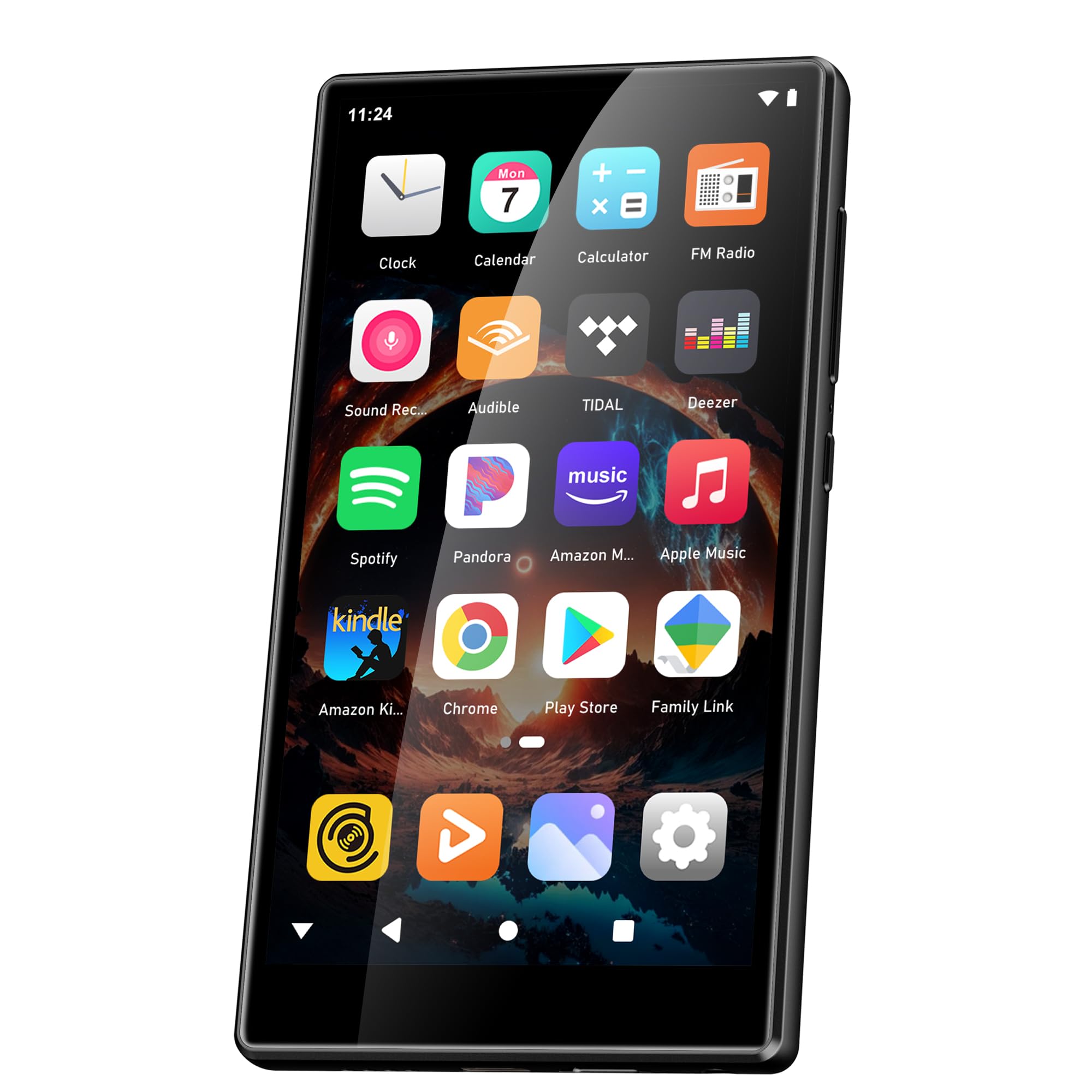
- Esiasennetut sovellukset: Includes Spotify, Deezer, Amazon Music, and access to the Play Store.
- Korkealaatuinen ääni: Powerful audio decoding chip for original sound quality, supporting MP3, WAV, FLAC, APE, OGG, M4A, AAC, WMA, and more.
- 4.7-tuumainen HD-kosketusnäyttö: Full touch display with HiFi sound module for clear visuals, supporting RM, RMVB, FLV, MP4, DAT, MKV, MPG, MOV, TS video formats without conversion.
- Bluetooth 5.0 ja Wi-Fi: Stable and fast two-way Bluetooth connection for headphones/speakers, and Wi-Fi for online streaming and app downloads.
- Suuri säilytystila: 160GB (32GB ROM + 128GB TF card) internal storage, expandable up to 1TB via external storage.
- Pitkä akun käyttöikä: 2500 mAh battery providing up to 50 hours of music playback or 8 hours of video playback.
Pakkauksen sisältö
The SWOFY D26 MP3 Player package typically includes the following items:
- SWOFY D26 MP3 Player (160GB)
- USB-latauskaapeli
- Kiinteät kuulokkeet
- Suojakotelo
- Näytön suojakalvo
- Käyttöopas (tämä asiakirja)

Image: Contents of the SWOFY D26 MP3 Player package.
Asennus
1. Laitteen lataaminen
Before first use, fully charge your SWOFY D26 MP3 Player. Connect the provided USB cable to the device's charging port and the other end to a USB power adapter (not included) or a computer's USB port. The battery indicator on the screen will show charging status. A full charge provides approximately 50 hours of music playback or 8 hours of video playback.
Kuva: Akun kapasiteetti ja arvioidut käyttöajat.
2. Virta päälle/pois
- Virran kytkeminen: Pidä virtapainiketta (yleensä sivussa) painettuna, kunnes näyttö syttyy.
- Virran sammuttaminen: Press and hold the Power button, then select "Power Off" from the options that appear on the screen.
- Käynnistää uudelleen: Pidä virtapainiketta painettuna ja valitse sitten vaihtoehdoista "Käynnistä uudelleen".
3. Alkukokoonpano
Kun käynnistät laitteen ensimmäisen kerran, seuraa näytön ohjeita määrittääksesi sen asetukset:
- Kielen valinta: Valitse haluamasi kieli.
- Wi-Fi-yhteys: Connect to a Wi-Fi network to enable internet access for app downloads and streaming.
- Google-tili: Sign in with your Google account to access the Google Play Store and synchronize data.
4. Muistin laajennus
The device comes with 160GB of storage (32GB ROM + 128GB TF card). You can expand the storage further by inserting a microSD card (up to 1TB) into the designated slot.

Image: Device screen showing app icons and storage capacity details.
Käyttöohjeet
1. Kosketusnäytön käyttö
The SWOFY D26 features a responsive 4.7-inch HD touchscreen.
- Napauta: To open an app, select an item, or confirm an action.
- Pyyhkäise: To scroll through lists, switch between home screens, or navigate within apps.
- Hyppysellinen: Kuvien lähentäminen tai loitontaminen tai web sivuja.

Image: The 4.7-inch HD touchscreen in operation.
2. Musiikin toisto
The device supports various music formats including MP3, WAV, FLAC, APE, OGG, M4A, AAC, WMA.
- Paikallinen musiikki: Siirrä musiikkia files to the device's internal storage or microSD card via USB. Use the pre-installed music player app to browse and play your library.
- Suoratoistopalvelut: Open pre-installed apps like Spotify, Deezer, or Amazon Music. Log in to your accounts to stream music.
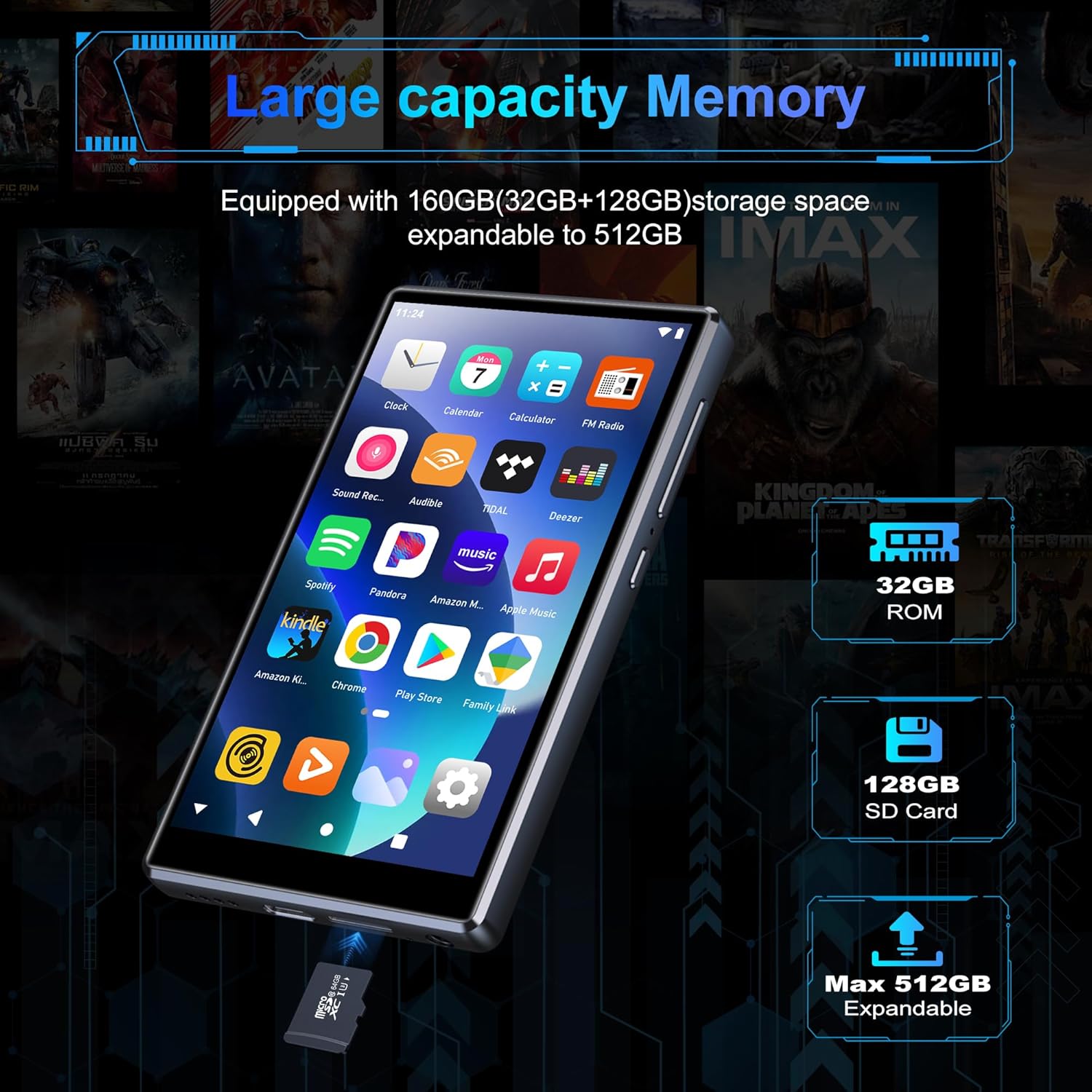
Image: Pre-installed popular applications on the device.
3. Videon toisto
The SWOFY D26 supports video formats such as RM, RMVB, FLV, MP4, DAT, MKV, MPG, MOV, TS directly, without requiring conversion. Use the default video player app to watch your videos.
4. Bluetooth-yhteys
Connect your device to Bluetooth headphones, speakers, or other compatible devices using Bluetooth 5.0.
- Siirry osoitteeseen Asetukset > Yhdistetyt laitteet > Bluetooth.
- Kytke Bluetooth päälle On.
- Varmista, että Bluetooth-lisälaitteesi on pariliitostilassa.
- Valitse lisälaitteesi pariliitettävien laitteiden luettelosta.
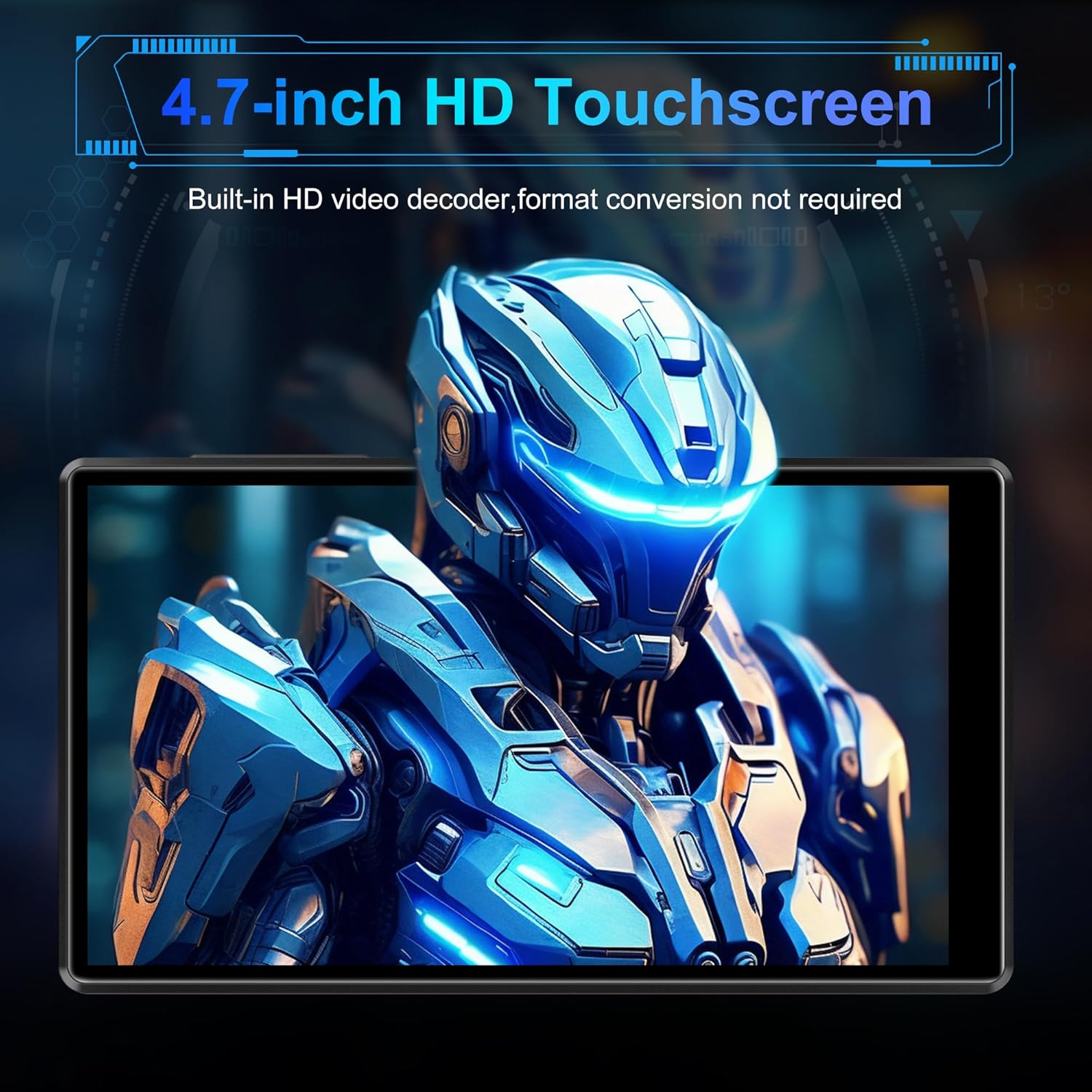
Image: Bluetooth connectivity with wireless earbuds.
5. Wi-Fi-yhteys
Connect to a Wi-Fi network to access the internet for streaming, app downloads, and web selailu.
- Siirry osoitteeseen Asetukset > Verkko ja internet > Wi-Fi.
- Wi-Fi päälle/pois On.
- Valitse haluamasi Wi-Fi-verkko luettelosta ja anna salasana, jos sitä pyydetään.
6. Sovelluksen asennus
Utilize the Google Play Store to download and install additional applications.
- Ensure you are connected to Wi-Fi and logged into your Google account.
- Avaa Play Kauppa sovellus.
- Etsi the desired app and follow the on-screen instructions to install it.
7. File Siirtää
Connect the SWOFY D26 to a computer using the provided USB cable to transfer music, videos, and other files.
- Liitä laite tietokoneeseesi.
- On the device, swipe down from the top of the screen to open the notification panel.
- Tap the "USB charging this device" notification, then select "File siirto" tai "MTP".
- Your device will appear as a removable drive on your computer, allowing you to drag and drop files.
Huolto
Puhdistus
Puhdista laitteen näyttö ja runko pehmeällä, nukkaamattomalla liinalla. Vältä voimakkaiden kemikaalien tai hankaavien materiaalien käyttöä.
Ohjelmistopäivitykset
Tarkista säännöllisesti ohjelmistopäivitykset varmistaaksesi optimaalisen suorituskyvyn ja uusimpien ominaisuuksien käytön.
- Varmista, että laite on yhdistetty Wi-Fi-verkkoon.
- Siirry osoitteeseen Asetukset > Järjestelmä > Järjestelmän päivitys.
- Lataa ja asenna saatavilla olevat päivitykset noudattamalla näytön ohjeita.
Akun hoito
Pidennä akun käyttöikää seuraavasti:
- Vältä äärimmäisiä lämpötiloja.
- Älä anna akun tyhjentyä kokonaan usein.
- Unplug the charger once the device is fully charged.
Vianetsintä
Laite ei käynnisty
- Varmista, että akku on ladattu. Liitä laite laturiin vähintään 30 minuutiksi.
- Pakota uudelleenkäynnistys painamalla virtapainiketta 10–15 sekuntia.
Ei voi muodostaa yhteyttä Wi-Fi-/Bluetooth-verkkoon
- Ensure Wi-Fi/Bluetooth is enabled in Settings.
- Käynnistä laite uudelleen ja yritä muodostaa yhteys uudelleen.
- For Wi-Fi, verify the password and ensure the router is working correctly.
- For Bluetooth, ensure the accessory is in pairing mode and within range.
Sovellukset kaatuvat tai jäätyvät
- Sulje ja avaa sovellus uudelleen.
- Tyhjennä sovelluksen välimuisti: Siirry osoitteeseen Asetukset > Sovellukset > [Sovelluksen nimi] > Tallennustila ja välimuisti > Tyhjennä välimuisti.
- Käynnistä laite uudelleen.
- Jos ongelma jatkuu, harkitse sovelluksen poistamista ja asentamista uudelleen.
Huono äänenlaatu
- Check the volume settings on the device and any connected audio accessories.
- Varmista ääni files eivät ole vioittuneet.
- Try different headphones or speakers.
Tekniset tiedot
| Mallin nimi | D26 |
| Käyttöjärjestelmä | Android 13 |
| Prosessori | MTK 8-ytiminen |
| Näyttö | 4.7-inch HD Touchscreen (LCD) |
| Sisäinen tallennustila | 160GB (32GB ROM + 128GB TF Card) |
| Laajennettava tallennustila | Jopa 1 Tt (MicroSD) |
| RAM | 4GB |
| Akun kapasiteetti | 2500 mAh |
| Musiikin toistoaika | Jopa 50 tuntia |
| Videon toistoaika | Jopa 8 tuntia |
| Yhteydet | Bluetooth 5.0, Wi-Fi, USB |
| Tuetut äänimuodot | MP3, WAV, FLAC, APE, OGG, M4A, AAC, WMA |
| Tuetut videomuodot | RM, RMVB, FLV, MP4, DAT, MKV, MPG, MOV, TS |
| Erikoisominaisuudet | Built-in speaker, Equalizer, FM Radio, Voice Recorder |
| Yhteensopivat laitteet | Bluetooth headphones, Personal computer, Bluetooth speakers |
Takuutiedot
Specific warranty details for the SWOFY D26 MP3 Player may vary by region and retailer. Please refer to the warranty card included with your purchase or visit the official SWOFY website for comprehensive warranty terms and conditions. Information regarding spare parts availability and software update guarantees is not provided in the product specifications.
Tukea
For further assistance, technical support, or inquiries regarding your SWOFY D26 MP3 Player, please visit the official SWOFY websivustolla tai ota yhteyttä asiakaspalveluun.
Valmistaja: SWOFY