
1. Tuote ohiview
The VTSYIQI Ultrasonic Dairy Milk Analyzer is an instrument designed for multi-indicator analysis and testing of liquid dairy products. It provides comprehensive parameter measurement options to assess the quality and nutritional value of dairy products.
This analyzer is primarily used for determining fat, protein, lactose, non-fat solids, density, water content, freezing point, ash, and temperature in various dairy products, including cow's milk, goat's milk, and UHT milk. It is suitable for quality monitoring in modern dairy farms, fresh milk purchasing stations, and small to medium-sized dairy enterprises.
Tärkeimmät ominaisuudet:
- Android Intelligent System: Offers an intuitive and responsive 7-inch touch screen for enhanced user interaction.
- Tehokas testaus: Requires minimal sample volume, provides good test repeatability, and operates with low power consumption.
- Peristaltic Pump: Utilizes a high-quality peristaltic pump to minimize milk residue accumulation.
- Automaattinen puhdistus: Features a built-in automatic cleaning function for simple maintenance without the need for chemical reagents.
- Integroitu tulostin: Includes a built-in thermal printer for flexible editing and printing of test reports.
- Liitettävyys: Supports WiFi networking and Bluetooth for wireless data upload to a platform or PC.
- Tiedonhallinta: Configurable with a data management platform for long-term data preservation, analysis, and management.
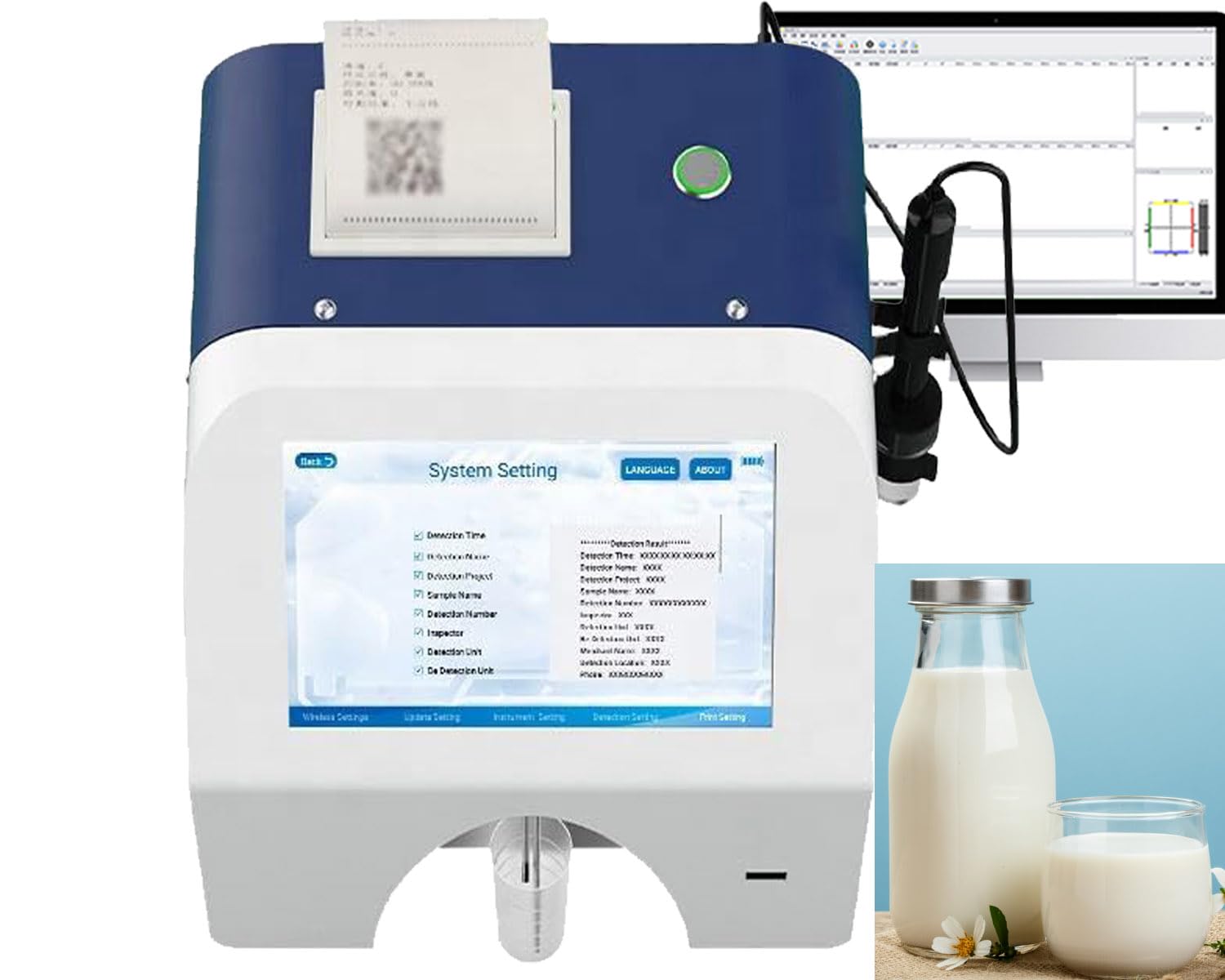
Figure 1: VTSYIQI Ultrasonic Dairy Milk Analyzer and included components.
2. Asennusohjeet
Follow these steps to set up your VTSYIQI Ultrasonic Dairy Milk Analyzer for first use.
2.1 Pakkauksesta purkaminen ja tarkastus
- Poista kaikki osat varovasti pakkauksesta.
- Varmista, että kaikki pakkauslistassa luetellut lisävarusteet ovat mukana.
- Inspect the analyzer and accessories for any signs of damage during transit. If any damage is found, contact customer support immediately.

Figure 2: Complete accessories included with the analyzer.
2.2 Virran kytkeminen
- Connect the power adapter to the analyzer's power input port.
- Liitä verkkolaite sopivaan pistorasiaan.
- Varmista, että virtaliitäntä on turvallinen.
Video 1: This video demonstrates the physical connection of the power adapter to the VTSYIQI Milk Analyzer and shows the initial display screen. It provides a visual guide for the initial setup steps.
2.3 Ensimmäinen käynnistys
Press the power button to turn on the analyzer. The 7-inch touch screen will display the main interface, indicating the system is ready for operation.

Figure 3: The analyzer's HD touch screen interface.
3. Käyttöohjeet
This section details the steps for performing milk analysis using the VTSYIQI Ultrasonic Dairy Milk Analyzer.
3.1 Sample Valmistelu
Ensure milk samples are at room temperature and well-mixed before testing. The analyzer requires a small sample volume for accurate results.
3.2 Testin suorittaminen
- From the main screen, select the 'Milk Analysis' option.
- Choose the specific type of milk to be tested (e.g., Cow Milk, Goat Milk).
- Place the prepared milk sample nimettyyn s:äänample intake area.
- Initiate the detection process by pressing 'Start Detection' on the touch screen.
- The analyzer will process the sample and display the results on the screen. This process typically takes a few minutes.
Video 2: This video illustrates the operational steps for the Dairy Milk Analyzer, including selecting the testing item and initiating the detection process.
3.3 Printing and Data Management
- Tulosta raportit: After a test is complete, use the 'Print' function on the screen to generate a physical report via the built-in thermal printer.
- Tallenna: Test results can be saved internally using the 'Save' function.
- Wireless Upload: Utilize the WiFi or Bluetooth connectivity to upload data to a connected PC or data management platform for long-term storage and analysis.

Figure 4: The analyzer's built-in thermal printer in action.

Figure 5: Wireless data upload and management capabilities.
4. Huolto
Proper maintenance ensures the longevity and accuracy of your VTSYIQI Ultrasonic Dairy Milk Analyzer.
4.1 Automaattinen puhdistus
The analyzer features a built-in automatic cleaning function. It is recommended to run this function regularly, especially after multiple tests or before extended periods of inactivity, to prevent residue buildup in the internal pipelines. This process does not require chemical reagents.
4.2 Ulkoinen puhdistus
Wipe the exterior of the analyzer with a soft, damp cloth. Avoid using abrasive cleaners or solvents that could damage the surface or screen.
4.3 Peristaltic Pump Care
The high-quality peristaltic pump is designed to prevent milk scale residue. However, regular visual inspection of the pump area for any blockages or wear is advisable. Refer to the device's on-screen prompts for any specific pump maintenance alerts.
5. Vianmääritys
This section provides solutions to common issues you might encounter with your analyzer.
5.1 Virtaongelmat
- Ei virtaa: Ensure the power adapter is securely connected to both the analyzer and a working electrical outlet. Check if the outlet is functional.
- Jaksottainen teho: Verify all cable connections are tight. Avoid using damaged power cords or adapters.
5.2 Measurement Inaccuracies
- Epäjohdonmukaiset lukemat: Ensure milk samples are properly prepared (room temperature, well-mixed) and the sample volume is adequate.
- Puhdistus: Perform the automatic cleaning cycle to ensure no residue is affecting the sensors.
- Kalibrointi: If persistent inaccuracies occur, the device may require recalibration. Refer to the device's settings menu for calibration options or contact customer support.
5.3 Screen or Interface Issues
- Ei reagoi kosketusnäyttö: Käynnistä laite uudelleen. Jos ongelma jatkuu, varmista, että näyttö on puhdas ja vapaa roskista.
- Näyttövirheet: If the screen displays unusual characters or is blank, try restarting the analyzer.
5.4 Printer Not Working
- Ei tulostusta: Check if the thermal paper is correctly loaded and there is sufficient paper remaining.
- Faint Print: The thermal print head might need cleaning or replacement. Contact customer support.
For issues not covered here, please refer to the full user manual or contact VTSYIQI customer support for assistance.
6. Tekniset tiedot
| Erittely | Arvo |
|---|---|
| Tuotteen mitat | 11.81 x 3.94 x 5.91 tuumaa |
| Tuotteen paino | 1.1 kiloa |
| Mallinumero | VTSYIQI2025012313287452418VTSYIQI |
| Paristot vaaditaan | 2 AAA batteries (for specific components, if applicable) |
| Valmistaja | VTSYIQI |
| ASIN | B0DTTHR4YT |