
1. Johdanto
Thank you for choosing the AOC 27B35HM Full HD 27-inch monitor. This display is designed to provide a high-quality visual experience with features such as a 120 Hz refresh rate, 1ms MPRT response time, and Adaptive Sync technology for smooth, responsive images. It also incorporates eye-care technologies like Low Blue Light and Flicker-Free to enhance viewing comfort during extended use. This manual will guide you through the setup, operation, and maintenance of your new monitor.
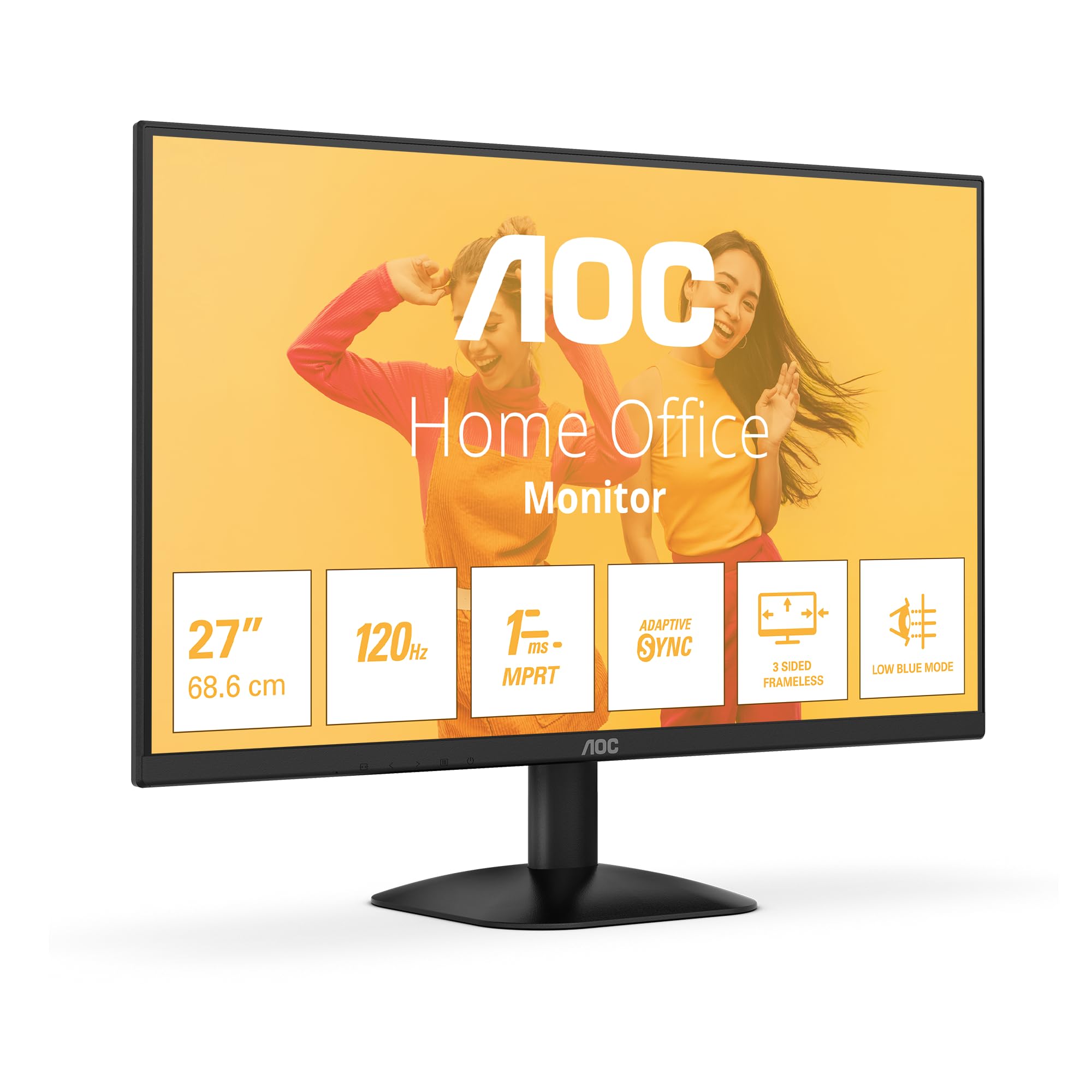
Kuva 1: Etuosa view of the AOC 27B35HM monitor, showcasing its 27-inch screen, 120Hz refresh rate, 1ms MPRT, Adaptive Sync, 3-sided frameless design, and Low Blue Light mode.
2. Turvallisuustiedot
Lue kaikki ohjeet huolellisesti ennen tuotteen käyttöä. Säilytä tämä käyttöohje myöhempää tarvetta varten.
- Do not place the monitor near water or in humid environments.
- Varmista näytön ympärillä oleva asianmukainen ilmanvaihto. Älä tuki tuuletusaukkoja.
- Käytä ainoastaan näytön mukana toimitettua virtalähdettä.
- Vältä raskaiden esineiden asettamista virtajohdon päälle.
- Älä yritä huoltaa näyttöä itse. Jätä kaikki huoltotyöt pätevän henkilöstön tehtäväksi.
- Irrota näyttö pistorasiasta ukkosmyrskyjen aikana tai jos sitä ei käytetä pitkään aikaan.
3. Pakkauksen sisältö
Verify that all the following items are present in your product package:
- AOC 27B35HM Monitor
- Näytön jalusta (jalusta ja kaula)
- Virtakaapeli
- HDMI kaapeli
- D-Sub (VGA) Cable (may vary by region)
- Käyttöohje ja takuukortti
4. Asennus
4.1 Jalustan kokoaminen
- Aseta näyttö varovasti kuvaruutu alaspäin pehmeälle ja puhtaalle alustalle naarmujen välttämiseksi.
- Kiinnitä jalustan kaula monitorin takapaneeliin. Kiinnitä se mukana toimitetuilla ruuveilla.
- Kiinnitä jalustan pohja jalustan kaulaan. Kiristä jalustan pohjassa oleva siipiruuvi.
4.2 Liittäminen tietokoneeseen
The AOC 27B35HM monitor supports HDMI and D-Sub (VGA) connections.
- HDMI-liitäntä: Liitä HDMI-kaapelin toinen pää tietokoneen näytönohjaimen HDMI-porttiin ja toinen pää näytön HDMI 1.4 -porttiin.
- D-Sub (VGA) -liitäntä: Connect one end of the D-Sub cable to the VGA port on your computer's graphics card and the other end to the D-Sub port on the monitor.
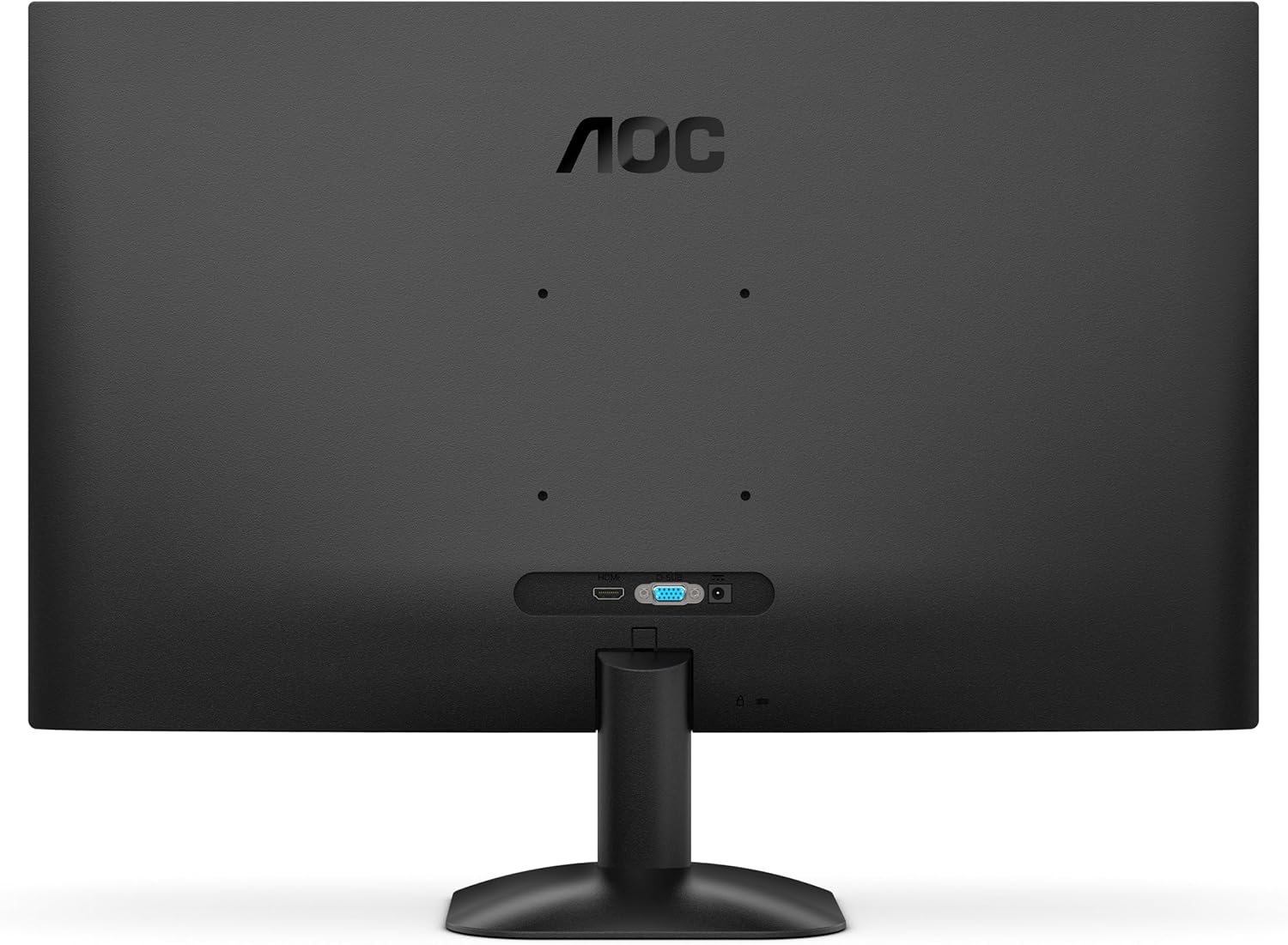
Kuva 2: Takaosa view of the monitor, illustrating the location of the HDMI and D-Sub input ports.
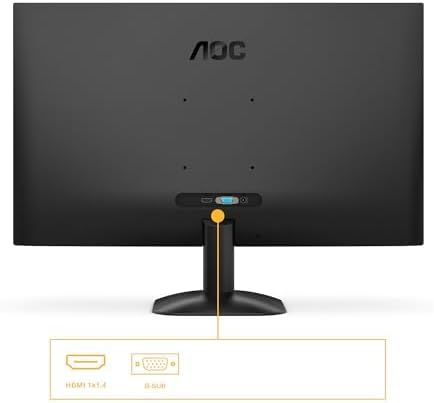
Kuva 3: Yksityiskohtainen view of the monitor's connectivity options, specifically highlighting the HDMI 1.4 and D-Sub ports.
4.3 Virtaliitäntä
- Connect the power cable to the monitor's power input.
- Kytke virtajohdon toinen pää maadoitettuun pistorasiaan.
5. Käyttöohjeet
5.1 Virran kytkeminen päälle/pois
Käynnistä tai sammuta näyttö painamalla sen oikeassa alakulmassa olevaa virtapainiketta. Virran merkkivalo palaa, kun näyttö on päällä.
5.2 On-Screen Display (OSD) -valikko
The OSD menu allows you to adjust various monitor settings. Use the buttons or joystick (if applicable) on the monitor's bezel to navigate the menu.
Tärkeimmät OSD-toiminnot:
- Kirkkaus/kontrasti: Säädä näytön kokonaisvalovoimaa ja kontrastia.
- Väriasetukset: Muokkaa värilämpötilaa, gammaa ja yksittäisiä RGB-tasoja.
- Tulon valinta: Manually switch between HDMI and D-Sub input sources.
- Kuvatila: Select from preset display modes (e.g., Standard, Text, Game, Movie).
- Mukautuva synkronointi: Enable or disable Adaptive Sync for tear-free gaming (requires a compatible graphics card).
- Matala sinisen valon tila: Vähennä sinisen valon säteilyä silmien rasituksen minimoimiseksi.
- Välkkymätön tekniikka: This monitor features flicker-free technology to reduce eye fatigue during prolonged use.
- HDR10: The monitor supports HDR10 for enhanced color and contrast, providing a more vivid visual experience.
6. Huolto
6.1 Näytön puhdistaminen
Pyyhi näyttö varovasti pehmeällä, nukkaamattomalla liinalla. Pinttyneiden tahrojen poistamiseksi, dampen the cloth with a small amount of screen cleaner (non-ammonia based) and wipe gently. Do not spray cleaner directly onto the screen.
6.2 Ulkopuolen puhdistus
Wipe the monitor's exterior with a soft, dry cloth. Avoid using abrasive cleaners or solvents.
7. Vianmääritys
Jos kohtaat ongelmia näytön kanssa, katso seuraavat yleiset ongelmat ja ratkaisut:
| Ongelma | Mahdollinen syy | Ratkaisu |
|---|---|---|
| Ei Virtaa | Virtajohto ei ole kytketty; pistorasia viallinen. | Varmista, että virtajohto on kytketty kunnolla näyttöön ja pistorasiaan; Testaa pistorasiaa toisella laitteella. |
| Ei signaalia | Videokaapelia ei ole kytketty; Väärä tulosignaali valittu. | Check video cable connections (HDMI/D-Sub); Use OSD menu to select correct input source. |
| Kuva on liian tumma/kirkas | Kirkkaus-/kontrastiasetukset väärin. | Säädä kirkkautta ja kontrastia OSD-valikon kautta. |
| Image is distorted/blurry | Incorrect resolution; Faulty cable. | Set display resolution to 1920 x 1080; Try a different video cable. |
| Välkkyvä näyttö | Refresh rate mismatch; Graphics card issue. | Ensure graphics card drivers are updated; Check monitor refresh rate settings in OS. |
8. Tekniset tiedot
Detailed technical specifications for the AOC 27B35HM monitor:
| Ominaisuus | Erittely |
|---|---|
| Merkki | AOC |
| Mallinumero | 27B35HM |
| Näytön koko | 27 tuumaa (68.6 cm) |
| Resoluutio | 1920 x 1080 (Full HD) |
| Kuvasuhde | 16:9 |
| Päivitystaajuus | 120 Hz |
| Vastausaika | 1 ms (MPRT) |
| Paneelin tyyppi | LCD-LED |
| Pinnan kuvaus | Matta |
| Kontrastisuhde | 1000:1 - 3000:1 |
| Yhteydet | 1 x HDMI 1.4, 1 x D-Sub (VGA) |
| Erikoisominaisuudet | Eye Care (Low Blue Light, Adaptive Sync), HDR10 |
| Väri | Musta |
| Valmistaja | AOC International |
| Alkuperämaa | Kiina |
8.1 Energiatiedot
Tarkempia tietoja energiatehokkuudesta on EPREL-tietokannassa:
- EPREL-rekisteröintinumero: 2046639
- EPREL Link: https://eprel.ec.europa.eu/qr/2046639
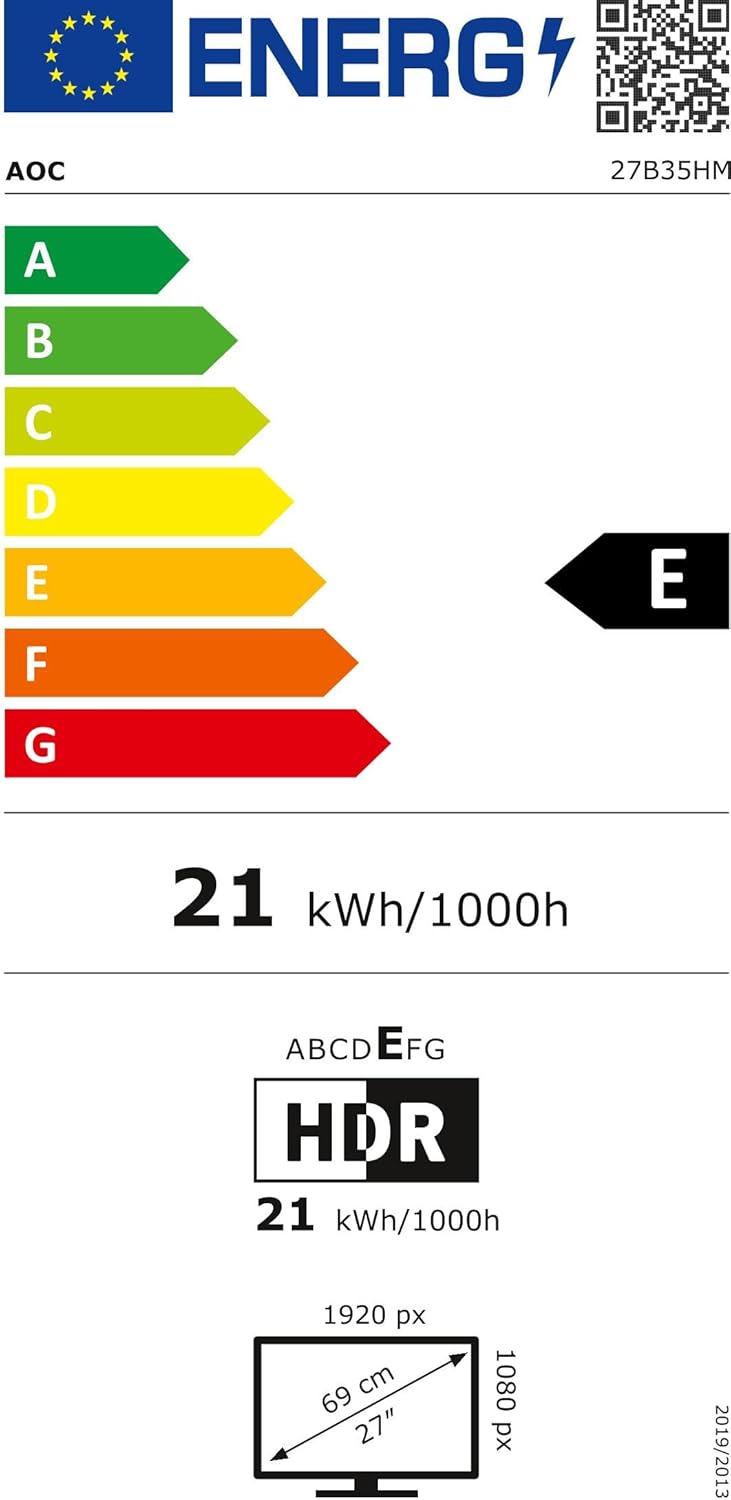
Figure 4: EU Energy Label for the AOC 27B35HM monitor, showing its energy efficiency class E and consumption of 21 kWh/1000h.
9. Takuu ja tuki
9.1 Takuutiedot
This product comes with a minimum guaranteed product support period of 8 years and a minimum guarantee period of 3 years offered by the supplier.
9.2 Asiakastuki
For technical assistance, warranty claims, or other inquiries, please contact AOC International (Europe) B.V. using the following information:
- Websivusto: https://eu.aoc.com
- Sähköposti: kevin.yang@tpv-tech.com
- Puhelin: +31 (0)20 504 6962
- Osoite: Prins Bernhardplein 200 1097 JB Amsterdam, Netherlands