
1. Johdanto
Kiitos ostoksestasiasing the HelloBaby HB6351Plus-2 Video Baby Monitor. This monitor is designed to provide a secure and reliable way to keep an eye on your baby, offering advanced features such as a large IPS screen, split-screen viewing, two-way audio, and night vision. This manual will guide you through the setup, operation, and maintenance of your new baby monitor.
Parhaan suorituskyvyn ja turvallisuuden takaamiseksi lue tämä käyttöohje huolellisesti ennen käyttöä ja säilytä se myöhempää tarvetta varten.
2. Tärkeitä turvallisuustietoja
- Kuristumisvaara: Keep all cords out of reach of children. Never place the camera or cords within 3 feet (1 meter) of the crib or playpen.
- Tukehtumisvaara: Tämä tuote sisältää pieniä osia. Pitää poissa lasten ulottuvilta.
- Lämpöaltistus: Do not place the monitor or camera near heat sources such as radiators, heat registers, stoves, or other appliances that produce heat.
- Vesi ja kosteus: Älä altista tuotetta sateelle tai kosteudelle. Älä käytä veden lähellä (esim. kylpyammeen tai pesualtaan lähellä).
- Virtalähde: Use only the AC power adapters provided. Using other adapters may damage the product.
- Ilmanvaihto: Älä tuki tuuletusaukkoja. Varmista riittävä ilmankierto yksiköiden ympärillä.
- Häiriöt: This product operates on 2.4GHz frequency. Keep away from other 2.4GHz devices (e.g., Wi-Fi routers, microwaves) to avoid interference.
3. Pakkauksen sisältö
Tarkista pakkauksen sisältö varmistaaksesi, että kaikki osat ovat mukana:
- Vanhemman yksikkö (monitori)
- Baby Units (Cameras) x 2
- Power Adapters x 3 (one for monitor, two for cameras)
- Käyttöopas
4. Tuote ohiview
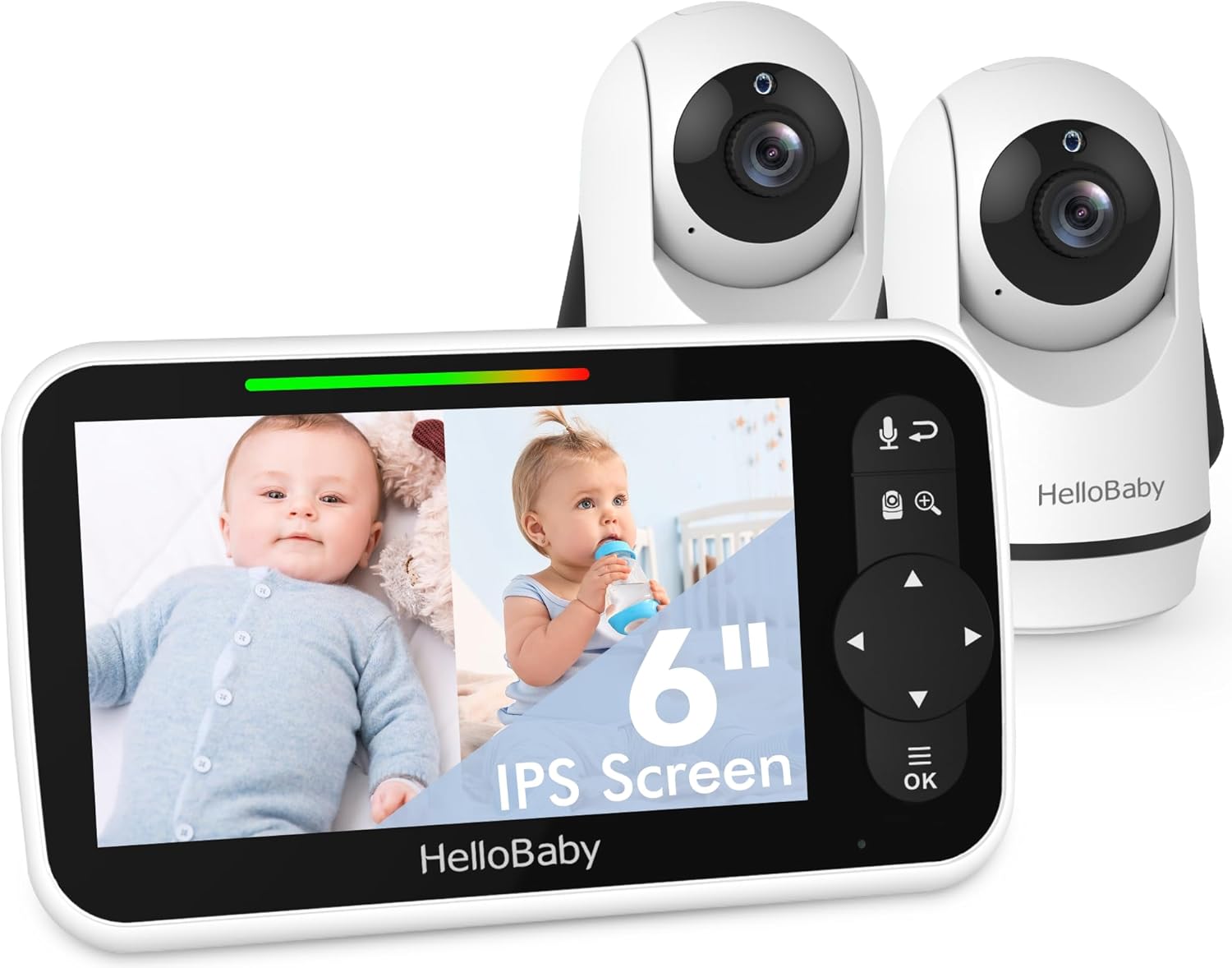
The HelloBaby HB6351Plus-2 Video Baby Monitor system, featuring the parent unit (monitor) and two baby units (cameras).
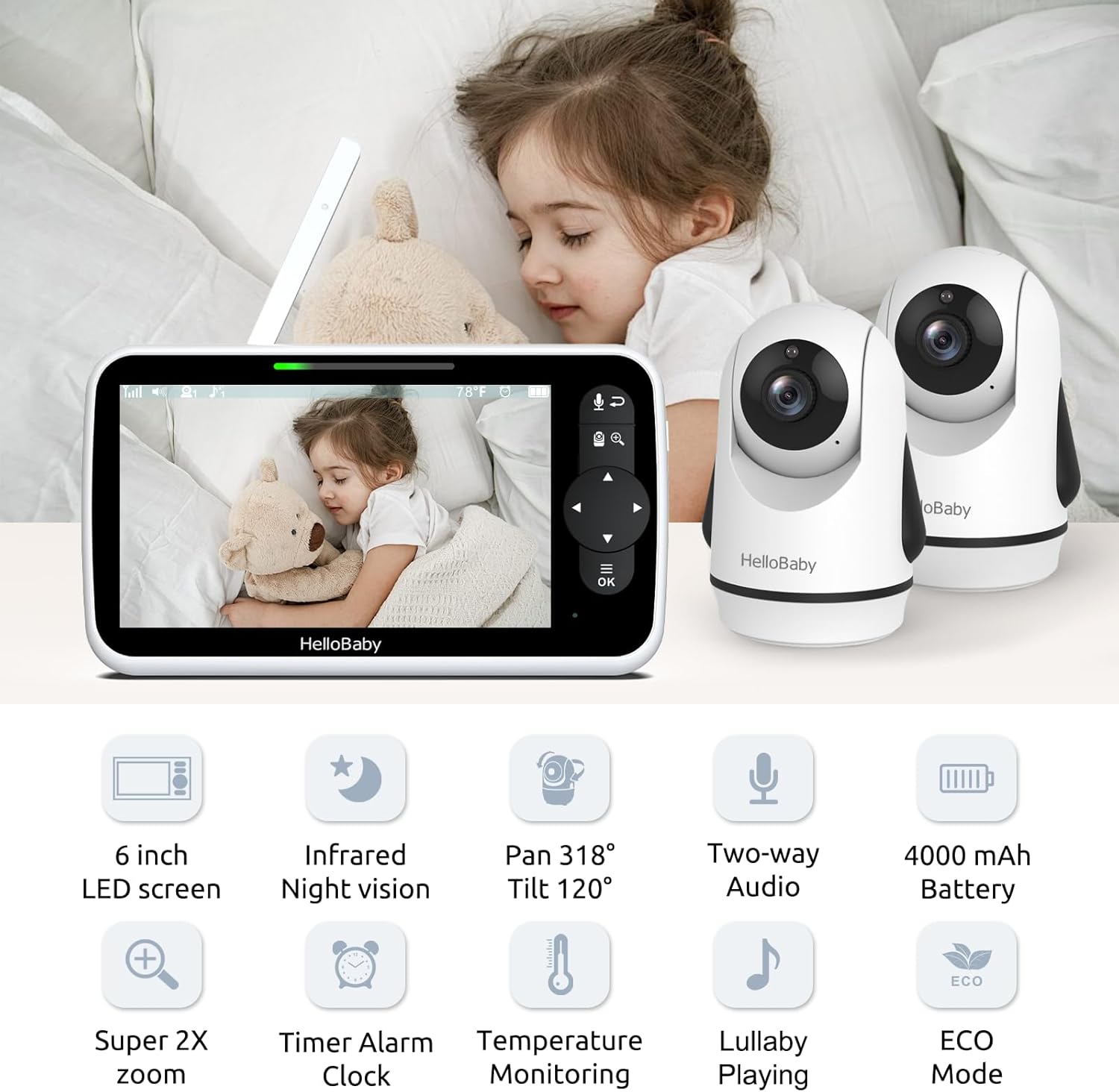
Yliview of the monitor and camera features, including the 6-inch IPS screen, infrared night vision, pan/tilt/zoom capabilities, two-way audio, and 4000mAh battery.
4.1 Vanhemman yksikkö (näyttö)
- 6 tuuman IPS-näyttö: Tarjoaa selkeän ja laajan viewkulma.
- Ohjauspainikkeet: For navigation, menu access, zoom, and two-way talk.
- Antenni: Langattoman signaalin vastaanottoa varten.
- Mikrofoni ja kaiutin: Kaksisuuntaiseen ääniviestintään.
- Pariston ilmaisin: Näyttää akun nykyisen varaustason.
4.2 Vauvan yksikkö (kamera)
- Kameran linssi: Tallentaa videosyötteen.
- Infrapuna-LEDit: Yönäkötoimintoa varten.
- Mikrofoni ja kaiutin: For two-way audio and lullaby playback.
- Lämpötila-anturi: Valvoo huoneen lämpötilaa.
- Pan/Tilt Motor: Allows remote adjustment of camera angle.
5. Asennus
5.1 Vanhemman yksikön lataaminen
Before first use, fully charge the parent unit for approximately 8 hours. Connect the small end of the power adapter to the parent unit's charging port and the other end to a power outlet. The battery indicator will show charging status.
5.2 Powering the Baby Units
Connect the small end of each camera's power adapter to the camera's power port and the other end to a power outlet. The camera will automatically power on.
5.3 Kameran sijoittelu
Position the baby unit(s) in a location that provides the best view of your baby. Ensure the camera is at least 3 feet (1 meter) away from the crib to prevent cord entanglement. The cameras can be placed on a flat surface, mounted on a wall, or attached using a bracket.

Flexible camera placement options: on a wall, on a table, or using a bracket for optimal viewing.
5.4 Pairing (Pre-paired)
Your HelloBaby monitor and cameras are pre-paired at the factory. Simply power on both units, and they should connect automatically. If you need to re-pair or add additional cameras, refer to the 'Add Camera' section in the monitor's menu.
6. Käyttöohjeet
6.1 Virta päälle/pois
- Vanhemman yksikkö: Pidä virtapainiketta painettuna, kunnes näyttö kytkeytyy päälle/pois.
- Vauvan yksikkö: The camera powers on automatically when connected to power. Disconnect from power to turn off.
6.2 Näytön ominaisuudet

The 6-inch IPS large screen provides a spacious and clear view vauvasi tarkkailuun.
The 6-inch IPS screen offers a wide viewing angle and clear image quality. Navigate through menus and options using the directional pad and OK button on the parent unit.
6.3 Jaetun näytön toiminto
With two cameras, you can view both feeds simultaneously on the parent unit's screen. This feature is ideal for monitoring multiple children or different areas of a room.

The split screen function allows simultaneous viewing of two camera feeds on the monitor.
To activate split screen, access the menu and select the split screen option. You can also switch between cameras in single-view mode or use the loop mode to cycle through camera views.

Visual representation of split screen and loop modes for multi-camera monitoring.
6.4 Kaksisuuntainen keskustelu
The two-way talk feature allows you to communicate with your baby remotely. Press and hold the microphone button on the parent unit to speak, and release it to listen.

Engage with your baby using the two-way talk feature, allowing for remote communication.
6.5 Infrapunayönäkö
The camera automatically activates infrared night vision in low-light conditions, providing a clear black-and-white image of your baby, even in complete darkness.

Day and night vision capabilities ensure clear monitoring in all lighting conditions.
6.6 Remote Pan-Tilt-Zoom (PTZ)
Use the directional buttons on the parent unit to remotely pan (318° horizontally) and tilt (120° vertically) the camera lens. The zoom function allows you to get a closer look at your baby.

The camera offers an all-round field of view with 318° pan and 120° tilt functionality.
6.7 Lämpötilan valvonta
Vauvan yksikössä on lämpötila-anturi, joka näyttää huoneen lämpötilan vanhemman yksikössä. Voit asettaa hälytyksiä halutun lämpötila-alueen ulkopuolella olevista lämpötiloista.

Monitor room temperature and play lullabies to soothe your baby.
6.8 kehtolaulua
Select from a variety of pre-programmed lullabies to soothe your baby to sleep. Access this feature through the parent unit's menu.
6.9 Timer Alarm Clock
Set reminders for feeding times, diaper changes, or naps using the built-in timer alarm clock feature.

The timer alarm clock helps you manage feeding and nap schedules.
6.10 ECO-tila ja akunkesto
The monitor features an ECO mode to conserve battery life. In ECO mode, the screen turns off and audio is muted when no sound is detected, reactivating when sound is picked up. The 4000mAh battery provides up to 18 hours in screen-on mode and 35 hours in ECO mode.

Energy-efficient design with 4000mAh battery, offering extended battery life in ECO mode.
7. Huolto
- Puhdistus: Use a soft, dry cloth to clean the surfaces of the monitor and cameras. Do not use abrasive cleaners or solvents.
- Varastointi: If storing the product for an extended period, ensure both units are fully charged and then powered off. Store in a cool, dry place.
- Akun hoito: Akun käyttöiän pidentämiseksi vältä vanhemman yksikön jatkuvaa tyhjentämistä kokonaan. Lataa se säännöllisesti.
8. Vianmääritys
| Ongelma | Mahdollinen syy | Ratkaisu |
|---|---|---|
| No picture/sound on parent unit | Units are not powered on or connected. Out of range. Battery low. | Ensure both units are powered and connected to adapters. Move parent unit closer to baby unit. Charge parent unit. |
| Picture frozen or signal loss (shows 'X') | Out of range. Interference from other devices. | Move parent unit closer to baby unit. Relocate units away from other 2.4GHz devices (Wi-Fi routers, microwaves). Restart both units. |
| Ei ääntä tai katkonaista ääntä | Volume too low. ECO mode active. Out of range. | Increase parent unit volume. Adjust ECO mode sensitivity or disable it. Move units closer. |
| Poor picture quality/Night vision unclear | Lens is dirty. Insufficient light for color mode. | Clean camera lens with a soft cloth. Ensure room is dark enough for night vision to activate properly. |
| Vanhemman yksikön akku tyhjenee nopeasti | Constant screen-on use. Old battery. | Utilize ECO mode. Ensure full charge before use. If battery life significantly degrades, consider battery replacement. |
9. Tekniset tiedot
- Malli: HB6351Plus-2
- Näytön koko: 6 tuuman IPS
- Langaton viestintätekniikka: 2.4 GHz: n FHSS
- Battery (Parent Unit): 4000mAh (P76 batteries included)
- Tuotteen paino: 2.31 puntaa (1.05 kiloa)
- Paketin mitat: 9.61 x 5.31 x 4.37 tuumaa
- Väri: Valkoinen
- Erikoisominaisuudet: 2-Way Audio, Cry Detection, Night Vision, PTZ Technology, Portable
- Sisä-/ulkokäyttö: Sisällä, ulkona
- UPC: 190282014908
10. Takuu ja tuki
HelloBaby products are designed and manufactured to the highest quality standards. For warranty information or technical support, please refer to the warranty card included with your product or visit the official HelloBaby websivusto. Voit myös ottaa yhteyttä asiakaspalveluun tuotteen ostaneen jälleenmyyjän kautta.
Lisätietoja saat osoitteesta HelloBaby Store on Amazon.