
Johdanto
Thank you for choosing the AOLON Curve Smart Watch. This device is designed to enhance your daily life with advanced health monitoring, fitness tracking, and smart communication features. This manual provides essential information for setting up, operating, and maintaining your new smart watch.

Image: The AOLON Curve Smart Watch in Rose Gold, showcasinsen tyylikkään muotoilun ja eloisan näytön ansiosta.
Mitä laatikossa on
Upon opening your AOLON Curve Smart Watch package, you should find the following items:
- AOLON Curve Smart Watch (with Watch Band attached)
- Latauskaapeli
- Käyttöopas (tämä asiakirja)

Image: A visual representation of the product packaging contents, showing the watch, charging cable, and user manual.
Asennus
1. Alkulataus
Before first use, fully charge your smart watch. A full charge typically takes approximately 2.5 hours. The watch offers up to 7 days of normal use and over 20 days in power-saving mode on a single charge.
- Liitä magneettinen latauskaapeli kellon takana oleviin latauspisteisiin.
- Kytke kaapelin USB-pää tavalliseen USB-virtalähteeseen (ei sisälly toimitukseen) tai tietokoneen USB-porttiin.
- Kellon näyttö näyttää latauksen tilan.

Image: The smart watch connected to its magnetic charging cable, illustrating the charging process and battery icon.
2. Sovellusten lataus ja pariliitos
To unlock the full potential of your AOLON Curve Smart Watch, download the companion app and pair it with your smartphone.
- Scan the QR code in your physical manual or search for "GloryFit" in the Apple App Store (for iOS) or Google Play Store (for Android).
- Asenna GloryFit sovellus älypuhelimeesi.
- Varmista, että Bluetooth on käytössä älypuhelimellasi.
- Open the GloryFit app, navigate to the "Device" section, and tap "Add Device".
- Select "Aolon Curve2" from the list of available devices to pair.
- Suorita pariliitos loppuun noudattamalla näytön ohjeita.

Image: A step-by-step guide illustrating how to download the GloryFit app and connect the AOLON Curve Smart Watch to a smartphone.
Älykellon käyttö
1. Perusnavigointi
The AOLON Curve Smart Watch features a 1.83-inch HD full-view curved display with a responsive touchscreen and an optical rotary button for intuitive navigation.
- Pyyhkäise ylös/alas: Selaa valikoita ja ilmoituksia.
- Pyyhkäise vasemmalle/oikealle: Käytä pikatoimintoja tai eri kellotauluja.
- Napauta: Valitse kohde tai vahvista toiminto.
- Paina sivupainiketta: Palaa aloitusnäyttöön tai kytke virta päälle/pois.
- Rotate Side Button: Selaa valikoita tai muuta asetuksia.

Kuva: Yksityiskohtainen view of the smart watch's 1.83-inch HD display with 3D curved glass, highlighting its visual clarity.
2. Kellotaulujen mukauttaminen
Personalize your watch with over 120 customizable watch faces available through the GloryFit app. You can also set your own photos as watch faces.
- From the watch home screen, long-press the display to quickly change watch faces.
- For more options, open the GloryFit app and navigate to the watch face selection menu.

Image: Various digital and analog watch faces shown on the smart watch, demonstrating customization options.
3. Bluetooth-puhelut
With its built-in microphone and speaker, the smart watch allows you to make and receive calls directly from your wrist when connected to your phone via Bluetooth.
- To make a call, access the dial pad or contact list on your watch.
- To answer an incoming call, tap the green phone icon on the watch screen.
- To reject a call, tap the red phone icon.

Image: A user interacting with the smart watch to manage calls while driving, highlighting the Bluetooth calling feature.
4. Älykkäät ilmoitukset
Receive real-time notifications for messages, alarms, and other app alerts directly on your watch. Note that message reply is not supported directly from the watch.
- Ensure notification permissions are granted to the GloryFit app on your smartphone.
- Pyyhkäise kellotaulussa alaspäin nähdäksesi view viimeaikaiset ilmoitukset.

Image: The smart watch displaying various app notifications, indicating its intelligent notification reminder feature.
5. Terveydentilan seuranta
The AOLON Curve Smart Watch provides continuous monitoring of key health metrics.
- Syke: Continuous heart rate tracking with alerts for abnormal rates.
- Veren happipitoisuus (SpO2): Seuraa veren happitasoja.
- Unenvalvonta: Tracks sleep duration, quality, and stages (deep, light, REM, awake).
- Stressin seuranta: Antaa tietoa stressitasoistasi.
- Women's Cycle Tracking: Tukee kuukautiskiertojen seurantaa.
- Istumismuistutukset: Alerts you to move after prolonged periods of inactivity.
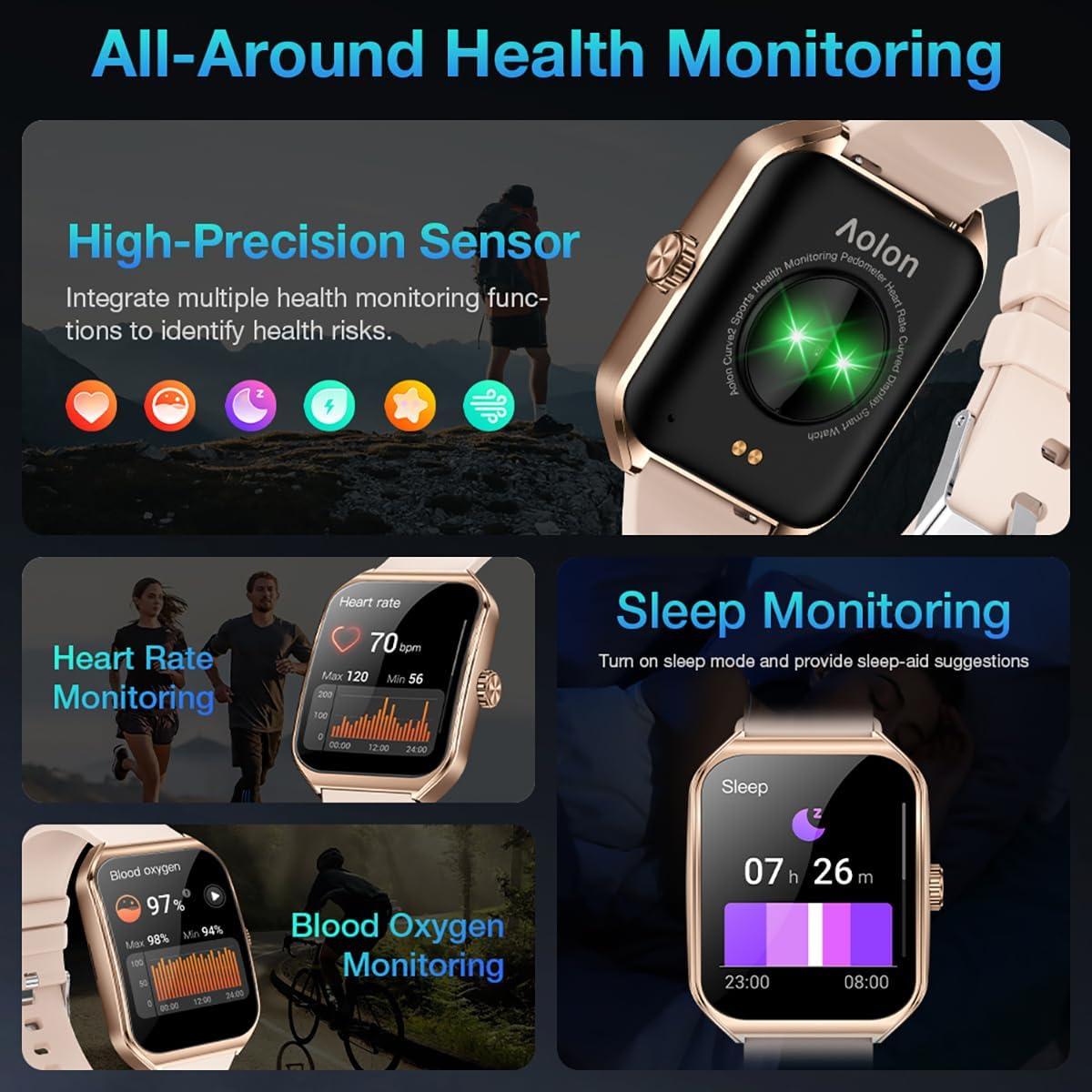
Image: A collage showing the smart watch monitoring heart rate, blood oxygen, and sleep, emphasizing its comprehensive health tracking capabilities.
Video: Demonstrates the 24/7 health monitoring features of the AOLON Smart Watch, including heart rate and SpO2 tracking.
6. Urheilutilat ja aktiivisuuden seuranta
The watch supports over 60 sports modes, allowing you to accurately monitor heart rate, calorie consumption, and exercise duration.
- Select your desired sports mode from the watch menu (e.g., outdoor run, indoor run, outdoor walk, ball games, dance, gymnastics).
- When connected to your phone, the watch can record and track your exercise routes using your phone's GPS.
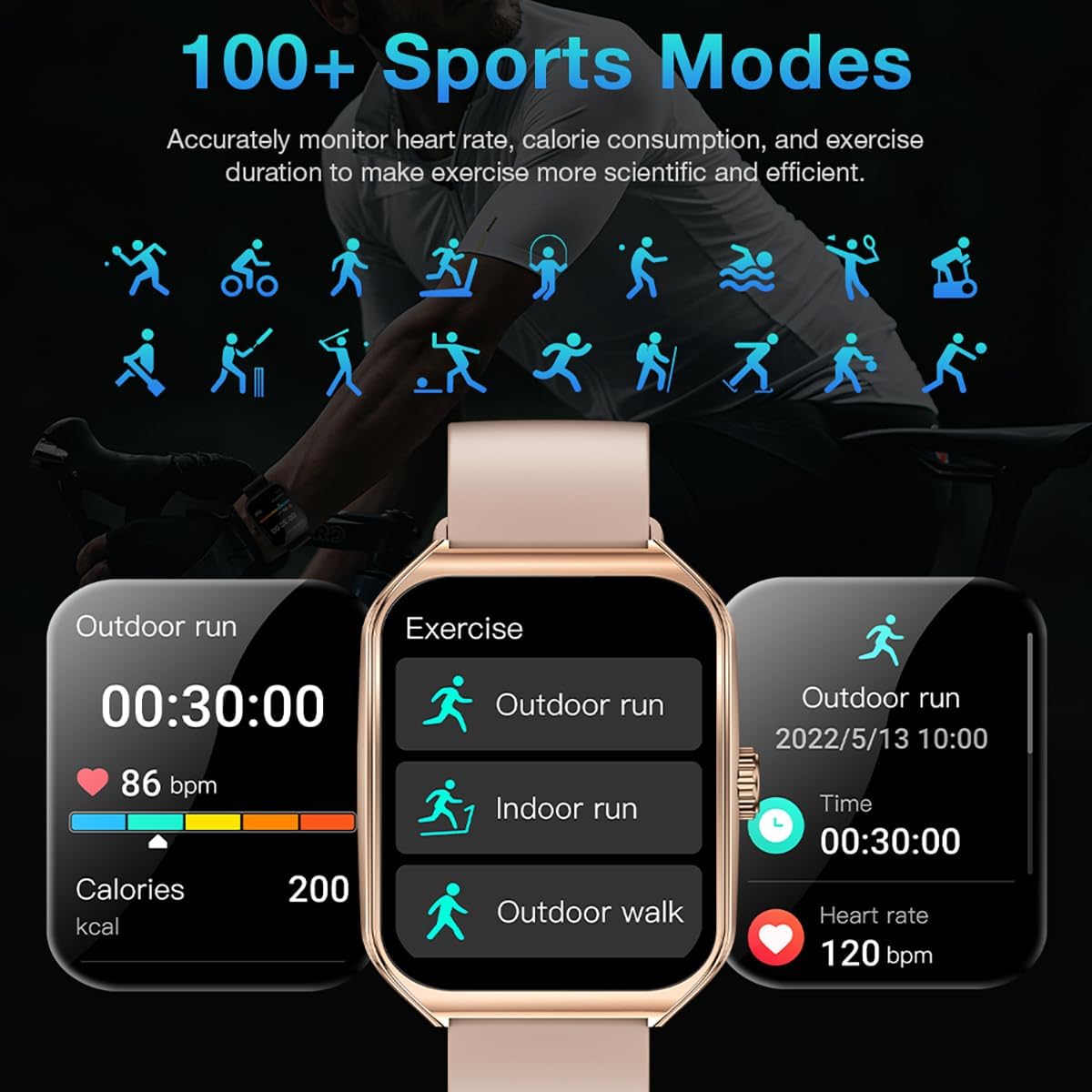
Image: The smart watch interface showing different sports modes and real-time exercise data like heart rate, calories, and distance.
7. Muut älykkäät ominaisuudet
The AOLON Curve Smart Watch integrates several convenient features for daily use:
- AI Voice Assistant: Quickly activate your voice assistant for tasks like making calls, checking weather, or setting alarms.
- Sääennuste: Hanki reaaliaikaisia sääpäivityksiä.
- Musiikin hallinta: Ohjaa musiikin toistoa älypuhelimellasi.
- Herätyskello: Aseta ja hallinnoi hälytyksiä.
- Sekuntikello ja ajastin: Essential timing functions.
- Etsi puhelimesi: Paikanna paritettu älypuhelin.
- Taskulamppu: A simple flashlight function.
- Laskin: Peruslaskutoimitukset ranteessasi.
- SOS-toiminto: Hätätilanteita varten.
Video: Yliview of the Curve2 Smart Watch features, including fitness tracking, notifications, and various smart functions.
Huolto
1. Kellon puhdistaminen
Regular cleaning helps maintain the appearance and functionality of your smart watch.
- Pyyhi näyttö ja runko pehmeällä,amp kangas.
- The silicone strap is washable. You can gently clean it with mild soap and water.
- Vältä kovien kemikaalien tai hankaavien materiaalien käyttöä.
2. Vedenkestävyys (IP67)
The AOLON Curve Smart Watch is IP67 waterproof, meaning it is resistant to dust and can withstand immersion in water up to 1 meter for 30 minutes. It is suitable for daily use and light water activities like hand washing or rain exposure.
- Do not use the watch for diving, hot showers, or prolonged submersion in water.
- Avoid exposing the watch to high-pressure water or steam.

Image: The smart watch partially submerged in water, illustrating its IP67 water resistance feature.
Vianetsintä
If you encounter issues with your AOLON Curve Smart Watch, please refer to the following common solutions:
- Kello ei käynnisty: Varmista, että kello on ladattu täyteen. Liitä se latauskaapeliin ja anna sen latautua vähintään 30 minuuttia ennen kuin yrität käynnistää sen.
- Ei voi yhdistää puhelimeen:
- Varmista, että Bluetooth on käytössä puhelimessasi ja että kello on kantaman sisällä.
- Käynnistä sekä puhelin että kello uudelleen.
- Check if the GloryFit app has necessary permissions (location, Bluetooth, notifications).
- If previously paired, try unpairing and re-pairing the device through the GloryFit app.
- Epätarkat terveystiedot:
- Varmista, että kello on tiukasti ranteessasi, ei liian tiukasti tai liian löysästi.
- Puhdista kellon takana oleva anturi.
- Environmental factors or skin conditions can sometimes affect sensor accuracy.
- Ilmoitukset eivät näy:
- Verify that notification permissions are enabled for the GloryFit app in your phone's settings.
- Varmista, että kello on yhdistetty puhelimeesi Bluetoothin kautta.
- Check the notification settings within the GloryFit app to ensure specific app notifications are enabled.
Tekniset tiedot
| Näytön koko | 1.83 tuumaa |
| Näytön tyyppi | HD Curved Display with 3D Curved Glass |
| Yhteydet | Bluetooth 5.0 |
| Akun kapasiteetti | 245 miljoonaaamp Tuntia |
| Akunkesto (normaalikäyttö) | Jopa 7 päivää |
| Battery Life (Power-Saving Mode) | Yli 20 päivää |
| Latausaika | Noin 2.5 tuntia |
| Vedenkestävyys | IP67 |
| Terveyden seuranta | Heart Rate, SpO2, Sleep, Stress, Women's Cycle |
| Urheilutilat | 60+ tilaa |
| Yhteensopivuus | Android ja iOS |
| Paino | 40g (watch body only) |
| Mallinumero | 5d738664-f1e0-4256-942f-d938b44e5e53 |
Takuu ja tuki
AOLON provides a 12 kuukauden takuu for your smart watch. If you encounter any issues or require assistance, please contact our customer service team.
- Asiakaspalvelu: Available 24 hours a day. Please contact us through Amazon Customer Service for prompt assistance.


