
typecase KB201T109
typecase Touch Keyboard Case with Trackpad User Manual
Model: KB201T109
For iPad Air 11-inch (M3 2025 / M2 2024) & iPad Air 5th & 4th Gen (10.9-inch)
1. Johdanto
Thank you for choosing the typecase Touch Keyboard Case with Trackpad. This manual provides detailed instructions for setting up, operating, and maintaining your new keyboard case. Please read this manual thoroughly before use to ensure optimal performance and longevity of your device.
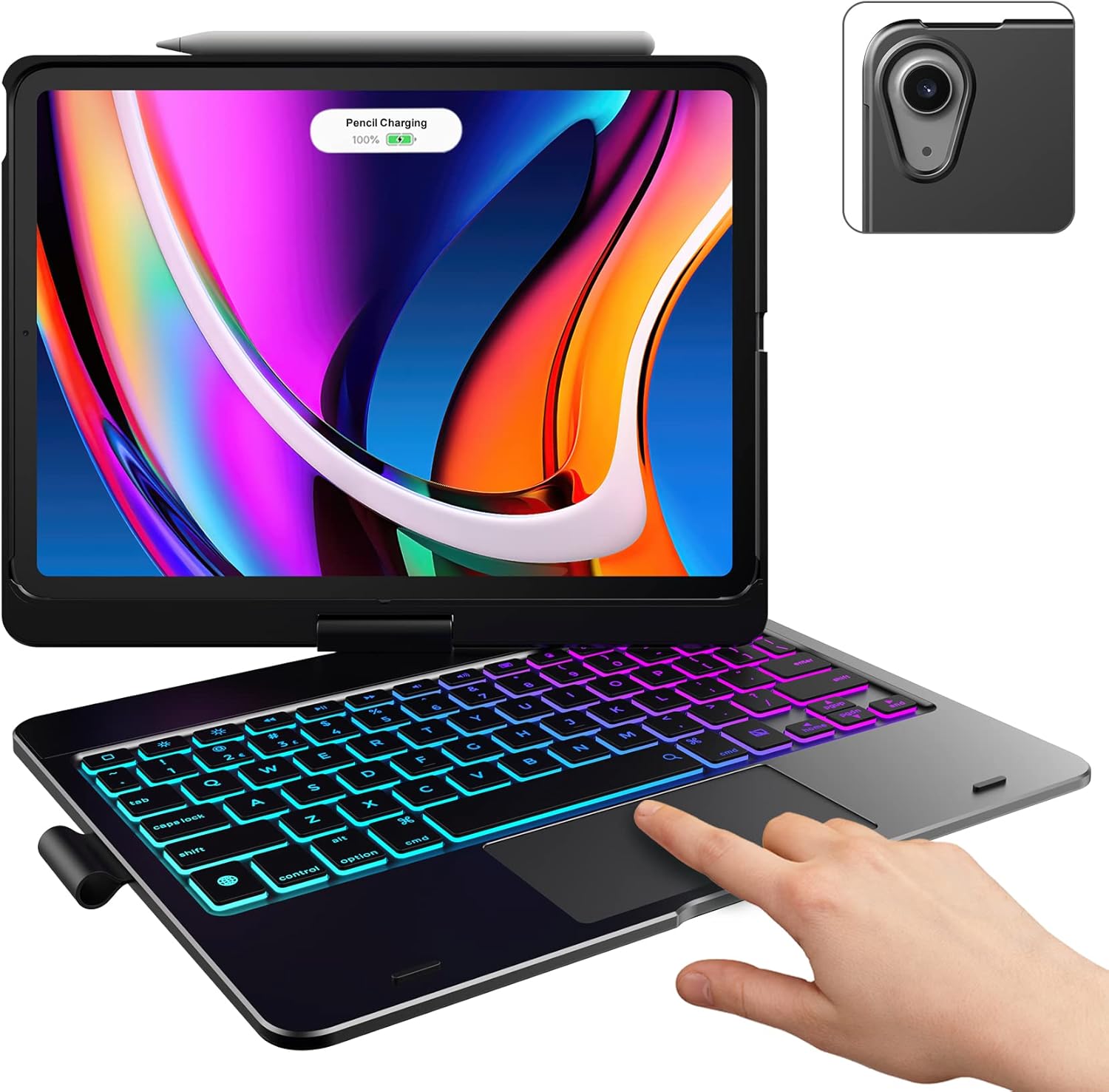
Image: The typecase Touch Keyboard Case with Trackpad, featuring an iPad Air securely placed in the case, demonstrating the illuminated keyboard and trackpad.
2. Asennus
2.1. Pakkauksen sisältö
- 1 x typecase Touch Keyboard Case for iPad Air 5th/4th Gen (10.9 inch) & Air 11 (M3 / 2025) (M2 / 2024)
- 1 x USB-latauskaapeli
- 1 x Käyttöohje (tämä asiakirja)
2.2. Yhteensopivuustarkistus
This keyboard case is specifically designed for the following iPad Air models:
- iPad Air 11-inch (M3 2025): Models A3266, A3267, A3270
- iPad Air 11-inch (M2 2024): Models A2902, A2903, A2904
- iPad Air 5th Gen (2022, 10.9"): Models A2588, A2589, A2591
- iPad Air 4th Gen (2020, 10.9"): Models A2072, A2316, A2324, A2325
To verify your iPad model, please check the model number (starting with "A") printed on the back of your iPad. This keyboard case is not compatible with other iPad models due to variations in size and thickness.

Image: A visual guide illustrating the compatible iPad Air models (M3 2025, M2 2024, 5th Gen, 4th Gen) and highlighting how to check the model number on the back of your iPad.
2.3. Installing Your iPad
- Gently align your iPad with the protective case frame.
- Press the iPad firmly into the case until it is securely seated. Ensure all edges are properly enclosed by the case for full protection.
2.4. Näppäimistön lataaminen
Before first use, fully charge the keyboard. Connect the provided USB charging cable to the keyboard's charging port and to a USB power source (e.g., computer USB port, wall adapter). The charging indicator light will show the charging status.
2.5. Bluetooth-pariliitos
- Käynnistä näppäimistö liu'uttamalla virtakytkin ON-asentoon. Merkkivalo vilkkuu.
- Paina Yhdistä button on the keyboard (usually indicated by a Bluetooth symbol). The Bluetooth indicator light will start blinking rapidly, indicating it's in pairing mode.
- Siirry iPadillasi osoitteeseen Asetukset > Bluetooth.
- Ensure Bluetooth is turned 'ON'. Your iPad will search for available devices.
- Select "typecase Keyboard" (or similar name) from the list of 'Other Devices'.
- Follow any on-screen prompts to complete the pairing process. Once paired, the Bluetooth indicator light on the keyboard will turn solid or turn off, and your iPad will show the keyboard as 'Connected'.
3. Käyttöohjeet
3.1. Näppäimistötoiminnot
The keyboard features a standard layout with 78 comfortably spaced keys and a dedicated row of iPadOS shortcut keys for enhanced productivity. These shortcuts allow quick access to common functions like Home, Search, Brightness, Media Controls, and Volume.

Kuva: Yksityiskohtainen view of the backlit keyboard, showing the laser-etched characters that allow the backlight to shine through, and the row of iPadOS shortcut keys.
3.2. Trackpad Usage
The integrated multi-touch trackpad allows for precise navigation and multi-gesture controls, similar to a laptop. Refer to your iPad's iPadOS settings for specific trackpad gestures and customization options.

Image: A hand interacting with the built-in trackpad of the keyboard case, illustrating its functionality.
3.3. Taustavalon hallinta
The keyboard features an adjustable 11-color RGB LED backlight with 3 levels of brightness. Use the dedicated backlight key (often a light bulb icon) to cycle through colors and adjust brightness. This feature enhances typing in dimly lit environments.

Image: A person using the keyboard case in a dimly lit room, demonstrating the vibrant 11-color backlight feature of the keys.
3.4. 7 Use Modes
The 360° rotatable hinge allows for versatile usage across 7 unique modes:
- Kannettava tietokone -tila: Traditional laptop setup for typing and trackpad use.
- Taittotila: Fold the keyboard back to prop up the iPad for viewing.
- Telttatila: Invert the case to create a stable tent-like stand, ideal for watching videos.
- Tablettitila: Fold the keyboard completely behind the iPad for a pure tablet experience. Keys are protected in this mode.
- Corner Mode: A specific angle for comfortable viewing or drawing.
- Jaa tila: Position the iPad to easily share your screen with others.
- Protect Mode: Close the case to fully protect your iPad's screen and body.
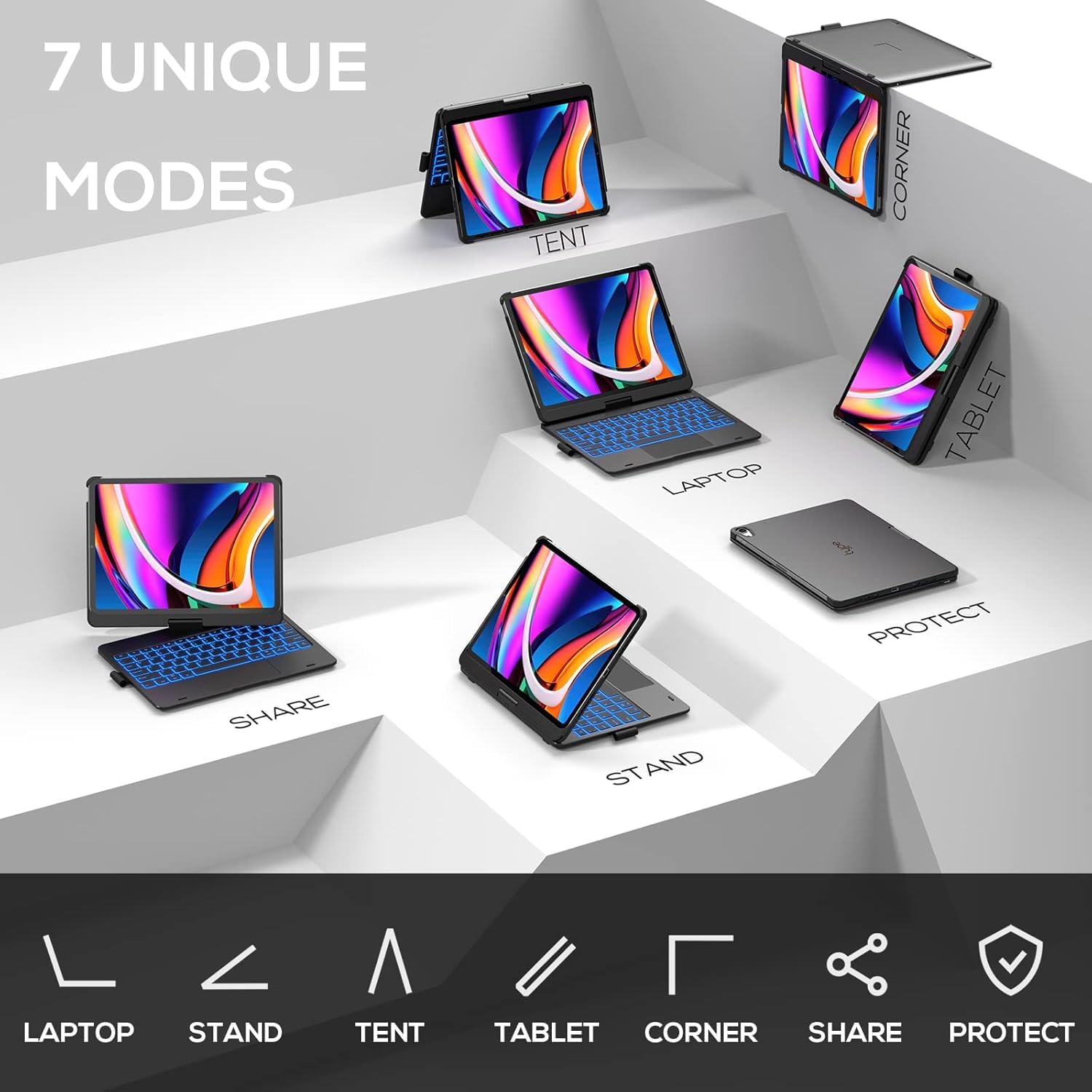
Image: A graphic representation of the seven distinct modes (Laptop, Stand, Tent, Tablet, Corner, Share, Protect) that the keyboard case can be configured into.
3.5. Apple-kynäteline
The case includes an integrated holder for your Apple Pencil, ensuring it is secure and readily accessible when needed.

Image: An iPad secured in the keyboard case, with an Apple Pencil magnetically attached and charging on the top edge, demonstrating the convenient pencil holder.
3.6. Auto Sleep/Wake Feature
The keyboard case supports auto sleep/wake functionality. Opening the case will automatically wake your iPad, and closing it will put your iPad to sleep, helping to conserve battery life for both devices.
4. Huolto
4.1. Puhdistus
- Pyyhi kotelon ulkopinta pehmeällä,amp liinalla. Vältä voimakkaita kemikaaleja tai hankaavia puhdistusaineita.
- For the keyboard keys, use a soft, lint-free cloth. A can of compressed air can be used to remove debris from between the keys.
4.2. Varastointi
When not in use for extended periods, store the keyboard case in a cool, dry place away from direct sunlight and extreme temperatures. Ensure the case is closed to protect the iPad and keyboard.
4.3. Akun hoito
- Charge the keyboard regularly, even if not in frequent use, to maintain battery health.
- Vältä akun usein toistuvaa täydellistä tyhjentymistä.
- If the keyboard will not be used for a long time, charge it to about 50% before storing.
5. Vianmääritys
5.1. Näppäimistö ei muodosta yhteyttä/pariliitosta
- Varmista, että näppäimistö on päällä ja täyteen ladattu.
- Varmista, että Bluetooth on käytössä iPadissasi.
- Kokeile sammuttaa näppäimistö ja käynnistää se uudelleen.
- Unohda laite iPadin Bluetooth-asetuksista ja yritä pariliitosta uudelleen.
- Käynnistä iPad uudelleen.
5.2. Näppäimet eivät vastaa
- Tarkista, onko näppäimistö yhdistetty oikein Bluetoothin kautta.
- Varmista, että näppäimistön paristo ei ole vähissä.
- Restart the keyboard and your iPad.
5.3. Trackpad Issues
- Ensure the trackpad is enabled (if there's a dedicated toggle).
- Check iPadOS settings for trackpad sensitivity and gesture configurations.
- Puhdista ohjauslevyn pinta.
5.4. Taustavalo ei toimi
- Press the backlight key multiple times to cycle through settings.
- Varmista, että näppäimistön akussa on riittävästi virtaa.
6. Tekniset tiedot
| Ominaisuus | Kuvaus |
|---|---|
| Merkki | tyyppilaukku |
| Mallinumero | KB201T109 |
| Yhteensopivat laitteet | iPad Air 11-inch (M3 2025 / M2 2024) & iPad Air 10.9-inch 4th/5th Generation |
| Yhteystekniikka | Bluetooth |
| Näppäimistön kuvaus | Monitoiminen |
| Erikoisominaisuudet | Backlit, Foldable, Portable, Rechargeable, Trackpad, 360° Rotatable Hinge, Auto Sleep/Wake, Pencil Holder |
| Näppäimistön taustavalo | RGB, 11 Colors, 3 Brightness Levels |
| Tuotteen paino | 1.9 kiloa |
| Pakkauksen mitat | 11.54 x 8.19 x 1.14 tuumaa |
| Paristot | Tarvitaan 1 litiumpolymeeriakku (mukana) |
| Väri | Musta |
7. Takuu ja tuki
7.1. Takuutiedot
- Replace Service: Eligible for replacement service within 1 year from the date of purchase.
- Palauttaa: Oikeutettu hyvitykseen 30 päivän kuluessa ostoksesta.
Säilytä ostokuitti takuuvaatimuksia varten.
7.2. Asiakastuki
For any questions, issues, or feedback regarding your typecase product, please contact our customer support team. We are committed to providing quick feedback and resolving any problems you may encounter.
For support, please visit the official typecase store on Amazon or refer to the contact information provided with your product packaging.
Ask a question about this manual
Ask about setup, troubleshooting, compatibility, parts, safety, or missing instructions. Manuals+ will review the question and use this page’s manual context to help answer it.