
1. Johdanto
This manual provides detailed instructions for the proper setup, operation, and maintenance of your NEEWER 10" 20W High Power LED Ring Light. This versatile lighting solution is designed to enhance your video recording, selfies, makeup application, studio work, live streaming, and TikTok content creation. It features 168 LEDs (84 cool white & 84 warm white), 0-100% dimming, 1660LX/0.5m illuminance, and high color accuracy (CRI 97+/TLCI 98+).
2. Mitä laatikossa on
Carefully unpack your NEEWER 10" 20W High Power LED Ring Light and ensure all components are present and in good condition. If any items are missing or damaged, please contact customer support.

Kuva 2.1: Pakkauksen sisältöview
- 1 x rengasvalo
- 1 x valoteline
- 1 x Pallopää
- 1 x joustava puhelinteline
- 1 x Bluetooth-laukaisin
- 1 x USB-virtalähde
- 1 x USB Type C -kaapeli
- 1 x laukku
3. Asennusohjeet
- Kokoa valoteline: Extend the legs of the light stand to form a stable base. Adjust the height to your desired level (21"-71"/54-180cm) by loosening and tightening the locking knobs on the telescopic sections. The stand legs can fold upward for storage.
- Kiinnitä kuulapää: Screw the ball head onto the top of the light stand. Ensure it is securely fastened.
- Asenna rengasvalo: Attach the ring light to the 1/4" screw on the ball head. Use the ball head to adjust the illumination angle of the ring light, allowing for 360° rotation and 90° tilt.
- Asenna puhelinteline: Secure the flexible phone holder onto the cold shoe mount located on the ring light. The phone holder is 360° rotatable, allowing you to position your smartphone vertically or horizontally.
- Aseta älypuhelimesi: Gently place your smartphone into the flexible phone holder. Ensure it is held securely within the 6-9.5cm opening range.
- Liitä virta: Connect the USB Type-C cable to the ring light's power input and the other end to the supplied PD 25W USB power adapter. Plug the adapter into a suitable power outlet. Note: To maintain 24W stable output, use a USB power adapter of 20W output or higher.
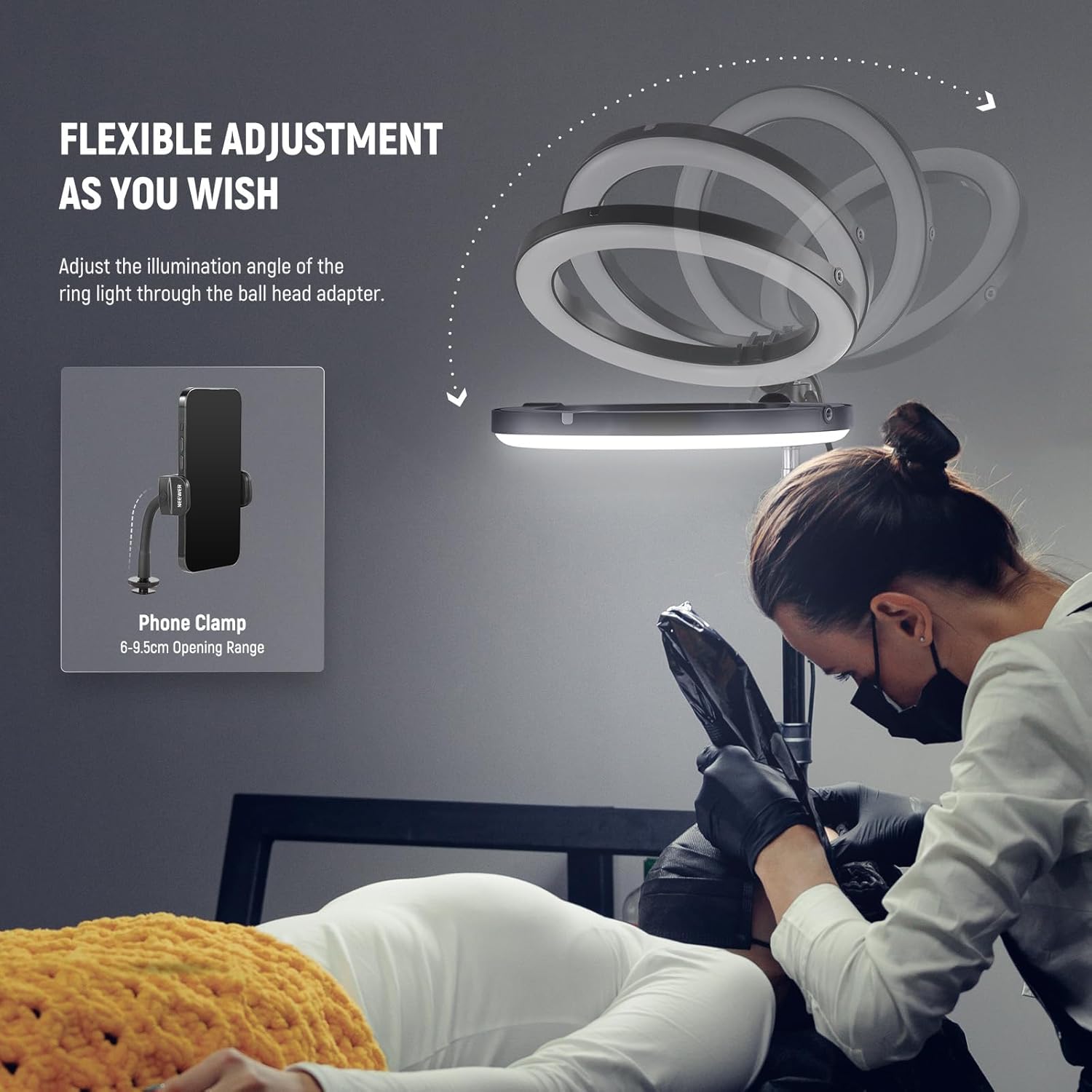
Figure 3.1: Flexible Adjustment of Ring Light and Phone Holder

Figure 3.2: Positioning Options for the Ring Light
4. Käyttöohjeet
The ring light is controlled via a wired controller with an HD display, providing easy access to all settings.
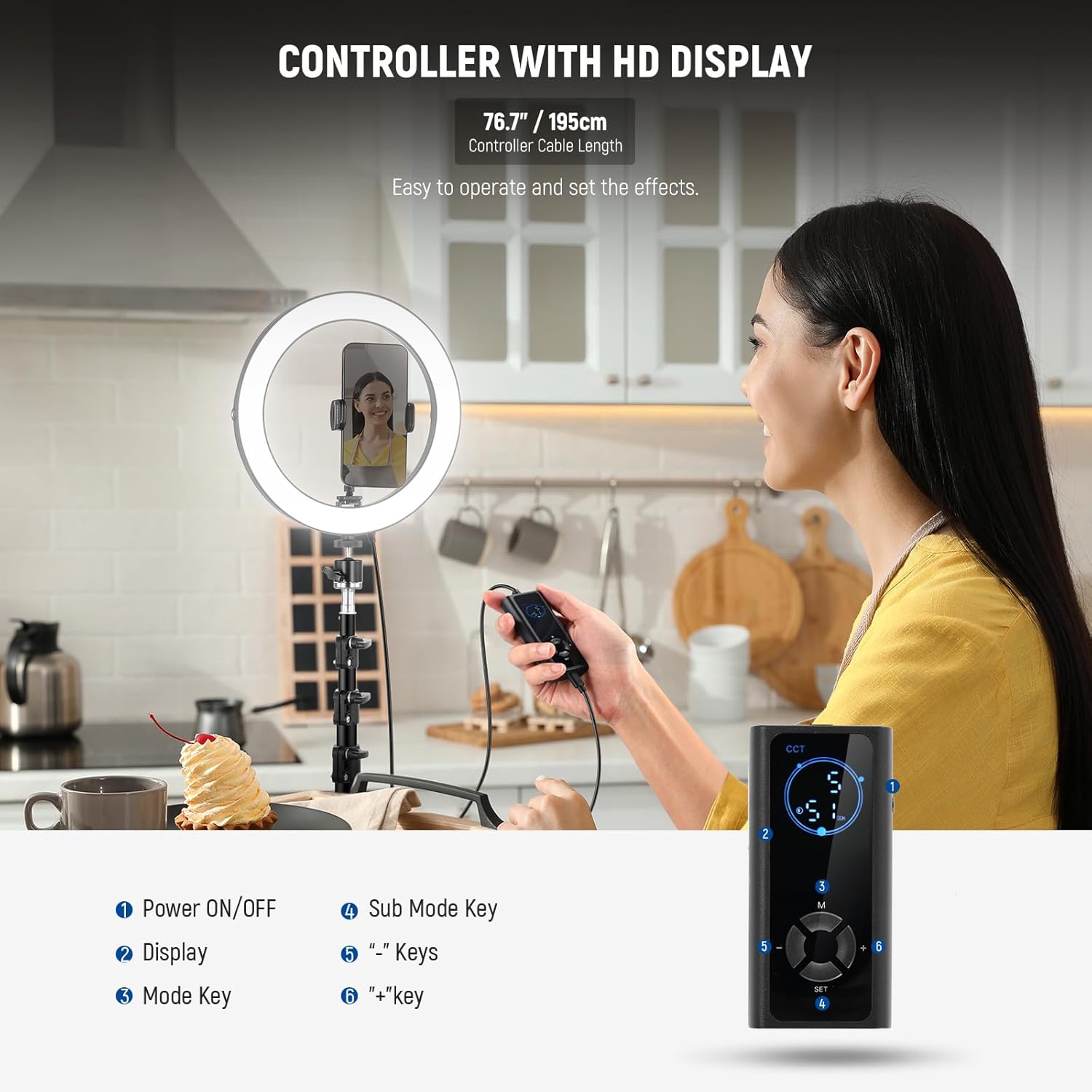
Figure 4.1: Wired Controller with HD Display

Kuva 4.2: Ohjaimen painikkeiden asettelu
4.1 Virta päälle/pois
- Paina Virta ON/OFF button (1) on the wired controller to turn the ring light on or off.
4.2 CCT Mode (Color Temperature & Dimming)
In CCT Mode, you can adjust both the color temperature and brightness of the light.
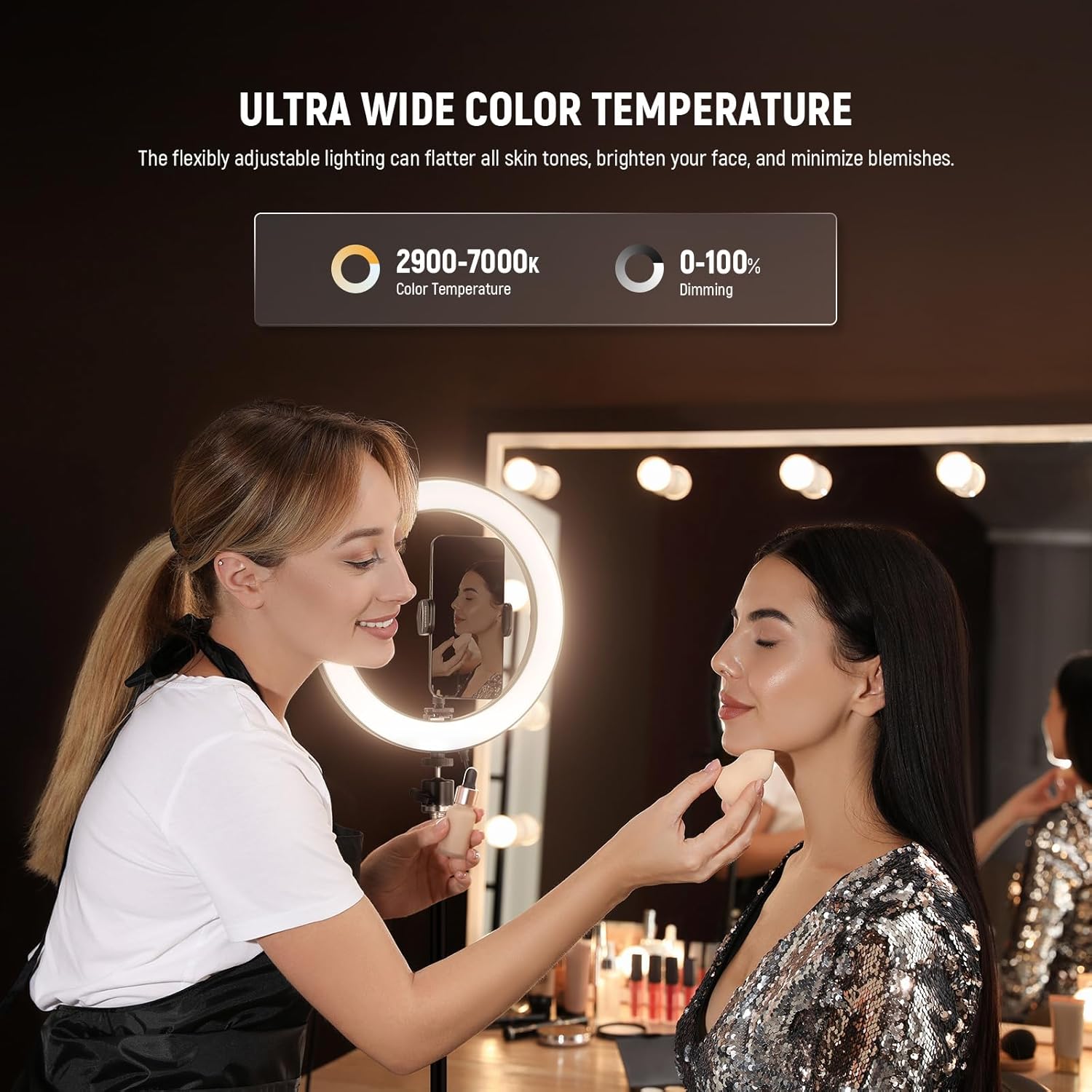
Figure 4.3: Color Temperature and Dimming Adjustment
- Paina Tila -näppäin (3) until 'CCT' is displayed.
- Käytä + (6) ja '-' (5) keys to adjust the color temperature between 2900K (warm light) and 7000K (cool light).
- Paina Sub Mode Key (4) to switch to brightness adjustment. Use the + (6) ja '-' (5) keys to adjust the brightness from 0% to 100%.
4.3 FX Scene Effect Modes
The ring light offers 12 realistic scene effects for creative video shooting.
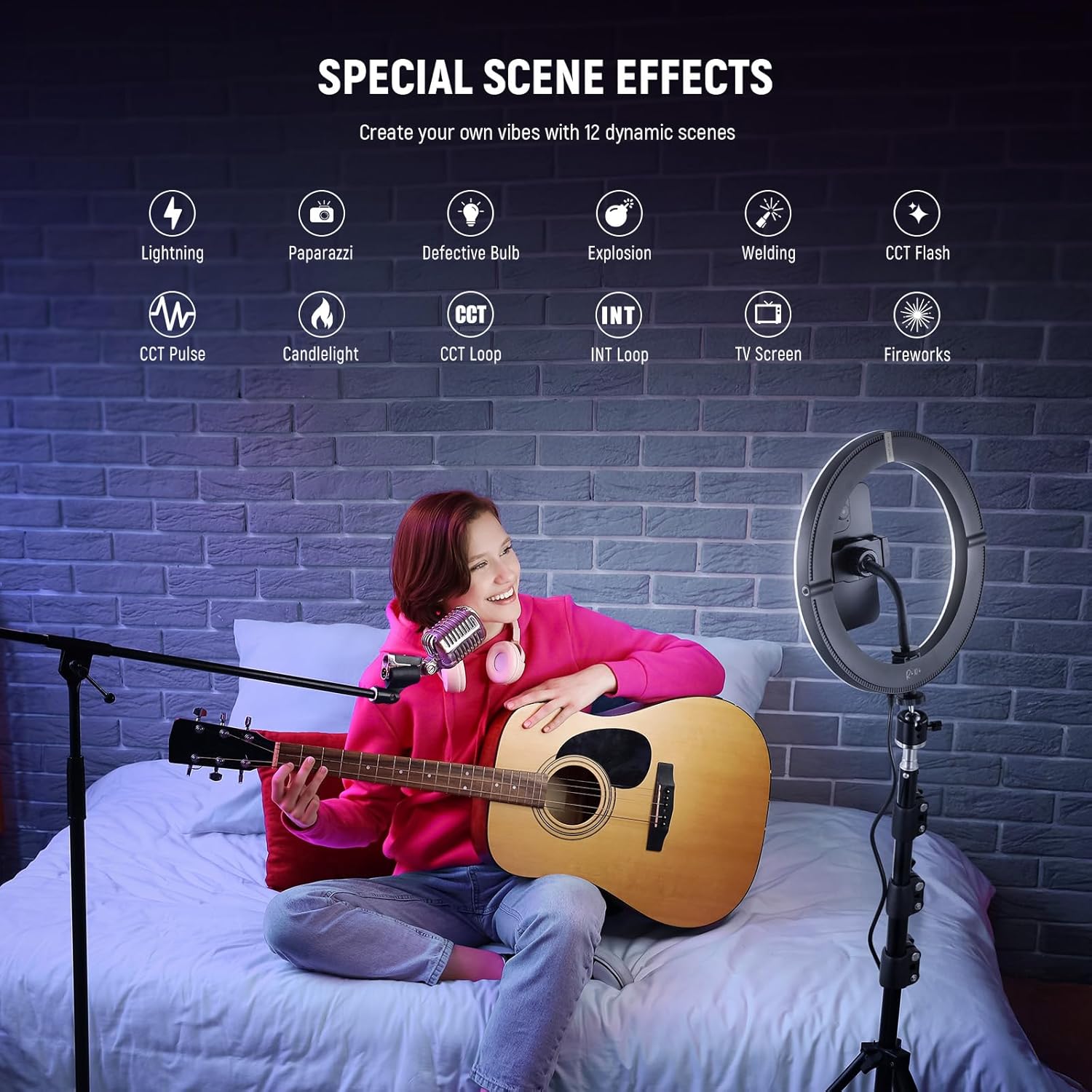
Figure 4.4: Available FX Scene Effects
- Paina Tila -näppäin (3) until 'FX' is displayed.
- Käytä + (6) ja '-' (5) keys to cycle through the 12 available scene effects (e.g., Lightning, Paparazzi, Defective Bulb, Explosion, Welding, CCT Flash, CCT Pulse, Candlelight, CCT Loop, INT Loop, TV Screen, Fireworks).
4.4 Wireless Remote Shooting (Bluetooth Shutter Release)
The included Bluetooth shutter release allows you to control your phone's camera wirelessly for photos and videos.
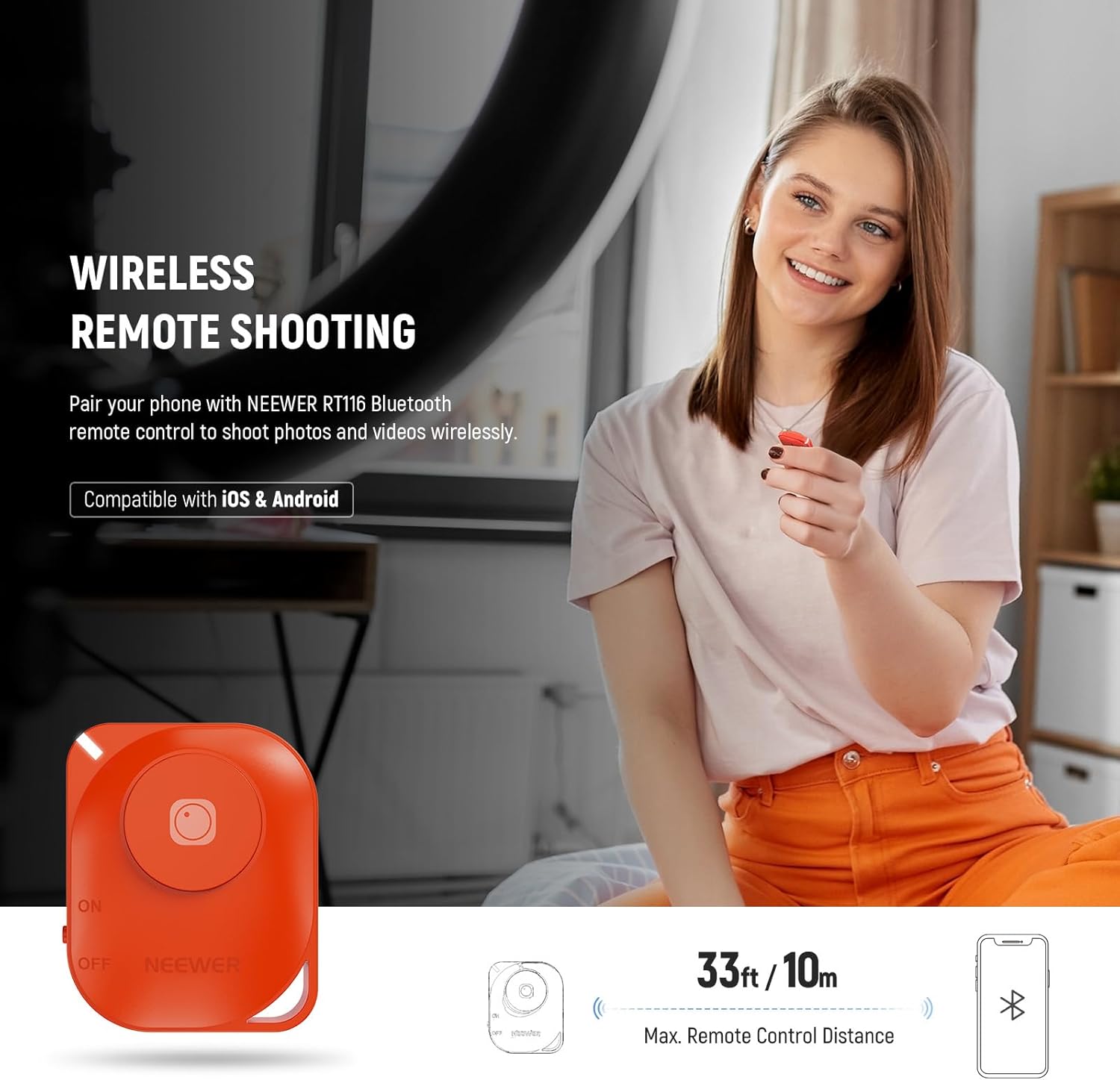
Figure 4.5: Bluetooth Shutter Release
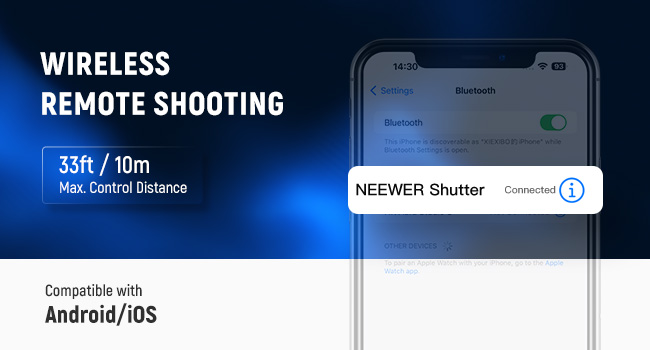
Figure 4.6: Bluetooth Pairing Confirmation
- Turn on the Bluetooth shutter release.
- Ota Bluetooth käyttöön älypuhelimellasi ja etsi saatavilla olevia laitteita.
- Select 'NEEWER Shutter' from the list to pair.
- Once paired, open your phone's camera app. Press the button on the Bluetooth shutter release to take photos or start/stop video recording.
5. Huolto
- Puhdistus: Use a soft, dry cloth to clean the ring light and stand. Avoid using abrasive cleaners or solvents that could damage the finish or electronic components.
- Varastointi: When not in use, store the ring light and its accessories in the provided carry bag in a cool, dry place away from direct sunlight and excessive humidity.
- Käsittely: Handle the ring light and stand with care to prevent damage. Avoid dropping or subjecting the equipment to strong impacts.
6. Vianmääritys
- Valo ei syty: Ensure the USB Type-C cable is securely connected to both the ring light and the power adapter, and that the power adapter is plugged into a working electrical outlet. Verify the power adapter meets the minimum 20W output requirement.
- Bluetooth shutter release not connecting: Check that the shutter release is powered on and your phone's Bluetooth is enabled. Ensure the shutter release is within the 33ft/10m operating range. Try unpairing and re-pairing the device in your phone's Bluetooth settings.
- Epätasainen valoteho: Confirm that the power adapter provides sufficient wattage (20W or higher) for stable operation. Check for any physical damage to the cable or light.
7. Tekniset tiedot

Kuva 7.1: Tuotteen tekniset tiedot
| Ominaisuus | Erittely |
|---|---|
| Malli | RH10B 10" w/Bag |
| LEDien lukumäärä | 168 (84 cool white & 84 warm white) |
| Lähtöteho | 20W |
| Suurin valaistusvoimakkuus | 1660LX/0.5m |
| Värilämpötila | 2900K-7000K |
| Himmennysalue | 0-100 % |
| CRI (värintoistoindeksi) | 97+ |
| TLCI (television valaistuksen johdonmukaisuusindeksi) | 98+ |
| FX-kohtauksen tehosteet | 12 |
| Valon jalustan korkeusalue | 54–180 cm |
| Phone Holder Opening Range | 6-9.5 cm |
| Bluetooth-kaukosäätimen etäisyys | Jopa 33 jalkaa / 10 m |
| Yhteystekniikka | Bluetooth |
| Tuotteen paino | 2.2 kiloa |
| Pakkauksen mitat | 20.35 x 15.75 x 4.53 tuumaa |