
CYCPLUS M2 + Z3
CYCPLUS GPS-pyörätietokone M2 + pyöräteline Z3 Käyttöohje
Comprehensive guide for your CYCPLUS M2 GPS Bike Computer and Z3 Bike Mount.
1. Johdanto
This manual provides detailed instructions for the setup, operation, and maintenance of your CYCPLUS M2 GPS Bike Computer and Z3 Bike Mount. Please read this manual thoroughly before using the product to ensure optimal performance and longevity.
2. Tuote ohiview
The CYCPLUS M2 GPS Bike Computer is designed to provide comprehensive cycling data, while the Z3 Bike Mount ensures secure and optimal positioning on your integrated handlebar.
2.1 Sisältyvät komponentit
- CYCPLUS M2 GPS Bike Computer (1 unit)
- CYCPLUS Z3 Bike Mount (1 unit)
2.2 Tärkeimmät ominaisuudet
- Ainutlaatuinen muotoilu: Equipped with a 2.5-inch anti-dazzling LCD screen for clear readability.
- Kattava datanäyttö: Displays up to 12 different data points across 3 switchable tables, including Odometer, Current Speed, Max Speed, Average Speed, Cadence, Heart Rate, Ascent, Power, Altitude, Gradient, and more.
- ANT+-yhteensopivuus: Compatible with all ANT+ devices for expanded sensor integration.
- Pidentynyt akun käyttöikä: Features a 1000 mAh lithium battery, providing up to 70 hours of use on a single full charge.
- IPX6 vedenpitävä: Designed to withstand rainy weather conditions.
- Z3 Mount Compatibility: Specifically designed for integrated handlebars, compatible with CYCPLUS, Garmin, Igpsport, and XOSS cycling computers.

Kuva 2.1: The CYCPLUS M2 GPS Bike Computer and the Z3 Bike Mount. The M2 computer features a round display with various data fields, while the Z3 mount is a sleek, forward-extending bracket.

Kuva 2.2: Dimensions of the CYCPLUS M2 computer (69mm diameter, 22mm thickness) and a summary of its key features: 10s GPS Positioning, 70h+ Battery Endurance, 2.5" Large Screen, IPX6 Waterproof, Auto Backlight, and ANT+ & Bluetooth connectivity.

Kuva 2.3: Illustration of the 2.5-inch large screen displaying various data metrics such as Current Speed, Max Speed, Average Speed, Cadence, Heart Rate, Power, Altitude, Gradient, Ascent, Odometer, Trip Time, Trip Distance, Temperature, Clock, Lap, GPS status, LED Backlight status, Bluetooth, and ANT+ connection indicators.
3. Asennus
3.1 Installing the Z3 Bike Mount
The Z3 bike mount is designed for integrated handlebars. Ensure your handlebar is compatible before installation. It is not suitable for round tube or split handlebars. For those, consider the CYCPLUS Z1 mount.
- Identify the appropriate mounting position on your integrated handlebar, typically centered.
- Secure the Z3 mount to the handlebar using the provided screws, ensuring it is firmly attached and does not obstruct your view tai ohjaimia.
- Verify the mount is stable and does not wobble.

Kuva 3.1: The Z3 bike mount shown with a CYCPLUS computer, demonstrating its compatibility with various cycling computers including Garmin, Igpsport, and XOSS. The image highlights the secure attachment mechanism of the mount.
3.2 Attaching the M2 Bike Computer
- Align the back of the M2 bike computer with the mounting interface on the Z3 mount.
- Gently push and twist the M2 computer clockwise until it clicks securely into place.
- Ensure the computer is firmly locked and does not rotate freely.
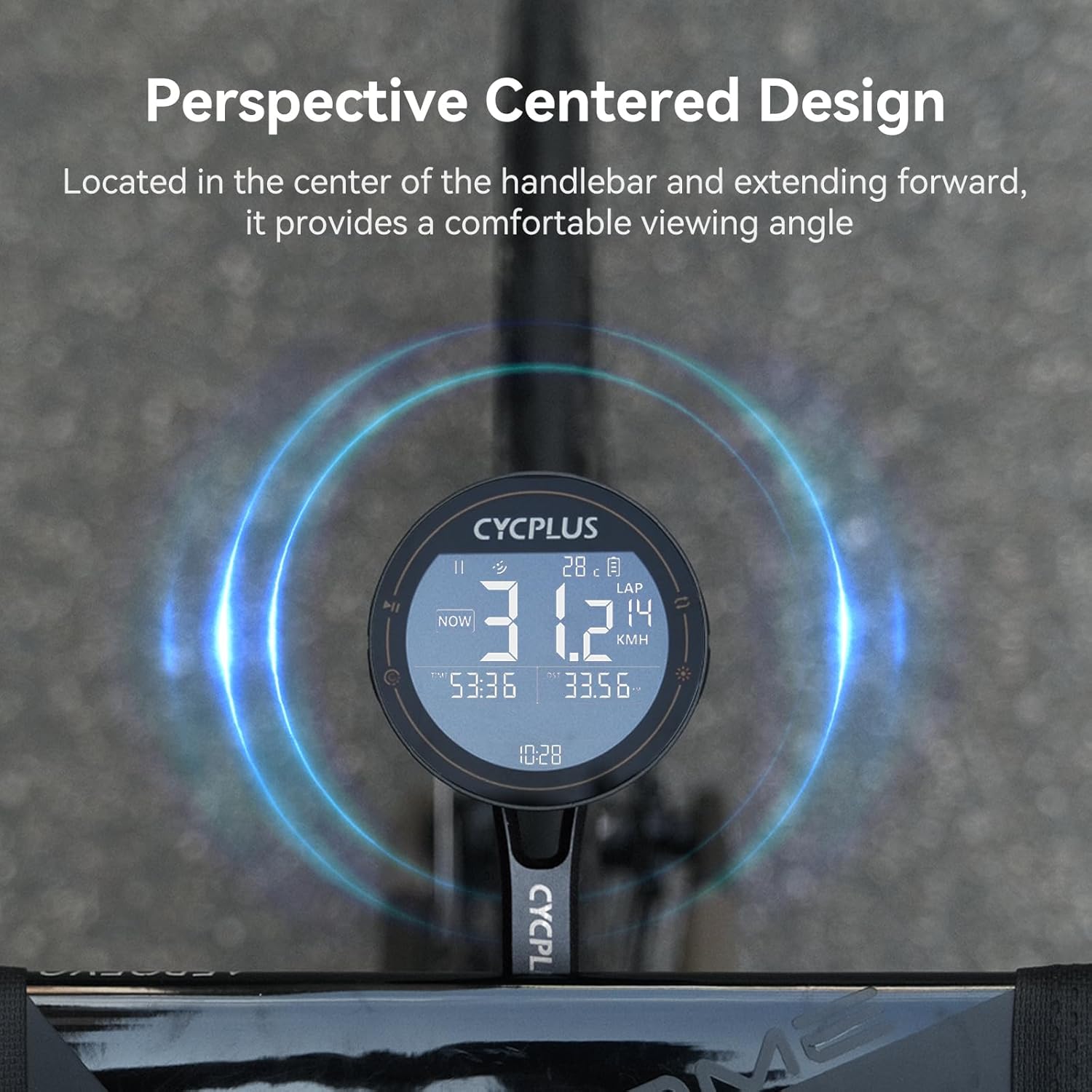
Kuva 3.2: The CYCPLUS M2 computer mounted centrally on a handlebar, illustrating its perspective-centered design for optimal viewing angle during rides.
3.3 Ensimmäinen käynnistys ja GPS-paikannus
Upon first power-on, the device will attempt to acquire a GPS signal. For accurate and rapid positioning, ensure you are in an open, unobstructed environment.

Kuva 3.3: The CYCPLUS M2 computer demonstrating its ability to achieve accurate GPS positioning within 10 seconds when in an open environment, allowing for effortless journey tracking.
4. Käyttöohjeet
4.1 Peruskäyttö
- Virta päälle/pois: Press and hold the power button (location typically on the side or bottom) to turn the device on or off.
- Näytön navigointi: Use the designated buttons (refer to device layout) to switch between the 3 available data display tables.
- Taustavalo: The device features an auto-backlight function for improved visibility in varying light conditions.
4.2 Connecting ANT+ Sensors
The M2 computer supports ANT+ connectivity, allowing you to pair with external sensors such as heart rate monitors, cadence sensors, and power meters. Once paired, the device will automatically connect to these sensors when in range.

Kuva 4.1: The CYCPLUS M2 computer demonstrating its compatibility with ANT+ sensors, allowing connection to multiple sensors simultaneously for data such as heart rate (BPM), cadence (RPM), and power (W).
4.3 Using the CYCPLUS FIT App
Enhance your cycling experience by connecting your M2 computer to the CYCPLUS FIT app. The app allows for data synchronization, analysis, and viewing of your sports data. Download the "CYCPLUS Fit" app from the App Store or Google Play.

Kuva 4.2: Screenshot of the CYCPLUS FIT app interface, highlighting features such as Data Synchronization, Data Analysis, and Viewing Sports Data. The app is available on Google Play and the App Store.
The app also supports uploading and analyzing data, and can synchronize data to Strava for comprehensive ride tracking.
5. Huolto
5.1 Laitteen lataaminen
The M2 computer is equipped with a 1000 mAh lithium battery. To charge, connect the device to a power source using a standard USB Type-C cable. A full charge provides approximately 70 hours of usage.

Kuva 5.1: The CYCPLUS M2 computer highlighting its 70-hour battery endurance, suitable for long outdoor rides. The image also shows the Type-C charging port.
5.2 Vedeneristys
The device has an IPX6 waterproof rating, meaning it is protected against powerful water jets. While it can withstand rain, avoid submerging the device in water.
5.3 Puhdistus
Pyyhi laite ja teline pehmeällä,amp kangas. Älä käytä hankaavia puhdistusaineita tai liuottimia.
6. Vianmääritys
| Ongelma | Mahdollinen syy | Ratkaisu |
|---|---|---|
| Laite ei käynnisty. | Akku vähissä. | Lataa laite täyteen mukana toimitetulla USB Type-C -kaapelilla. |
| GPS-signaalia ei saatu. | Estetty view of sky; indoor use. | Siirry avoimeen ulkotilaan, jossa on selkeä view of the sky. Wait for 10-30 seconds for signal acquisition. |
| ANT+ sensor not connecting. | Sensor not active; out of range; battery low on sensor. | Ensure sensor is active and within range. Check sensor battery. Re-pair the sensor if necessary. |
| Data not syncing with app. | Bluetooth pois päältä; sovellus ei ole auki; laitetta ei ole yhdistetty. | Ensure Bluetooth is enabled on your phone and the M2. Open the CYCPLUS FIT app. Confirm device is paired in the app settings. |
7. Tekniset tiedot
| Ominaisuus | Yksityiskohta |
|---|---|
| Merkki | CYCPLUS |
| Malli | M2 (Computer) + Z3 (Mount) |
| Näytön tyyppi | LCD, 2.5-inch anti-dazzling |
| Akun kesto | Jopa 70 tuntia |
| Akun kapasiteetti | 1000 mAh litium |
| Anturin tyyppi | GPS anturi |
| Yhteydet | ANT+, Bluetooth |
| Vesitiivis luokitus | IPX6 |
| Asennustyyppi | Handlebar Mount (Z3 for integrated handlebars) |
| Ihmisen käyttöliittymän syöttö | Painikkeet |
| Väri | Musta |
8. Takuu ja tuki
8.1 Takuutiedot
This product is typically covered by a return policy allowing for refunds or replacements within 30 days of purchase. Please refer to your purchase documentation or retailer's policy for specific warranty terms and conditions.
8.2 Asiakastuki
For technical assistance, troubleshooting, or product inquiries, please contact CYCPLUS customer support. You can often find contact information on the official CYCPLUS websivustosi tai ostoalustasi kautta.
Visit the official CYCPLUS Store: CYCPLUS-kauppa Amazonissa
Ask a question about this manual
Ask about setup, troubleshooting, compatibility, parts, safety, or missing instructions. Manuals+ will review the question and use this page’s manual context to help answer it.