
JACK A4B tietokoneohjatun ompelukoneen käyttöohje
Malli: A4B
Johdanto
This manual provides comprehensive instructions for the safe and efficient operation, setup, and maintenance of your JACK A4B Computerized Sewing Machine. Please read this manual thoroughly before using the machine to ensure proper function and to prevent damage or injury. Keep this manual accessible for future reference.
Tärkeitä turvallisuusohjeita
Sähkölaitetta käytettäessä on aina noudatettava perusturvallisuusohjeita, mukaan lukien seuraavat:
- Lue kaikki ohjeet ennen ompelukoneen käyttöä.
- Pidä sormet etäällä kaikista liikkuvista osista. Ompelukoneen neulan ympärillä on oltava erityisen varovainen.
- Käytä aina oikeaa pistolevyä. Väärä levy voi aiheuttaa neulan katkeamisen.
- Älä käytä taipuneita neuloja.
- Älä vedä tai työnnä kangasta ompelun aikana. Tämä voi taipua neulan suuntaan ja aiheuttaa sen katkeamisen.
- Katkaise ompelukoneesta virta, kun teet mitään säätöjä neulan alueella, kuten langan pujottamista neulansilmään, neulan vaihtoa, puolan langanpujotusta tai paininjalan vaihtoa.
- Irrota ompelukone aina pistorasiasta, kun irrotat kansia, voitelet tai teet muita käyttöohjeessa mainittuja huoltotoimenpiteitä.
- Älä koskaan pudota tai työnnä mitään esinettä mihinkään aukkoon.
- Älä käytä ulkona.
- Älä käytä aerosolituotteita (suihkeita) tai paikoissa, joissa annetaan happea.
Pakkauksen sisältö
Varmista, että pakkauksessasi on kaikki alla luetellut tuotteet:
- Ompelukone
- Käyttöopas
- Virtajohto

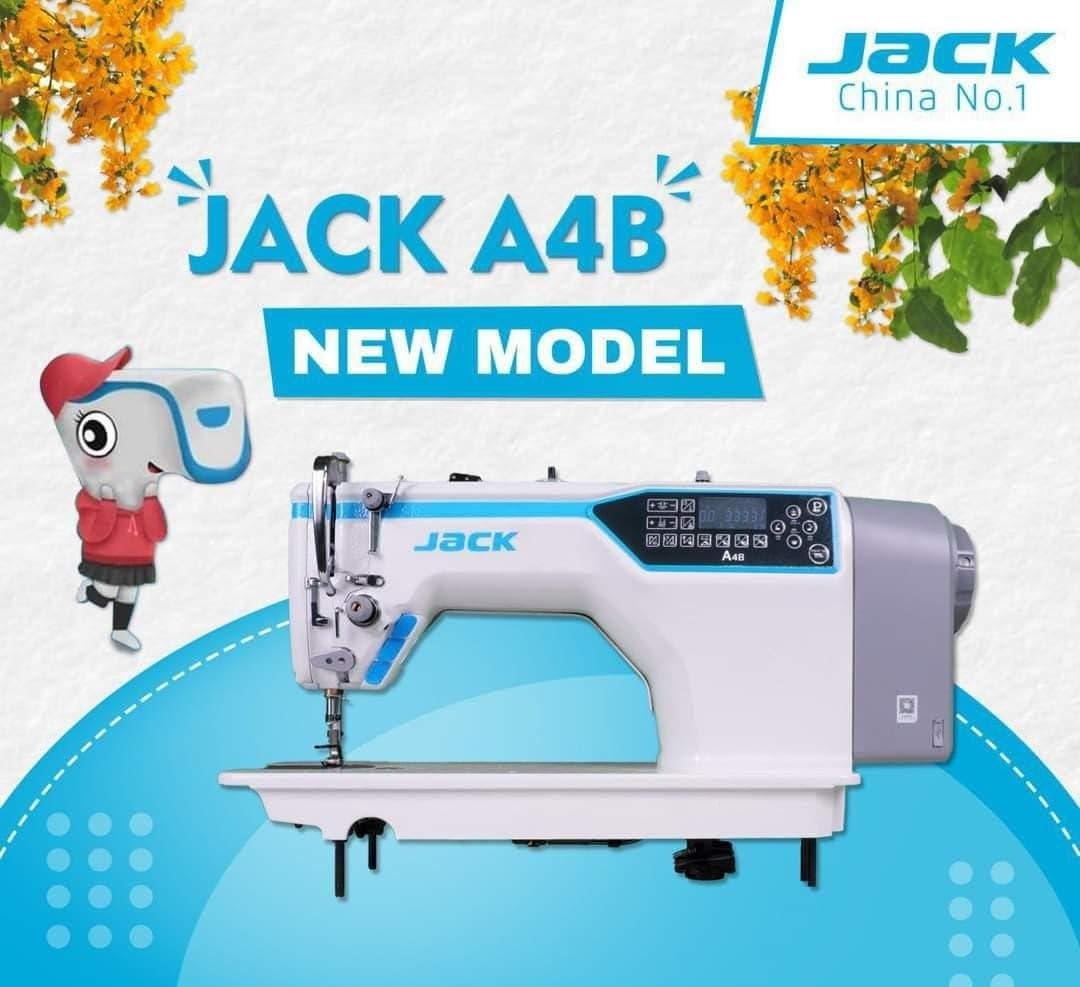
Image: The main unit of the JACK A4B Computerized Sewing Machine, showing its white and blue design with control panel.
Asennusohjeet
- Purkaminen: Carefully remove the sewing machine and all accessories from the packaging. Retain packaging for future transport or storage.
- Sijoitus: Place the machine on a stable, flat surface. Ensure there is adequate space around the machine for comfortable operation.
- Virtaliitäntä: Connect the provided power cord to the machine's power input and then to a suitable electrical outlet. Ensure the power switch is in the OFF position before connecting.
- Foot Pedal (if applicable): Kytke jalkapoljin koneen sille tarkoitettuun porttiin.
- Alkuperäinen langoitus: Refer to the threading diagrams (not provided in this text, but would be in a full manual) for proper upper thread and bobbin threading.
Kuva: Puoli view of the JACK A4B sewing machine, highlighting its robust construction and design.
Koneen käyttö
The JACK A4B is designed for ease of use, offering a range of features to enhance your sewing experience.
Tärkeimmät ominaisuudet:
- Monipuolinen: Suitable for a wide range of projects.
- Käyttäjäystävälliset säätimet: Intuitive control panel with easy-to-use dials and buttons.
- Säädettävä tikin pituus ja leveys: Customize stitch settings for various fabrics and projects.
- Automaattinen neulanlangoittaja: Yksinkertaistaa langoitusprosessia, säästää aikaa ja vaivaa.
Peruskäyttö:
- Virta päälle: Flip the power switch to the ON position. The control panel will illuminate.
- Valitse ommel: Use the control panel buttons to select your desired stitch pattern. Refer to the display for current stitch settings.
- Säädä asetuksia: Modify stitch length and width as needed using the dedicated controls.
- Aloita ompelu: Place your fabric under the presser foot. Lower the presser foot lever. Gently press the foot pedal to begin sewing.
- Lopeta ompelu: Release the foot pedal to stop. Raise the presser foot lever and remove your fabric.

Kuva: Yksityiskohtainen view of the control panel and needle area of the JACK A4B, showing the digital display and buttons for stitch selection and adjustments.
Huolto ja hoito
Säännöllinen huolto varmistaa ompelukoneesi pitkän käyttöiän ja optimaalisen suorituskyvyn.
- Puhdistus: Regularly clean lint and dust from the bobbin case, feed dogs, and tension discs using a small brush or vacuum cleaner. Always unplug the machine before cleaning.
- Öljytys: Refer to the machine's specific oiling points (if indicated in a full manual) and apply a small amount of sewing machine oil as recommended.
- Neulan vaihto: Change the needle frequently, especially when working with different fabrics or if the needle shows signs of wear or bending.
- Varastointi: When not in use, cover the machine to protect it from dust. Store in a dry, cool place.
Kuva: Etupuoli view of the JACK A4B sewing machine, illustrating its compact and functional design.
Vianetsintäopas
Tässä osiossa käsitellään yleisiä ongelmia, joita saatat kohdata. Monimutkaisempien ongelmien osalta ota yhteyttä asiakastukeen.
| Ongelma | Mahdollinen syy | Ratkaisu |
|---|---|---|
| Kone ei käynnisty | Power cord not connected; Power switch off; Foot pedal not connected. | Check power connections; Ensure switch is ON; Connect foot pedal securely. |
| Ohitetut ompeleet | Incorrect needle; Bent needle; Improper threading; Fabric too thick/thin. | Use correct needle type/size; Replace needle; Re-thread machine; Adjust tension or use appropriate needle/foot. |
| Langan katkaisu | Improper threading; Incorrect tension; Damaged needle; Poor quality thread. | Re-thread machine; Adjust tension; Replace needle; Use good quality thread. |
| Kangas ei syöty | Presser foot not lowered; Feed dogs obstructed; Stitch length set to zero. | Lower presser foot; Clean feed dogs; Adjust stitch length. |
Tuotteen tekniset tiedot
| Ominaisuus | Yksityiskohta |
|---|---|
| Merkki | Jack |
| Mallinumero | A4B |
| Tyyppi | Tietokoneistettu ompelukone |
| Tuotteen paino | 30 kg |
| Tuotteen mitat | 30S x 50L x 35K senttimetriä |
| Väri | White And Blue |
| Valmistusvuosi | 2023 |
| Mukana olevat komponentit | Power Cord, Sewing Machine, User Manual |
Takuu ja tuki
Takuutietoja ja asiakastukea varten katso ostoksesi mukana toimitettuja asiakirjoja tai ota yhteyttä suoraan valmistajaan. Säilytä ostokuittisi mahdollisten takuuvaatimusten varalta.