
1. Tuote ohiview
The KOORUI G2722P is a 27-inch QHD (2560x1440) gaming monitor designed for an immersive visual experience. It features a Fast IPS panel with a 200Hz refresh rate and a 1ms response time, ensuring smooth and responsive gameplay. The monitor supports HDR 400 for enhanced contrast and color depth, and Adaptive Sync technology to minimize screen tearing and stuttering. Its ergonomic stand allows for height, tilt, and pivot adjustments, and it is VESA 75x75mm compatible for flexible mounting options.

The KOORUI G2722P monitor integrated into a typical gaming environment.
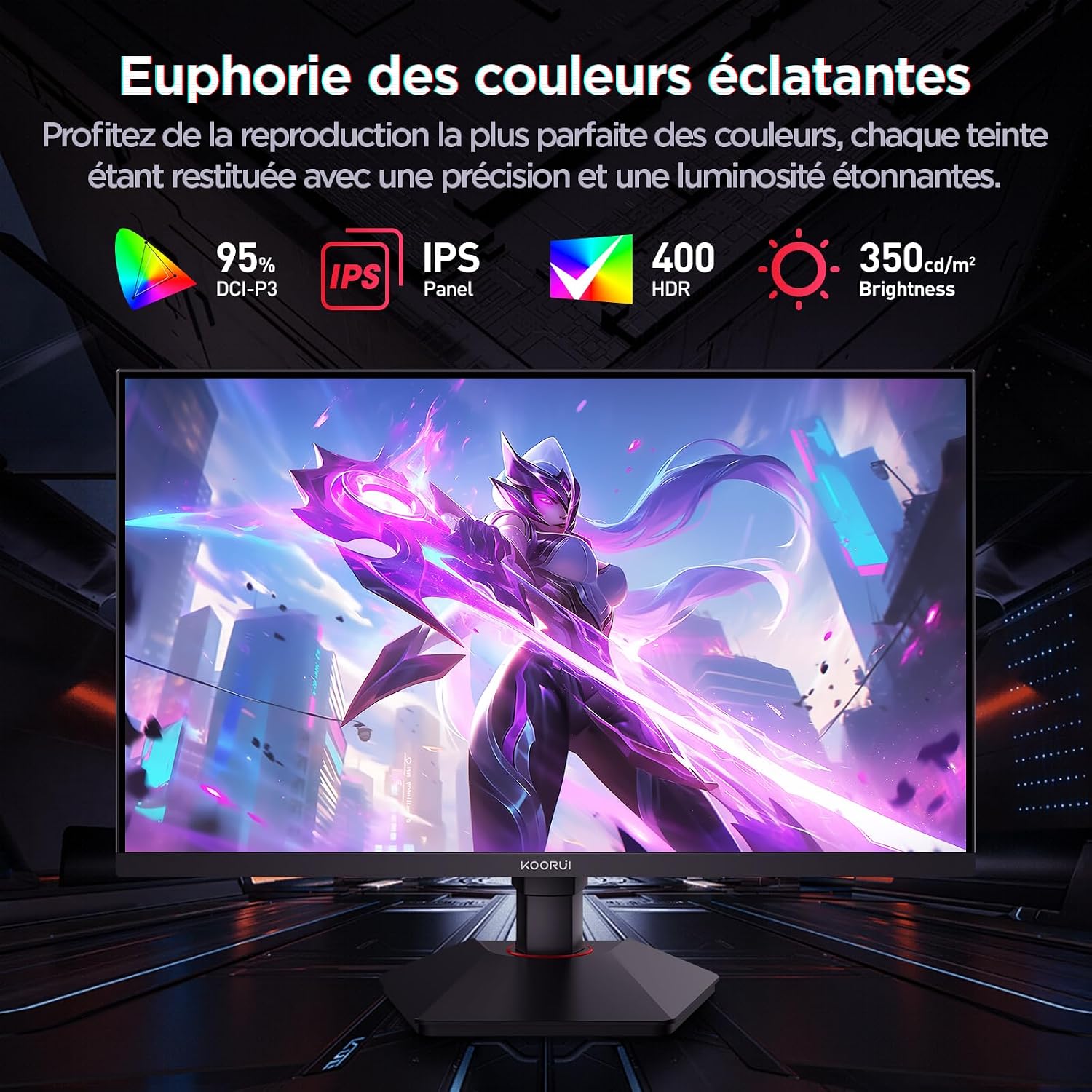
This image highlights the monitor's color capabilities, including 95% DCI-P3 color gamut, IPS panel technology, HDR 400 support, and 350 cd/m² brightness.
2. Turvallisuustiedot
- Lue kaikki ohjeet huolellisesti ennen monitorin käyttöä.
- Älä altista näyttöä sateelle tai kosteudelle tulipalo- tai sähköiskuvaaran välttämiseksi.
- Älä avaa näyttöä casing. Laitteen sisällä ei ole käyttäjän huollettavia osia. Jätä kaikki huoltotoimenpiteet pätevän henkilöstön tehtäväksi.
- Aseta näyttö vakaalle ja tasaiselle alustalle, jotta se ei putoa.
- Pidä näyttö poissa suorasta auringonvalosta, lämmönlähteistä ja äärimmäisistä lämpötiloista.
- Varmista näytön ympärillä oleva asianmukainen ilmanvaihto. Älä tuki tuuletusaukkoja.
- Käytä ainoastaan valmistajan toimittamaa tai suosittelemaa virtalähdettä ja kaapeleita.
- Irrota näyttö pistorasiasta ukkosmyrskyjen aikana tai jos sitä ei käytetä pitkään aikaan.
3. Pakkauksen sisältö
Varmista, että pakkauksessa on kaikki tarvittavat osat:
- KOORUI G2722P -näyttö
- Näytön jalusta (jalusta ja kaula)
- Virtasovitin ja virtajohto
- DisplayPort (DP) -kaapeli
- Käyttöopas (tämä asiakirja)
- Ruuvit jalustan asennukseen
4. Näytön kokoonpano
4.1 Jalustan kiinnitys
- Aseta näyttö varovasti kuvaruutu alaspäin pehmeälle, puhtaalle liinalle naarmujen välttämiseksi.
- Attach the stand neck to the back of the monitor until it clicks into place or is secured with screws (refer to specific instructions in the included quick start guide).
- Kiinnitä jalustan pohja jalustan kaulaan ja kiinnitä se mukana toimitetulla ruuvilla.
- Carefully lift the monitor and place it on a stable desk.
4.2 VESA-kiinnitys
The monitor supports VESA 75x75mm mounting. To use a VESA mount:
- Irrota jalusta, jos se on jo kiinnitetty.
- Attach your VESA-compatible mount (sold separately) to the 75x75mm screw holes on the back of the monitor using appropriate screws.
- Varmista, että teline on tukevasti kiinni ennen irrottamistaasinnäyttöä.

This image demonstrates the monitor's ergonomic adjustments (height, tilt, pivot) and provides a visual reference for stand attachment points.
5. Näytön liittäminen
Connect the monitor to your computer or other devices using the available ports.
- Virtaliitäntä: Connect the power cable to the power adapter, then connect the adapter to the monitor's power input and a wall outlet.
- Videoliitäntä:
- For optimal performance (QHD @ 200Hz), use the provided DisplayPort (DP 1.4) cable to connect the monitor to your graphics card.
- Alternatively, use an HDMI 2.0 cable to connect to an HDMI port on your device.
- Äänilähtö: Connect external speakers or headphones to the 3.5mm audio output jack on the monitor if you wish to use the monitor's audio passthrough.

This image displays the rear of the monitor, highlighting the available connectivity options: two HDMI 2.0 ports, one DisplayPort 1.4, an audio output jack, and the VESA 75x75mm mounting pattern.
6. Näytön käyttö
6.1 Virta päälle/pois
- Käynnistä tai sammuta näyttö painamalla siinä olevaa virtapainiketta.
- Virran merkkivalo palaa, kun näyttö on päällä.
6.2 On-Screen Display (OSD) -valikko
The OSD menu allows you to adjust various monitor settings. Typically, buttons are located on the back or bottom right of the monitor.
- Aktivoi valikko painamalla jotakin OSD-painikkeista.
- Use the navigation buttons (usually directional or a joystick) to browse through menu options.
- Paina valintapainiketta siirtyäksesi alivalikkoon tai vahvistaaksesi asetuksen.
- Sulje OSD-valikko painamalla poistumispainiketta.
7. Näyttöasetukset
7.1 Resoluutio ja virkistystaajuus
The monitor supports a native resolution of 2560x1440 (QHD) and a maximum refresh rate of 200Hz. Ensure your graphics card and operating system are configured to use these settings for the best experience.

This image illustrates the difference in motion clarity between a 75Hz and a 200Hz refresh rate, emphasizing the 1ms response time for reduced blur and ghosting.
7.2 Adaptive Sync (FreeSync)
This monitor supports Adaptive Sync technology (compatible with AMD FreeSync) to synchronize the monitor's refresh rate with your graphics card's frame rate, eliminating screen tearing and reducing stuttering.
- Enable Adaptive Sync in the monitor's OSD menu.
- Ensure Adaptive Sync (or FreeSync) is enabled in your graphics card control panel.

This image visually compares the display with Adaptive Sync enabled versus disabled, demonstrating how Adaptive Sync eliminates screen tearing for a smoother visual experience.
7.3 HDR 400
The monitor supports HDR 400, providing a wider dynamic range for brighter whites and deeper blacks, resulting in more vibrant and realistic images.
- Enable HDR in your operating system's display settings and in the monitor's OSD menu if available.
7.4 Väriasetukset
The Fast IPS panel offers excellent color reproduction and wide viewkulmat.
- Adjust color temperature, gamma, and saturation through the OSD menu to suit your preferences.
- The monitor features a 178-degree wide viewing angle, ensuring consistent color and image quality from various perspectives.
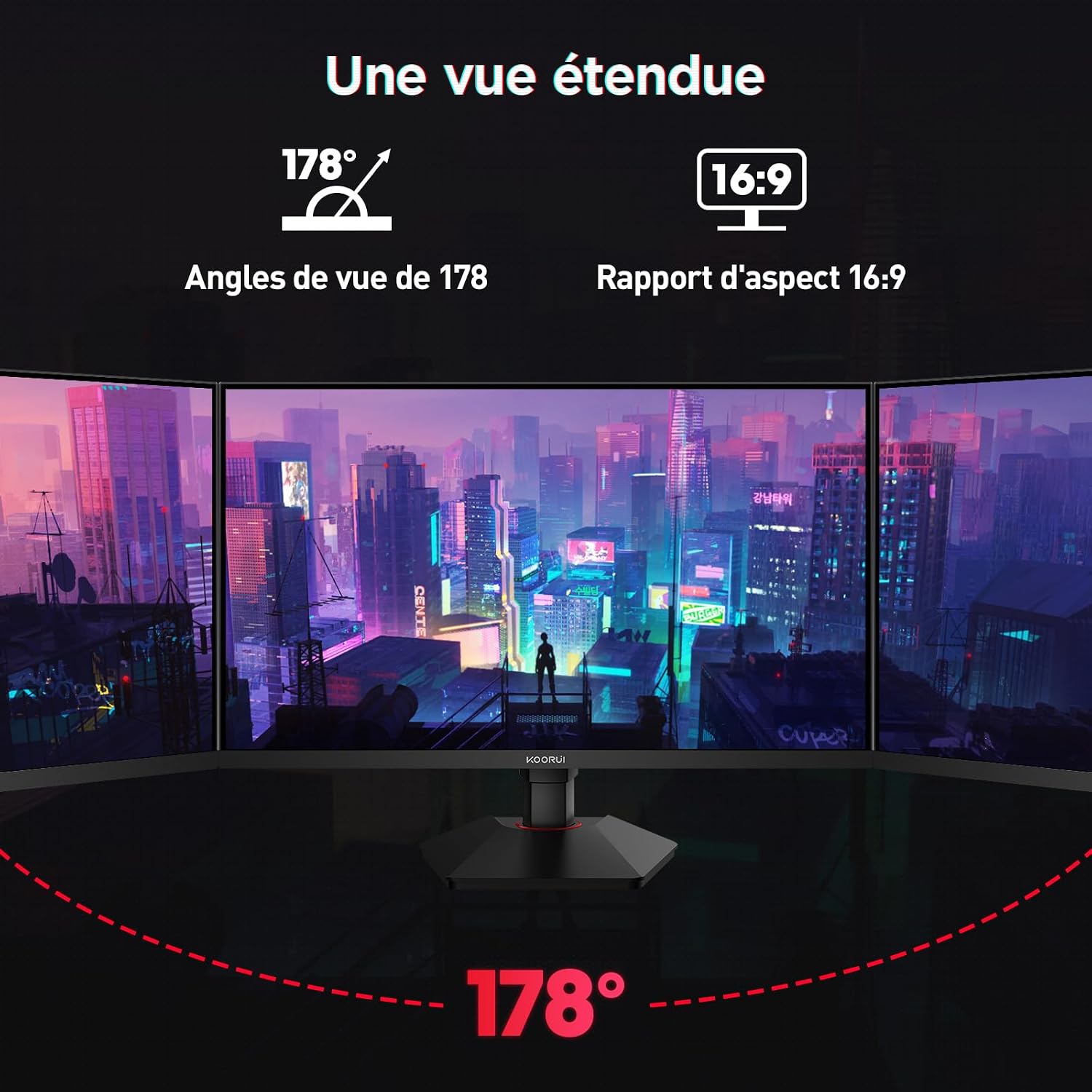
This image demonstrates the monitor's wide 178-degree viewing angle, illustrating how the display maintains clarity and color consistency even when viewed from extreme angles, ideal for multi-monitor setups.
8. Ergonomiset säädöt
Näytön jalusta mahdollistaa useita säätöjä optimoidaksesi viewmukavuutta:
- Korkeuden säätö: Adjust the monitor height by up to 100mm by gently pushing or pulling the monitor up or down.
- Kallistuksen säätö: Tilt the screen from -5° (forward) to +20° (backward) to find your preferred viewkulma.
- Pivot (Rotation): Rotate the screen 90° to switch between landscape and portrait orientations.
This image illustrates the full range of ergonomic adjustments available: 100mm height adjustment, -5° to +20° tilt, and 90° pivot rotation for optimal viewmukavuutta.
9. Silmienhoito-ominaisuudet
The KOORUI G2722P monitor incorporates features designed to reduce eye strain during prolonged use:
- Välkkymätön tekniikka: Vähentää näytön välkkymistä, joka voi aiheuttaa silmien väsymistä.
- Matala sinisen valon suodatin: Minimizes harmful blue light emissions to protect your eyes. This feature can usually be adjusted or enabled/disabled in the OSD menu.
10. Huolto
Asianmukainen huolto varmistaa näyttösi pitkän käyttöiän ja optimaalisen suorituskyvyn.
- Näytön puhdistaminen: Pyyhi näyttö varovasti pehmeällä, nukkaamattomalla liinalla. Pinttyneisiin tahroihin käytä näyttökohtaista puhdistusliuosta, jota levität liinaan, älä suoraan näyttöön.
- C:n puhdistaminenasing: Puhdista näyttö pehmeällä, kuivalla liinalla.asing. Vältä hankaavien puhdistusaineiden tai liuottimien käyttöä.
- Käsittely: Avoid touching the screen directly with your fingers or sharp objects. Do not place heavy objects on the monitor.
11. Vianmääritys
Jos kohtaat ongelmia näytön kanssa, katso seuraavat yleiset ongelmat ja ratkaisut:
| Ongelma | Mahdollinen ratkaisu |
|---|---|
| Ei kuvaa näytöllä |
|
| Kuvan välkkyminen tai repeäminen |
|
| No sound from audio output |
|
| Näyttö ei saavuta 200 Hz:iä |
|
12. Tekniset tiedot
Key technical specifications for the KOORUI G2722P monitor:
| Ominaisuus | Erittely |
|---|---|
| Näytön koko | 27 tuumaa |
| Paneelin tyyppi | Nopea IPS |
| Resoluutio | QHD (2560 x 1440) |
| Päivitystaajuus | 200 Hz |
| Vastausaika | 1 ms |
| HDR-tuki | HDR 400 |
| Mukautuva synkronointi | FreeSync |
| Kontrastisuhde | 1000:1 (staattinen) |
| Kirkkaus | 350 cd/m² |
| Viewkulma | 178° (H/V) |
| Värivalikoima | 95 % DCI-P3 |
| Videotulot | 2 x HDMI 2.0, 1 x DisplayPort 1.4 |
| Äänilähtö | 1x 3.5mm Audio Out |
| VESA-yhteensopivuus | 75x75mm |
| Virrankulutus | 19 Watts (Typical) |
| Ergonomia | Height, Tilt, Pivot Adjustment |

This diagram provides the physical dimensions of the monitor, including width, height, and depth.
For detailed energy information, please refer to the EPREL database: https://eprel.ec.europa.eu/qr/2216313
13. Takuu ja tuki
KOORUI G2722P -näytössä on 2 vuoden valmistajan takuu. Tämä takuu kattaa materiaali- ja valmistusvirheet normaalikäytössä.
For technical support, warranty claims, or further assistance, please contact KOORUI customer service through their official websivusto tai jälleenmyyjä, josta tuote ostettiin.