
1. Johdanto
Thank you for choosing the KOORUI N07 27-inch 4K UHD Monitor. This monitor is designed to provide a superior visual experience with its 3840x2160 resolution, IPS panel, 60Hz refresh rate, HDR10 support, and Adaptive Sync technology. This manual provides essential information for setting up, operating, and maintaining your monitor to ensure optimal performance and longevity. Please read this manual thoroughly before using the product.
2. Turvallisuustiedot
- Aseta näyttö aina tasaiselle ja vakaalle alustalle.
- Älä tuki tuuletusaukkoja.
- Käytä ainoastaan valmistajan toimittamaa virtalähdettä.
- Pidä näyttö poissa vedestä ja liiallisesta kosteudesta.
- Avoid exposing the monitor to direct sunlight or high temperatures.
- Irrota virtajohto ukkosmyrskyjen aikana tai kun laitetta ei käytetä pitkään aikaan.
3. Pakkauksen sisältö
Tarkista pakkauksen sisältö avatessasi. Jos jokin puuttuu tai on vaurioitunut, ota yhteyttä jälleenmyyjään.
- KOORUI N07 27-inch 4K UHD Monitor
- Näytön jalusta (jalusta ja kaula)
- Virtasovitin ja virtajohto
- HDMI kaapeli
- DisplayPort-kaapeli
- Käyttöopas
4. Monitor Assembly and Setup
4.1 Jalustan kiinnitys
- Aseta näyttö varovasti kuvaruutu alaspäin pehmeälle, puhtaalle liinalle naarmujen välttämiseksi.
- Attach the stand neck to the back of the monitor, aligning the mounting points.
- Kiinnitä jalustan kaula mukana toimitetuilla ruuveilla.
- Kiinnitä jalustan pohja jalustan kaulaan ja kiristä siipiruuvi.

Kuva 4.1: Takaosa view of the monitor showing VESA mount and tilt adjustment.
4.2 Liitäntäkaapelit
The KOORUI N07 monitor offers versatile connectivity options. Ensure your computer is turned off before making any connections.
- Virtaliitäntä: Connect the power adapter to the monitor's DC input port, then plug the power cable into a power outlet.
- Videoliitäntä: Connect one end of the HDMI or DisplayPort cable to the corresponding port on your computer's graphics card and the other end to an HDMI (HDMI1 or HDMI2) or DisplayPort (DP) input on the monitor.
- Äänilähtö: If desired, connect external speakers or headphones to the 3.5mm audio output port on the monitor.

Figure 4.2: Connectivity options for the KOORUI N07 monitor.
4.3 Virran kytkeminen päälle
After connecting all necessary cables, press the power button on the monitor to turn it on. The monitor will automatically detect the active input source.
5. Käyttöohjeet
5.1 On-Screen Display (OSD) -valikko
The OSD menu allows you to adjust various monitor settings. Use the buttons located on the bottom right of the monitor to navigate and select options.
- Virtapainike: Kytkee näytön päälle/pois päältä.
- Valikkopainike: Avaa OSD-valikon.
- Navigointipainikkeet: Käytetään valikkovaihtoehtojen selaamiseen ja arvojen säätämiseen.
- Poistu-painike: Poistu OSD-valikosta.
5.2 Tärkeimmät näyttövalikon asetukset
- Kuva-asetukset: Säädä kirkkautta, kontrastia, terävyyttä ja värilämpötilaa.
- Väritilat: Select from various preset modes like Standard, Movie, Game, and Eye Care.
- Syöttölähde: Manually select between HDMI1, HDMI2, or DisplayPort inputs.
- Mukautuva synkronointi: Ota Adaptive Sync käyttöön tai poista se käytöstä sulavamman pelaamisen takaamiseksi.
- HDR10: Activate HDR10 for enhanced dynamic range with compatible content.
6. Ominaisuudet Yliview
6.1 4K UHD Resolution (3840x2160)
Experience incredible detail and clarity with a resolution four times higher than Full HD. This monitor provides 8.3 million pixels for a sharper and more colorful image.

Figure 6.1: 4K UHD resolution detail comparison.
6.2 IPS-paneelitekniikka
The IPS panel offers a wide 178° viewing angle and vibrant color reproduction (90% DCI-P3, 99% sRGB), ensuring consistent image quality from almost any perspective. This is ideal for graphic designers, gamers, and movie enthusiasts.

Figure 6.2: IPS panel with 99% sRGB color accuracy.
6.3 HDR10-tuki
Enjoy content with enhanced dynamic range. HDR10 provides brighter whites, deeper blacks, and more vivid colors, bringing your favorite movies and games to life with greater realism.

Figure 6.3: HDR10 technology for improved image quality.
6.4 Adaptiivinen synkronointitekniikka
Adaptive Sync eliminates screen tearing and stuttering, providing a smoother and more fluid visual experience, especially during fast-paced gaming or video playback.

Figure 6.4: Adaptive Sync in action, preventing screen tearing.
6.5 Silmienhoitoteknologia
The monitor features a Blue Light Filter and Flicker-Free technology to reduce eye strain during prolonged use. The Eye Care mode optimizes settings to minimize blue light emission, promoting visual comfort.
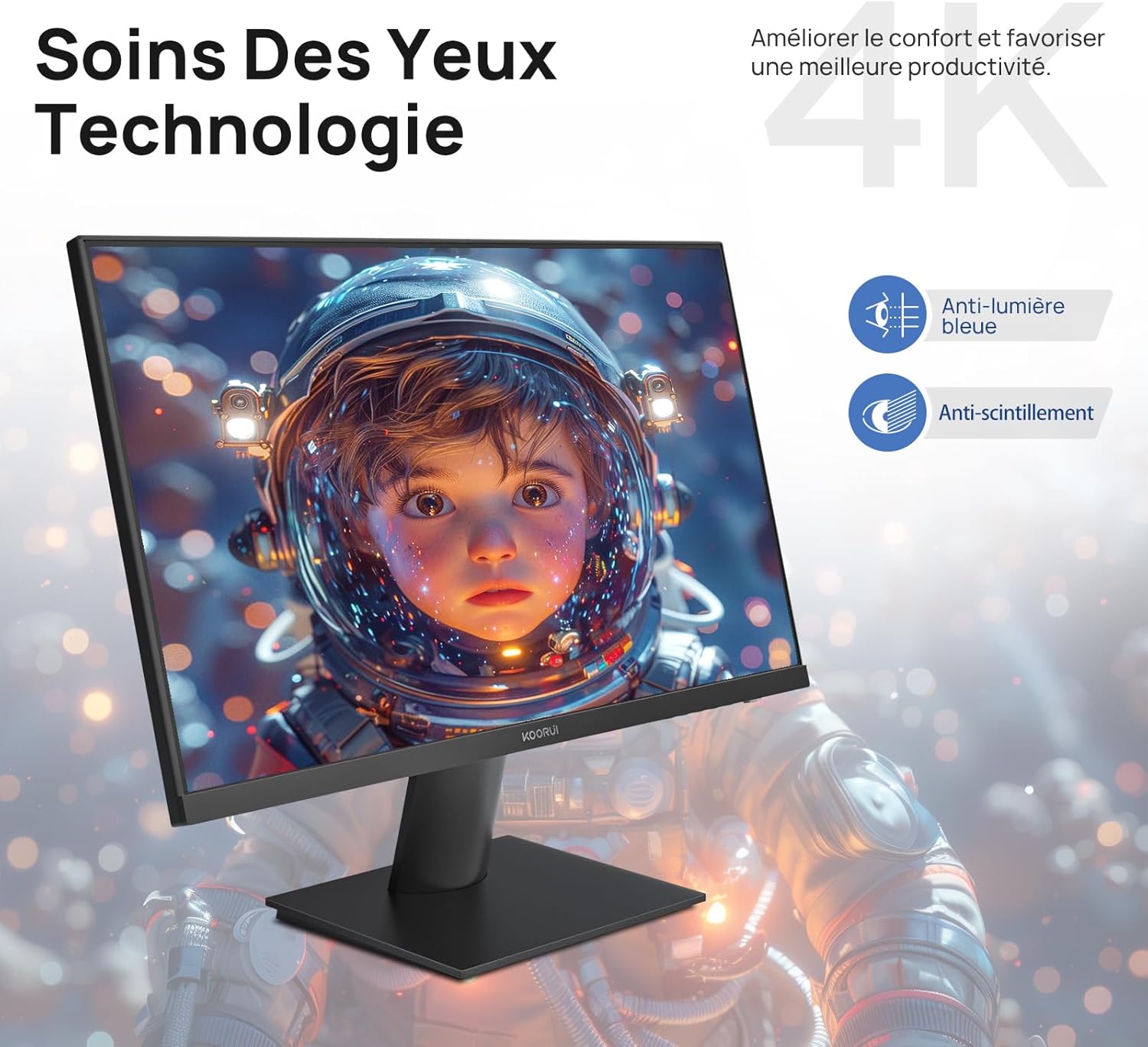
Figure 6.5: Eye Care technology for reduced eye strain.
6.6 Ergonominen muotoilu
The monitor stand allows for tilt adjustment from -5° to 20°, enabling you to find the most comfortable viewing angle for your posture.
6.7 VESA-kiinnityksen yhteensopivuus
The KOORUI N07 supports 100x100mm VESA mounting, allowing you to easily attach it to a wall mount or an articulated monitor arm for a flexible and clutter-free workspace.

Figure 6.6: VESA mount compatibility for flexible setup.
7. Tuotevideon loppuview
Video 7.1: Ylilyöntiview of the KOORUI N07 27-inch 4K UHD monitor, highlighting its key features such as 4K resolution, DCI-P3 color gamut, HDR10 support, versatile usage for creation, viewing, and gaming, adjustable tilt, and VESA mounting capabilities.
8. Vianmääritys
Jos kohtaat ongelmia näytön kanssa, katso seuraavat yleiset ongelmat ja ratkaisut:
| Ongelma | Mahdollinen ratkaisu |
|---|---|
| Ei kuvaa näytöllä | Ensure power cable is securely connected. Check video cable connection (HDMI/DP) to both monitor and computer. Verify correct input source is selected in OSD. |
| Kuva on epäselvä tai vääristynyt | Check display resolution settings on your computer. Ensure it is set to 3840x2160. Adjust sharpness in the OSD menu. |
| Värit näyttävät vääriltä | Adjust color temperature and color settings in the OSD menu. Try resetting picture settings to factory defaults. |
| Näytön välkkyminen | Ensure the video cable is securely connected. Disable Adaptive Sync if enabled, or update your graphics card drivers. |
9. Tekniset tiedot
| Ominaisuus | Yksityiskohta |
|---|---|
| Merkki | KOORUI |
| Mallinumero | N07 |
| Näytön koko | 27 tuumaa |
| Resoluutio | 4K UHD (3840 x 2160 pikseliä) |
| Paneelin tyyppi | IPS |
| Päivitystaajuus | 60 Hz |
| Vastausaika | 4 millisekuntia |
| Kuvasuhde | 16:9 |
| Kontrastisuhde | 1000:1 |
| Kirkkaus | 300 cd/m² |
| Viewkulma | 178 astetta |
| Yhteydet | 2 x HDMI 2.0, 1 x DisplayPort 1.4, 1 x Äänilähtö |
| VESA-yhteensopivuus | 100x100mm |
| Erikoisominaisuudet | Blue Light Filter, Tilt Adjustment, Frameless, Flicker-Free, Adaptive Sync, HDR10 |
| Mitat (S x L x K) | 20.5P x 61l x 45K senttimetriä |
| Paino | 3 kiloa |
10. Huolto
To ensure the longevity and optimal performance of your KOORUI N07 monitor, follow these maintenance guidelines:
- Näytön puhdistaminen: Pyyhi näyttö varovasti pehmeällä, nukkaamattomalla liinalla. Pinttyneiden tahrojen poistamiseksi, dampKostuta liinaa kevyesti vedellä tai erikoisnäytönpuhdistusaineella. Älä koskaan suihkuta nestettä suoraan näytölle.
- C:n puhdistaminenasing: Puhdista näyttö pehmeällä, kuivalla liinalla.asing. Vältä hankaavia puhdistusaineita tai liuottimia.
- Ilmanvaihto: Varmista, että näytön tuuletusaukot eivät ole tukossa ylikuumenemisen estämiseksi.
- Virta pois: Turn off the monitor when not in use for extended periods.
11. Takuu ja tuki
The KOORUI N07 monitor comes with a 2 vuoden valmistajan takuu. This warranty covers defects in materials and workmanship under normal use. For warranty claims or technical support, please contact KOORUI customer service or your retailer with your proof of purchase.
For additional support, troubleshooting guides, and driver downloads, please visit the official KOORUI websivusto.