
1. Johdanto
This manual provides essential information for setting up, operating, and maintaining your GMKtec Mini PC G10. Please read these instructions carefully before using the device to ensure optimal performance and longevity.
2. Pakkauksen sisältö
Varmista, että pakkauksessa on kaikki tarvittavat osat:
- GMKtec Nucbox G10 Mini PC
- Virtalähde ja kaapeli
- HDMI kaapeli
- VESA-kiinnitys ja ruuvit
- Käyttöopas

Image: Contents of the GMKtec Mini PC G10 package, including the mini PC, power adapter, HDMI cable, VESA mount, and user manual.
3. Tuote ohiview ja käyttöliittymät
The GMKtec Mini PC G10 features a compact design with a variety of ports for connectivity. Familiarize yourself with the available interfaces:
Etupaneeli:
- 1x CTIA Audio Jack
- 2x USB 3.2 (5Gbps) Ports
- 1x virtapainike
Takapaneeli:
- 1x USB-C Power Input (PD Only)
- 1x USB-C (Full-function: DisplayPort, Data, Power Delivery)
- 1x USB 2.0 -portti
- 1x 2.5G Gigabit Ethernet (LAN) Port
- 1x HDMI 2.1 (4K@60Hz) Port
- 1x DisplayPort 1.4 (4K@60Hz)
- 1 x Kensington-lukkopaikka

Kuva: Yksityiskohtainen view of the front and rear ports of the GMKtec Mini PC G10, illustrating USB, HDMI, DisplayPort, Ethernet, and power connections.
4. Asennus
Follow these steps to set up your GMKtec Mini PC G10:
- Yhdistä näyttöön: Connect your monitor(s) to the Mini PC using the HDMI, DisplayPort, or USB-C (DisplayPort Alt Mode) outputs. The device supports up to three displays simultaneously.
- Liitä oheislaitteet: Plug in your keyboard, mouse, and other USB devices into the available USB ports.
- Verkkoyhteys: For a wired connection, connect an Ethernet cable to the 2.5G LAN port. For wireless, ensure Wi-Fi is enabled in the operating system settings after initial boot.
- Virta päälle: Connect the power adapter to the Mini PC's USB-C power input and then to a power outlet. Press the power button on the front panel to turn on the device.
- Alkuasennus: Follow the on-screen instructions to complete the Windows 11 Pro setup.
5. Käyttöjärjestelmä
The GMKtec Mini PC G10 comes pre-installed with Windows 11 Pro. It is also compatible with Windows 10 and various Linux distributions.
Windows 11 Pro Features:
- Parannetut turvaominaisuudet.
- BitLocker device encryption.
- Remote Desktop capabilities.
- Domain Join and Group Policy management.
Ensure your operating system is regularly updated for security and performance improvements.
6. Suorituskyky ja tallennustila
The Mini PC G10 is designed for efficient daily computing and light gaming, featuring robust components for smooth operation.
Prosessori:
Varustettu an AMD Ryzen 5 3500U -prosessori, a 64-bit quad-core CPU with 8 threads, based on AMD's 12nm Zen+ architecture. It offers a base frequency of 2.1 GHz and a boost frequency of up to 3.7 GHz, with a TDP of 15W (configurable up to 35W for higher performance).
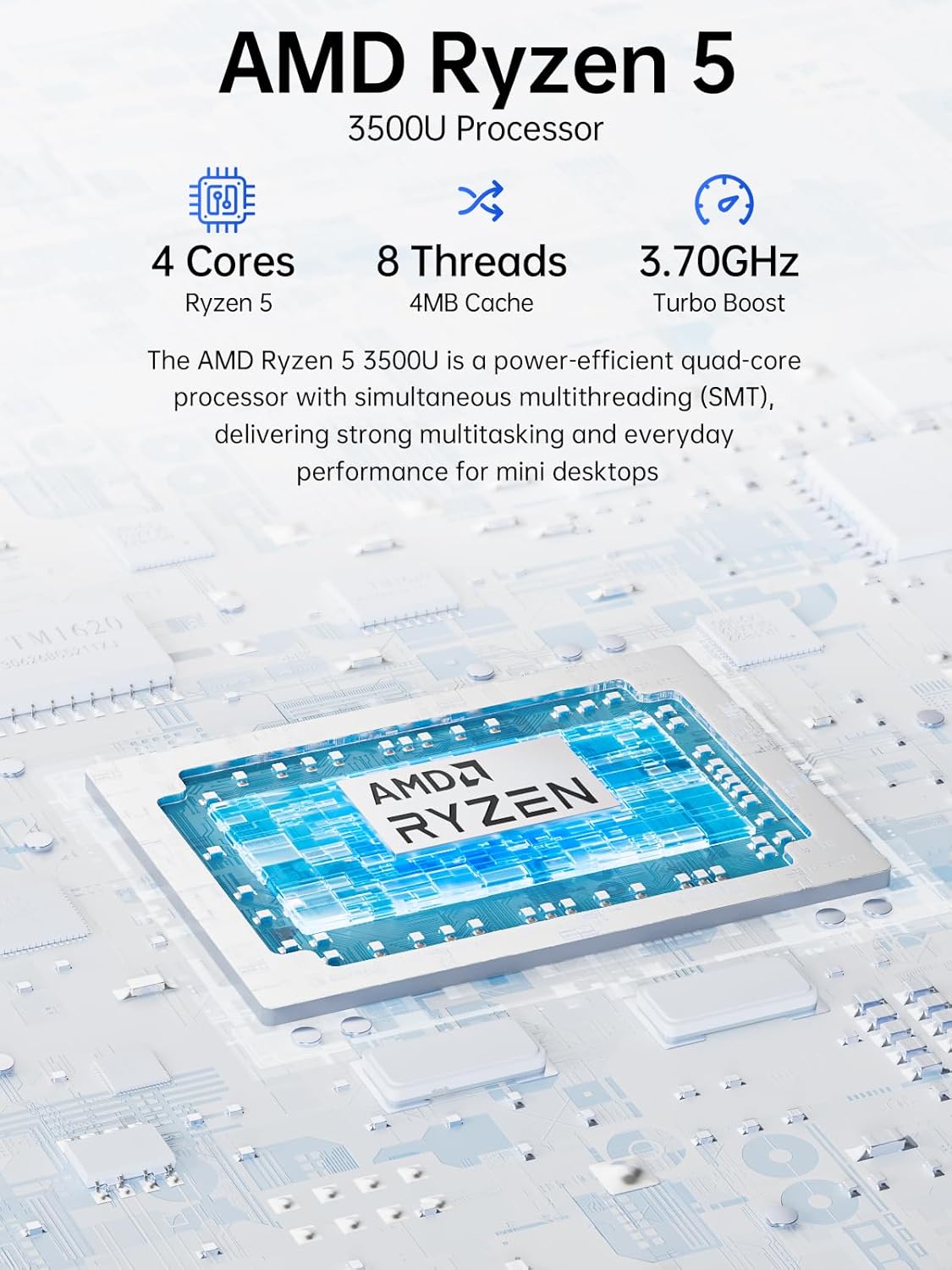
Image: Visual representation of the AMD Ryzen 5 3500U processor, highlighting its 4 cores, 8 threads, 4MB cache, and 3.70GHz turbo boost.
Grafiikka:
Integroitu Radeon Vega 8 -näytönohjain (up to 1.2 GHz) provides capable performance for video editing, multimedia playback, and casual gaming.
Muisti (RAM):
Järjestelmä sisältää 16GB of DDR4 SO-DIMM dual-channel RAM (2 x 8GB). The memory is expandable up to 32GB.
Varastointi:
Ominaisuudet a 1TB PCIe 3.0 x4 NVMe SSD, offering significantly faster data transfer speeds (up to 3500 MB/s) compared to traditional SATA SSDs. This results in quicker boot times, faster application loading, and smoother file siirrot.
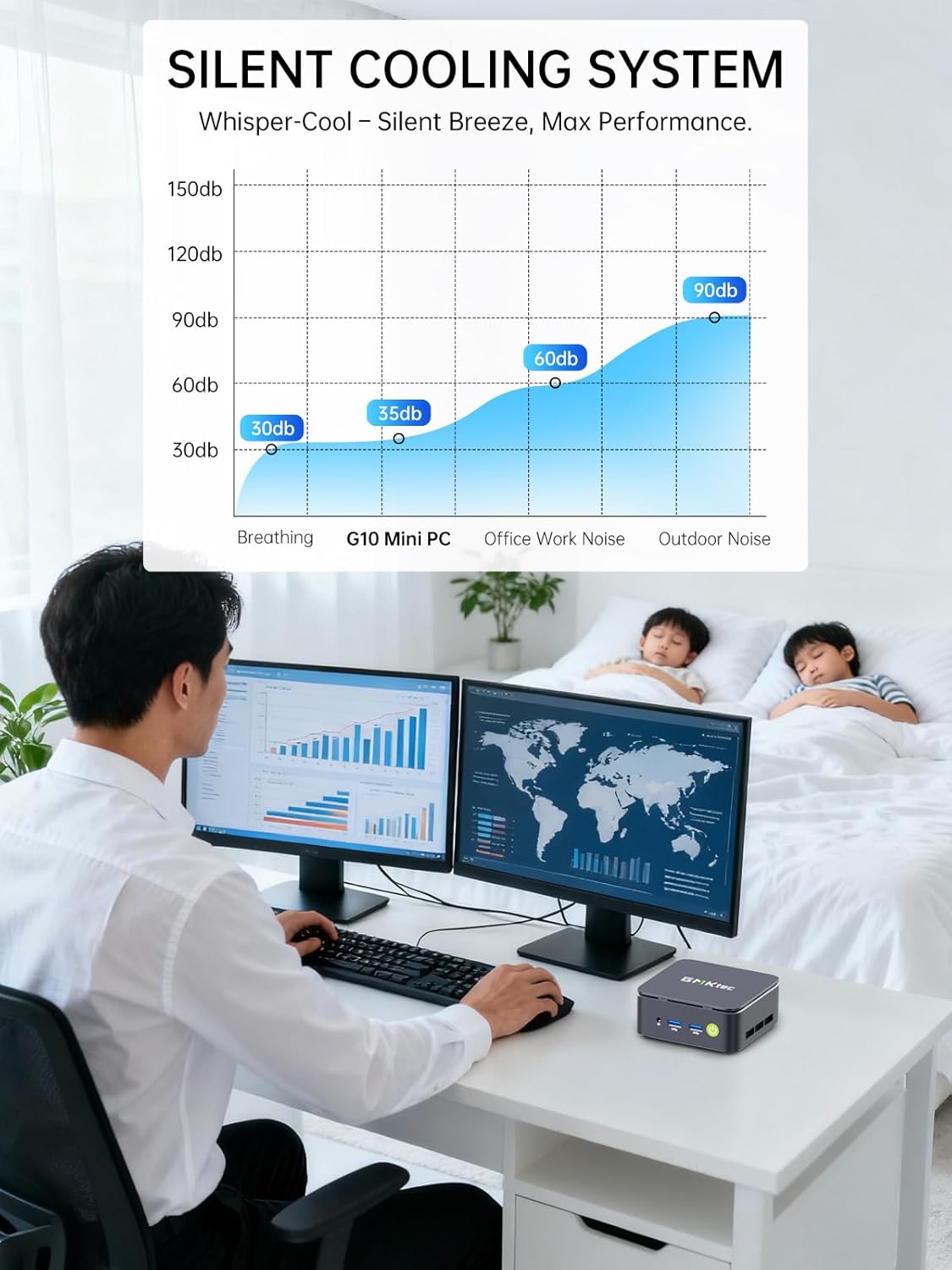
Image: Comparison illustrating the speed advantage of PCIe 3.0 NVMe SSDs (up to 3500 MB/s) over SATA SSDs (up to 550 MB/s).
Tallennustilan laajennus:
The Mini PC G10 is equipped with two M.2 2280 PCIe 3.0 slots, allowing for storage expansion up to 16TB (with 2 x 8TB SSDs, not included).

Image: Diagram showing the dual SO-DIMM DDR4 slots for RAM expansion up to 64GB and two M.2 2280 SSD slots for storage expansion up to 16TB.
7. Näytön konfigurointi
The GMKtec Mini PC G10 supports a triple display setup, allowing for enhanced productivity and immersive multimedia experiences.
- Connect up to three monitors simultaneously using the HDMI 2.1, DisplayPort 1.4, and full-function USB-C ports.
- All display outputs support 4K resolution at 60Hz.

Image: An illustration of a triple monitor setup connected to the Mini PC, demonstrating its multi-display capability for a productive workspace.
8. Yhteydet
The Mini PC G10 offers versatile connectivity options for both wired and wireless networks and peripherals.
- Wi-Fi 5: Provides fast wireless internet access.
- Bluetooth 5.0: Langattomien oheislaitteiden, kuten näppäimistöjen, hiirten ja kuulokkeiden, liittämiseen.
- 2.5 Gigabit Ethernet: An ultra-fast wired network connection for high-speed data transfer and low-latency applications.

Image: A visual representation of the Mini PC connected wirelessly via Wi-Fi and Bluetooth, and wired via 2.5GbE Ethernet, highlighting its comprehensive connectivity.
9. Silent Cooling System
The GMKtec Mini PC G10 incorporates a silent turbo cooling fan designed to maintain optimal operating temperatures while minimizing noise output. This ensures stable performance even under load.

Kuva: Räjähtänyt view of the Mini PC G10 showing the internal silent turbo cooling fan and its airflow path.
10. Huolto
Säännöllinen huolto auttaa varmistamaan Mini PC:si pitkän käyttöiän ja optimaalisen suorituskyvyn.
- Puhdistus: Periodically clean the exterior of the Mini PC with a soft, dry cloth. Use compressed air to clear dust from ventilation openings. Ensure the device is powered off and unplugged before cleaning.
- Ohjelmistopäivitykset: Pidä käyttöjärjestelmäsi ja ajurit ajan tasalla uusimpiin versioihin. Tämä parantaa tietoturvaa, vakautta ja suorituskykyä.
- Ilmanvaihto: Ensure the Mini PC is placed in a well-ventilated area and that its vents are not obstructed. Proper airflow is crucial for cooling.
- Tallennuksen hallinta: Hallitse tallennustilaasi säännöllisesti poistamalla tarpeettomia files and applications to maintain optimal SSD performance.
11. Vianmääritys
If you encounter issues with your GMKtec Mini PC G10, refer to the following common troubleshooting steps:
No Power / System Not Starting:
- Varmista, että virtalähde on kytketty kunnolla sekä Mini PC:hen että toimivaan pistorasiaan.
- Varmista pistorasian toiminta kytkemällä siihen toinen laite.
- Paina virtapainiketta lujasti.
Ei näyttöä:
- Check that the HDMI, DisplayPort, or USB-C cable is securely connected to both the Mini PC and the monitor.
- Varmista, että näyttö on päällä ja asetettu oikealle tulolähteelle.
- Kokeile eri näyttökaapelia tai näyttöä, jos sellainen on saatavilla.
No Wi-Fi / Bluetooth Connection:
- Check if Wi-Fi or Bluetooth is enabled in the Windows settings.
- Käynnistä Mini PC ja reititin/modeemi uudelleen.
- Varmista, että ajurit ovat ajan tasalla.
Hidas suorituskyky:
- Sulje taustalla käynnissä olevat tarpeettomat sovellukset.
- Check for sufficient free storage space on the SSD.
- Ensure the Mini PC is well-ventilated to prevent thermal throttling.
- Suorita järjestelmän tarkistus haittaohjelmien tai virusten varalta.
If these steps do not resolve the issue, please contact GMKtec customer support.
12. Tekniset tiedot
Detailed technical specifications for the GMKtec Mini PC G10:
| Ominaisuus | Erittely |
|---|---|
| Merkki | GMKtec |
| Malli | Nucbox G10 |
| Käyttöjärjestelmä | Windows 11 Pro |
| CPU malli | AMD Ryzen 5 3500U |
| Prosessorin nopeus | 2.1 GHz (Boost up to 3.7 GHz) |
| Prosessorien määrä | 4 (8 Threads) |
| Grafiikka rinnakkaisprosessori | Radeon Vega 8 |
| RAM Installed | 16GB DDR4 |
| RAM-muistin enimmäiskoko | 64 Gt |
| RAM Speed | 2400 MHz |
| Tallennuskapasiteetti | 1 TB SSD (PCIe 3.0 x4 NVMe) |
| Tallennustilan laajennus | 2x M.2 2280 PCIe 3.0 slots (up to 16TB total) |
| Videolähtöliitäntä | HDMI 2.1, DisplayPort 1.4, USB-C (DP Alt Mode) |
| Näytön maksimiresoluutio | 3840 x 2160 (4K) @ 60Hz |
| Langaton tekniikka | Wi-Fi 5 (802.11ac), Bluetooth 5.0 |
| Langallinen yhteys | 2.5 Gigabit Ethernet |
| USB-portit | 2x USB 3.2, 1x USB 2.0, 1x USB-C (full-function) |
| Äänilähtö | 1x CTIA Audio Jack |
| Virransyöttö | USB-C (PD) |
| Mallin vuosi | 2023 |
13. Takuu ja tuki
GMKtec provides comprehensive warranty and support for your Mini PC G10.
- Takuu: Each Mini PC comes with a limited 3-year warranty from the date of purchase. This includes replacement during the first year and repair services for the subsequent two years, covering design and manufacturing defects.
- Asiakastuki: For any inquiries or technical assistance, you can contact GMKtec's professional after-sales team.
Yhteystiedot:
- Amazon-tuki: Log in to your Amazon account, navigate to "Your Orders," and select "Ask Product Question" for direct assistance.
- Myynnin jälkeinen sähköposti: Lähetä sähköpostia osoitteeseen eu-cs@gmktec.com for 24/7 customer support.

Image: Details on GMKtec's warranty and support, including contact methods for Amazon support and the after-sales email address.