
1. Johdanto
Thank you for choosing the Hakimonoe AX900Mbps Wi-Fi 6 USB Adapter. This device is designed to provide your desktop or laptop PC with high-speed Wi-Fi 6 (802.11ax) connectivity, supporting dual-band frequencies (2.4GHz and 5GHz) and featuring a 5dBi high-gain antenna for extended range and stable connections. This manual provides detailed instructions for installation, operation, and troubleshooting to ensure optimal performance.
2. Pakkauksen sisältö
- 1 x Hakimonoe AX910 AX900Mbps USB WiFi Adapter
- 1 x Käyttöohje
3. Tuote ohiview
The Hakimonoe AX900Mbps Wi-Fi 6 USB Adapter upgrades your computer to the latest Wi-Fi 6 standard, offering enhanced speed, stability, and efficiency. It supports advanced technologies like MU-MIMO and OFDMA for reduced latency and improved network throughput.

Kuva 3.1: Key Features of the Hakimonoe AX900Mbps Wi-Fi 6 USB Adapter. This image highlights the adapter's support for Wi-Fi 6 (802.11AX) with speeds up to 900Mbps, dual-band operation (600Mbps on 5GHz, 286Mbps on 2.4GHz), compatibility with Windows 11/10/7, WPA3 encryption, and MU-MIMO/OFDMA technologies.
Equipped with a 5dBi high-gain antenna, the adapter significantly improves Wi-Fi signal reception and transmission, providing a strong and stable connection even across longer distances or through obstacles.

Kuva 3.2: Increased Wireless Range. This diagram compares the signal coverage of the AX910 Wi-Fi adapter with its 5dBi high-gain antenna against a regular adapter, demonstrating improved signal strength and penetration through walls.
The antenna is also adjustable, allowing for 180-degree and 90-degree rotations to optimize signal reception based on your setup.

Kuva 3.3: Adjustable Antenna and Dimensions. This image illustrates the flexibility of the AX910 adapter's antenna, which can rotate 180 and 90 degrees, and provides its physical dimensions for reference.
4. Asennus
4.1 Järjestelmävaatimukset
- Käyttöjärjestelmä: Windows 11, Windows 10, Windows 7
- Käytettävissä USB 2.0 -portti
Huomautus: This adapter is not recommended for Linux or Mac systems.
4.2 Driver Installation (Windows 11/10/7)
The Hakimonoe AX900Mbps USB Wi-Fi Adapter features a built-in driver for Windows 11, 10, and 7, making installation straightforward.
- Insert the USB Wi-Fi adapter into an available USB port on your computer.
- Wait for the driver installation prompt to appear automatically.
- Asenna ohjain noudattamalla näytön ohjeita.
- Once the installation is complete, restart your computer for the changes to take effect.
Kuva 4.1: Easy Setup for Windows. This image illustrates the simple plug-and-play driver installation process for Windows 11, 10, and 7, showing the adapter connected and the driver installation prompt.
4.3 Important Setup Tips
- Disable Built-in Wi-Fi: Before using the Hakimonoe USB Wi-Fi adapter, it is recommended to disable your PC's integrated Wi-Fi device to prevent potential conflicts and ensure the new adapter functions correctly.
- USB-portin valinta: For optimal performance and recognition, connect the USB Wi-Fi adapter to a rear USB port on your desktop PC.
5. Käyttöohjeet
5.1 Wi-Fi-verkkoon yhdistäminen
Onnistuneen ajurin asennuksen ja tietokoneen uudelleenkäynnistyksen jälkeen:
- Click on the Wi-Fi icon in your Windows taskbar (usually in the bottom-right corner).
- Näkyviin tulee luettelo käytettävissä olevista Wi-Fi-verkoista.
- Valitse haluamasi verkko ja napsauta 'Yhdistä'.
- Anna verkon suojausavain (salasana), jos sitä pyydetään.
- Your computer should now be connected to the Wi-Fi network using the Hakimonoe adapter.
5.2 Dual-Band Operation (2.4GHz and 5GHz)
The adapter supports both 2.4GHz and 5GHz frequency bands:
- 2.4 GHz taajuus: Offers wider coverage and better penetration through walls, suitable for general internet browsing, email, and stable connections over longer distances. Speeds up to 286Mbps.
- 5 GHz taajuus: Provides faster speeds and lower latency, ideal for bandwidth-intensive applications like HD video streaming, online gaming, and large file transfers. Speeds up to 600Mbps. This band typically has a shorter range and is more susceptible to obstacles.
Choose the appropriate band based on your network setup and usage requirements. Many modern routers broadcast separate SSIDs (network names) for each band (e.g., "MyWiFi_2.4GHz" and "MyWiFi_5GHz").
5.3 Wi-Fi Hotspot Mode (Soft AP)
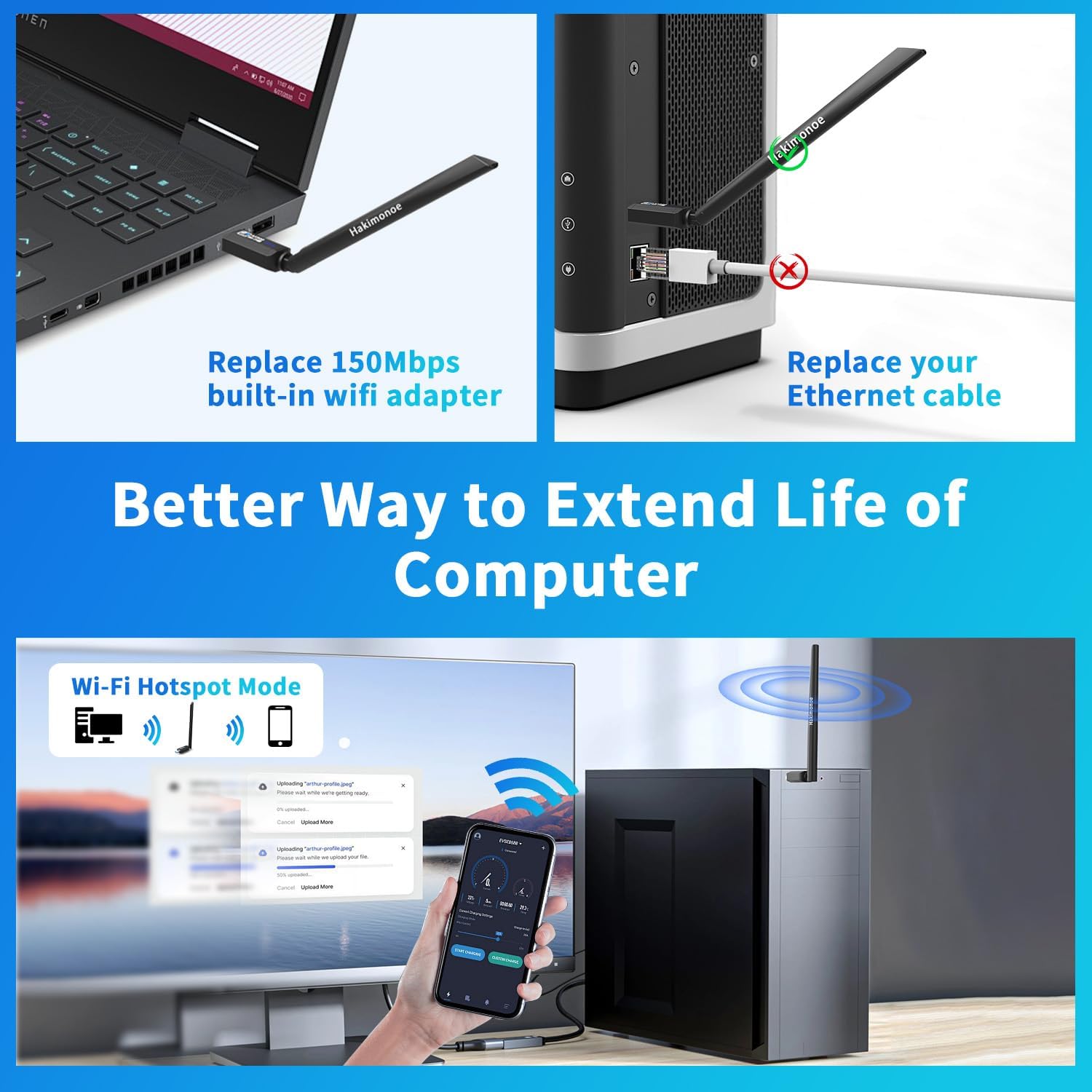
The adapter supports Soft AP mode, allowing you to convert your computer's wired internet connection into a Wi-Fi hotspot. This enables other wireless devices (smartphones, tablets, etc.) to connect to the internet through your computer.
- Varmista, että tietokoneesi on yhdistetty internetiin Ethernet-kaapelilla.
- Access the adapter's utility software or Windows network settings to enable 'Mobile hotspot' or 'Soft AP' mode.
- Määritä tukiaseman nimi (SSID) ja salasana.
- Other devices can now connect to your computer's Wi-Fi hotspot.

Kuva 5.1: Wi-Fi Hotspot Mode. This image demonstrates how the adapter can be used to create a Wi-Fi hotspot from a wired internet connection, allowing other devices to connect wirelessly.
6. Huolto
To ensure the longevity and optimal performance of your Hakimonoe AX900Mbps Wi-Fi 6 USB Adapter:
- Pidä sovitin puhtaana ja pölyttömänä. Käytä puhdistamiseen pehmeää, kuivaa liinaa.
- Vältä sovittimen altistamista äärimmäisille lämpötiloille, kosteudelle tai suoralle auringonvalolle.
- Älä yritä purkaa tai korjata sovitinta itse. Tämä voi mitätöidä takuun.
- Ensure the antenna is not bent or damaged. Adjust it carefully to optimize signal.
7. Vianmääritys
If you encounter issues with your Hakimonoe AX900Mbps Wi-Fi 6 USB Adapter, refer to the following common problems and solutions:
- No Wi-Fi Networks Detected / Adapter Not Recognized:
- Ensure the adapter is securely plugged into a USB port. Try a different USB port, preferably a rear port on a desktop PC.
- Verify that the driver is correctly installed. Check Device Manager in Windows for any yellow exclamation marks next to the network adapter. Reinstall the driver if necessary.
- Disable your computer's built-in Wi-Fi adapter to avoid conflicts.
- Käynnistä tietokone uudelleen.
- Hidas yhteysnopeus:
- Ensure you are connected to the 5GHz band if your router supports it and you are within close range.
- Adjust the antenna direction for better signal reception.
- Reduce interference from other electronic devices (e.g., microwaves, cordless phones).
- Ensure your router is Wi-Fi 6 compatible to fully utilize the adapter's capabilities.
- Usein katkaistavat yhteydet:
- Check for strong Wi-Fi signal strength. Move closer to the router if possible.
- Ensure the adapter is not overheating.
- Päivitä reitittimesi laiteohjelmisto.
- Try connecting to the 2.4GHz band for a more stable connection if range is an issue.
- Driver Installation Pop-up Not Appearing:
- Check if 'AutoPlay' is enabled in your Windows settings.
- Manually browse the adapter's drive (it may appear as a CD-ROM drive) in 'This PC' and run the installer executable.
8. Tekniset tiedot
| Merkki | hakimonoe |
| Mallinumero | AX901 |
| Laitteistorajapinta | USB 2.0 |
| Langattomat standardit | IEEE 802.11a/b/g/n/ax |
| Taajuus | 2.4-2.48 GHz / 5-5.8 GHz (Dual Band) |
| Tiedonsiirtonopeus | Up to 900 Mbps (600Mbps on 5GHz; 286Mbps on 2.4GHz) |
| Antennin vahvistus | 5dBi |
| Langaton suojaus | WPA-PSK/WPA2-PSK/WPA3 |
| Tuetut tekniikat | MU-MIMO, OFDMA, TWT |
| Yhteensopivat laitteet | PC/Laptop/Desktop with Windows 11/10/7 |
| Tuotteen mitat (P x L x K) | 21.8 cm x 2.1 cm x 1.2 cm |
| Tuotteen paino | 9 grammaa |
9. Takuu ja tuki
For warranty information and technical support, please refer to the documentation provided with your purchase or contact the seller/manufacturer directly. Keep your purchase receipt as proof of purchase.