
Johdanto
Kiitos ostoksestasiasing the Andoer Digital Camera H12. This manual provides detailed instructions for the proper use and maintenance of your camera. Please read this manual thoroughly before using the camera to ensure optimal performance and longevity.
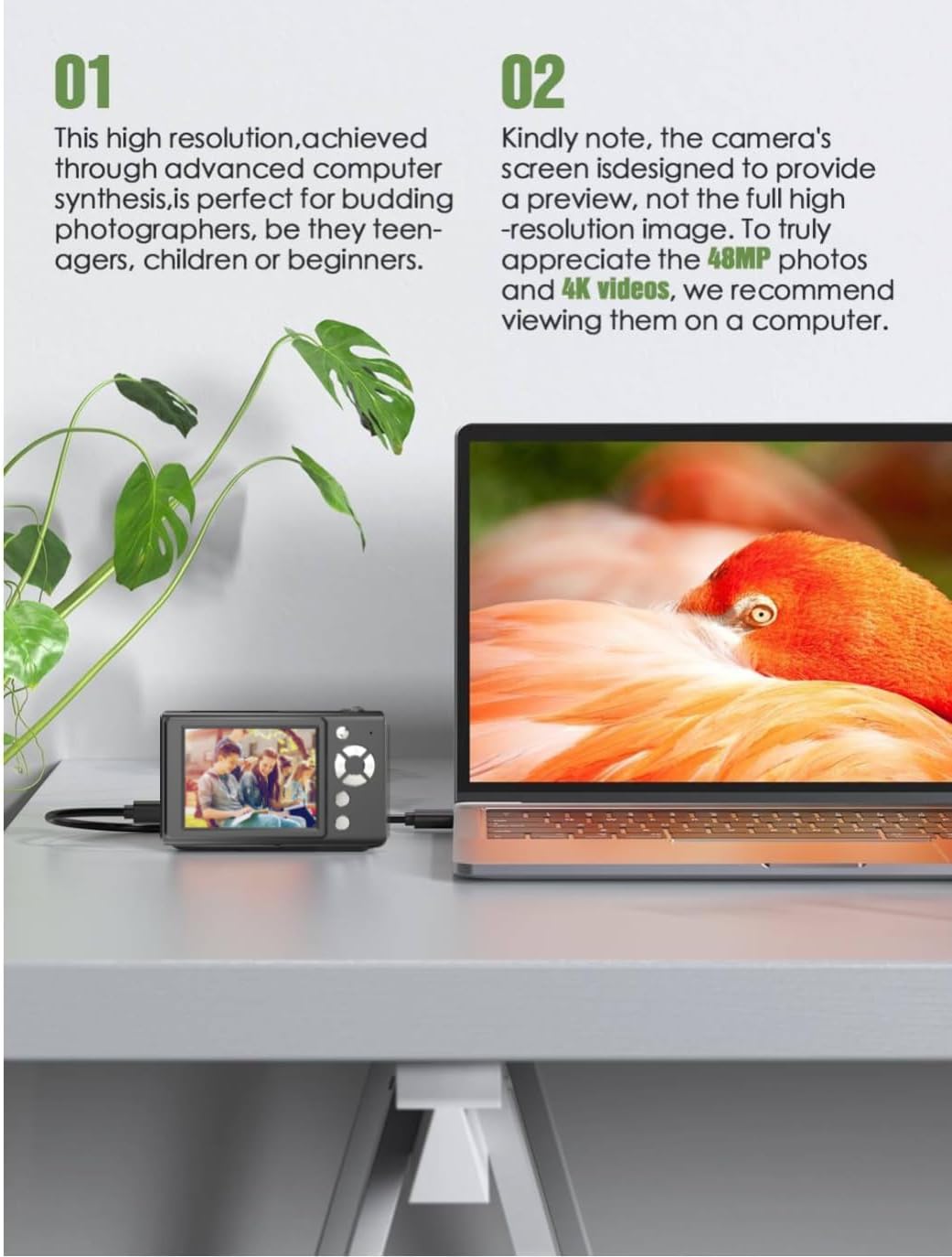
The Andoer H12 is a compact digital point-and-shoot camera featuring 1080P video recording, 48MP photo resolution, 16x digital zoom, autofocus, and an anti-shake function. It is designed for ease of use, making it suitable for various users.
Pakkauksen sisältö
Tarkista pakkauksen sisältö purkamisen yhteydessä varmistaaksesi, että kaikki osat ovat mukana:
- 1 x Andoer Digital Camera H12
- 1 x USB-kaapeli (tyyppi-C)
- 1 x rannehihna
- 1 x 32GB -muistikortti
- 1 x kortinlukija
- 1 x Käyttöohje
Asennus
1. Akun lataaminen
The camera is equipped with a built-in 3.7V 700mAh lithium battery. Before first use, fully charge the battery.
- Connect the included Type-C USB cable to the camera's USB port.
- Liitä USB-kaapelin toinen pää USB-virtalähteeseen (ei sisälly toimitukseen) tai tietokoneen USB-porttiin.
- The charging indicator light will illuminate. Once charging is complete, the indicator light will change or turn off.
Huomautus: A full charge typically takes approximately 2-3 hours. Do not use the camera while it is charging.
2. Muistikortin asettaminen paikalleen
The camera supports TF (MicroSD) cards up to 128GB. A 32GB memory card is included in the package.
- Paikanna muistikorttipaikka kameran sivulla.
- Gently insert the TF card into the slot with the metal contacts facing the front of the camera until it clicks into place.
- Poistaaksesi kortin, työnnä sitä varovasti takaisin sisään, kunnes se ponnahtaa ulos.

3. Rannehihnan kiinnittäminen
Attach the included wrist strap to the camera for added security and to prevent accidental drops.
- Thread the thin loop of the wrist strap through the strap eyelet on the camera body.
- Pass the larger end of the strap through the thin loop and pull tight to secure it.
Käyttöohjeet
1. Virta päälle/pois
- Käynnistääksesi laitteen, pidä virtapainiketta painettuna, kunnes näyttö syttyy.
- Sammuta virta painamalla virtapainiketta uudelleen ja pitämällä sitä painettuna, kunnes näyttö sammuu.
- The camera features an auto power-off function (off/3 mins/5 mins) which can be configured in the settings.
2. Valokuvien ottaminen
- Turn on the camera. The camera will typically start in photo mode.
- Frame your shot using the 2.8-inch IPS display.
- Press the shutter button halfway down to activate autofocus. The camera will recognize and track subjects.
- Once focus is achieved (indicated by a green frame), press the shutter button fully to take the picture.

3. Videoiden tallentaminen
- Switch to video mode (refer to the camera's on-screen interface for the mode switch button).
- Press the shutter button to start recording. A red indicator or timer will appear on the screen.
- Lopeta tallennus painamalla laukaisinta uudelleen.
The camera supports 1080P and 720P video resolutions in AVI format. Loop recording can be set for 3, 5, or 10 minutes.
4. Zoomaustoiminto
Use the zoom buttons (usually marked 'W' for Wide and 'T' for Telephoto) to adjust the 16x digital zoom. This allows you to magnify distant subjects.

5. LED Fill Light
The camera features a built-in ring LED fill light with three lighting modes to assist in low-light conditions.
- Valkoinen valo: Bright, even, and soft illumination.
- Lämmin valkoinen valo: Pure natural light, soft and comfortable.
- Keltainen valo: Warm color adjustment for a warm atmosphere.
Access and cycle through these modes via the camera's menu or a dedicated button (refer to the on-screen interface).

6. Muut toiminnot
- Selfie-ajastin: Options for off, 2s, 5s, or 10s delay before taking a photo.
- Jatkuva kuvaus: Ota nopeasti sarja valokuvia.
- Anti-Shake: Auttaa vähentämään kameran liikkeen aiheuttamaa epäterävyyttä.
- Suodattimen tehosteet: Various built-in filters to enhance your photos.
- Pelit: Includes 4 simple games for entertainment.
- MP3-toisto: Download MP3 music to the memory card and play it through the camera.

Huolto
- Kameran rungon puhdistaminen: Pyyhi kameran runko pehmeällä, kuivalla liinalla. Pinttyneeseen likaan pyyhi kevyestiampen the cloth with water and then wipe dry. Avoid using chemical cleaners.
- Linssin ja näytön puhdistaminen: Use a specialized lens cleaning cloth or brush to gently remove dust and smudges. Do not use abrasive materials or excessive force.
- Varastointi: When not in use for extended periods, store the camera in a cool, dry place away from direct sunlight and extreme temperatures. Remove the memory card if not in use.
- Akun hoito: Avoid fully discharging the battery frequently. Charge the battery regularly, even if the camera is not in use, to maintain battery health.
- Vedenkestävyys: Tämä kamera on ei vedenkestäväVältä altistumista vedelle, sateelle tai korkealle kosteudelle.
Vianetsintä
| Ongelma | Mahdollinen syy | Ratkaisu |
|---|---|---|
| Kamera ei käynnisty. | Akku on tyhjä tai sitä ei ole ladattu. | Charge the camera battery fully using the provided USB cable. |
| Ei voi ottaa valokuvia/tallentaa videoita. | Muistikortti on täynnä, väärin asetettu tai vioittunut. | Check if the memory card is inserted correctly. Delete unnecessary files or replace the memory card. Format the card if necessary (this will erase all data). |
| Kuvat ovat epäselviä. | Autofocus failed, camera shake, or dirty lens. | Ensure autofocus is engaged. Hold the camera steady or use the anti-shake function. Clean the lens with a soft cloth. |
| Näyttö on tyhjä tai jumiutunut. | System error or temporary malfunction. | Press and hold the power button for 10 seconds to force a shutdown, then restart the camera. If the issue persists, contact customer support. |
| Ei voi siirtää files tietokoneelle. | Incorrect cable connection or driver issue. | Ensure the USB cable is securely connected. Try a different USB port or computer. Use the included card reader to transfer files suoraan muistikortilta. |
Tekniset tiedot
| Ominaisuus | Yksityiskohta |
|---|---|
| Mallin nimi | H12 |
| Näyttö | 2.8 tuuman IPS LCD |
| Valokuvan resoluutio | Up to 48MP (48M, 40M, 24M, 20M, 18M, 16M, 12M, 10M, 8M, 5M, 3M, 2M, 1M) |
| Valokuvan muoto | JPG |
| Videon resoluutio | 1080P, 720P |
| Videomuoto | AVI |
| Digitaalinen zoom | 16X |
| Automaattinen tarkennus | Yes (Contrast Detection, 9 points) |
| Kuvanvakautus | Optinen |
| Anturin tyyppi | CMOS (1/4 tuumaa) |
| Varastointi | TF card, max. 128GB (32GB included) |
| Akku | Sisäänrakennettu litiumakku (3.7 V 700 mAh) |
| Latausliitäntä | USB Type-C |
| Selfie-ajastin | Off/ 2s/ 5s/ 10s |
| Automaattinen virrankatkaisu | Off/ 3 mins/ 5 mins |
| Loop-tallennus | 3 mins/ 5 mins/ 10 mins |
| Sisäänrakennetut ominaisuudet | LED Fill Light (3 modes), Filter Effects, 4 Games, MP3 Playback |
| Tuotteen koko | 103 x 31 x 65 mm |
| Tuotteen paino | 149g (camera body) / 260g (item weight including packaging/accessories) |
| Vedenkestävyystaso | Ei vedenkestävä |
Takuutiedot
The Andoer Digital Camera H12 comes with a 1 vuoden takuu from the date of purchase. This warranty covers manufacturing defects and malfunctions under normal use. It does not cover damage caused by misuse, accidents, unauthorized repairs, or natural disasters.
Säilytä ostokuitti takuuvaatimuksia varten.
Asiakastuki
If you encounter any issues or have questions not covered in this manual, please contact Andoer customer support. You can typically find support contact information on the official Andoer websivustoltasi tai jälleenmyyjän kautta.
Lisätietoja saat osoitteesta Andoer Store on Amazon.