
1. Johdanto
This manual provides comprehensive instructions for the Ailgely Digital Thermometer Hygrometer Sensor Meter. This wireless sensor is designed to measure temperature and humidity both indoors and outdoors, transmitting data to a compatible Fanju weather station. Please read this manual thoroughly before use to ensure proper setup and operation.
2. Pakkauksen sisältö
Pura pakkausta pakkauksesta ja varmista, että kaikki alla luetellut osat ovat mukana ja hyvässä kunnossa:
- 1 x Ailgely Digital Thermometer Hygrometer Sensor Meter
Huomautus: Käyttöön tarvitaan 2 x AA-paristoa, jotka eivät sisälly pakkaukseen.
3. Tuotteen ominaisuudet
- Sisä- ja ulkokäyttö: Suitable for monitoring temperature and humidity in various environments.
- Langaton lähetys: Offers a 60-meter transmission range in open areas for accurate data collection.
- Vedenpitävä muotoilu: IPX4 waterproof rating ensures durability in different weather conditions.
- Joustava asennus: Can be easily mounted on a wall or placed on a desktop.
- Yhteensopivuus: Specifically designed for use with Fanju weather stations.
4. Asennus
4.1 Akun asennus
- Paikanna paristolokeron kansi anturin takaa.
- Avaa lokero liu'uttamalla tai irrottamalla kantta varovasti.
- Insert two (2) AA batteries, ensuring correct polarity (+ and - terminals).
- Aseta paristolokeron kansi kunnolla takaisin paikalleen.
4.2 Sijoitus ja asennus
Anturi tarjoaa monipuolisia sijoitusvaihtoehtoja:
- Työpöydän sijoittelu: The sensor can stand upright on any flat surface.
- Seinäasennus: Use the integrated hanging hole on the back of the sensor. Secure a screw (not included) into the desired wall location and hang the sensor.

Kuva 1: Takaosa view of the sensor with battery compartment and mounting hole.
4.3 Pairing with Fanju Weather Station
Important: This sensor is designed exclusively for use with Fanju weather stations. It may not be compatible with other brands or models.
To pair the sensor with your Fanju weather station:
- Ensure both the sensor and the Fanju weather station are powered on and within the 60-meter transmission range.
- Refer to your Fanju weather station's instruction manual for specific pairing procedures. Typically, this involves initiating a sensor search function on the weather station.
- The sensor will automatically attempt to transmit data once powered. The weather station should detect and display the sensor's readings.
5. Käyttö
5.1 Näytön loppuview
The sensor features a clear LCD display showing current temperature and humidity readings.
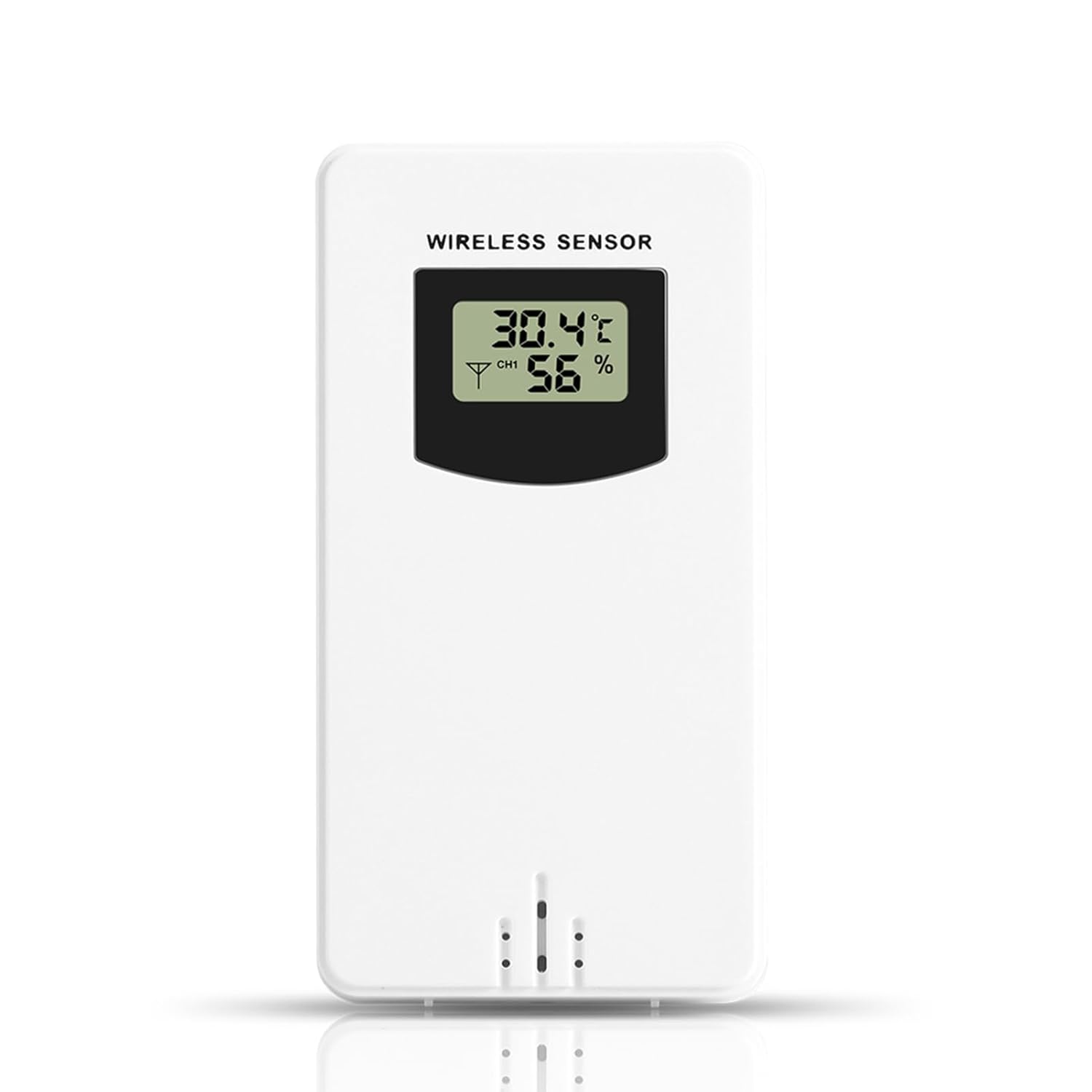
Kuva 2: Etuosa view of the sensor display.
- Lämpötila: Displays in Celsius (°C) or Fahrenheit (°F), depending on the setting of the connected Fanju weather station.
- Kosteus: Displays as a percentage (%).
- Kanavan ilmaisin: May show a channel number (e.g., CH1) if the sensor supports multiple channels or if the weather station is configured for multiple sensors.
5.2 Vaihteisto
The sensor wirelessly transmits temperature and humidity data to the paired Fanju weather station. Ensure there are no significant obstructions (e.g., thick walls, large metal objects) between the sensor and the weather station to maintain optimal signal strength and transmission range.
6. Huolto
6.1 Pariston vaihto
When the display becomes dim or the sensor stops transmitting data, it is time to replace the batteries. Follow the battery installation steps in Section 4.1. Always use fresh AA batteries.
6.2 Puhdistus
To clean the sensor, wipe it with a soft, damp cloth. Do not use abrasive cleaners, solvents, or immerse the unit in water. Ensure the battery compartment is dry before closing.
7. Vianmääritys
- Ei näyttöä: Tarkista paristojen asennus ja varmista, että paristot ovat tuoreita.
- No Data on Weather Station:
- Verify the sensor is within the 60m transmission range of the weather station.
- Ensure there are no major obstructions blocking the signal.
- Re-pair the sensor with the weather station according to the weather station's manual.
- Vaihda anturin paristot.
- Epätarkkoja lukemia: Ensure the sensor is placed in a location free from direct sunlight, heat sources, or excessive moisture that could skew readings.
8. Tekniset tiedot
| Ominaisuus | Erittely |
|---|---|
| Mallinumero | Ailgelyvwcdo75mzp-5W |
| Materiaali | ABS |
| Väri | Valkoinen |
| Vesitiivis luokitus | IPX4 |
| Vaihteisto | Jopa 60 metriä (avoin alue) |
| Virtalähde | 2 x AA-paristot (ei mukana) |
| Mitat (noin) | 9.6 cm (K) x 5 cm (L) x 3.4 cm (S) / 3.78 tuumaa (K) x 1.97 tuumaa (L) x 1.34 tuumaa (S) |
| Paino (n.) | 73g / 2.57oz |
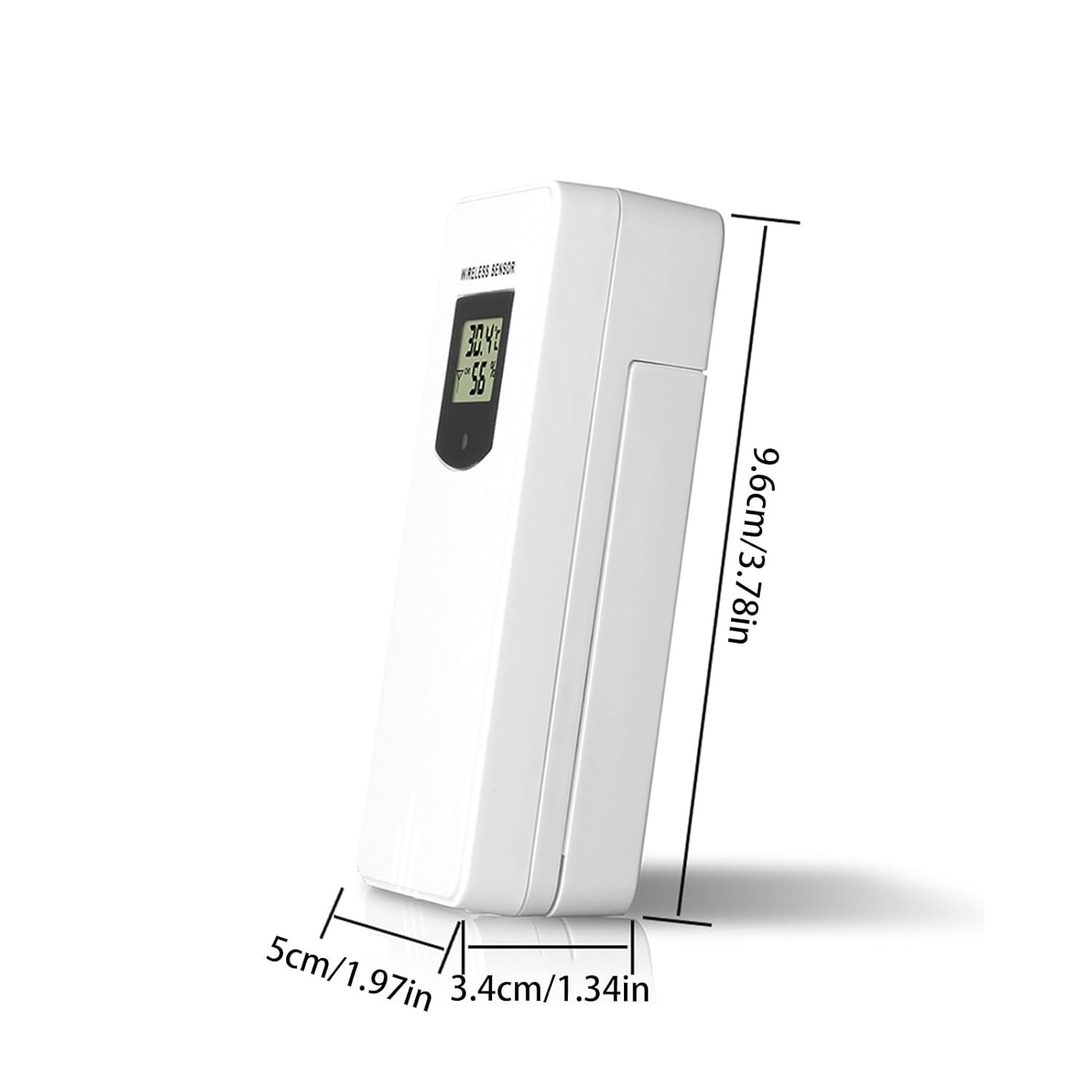
Figure 3: Sensor dimensions.
9. Takuu ja tuki
For warranty information or technical support, please refer to the documentation provided with your purchase or contact the retailer. Keep your purchase receipt as proof of purchase.