
Ergear EGESD7W-CA
ErGear Electric Seisomapöydän käyttöohje
Model: EGESD7W-CA | Brand: ErGear
Johdanto
Thank you for choosing the ErGear Electric Standing Desk. This manual provides detailed instructions for assembly, operation, maintenance, and troubleshooting to ensure optimal performance and longevity of your desk. Please read this manual thoroughly before installation and use, and retain it for future reference.
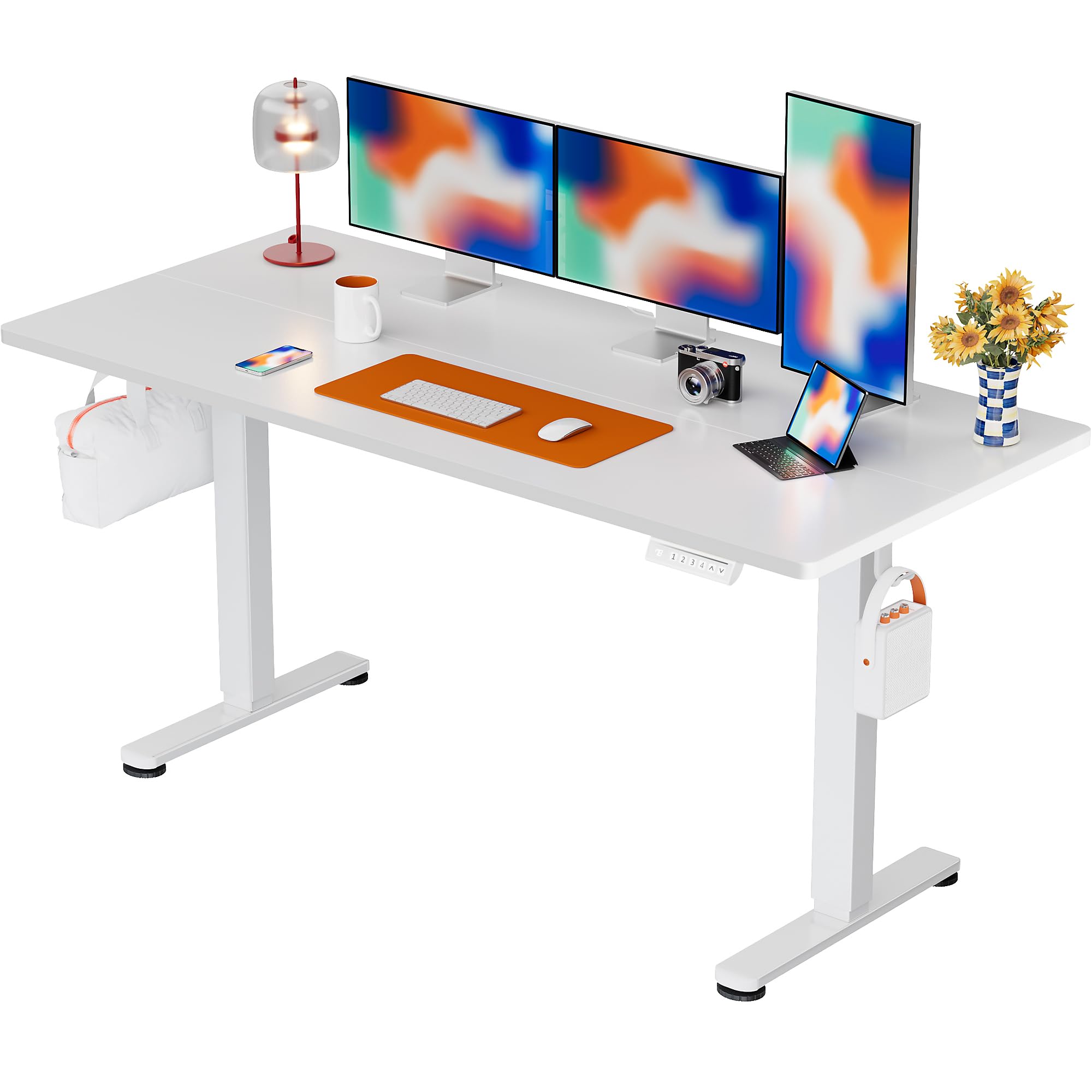
The ErGear Electric Standing Desk, 63x28 inch, in a white finish, featuring a spacious desktop and electric height adjustment capabilities.
Turvallisuustiedot
- Varmista, että kaikki osat ovat mukana ja vahingoittumattomia ennen kokoamista. Älä käytä laitetta, jos jokin osa puuttuu tai on viallinen.
- Pidä lapset ja lemmikit poissa pöydältä käytön aikana loukkaantumisten välttämiseksi.
- Älä ylikuormita työpöytää. Suurin suositeltu paino on 80 kg.
- Varmista, ettei virtajohto ole puristuksissa tai vaurioitunut. Liitä maadoitettuun pistorasiaan.
- Vältä nesteiden asettamista suoraan ohjauspaneelille tai sähkökomponenttien lähelle.
- Tarkista säännöllisesti kaikki ruuvit ja liitokset varmistaaksesi, että ne ovat tiukasti kiinni ja tukevasti.
- Tämä kirjoituspöytä on suunniteltu vain sisäkäyttöön.
Pakkauksen sisältö
Ennen kokoamisen aloittamista varmista, että pakkauksessa on kaikki seuraavat osat:
- Desktop Boards ×2
- Leg with Motor ×1
- Jalka × 1
- Leg Bases ×2
- Crossbar & Transmission Rod
- Controller & Power Cable
- Kaikki tarvittavat asennustyökalut ja laitteistot
Kokoamisohjeet
Follow these steps carefully to assemble your ErGear Electric Standing Desk. An assembly video is also provided for visual guidance.
Official ErGear Electric Standing Desk Assembly Video. This video demonstrates the step-by-step process for setting up your desk.
Step 1: Assemble the Desk Legs
Attach the leg bases to the desk legs using the provided screws. Ensure they are securely fastened.

The stable T-shaped desk legs provide a sturdy foundation for the electric standing desk.
Step 2: Attach Side Plates and Transmission Rod
Connect the side plates to the desk legs. Insert the transmission rod fully into the left leg and secure it. If the two desk legs are not at the same height, insert the rod into the left leg and turn to adjust.
Step 3: Assemble and Attach the Desktop
Place the two desktop boards together, aligning the dowels. Secure the desktop to the assembled frame using the provided screws and brackets. Ensure all connections are tight.
Vaihe 4: Kytke kaapelit
Connect the motor and control panel cables to the main control box. Ensure all connections are firm and correctly oriented.
Step 5: Install Cable Hole Covers
Place the cable hole covers into the designated openings on the desktop to manage wires neatly.

Ergonomic guidelines for using the standing desk, showing optimal monitor and arm positions for both sitting and standing.
Käyttöohjeet
Ohjauspaneeli ohiview
The desk features an intuitive control panel with height adjustment buttons and memory presets.
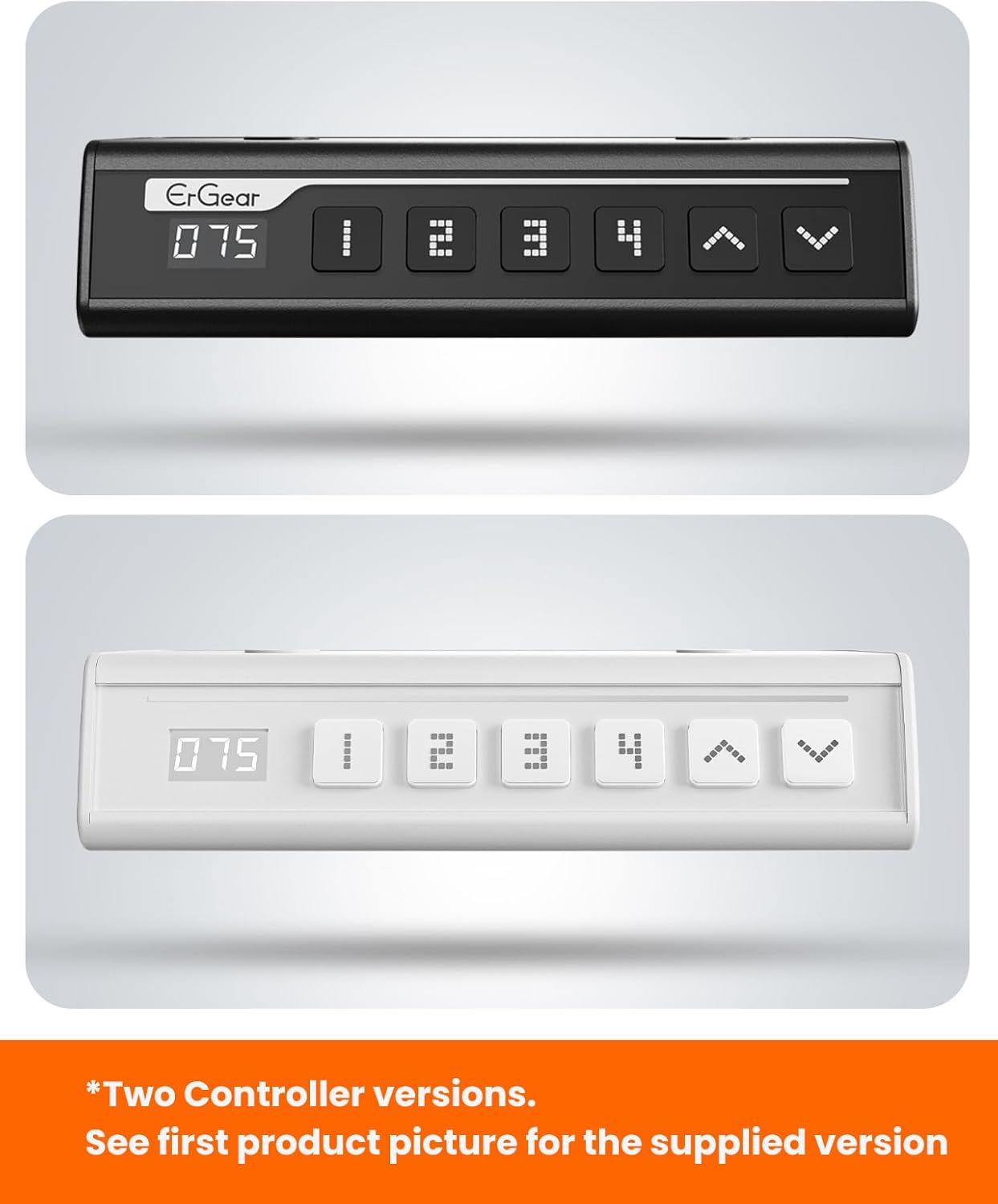
The ErGear control panel, available in two versions, features a digital height display and four programmable memory settings.
Korkeuden säätö
- Käytä Ylös (^) ja Alas (v) arrows to smoothly adjust the desk height between 28.35 inches and 46.46 inches.
- Vapauta painike halutulla korkeudella.
Muistin esiasetukset
The desk allows you to save up to 4 preferred height settings.
- Säädä pöytä haluamaasi korkeuteen ylös/alas-nuolilla.
- Paina M button (or equivalent memory set button). The display will flash.
- Paina yhtä numeroiduista esivalintapainikkeista (1, 2, 3 tai 4) within 3 seconds to save the current height to that preset.
- Voit hakea tallennetun korkeuden painamalla vastaavaa numeroitua esiasetuspainiketta. Pöytä siirtyy automaattisesti tallennettuun asentoon.
This video demonstrates the smooth and quiet operation of the ErGear Electric Standing Desk, showcasing its height adjustment and memory preset features.
Huolto
- Puhdistus: Pyyhi työpöytä ja kehys pehmeällä,amp liinalla. Vältä voimakkaita kemikaaleja tai hankaavia puhdistusaineita.
- Tarkastus: Tarkista säännöllisesti kaikkien ruuvien ja liitosten kireys. Kiristä tarvittaessa uudelleen.
- Kaapelin hallinta: Ensure cables are neatly organized and not tangled or pinched to prevent damage.
Vianetsintä
Jos kohtaat ongelmia ErGear-sähkötyöpöytäsi kanssa, katso seuraavat yleiset ongelmat ja ratkaisut:
| Ongelma | Mahdollinen syy | Ratkaisu |
|---|---|---|
| Pöytä ei liiku | Power cable disconnected, motor error, overloaded desk. | Check power connections. Unplug for 30 seconds and plug back in. Reduce weight on the desk. |
| Epätasainen korkeus | Transmission rod not fully inserted or adjusted. | Refer to Step 2 of assembly to ensure the transmission rod is correctly installed and adjusted. |
| Melu käytön aikana | Normal operation sound, loose screws. | A slight motor sound is normal. Check and tighten any loose screws on the frame. |
| Muistiasetukset eivät toimi | Virheellinen tallennusmenettely. | Follow the memory preset instructions carefully (press M, then the number within 3 seconds). |
Tekniset tiedot
| Ominaisuus | Yksityiskohta |
|---|---|
| Merkki | ErGear |
| Mallinumero | EGESD7W-CA |
| Työpöydän suunnittelu | Pysyvä työpöytä |
| Muoto | Suorakulmainen |
| Tuotteen mitat (S x L x K) | 71.1 S x 160 L x 118 K senttimetriä |
| Koko | 63 * 28 tuumaa |
| Väri | Valkoinen |
| Minimi Korkeus | 28.35 tuumaa |
| Suurin korkeus | 46.46 tuumaa |
| Pöytälevyn paksuus | 1.5 senttimetriä |
| Pohjamateriaali | Seosteräs |
| Ylin materiaalityyppi | Engineered Wood (Walnut Wood finish) |
| Erikoisominaisuudet | Adjustable Height, Electric, Ergonomic |
| Enimmäispainosuositus | 176 puntaa (80 kg) |
| Asennus vaaditaan | Kyllä (sisältää kaikki kokoamistyökalut) |
Takuu ja tuki
ErGear is committed to providing high-quality products and customer satisfaction. This product comes with:
- 5 vuoden suoja on the desktop and desk frame.
- 2 vuoden suoja on motors and electrical components.
For any questions, concerns, or warranty claims, please contact ErGear customer support. You can typically find contact information on the product packaging or the official ErGear website. Please have your model number (EGESD7W-CA) and purchase details ready when contacting support.

The ErGear Electric Standing Desk seamlessly integrates into various home office environments.
Ask a question about this manual
Ask about setup, troubleshooting, compatibility, parts, safety, or missing instructions. Manuals+ will review the question and use this page’s manual context to help answer it.