
Johdanto
Welcome to the Fastrack Discovery Smart Watch user manual. This guide provides essential information for setting up, operating, maintaining, and troubleshooting your new smartwatch. The Fastrack Discovery Smart Watch features a vibrant AMOLED display, built-in GPS, Bluetooth calling, and comprehensive health tracking capabilities designed to support your active lifestyle.
Pakkauksen sisältö
Varmista, että pakkauksessa on kaikki tarvittavat osat:
- Fastrack Discovery Smart Watch
- Magneettinen latauskaapeli
- Pika-aloitusopas
- Takuukortti
Asennus
1. Laitteen lataaminen
Before first use, fully charge your Fastrack Discovery Smart Watch. Connect the magnetic charging cable to the charging pins on the back of the watch and plug the USB end into a power adapter (not included) or a computer's USB port. A full charge takes approximately 50 minutes and provides up to 7 days of battery life, depending on usage.
2. Virta päälle / pois
- Virran kytkeminen: Press and hold the side button until the Fastrack logo appears.
- Virran sammuttaminen: Pidä sivupainiketta painettuna ja valitse sitten näytöltä "Virta pois".
3. Yhdistäminen älypuhelimeen
To unlock all features, pair your watch with the Fastrack Reflex World app (available on Android and iOS). Follow these steps:
- Download and install the Fastrack Reflex World app from your smartphone's app store.
- Avaa sovellus ja luo tili tai kirjaudu sisään.
- Varmista, että Bluetooth on käytössä älypuhelimellasi.
- In the app, follow the on-screen instructions to 'Add Device' and select your Fastrack Discovery Smart Watch from the list of nearby devices.
- Vahvista pariliitospyyntö sekä kellossasi että älypuhelimessasi.
4. Alkukokoonpano
After successful pairing, the app will guide you through setting up personal information such as age, gender, height, and weight for accurate health and fitness tracking. You can also customize watch faces and notification preferences.
Älykellon käyttö
1. Navigointi
- Kosketusnäyttö: Swipe left, right, up, or down to navigate through menus and widgets. Tap to select an option.
- Sivupainike: Press to return to the home screen or wake the display. Long press for power options or to access the AI Voice Assistant.
2. Näytön ominaisuudet
The 4.9 CM (1.95-inch) AMOLED display offers vibrant visuals with 410x502 resolution. It supports Always-On Display (AOD) and 'Raise to Wake' functionality for convenience.
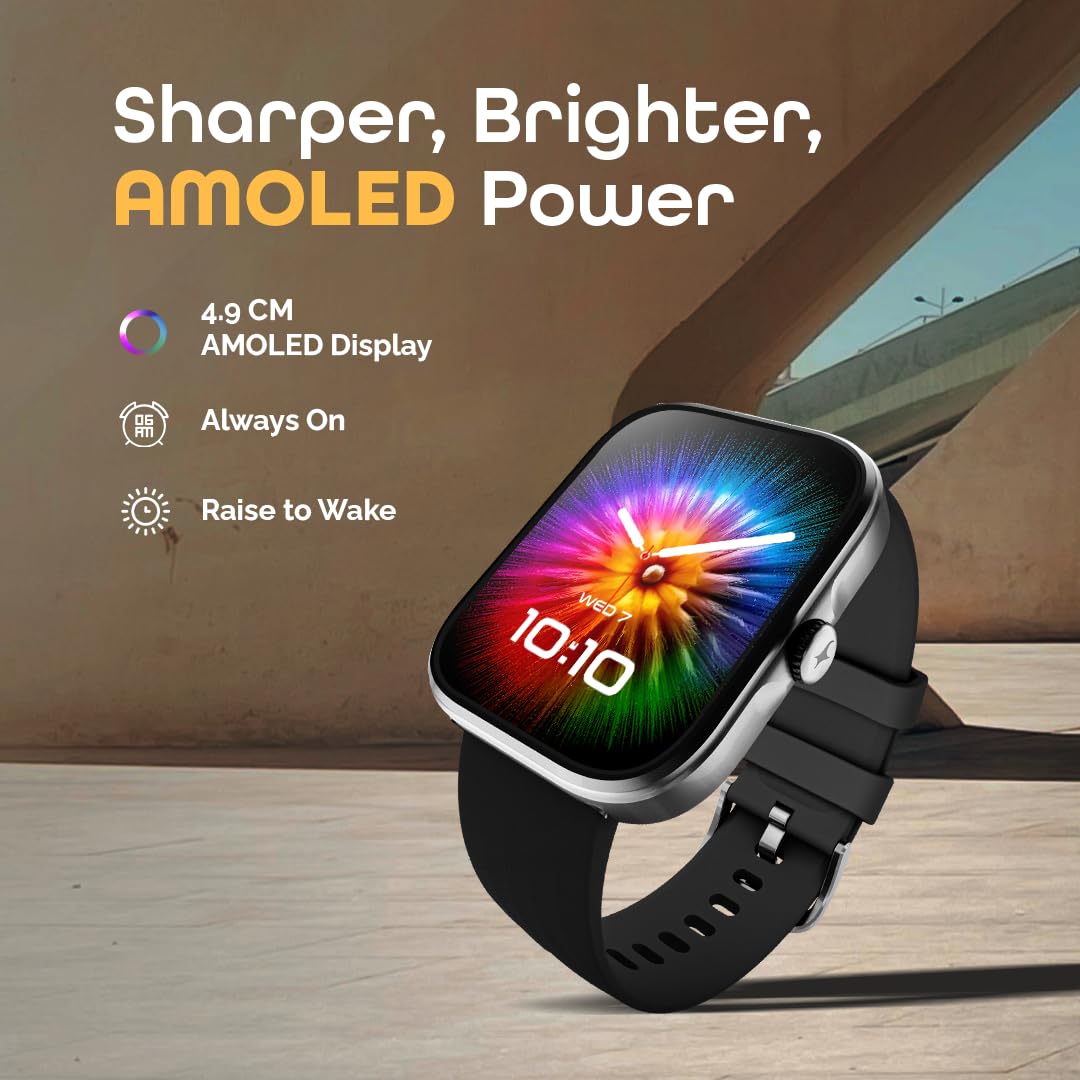
Image: The Fastrack Discovery Smart Watch displaying its vibrant AMOLED screen with time and date. The image highlights the 'Sharper, Brighter, AMOLED Power' features, including 4.9 CM AMOLED Display, Always On, and Raise to Wake.
3. Bluetooth Calling (SingleSync)
With SingleSync Bluetooth Calling, you can answer and manage calls directly from your wrist. Ensure your watch is connected to your smartphone via Bluetooth 5.3. You can also access recent calls and control music playback.
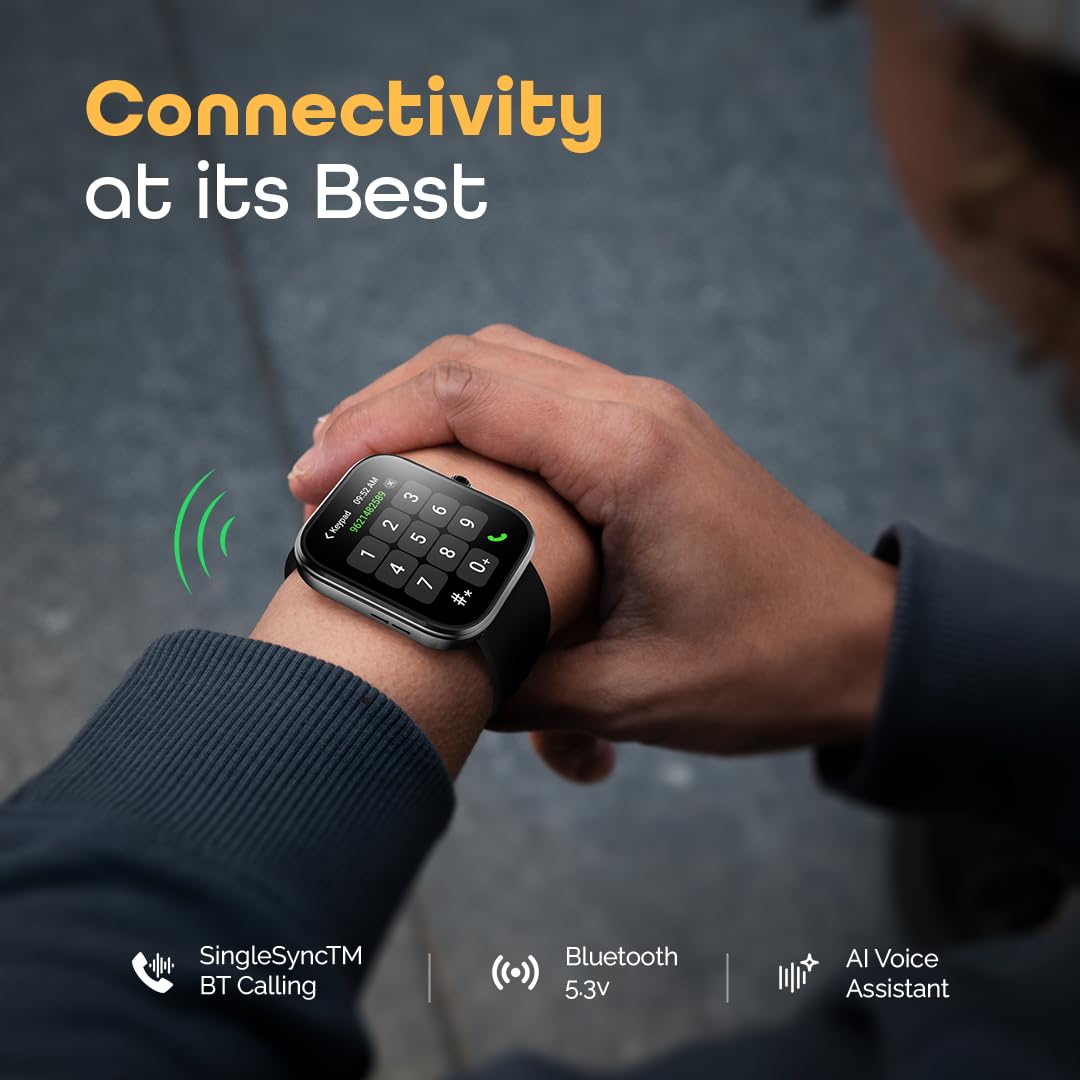
Image: A person wearing the Fastrack Discovery Smart Watch, which displays a phone dial pad, illustrating the Bluetooth calling feature. The image emphasizes 'Connectivity at its Best' with SingleSync BT Calling, Bluetooth 5.3, and AI Voice Assistant.
4. Built-in GPS Tracking
The integrated GPS (with GLONASS support) provides precise tracking of your outdoor activities, including route, pace, and distance, without needing your phone. This is ideal for running, cycling, and walking.
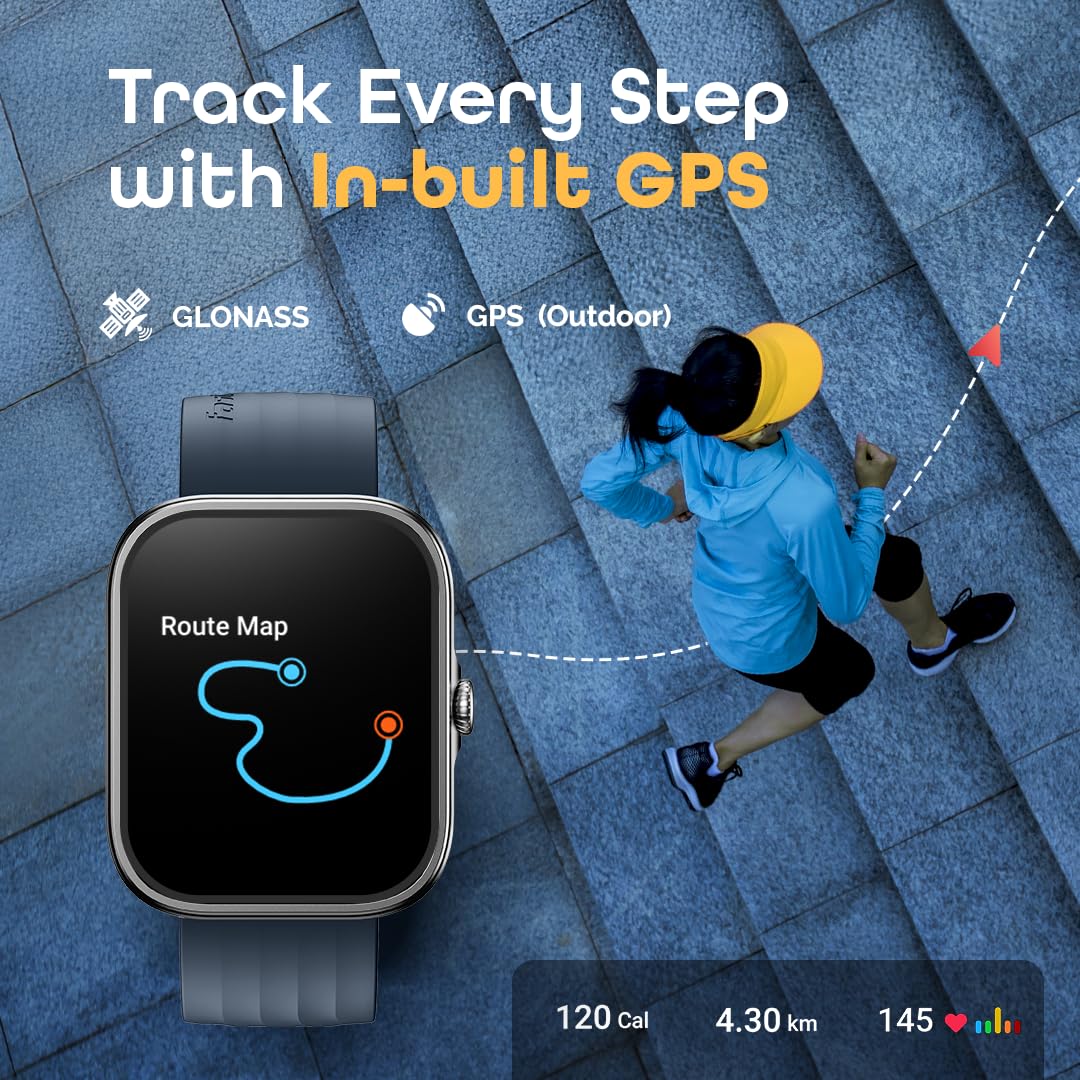
Image: A person running outdoors with the Fastrack Discovery Smart Watch on their wrist, which shows a route map. The image highlights the 'Track Every Step with In-built GPS' feature, including GLONASS and GPS (Outdoor) capabilities, along with calorie, distance, and heart rate data.
5. Terveyden ja kunnon seuranta
The watch offers comprehensive 24/7 health monitoring:
- Sykemittari: Seuraa sykettäsi koko päivän.
- SpO2-monitori: Mittaa veren happitasoja.
- Stressin seuranta: Monitors stress levels and provides guided breathing exercises.
- Unenseuranta: Analysoi unirytmejä ja -laatua.
- VO2 Max: Arvioi sydän- ja verisuonikuntotasosi.
- One-Click Measurement: Quickly checks multiple health metrics.
- Toiminnan seuranta: Counts steps, distance, and calories burned.
- Muistutukset: Includes hydration alerts and sedentary reminders.

Image: The Fastrack Discovery Smart Watch displaying various health metrics like Heart Rate, SpO2, Stress, VO2 Max, Sports Records, Sleep Tracking, and Breathing Exercise. The image highlights the 'Health & Fitness Tracking' capabilities.
6. Multisport Modes and Running Coach
Choose from over 100 multisport modes, with auto-recognition for common activities. The watch also features built-in running courses and training plans, such as 'Couch to 3K' and 'Couch to 5K', to help you achieve your fitness goals.
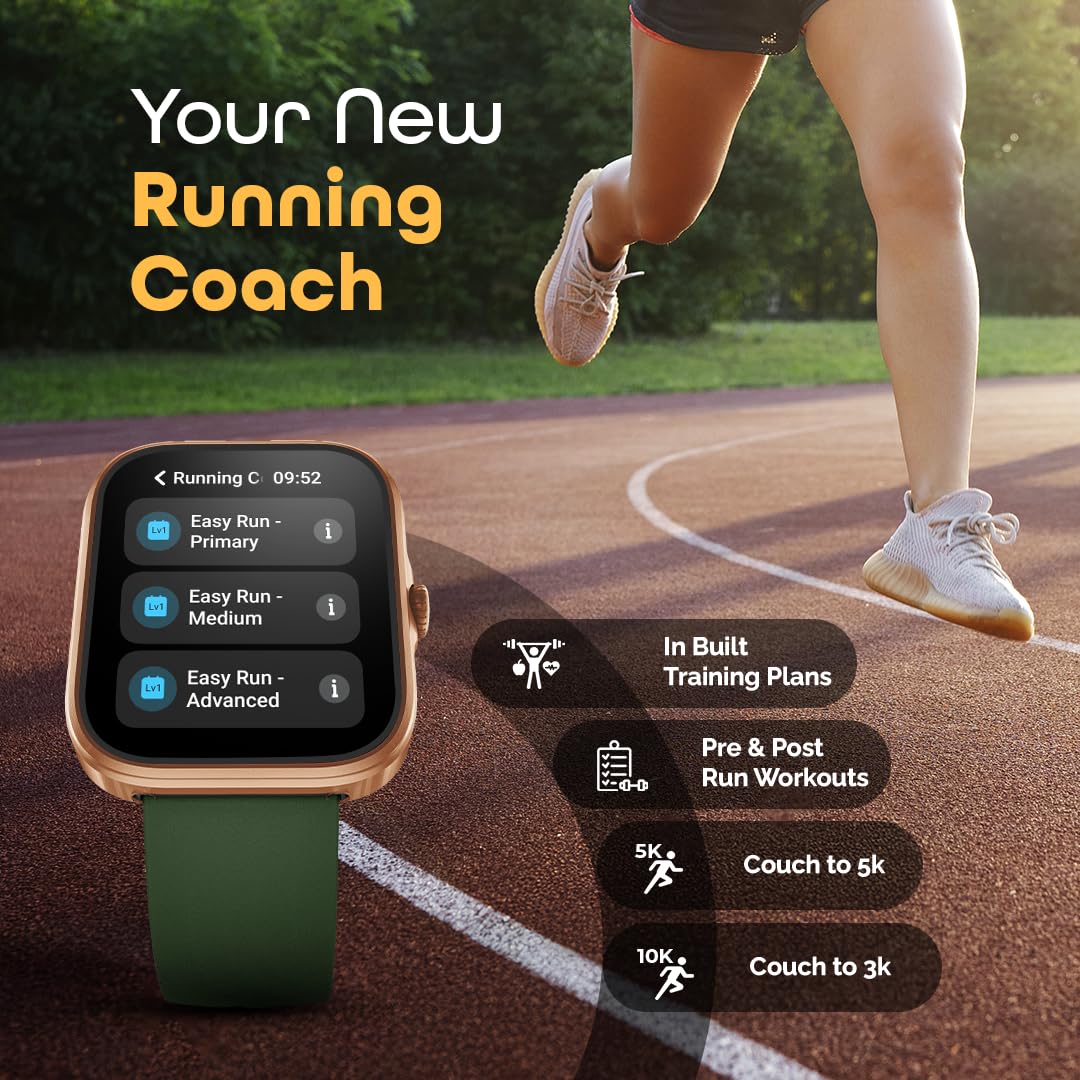
Image: The Fastrack Discovery Smart Watch displaying a 'Running C' menu with options like 'Easy Run - Primary', 'Easy Run - Medium', and 'Easy Run - Advanced'. The image emphasizes 'Your New Running Coach' with features like In-built Training Plans, Pre & Post Run Workouts, 5K, and Couch to 3K.
7. Älykkäät ominaisuudet
The Fastrack Discovery Smart Watch includes several smart functionalities:
- AI Voice Assistant: Control your watch or phone with voice commands.
- Kameran ja musiikin hallinta: Remotely control your smartphone's camera and music playback.
- DND-tila: Ilmoitusten mykistäminen tiettyinä aikoina.
- Etsi puhelin: Paikanna paritettu älypuhelin.
- Säänäyttö: Hanki reaaliaikaisia sääpäivityksiä.
- Herätys, Sekuntikello, Ajastin: Olennaiset hyödyllisyysfunktiot.
- Kellotaulut: Customize your watch with over 100 available watch faces.
Huolto
1. Kellon puhdistaminen
Puhdista kellosi ja rannekkeesi säännöllisesti ihoärsytyksen ehkäisemiseksi ja toimivuuden ylläpitämiseksi. Käytä pehmeää,amp pyyhi kellon runko ja ranneke liinalla. Vältä voimakkaita kemikaaleja tai hankaavia materiaaleja.
2. Vedenkestävyys
The Fastrack Discovery Smart Watch is IP68 water-resistant, allowing it to withstand immersion in water up to 1.5 meters. It is suitable for daily use, hand washing, and light rain. Avoid prolonged exposure to hot water, steam, or high-velocity water, as this may compromise the water resistance.
3. Akun hoito
Akun käyttöiän pidentämiseksi vältä kellon usein tapahtuvaa tyhjentämistä kokonaan. Lataa se, kun akun varaustaso on alhainen. Säilytä kelloa viileässä ja kuivassa paikassa, jos sitä ei käytetä pitkään aikaan.
4. Ohjelmistopäivitykset
Periodically check the Fastrack Reflex World app for available software updates. Updates often include performance improvements, new features, and bug fixes. Ensure your watch is sufficiently charged before starting an update.
Vianetsintä
If you encounter issues with your Fastrack Discovery Smart Watch, refer to the following common solutions:
- Kello ei käynnisty: Varmista, että kello on ladattu täyteen. Liitä se magneettiseen latauskaapeliin ja virtalähteeseen.
- Pariliitosongelmat: Make sure Bluetooth is enabled on your phone and the watch is within range. Restart both the watch and your phone, then try pairing again through the Fastrack Reflex World app.
- Virheelliset terveystiedot: Ensure the watch is worn snugly on your wrist, about one finger's width above the wrist bone. Clean the sensor area regularly.
- Ilmoituksia ei vastaanotettu: Check notification settings in the Fastrack Reflex World app and your phone's system settings to ensure permissions are granted.
- Lyhyt akunkesto: Reduce screen brightness, disable Always-On Display, limit frequent heart rate monitoring, and turn off unnecessary notifications.
Laitteen nollaus
If problems persist, you may need to perform a factory reset. This will erase all data on the watch and restore it to its original settings. Navigate to 'Settings' on your watch, then find the 'System' or 'Reset' option and confirm the factory reset.
Tekniset tiedot
| Mallin nimi | Fastrack Discovery |
| Mallinumero | 38146AP02 |
| Näyttö | 1.95-inch AMOLED, 410x502 Resolution |
| Yhteydet | Bluetooth 5.3, Built-in GPS (GLONASS) |
| Akun kesto | Jopa 7 päivää (tyypillinen käyttö) |
| Latausaika | Noin 50 minuuttia |
| Vedenkestävyys | IP68, up to 1.5 meters |
| Kotelon materiaali | Alumiini |
| Bandin materiaali | Silikoni |
| Mitat (S x L x K) | 11S x 49L x 40K millimetriä |
| Paino | 45 grammaa |
| Yhteensopivat laitteet | Android, iOS Smartphones |
Takuutiedot
Your Fastrack Discovery Smart Watch comes with a 1 vuoden valmistajan takuu from the date of purchase. This warranty covers manufacturing defects. Please retain your purchase receipt and the warranty card for any warranty claims. The warranty does not cover damage caused by misuse, accidents, unauthorized repairs, or normal wear and tear.
Asiakastuki
For further assistance, technical support, or warranty claims, please contact Fastrack customer care:
- Asiakaspalvelunumero: 1800-266-0123
- Sähköposti: customercare@titan.co.in
- Valmistaja / maahantuoja: Titan Company Limited, 3 Sipcot Industries complex, Hosur- 635126