
Johdanto
Thank you for choosing the Phomemo M836 A4 Portable Thermal Printer. This device offers convenient, inkless printing for various document types, making it ideal for business, travel, and personal use. This manual will guide you through the setup, operation, and maintenance of your printer to ensure optimal performance.
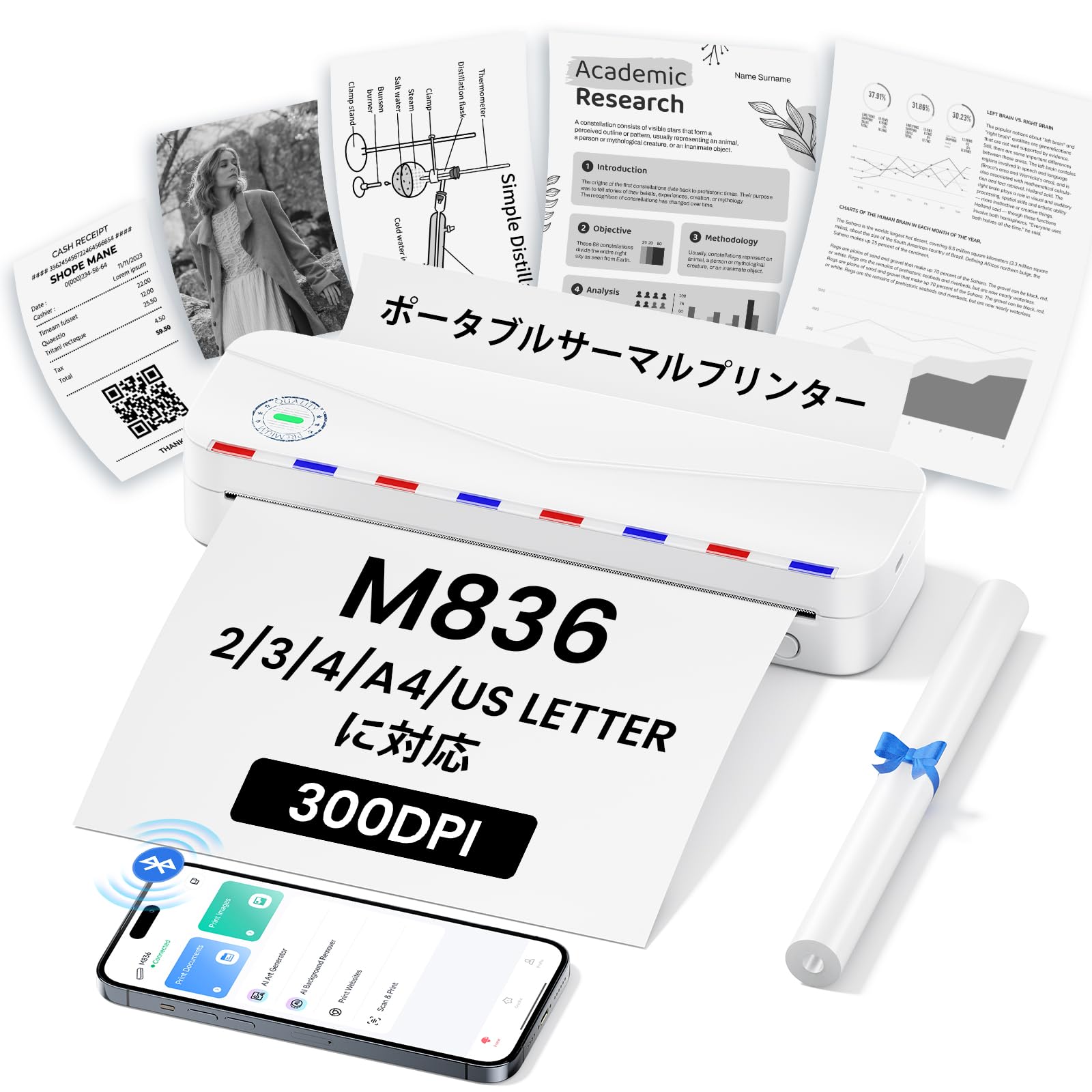
Image: The Phomemo M836 A4 Portable Thermal Printer, showcasing its compact design and portability.
Tuote loppuview
Tärkeimmät ominaisuudet
- Musteeton lämpötulostus: Utilizes advanced thermal printing technology, eliminating the need for ink cartridges or toner.
- Kompakti ja kannettava: Weighing approximately 750g, it is designed for easy transport in a bag, perfect for on-the-go printing.
- Usean paperikoon tuki: Compatible with A4 (8.27 x 11.69 inches) and other thermal paper sizes including 53mm, 80mm, and 110mm. Supports standard thermal sheets, roll paper, and fanfold thermal paper.
- Korkea resoluutio: Delivers clear and vivid prints at 304dpi resolution.
- Laaja yhteensopivuus: Connects via Bluetooth to iPhones, Android phones, and iPads, and via USB cable to laptops and computers (Windows, macOS).
- Pitkäkestoinen akku: Equipped with an upgraded 2600mAh battery, ensuring extended use throughout the day.
- Monipuolinen tulostus: Capable of printing PDF, Word, image (JPG), web pages, TXT, office documents, receipts, contracts, resumes, invoices, drawings, and school notes.

Image: The Phomemo M836 printer highlighting its compact dimensions (264mm length, 78mm width, 45mm height) and light weight (715g).

Image: The printer demonstrating compatibility with single sheets, fanfold paper, and roll paper. Note: Only thermal paper is supported, not ordinary copy paper.
Asennusohjeet
1. Lämpöpaperin lisääminen
- Open the paper cover of the printer.
- Insert the thermal paper with the printable side facing up. Ensure the paper is aligned correctly.
- Close the paper cover. The printer will automatically adjust the paper.

Image: Illustration of how to load thermal paper into the printer, showing the adjustable snaps for different paper widths.
2. Mobiililaitteen yhteys (Bluetooth)
- Download the "Phomemo" app from the Apple App Store or Google Play Store.
- Turn on your mobile phone's Bluetooth.
- Press and hold the power button on the M836 printer to turn it on.
- Open the "Phomemo" app and connect to the printer via Bluetooth within the app.

Image: Step-by-step guide for connecting the Phomemo M836 to a smartphone via the Phomemo app and Bluetooth.
3. Tietokoneliitäntä (USB)
- Turn on the printer by pressing and holding the power button. Ensure thermal paper is loaded.
- Liitä tulostin tietokoneeseen mukana toimitetulla Type-C USB-kaapelilla.
- Download and install the printer driver from M836.phomemo.com.
- After driver installation, select "[M836] Printer" from your computer's print options to begin printing.

Image: Instructions for connecting the Phomemo M836 to a PC via USB, including driver download and print selection.
Käyttöohjeet
General Printing Steps
- Ensure the printer is powered on and connected to your device (mobile or PC) as described in the Setup section.
- Avaa tulostettava asiakirja tai kuva laitteellasi.
- Initiate the print function from your application (e.g., "Print" in the Phomemo app, or "File" > "Print" on PC).
- Select the "M836 Printer" from the list of available printers.
- Säädä tulostusasetuksia, kuten paperikokoa, suuntaa ja kopioiden määrää, tarpeen mukaan.
- Confirm and send the print job to the printer.

Image: The Phomemo app interface, showing options to print various file types like Word, TXT, PDF, Excel, Web pages, and images, along with scanning functionality.
Huolto
Tulostinpään puhdistaminen
- Sammuta tulostin ja irrota se kaikista virtalähteistä.
- Avaa paperikansi.
- Gently wipe the thermal print head with a cotton swab lightly dampisopropyylialkoholilla.
- Anna tulostuspään kuivua kokonaan ennen kannen sulkemista ja käytön jatkamista.
- Do not touch the print head with bare hands to avoid damage or residue transfer.
Akun hoito
- Charge the printer regularly, especially if it will not be used for an extended period, to maintain battery health.
- Use the provided Type-C USB cable for charging.
- Avoid exposing the printer to extreme temperatures, which can affect battery life.
Vianetsintä
| Ongelma | Mahdollinen syy | Ratkaisu |
|---|---|---|
| Tulostin ei käynnisty. | Akun heikko varaus tai virtaongelma. | Charge the printer using the Type-C USB cable. Ensure the power adapter is working. |
| Bluetooth-yhteyden muodostaminen ei onnistu. | Bluetooth on pois päältä, pariliitos on virheellinen tai sovelluksessa on ongelma. | Ensure Bluetooth is enabled on your device. Restart the printer and your device. Try pairing again through the Phomemo app. |
| Poor print quality (faint or blank). | Incorrect paper loading, non-thermal paper, or dirty print head. | Ensure thermal paper is loaded correctly with the printable side up. Verify you are using thermal paper. Clean the print head as described in the Maintenance section. |
| Tietokone ei tunnista tulostinta. | Driver not installed or USB cable issue. | Asenna oikea ajuri osoitteesta M836.phomemo.comKokeile toista USB-porttia tai kaapelia. |
| Paperitukos. | Paperin virheellinen täyttö tai vieras esine. | Turn off the printer. Carefully open the paper cover and remove any jammed paper or obstructions. Reload paper correctly. |
Tekniset tiedot
| Ominaisuus | Yksityiskohta |
|---|---|
| Merkki | Phomemo |
| Mallin nimi | M836 |
| Yhteystekniikka | Bluetooth, USB |
| Tulostustekniikka | Lämpö |
| Erikoisominaisuus | Kannettava |
| Väri | Valkoinen |
| Tulostimen lähtö | Yksivärinen |
| Suurin tulostusnopeus (yksivärinen) | 20 sivua/minuutti |
| Tuotteen mitat (S x L x K) | 210mm x 47mm x 65mm |
| Suurin materiaalikoko (paperi) | 8.5 x 11 tuumaa (A4) |
| Tulostusmateriaalin tyyppi | Lämpöpaperi |
| Tulostimen lisätoiminnot | Vain tulostus |
| Resoluutio | 304 dpi |
| Suurin syöttöarkin kapasiteetti | 10 arkkia |
| Laitteistorajapinta | USB-C |
| Kaksipuolinen tulostus | Ei (yksipuolinen) |
| Akun kapasiteetti | 2600 mAh |
Takuu ja tuki
The Phomemo M836 A4 Portable Thermal Printer comes with a 1 vuoden valmistajan takuu ostopäivästä alkaen. Tämä takuu kattaa materiaali- ja valmistusvirheet normaalikäytössä.
For technical support, warranty claims, or any questions regarding your product, please contact Phomemo customer service through their official websivustolta tai jälleenmyyjältä, jolta ostit tuotteen. Pidä mallinumero (M836) ja ostokuitti käsillä, kun otat yhteyttä tukeen.


