
1. Johdanto
This manual provides essential instructions for setting up, operating, and maintaining your Tecno Spark 30C 5G smartphone. Please read this manual thoroughly to ensure proper use and to maximize the device's features.
The Tecno Spark 30C 5G is a feature-rich smartphone equipped with a D6300 5G Processor, a 48MP Sony AI Camera, a 5000mAh battery with 18W fast charging support, NFC, IR Remote, and Dolby Atmos sound. It operates on Android 14 and offers IP54 dust and splash resistance.
2. Laite loppuview
Familiarize yourself with the physical components of your Tecno Spark 30C 5G.

Kuva 2.1: Edessä view of the Tecno Spark 30C 5G smartphone, showing the display, front camera, and speaker grille.
The device features a large display, a front-facing camera, and various sensors. The rear houses the main camera module and flash.
3. Asennusopas
3.1. Laatikon avaaminen ja pakkauksen sisältö
Varmista, että paketti sisältää seuraavat kohteet:
- Tecno Spark 30C 5G Smartphone
- USB-kaapeli
- SIM-lokeron poisto
- Puhelinkotelo
Note: A power adapter may not be included and might need to be purchased separately. The device supports 18W fast charging.
3.2. SIM-kortin ja muistikortin asettaminen
- Paikanna SIM-kortin alusta laitteen sivusta.
- Aseta SIM-kortin alustan poistotyökalu alustan vieressä olevaan pieneen reikään ja paina varovasti, kunnes alusta ponnahtaa ulos.
- Aseta Nano-SIM-korttisi ja/tai microSD-kortti (jos sellainen on) lokeron niille varattuihin paikkoihin. Varmista, että kultaiset koskettimet osoittavat alaspäin.
- Aseta pidike varovasti takaisin puhelimeen, kunnes se napsahtaa paikalleen.
3.3. Laitteen lataaminen
Before first use, fully charge your Tecno Spark 30C 5G.
- Liitä USB-kaapeli puhelimen latausporttiin.
- Liitä USB-kaapelin toinen pää yhteensopivaan 18 W:n virtalähteeseen (ei sisälly toimitukseen) ja kytke se pistorasiaan.
- Näytöllä oleva akkukuvake ilmaisee lataustilan.
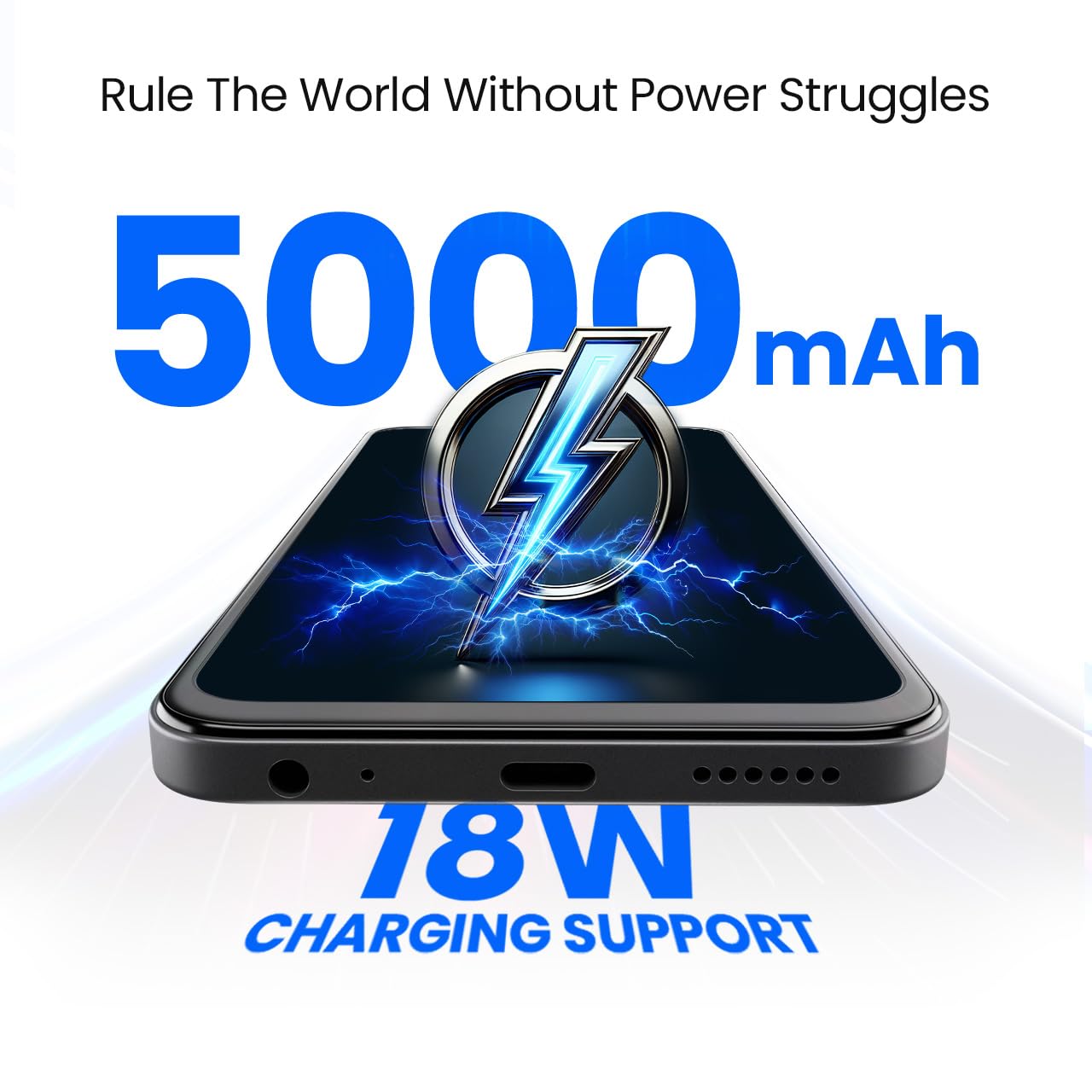
Kuva 3.1: Pohja view of the Tecno Spark 30C 5G, showing the USB-C charging port and speaker grille.
3.4. Käynnistäminen ja alkuasetukset
- Pidä virtapainiketta painettuna, kunnes Tecno-logo tulee näkyviin.
- Suorita alkuasetukset, mukaan lukien kielen valinta, Wi-Fi-yhteys, Google-tilin määrittäminen ja suojausasetukset, noudattamalla näytön ohjeita.
4. Laitteen käyttö
4.1. Perusnavigointi
Your Tecno Spark 30C 5G uses a touchscreen interface. Common gestures include tapping, swiping, pinching, and long-pressing.

Kuva 4.1: The Tecno Spark 30C 5G display showcasing its punch-hole design and 120Hz refresh rate capability.
4.2. Puheluiden soittaminen ja viestien lähettäminen
- Puhelut: Napauta Puhelin-kuvaketta, anna numero ja napauta soittopainiketta.
- Viestit: Napauta Viestit-kuvaketta, aloita uusi keskustelu, anna vastaanottaja ja viesti ja lähetä viesti.
4.3. Kameran käyttö
The Tecno Spark 30C 5G features a 48MP Sony AI Camera for high-quality photography.
- Avaa Kamera-sovellus.
- Valitse haluamasi tila (esim. Valokuvaus, Video, Muotokuva).
- Napauta laukaisinta ottaaksesi kuvan tai aloittaaksesi/lopettaaksesi tallennuksen.

Kuva 4.2: Close-up of the Tecno Spark 30C 5G's rear camera module, highlighting the 48MP Sony AI Camera lens.
4.4. Yhteysominaisuudet
- 5G-verkko: Enjoy high-speed internet connectivity. Ensure your SIM card and plan support 5G.
- Wi-Fi: Yhdistä langattomiin verkkoihin kohdassa Asetukset > Verkko ja internet > Wi-Fi.
- Bluetooth: Yhdistä muihin Bluetooth-laitteisiin kohdassa Asetukset > Yhdistetyt laitteet > Bluetooth.
- NFC: Use Near Field Communication for contactless payments and quick data transfer. Enable NFC in Settings > Connected devices > Connection preferences > NFC.
- IR-kaukosäädin: Utilize the built-in IR Blaster to control compatible home appliances. Access the IR Remote app to set up and manage devices.
4.5. Ääniasetukset (Dolby Atmos)
Enhance your audio experience with Dolby Atmos. Access settings via Settings > Sound & vibration > Dolby Atmos to customize sound profiles for music, movies, and games.
5. Huolto ja hoito
5.1. Laitteen puhdistaminen
Use a soft, lint-free cloth to clean the screen and body of your phone. Avoid abrasive materials or harsh chemicals. Do not spray cleaners directly onto the device.
5.2. Akun hoito
Pidennä akun käyttöikää seuraavasti:
- Vältä äärimmäisiä lämpötiloja.
- Älä anna akun tyhjentyä kokonaan säännöllisesti.
- Use the provided or a compatible 18W charger.
5.3. Ohjelmistopäivitykset
Tarkista ja asenna ohjelmistopäivitykset säännöllisesti varmistaaksesi optimaalisen suorituskyvyn ja suojauksen. Siirry kohtaan Asetukset > Järjestelmä > Järjestelmäpäivitys.
5.4. IP54 Dust and Splash Resistance
The Tecno Spark 30C 5G is rated IP54 for dust and splash resistance. This means it is protected against limited dust ingress and water splashes from any direction. It is not waterproof. Avoid submerging the device in water or exposing it to high-pressure water jets.
6. Vianmääritys
Jos laitteessasi ilmenee ongelmia, kokeile seuraavia ratkaisuja:
| Ongelma | Ratkaisu |
|---|---|
| Laite ei käynnisty | Varmista, että akku on ladattu. Paina virtapainiketta ja pidä sitä painettuna vähintään 10–15 sekuntia. |
| Huono verkkosignaali | Tarkista SIM-kortin asetus. Siirry alueelle, jossa on parempi verkkoyhteys. Käynnistä laite uudelleen. |
| Sovellukset kaatuvat tai jumiutuvat | Close background apps. Clear app cache (Settings > Apps > [App Name] > Storage & cache). Restart the device. |
| Akku tyhjenee nopeasti | Reduce screen brightness. Disable unused features like Wi-Fi, Bluetooth, GPS. Check battery usage in Settings to identify power-hungry apps. |
| Kamera ei toimi | Restart the camera app. Clear camera app cache. Restart the phone. |
Jos ongelmat jatkuvat, ota yhteyttä asiakastukeen tai käy valtuutetussa huoltokeskuksessa.
7. Tekniset tiedot
Key technical specifications for the Tecno Spark 30C 5G:
| Ominaisuus | Yksityiskohta |
|---|---|
| Käyttöjärjestelmä | Android 14 |
| Prosessori | 6nm D6300 5G Processor |
| RAM | 4 Gt (jopa 8 Gt Memory Fusionilla) |
| Sisäinen tallennustila | 64 Gt (laajennettavissa microSD-kortilla) |
| Takakamera | 48MP Sony AI Camera |
| Akun kapasiteetti | 5000 mAh |
| Lataus | 18 W:n pikalataustuki |
| Yhteydet | 5G, Wi-Fi, Bluetooth, NFC, USB |
| Erikoisominaisuudet | IR Remote, Dolby Atmos, IP54 Dust and Splash Resistance |
| Mitat | 16.5 x 7.7 x 0.8 cm |
| Paino | 189 g |
8. Takuu ja tuki
8.1. Takuutiedot
Your Tecno Spark 30C 5G is covered by a limited manufacturer's warranty. Please refer to the warranty card included in your product packaging for specific terms and conditions, including warranty period and coverage details. Keep your proof of purchase for warranty claims.
8.2. Asiakastuki
For technical assistance, service, or further inquiries, please contact Tecno customer support. You can find contact information on the official Tecno website or through the support section of your device settings.
Valmistaja: G Mobiles India
Lisätietoja saat viralliselta sivulta Tecno Store.