
Johdanto
This manual provides comprehensive instructions for the safe and efficient use of your Hello Kitty Wireless Bluetooth Light-Up Headphones. Please read this manual thoroughly before operating the device and retain it for future reference.

Kuva: Edessä view of the Hello Kitty Wireless Bluetooth Light-Up Headphones in white, featuring the iconic Hello Kitty face on the earcups and light-up cat ears on the headband.
Mitä laatikossa on
Varmista, että kaikki osat ovat mukana pakkauksen avaamisen yhteydessä:
- Hello Kitty Wireless Bluetooth Light-Up Headphones
- USB-latauskaapeli
- Käyttöopas (tämä asiakirja)
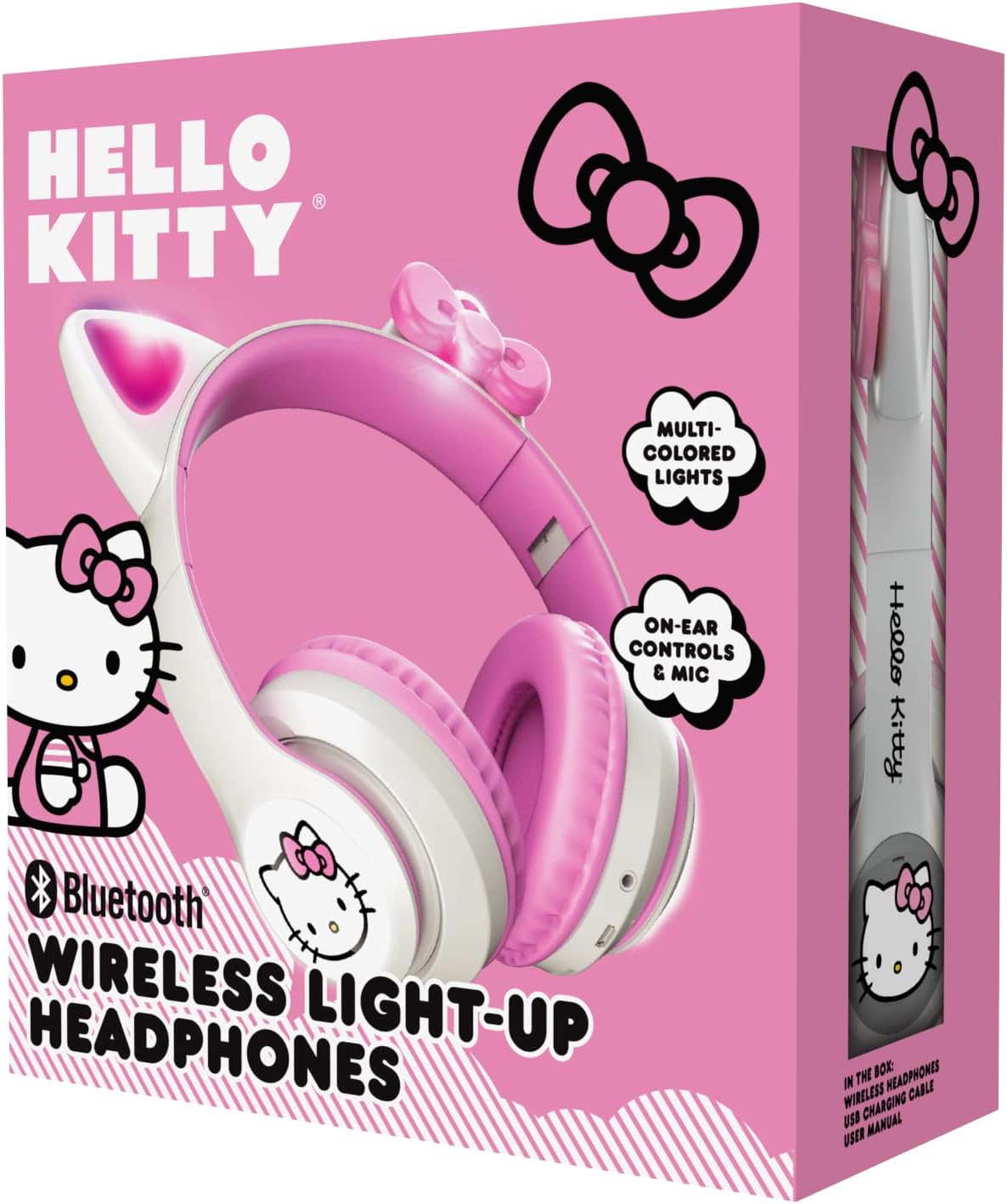
Image: The retail packaging for the Hello Kitty Wireless Bluetooth Light-Up Headphones, illustrating the headphones and the USB charging cable.
Tuotteen ominaisuudet
- Bluetooth-yhteys: Seamless wireless pairing with compatible devices.
- Light-Up LED Earcups & Cat Ears: Features Hello Kitty graphics on earcups and colorful LED lights in the ears. Lights can change with music or be turned on/off as desired.
- Taitettava ja kannettava muotoilu: Easy to store and carry, ideal for travel.
- Sisäänrakennettu mikrofoni: Enables hands-free calls, voice chats, and gaming communication.
- Säädettävä päänauha: Provides a custom and comfortable fit for various head sizes.
Asennus
1. Kuulokkeiden lataaminen
Before first use, fully charge the headphones. Connect the included USB charging cable to the charging port on the headphones and to a USB power source (e.g., computer, wall adapter). The LED indicator will show charging status and turn off or change color when fully charged.
2. Bluetooth-pariliitos
- Varmista, että kuulokkeet on kytketty pois päältä.
- Pidä virtapainiketta painettuna, kunnes LED-merkkivalo vilkkuu sinisenä ja punaisena osoittaen pariliitostilan.
- Ota Bluetooth käyttöön laitteellasi (älypuhelin, tabletti, kannettava tietokone) ja hae käytettävissä olevia laitteita.
- Select "Hello Kitty Headphones" from the list of devices.
- Kun laitepari on muodostettu, LED-merkkivalo palaa yleensä tasaisesti sinisenä tai vilkkuu hitaasti.
Note: If prompted for a password, enter "0000".
Käyttöohjeet
Virta päälle/pois
- Virran kytkeminen: Paina virtapainiketta ja pidä sitä painettuna noin 3 sekuntia.
- Virran sammuttaminen: Paina virtapainiketta ja pidä sitä painettuna noin 5 sekuntia.
Äänenvoimakkuuden säätö
- Ääni kovemmalle: Paina + -painiketta.
- Äänenvoimakkuutta pienemmälle: Paina '-'-painiketta.
Musiikin toisto
- Toista/tauko: Press the Multi-function button (often the Power button when not powering on/off).
- Seuraava kappale: Paina ja pidä pohjassa '+'-painiketta.
- Edellinen kappale: Paina ja pidä '-'-painiketta painettuna.
Puhelujen hallinta
- Puhelun vastaaminen/lopetus: Paina monitoimipainiketta.
- Hylkää puhelu: Pidä monitoimipainiketta painettuna.
- Uudelleenvalinta viimeinen numero: Paina monitoimipainiketta kahdesti.
LED-valonohjaus
The LED lights on the earcups and cat ears can be controlled independently. Locate the dedicated light button (refer to the diagram in the included quick start guide if available). Press the button to cycle through light modes (e.g., blinking, solid, off).
Säätö ja taitto
- Säädä päänauha: Gently slide the earcups up or down along the headband to achieve a comfortable fit.
- Taita säilytystä varten: The earcups can be folded inwards towards the headband for compact storage and portability.

Image: The Hello Kitty Wireless Bluetooth Light-Up Headphones shown in their folded position, demonstrating their portability.
Huolto
- Puhdistus: Pyyhi kuulokkeet pehmeällä, kuivalla liinalla. Älä käytä hankaavia puhdistusaineita äläkä upota niitä veteen.
- Varastointi: Store the headphones in a cool, dry place away from direct sunlight and extreme temperatures. Utilize the foldable design for compact and safe storage.
- Akun hoito: Akun käyttöiän pidentämiseksi lataa kuulokkeet säännöllisesti, vaikka niitä ei käytettäisikään usein. Vältä akun tyhjentymistä kokonaan pitkiä aikoja.
Vianetsintä
| Ongelma | Mahdollinen ratkaisu |
|---|---|
| Kuulokkeet eivät käynnisty. | Varmista, että kuulokkeet ovat täyteen ladatut. Liitä virtalähteeseen ja yritä uudelleen. |
| Laitteen pariliitos ei onnistu. |
|
| Ei ääntä tai äänenvoimakkuus on alhainen. |
|
| LED-valot eivät toimi. | Press the dedicated light control button to cycle through modes or turn them on. Ensure headphones have sufficient battery. |
Tekniset tiedot
- Mallin nimi: Hello Kitty Wireless Bluetooth Light-Up Headphones with Built-in Microphone, Foldable Design, Adjustable Headband, 8 Hours Playtime, LED Kitty Earcups, for Kids & Adults (White)
- Mallinumero: HKLEDBTHP2-WH-MFN
- Yhteystekniikka: Langaton (Bluetooth)
- Bluetooth-versio: 5.0
- Kuulokkeen muoto: Korvassa
- Materiaali: Muovi
- Tuotteen paino: 0.27 kiloa (9.6 unssia)
- Akku: 1 epästandardi akku (sisältyy toimitukseen)
- Erikoisominaisuudet: Adjustable Headband, Foldable, Lightweight, Light-Up LED Earcups & Cat Ears, Built-in Microphone
- Yhteensopivat laitteet: Älypuhelimet, tabletit, kannettavat tietokoneet
- Valmistaja: Southern Telecom
- UPC: 680079035358
Takuu ja tuki
For warranty information and technical support, please refer to the contact details provided on the product packaging or visit the official Hello Kitty or Southern Telecom websivusto. Säilytä ostokuitti takuuvaatimuksia varten.