
Johdanto
Kiitos ostoksestasiasing the MangoKit MS1 DAB Radio with CD Player. This compact wooden Hi-Fi stereo system offers a versatile audio experience, combining DAB/DAB+ and FM radio, a CD player, Bluetooth connectivity, and USB playback/charging capabilities. This manual provides detailed instructions for setup, operation, and maintenance to ensure optimal performance and longevity of your device.
Turvallisuustiedot
- Lue kaikki ohjeet huolellisesti ennen käyttöä ja säilytä ne myöhempää tarvetta varten.
- Älä altista laitetta sateelle, kosteudelle tai äärimmäisille lämpötiloille.
- Varmista asianmukainen ilmanvaihto; älä tuki mitään tuuletusaukkoja.
- Käytä vain laitteen mukana toimitettua virtalähdettä.
- Älä yritä purkaa tai muokata laitetta. Jätä kaikki huoltotyöt pätevän henkilöstön tehtäväksi.
- Pidä laite poissa vahvoista magneettikentistä.
- Puhdista laite pehmeällä, kuivalla liinalla. Älä käytä nestemäisiä puhdistusaineita tai aerosoleja.
Pakkauksen sisältö
Tarkista, että kaikki osat ovat mukana:
- MangoKit MS1 Main Unit
- Kaukosäädin
- Virtalähde
- Käyttöopas (tämä asiakirja)
Tuote loppuview
Etupaneeli ja säätimet

The image above displays the front of the MangoKit MS1 unit, highlighting its primary functions: CD playback, FM radio, Bluetooth connectivity, and alarm clock features. The central display shows operational information, while buttons and a rotary dial provide control over various modes and settings.
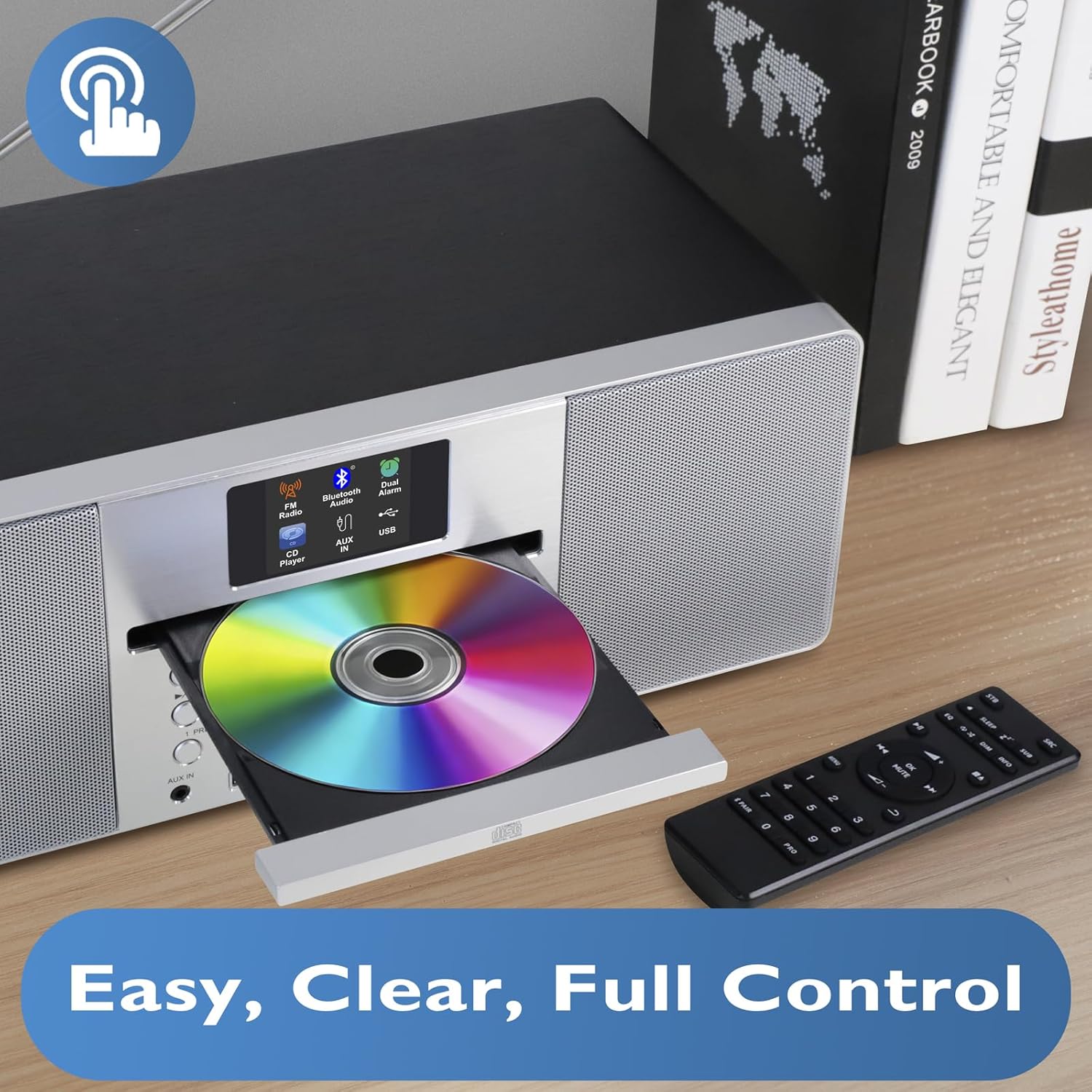
Tämä kuva antaa lähemmän kuvan view of the CD player with its tray open, ready for disc insertion. The remote control is also visible, indicating convenient wireless operation for all functions, including CD playback, radio tuning, and volume adjustment.
Takapaneeli ja liitännät
The rear panel typically includes the power input, antenna connection, and potentially additional audio input/output ports. Refer to the physical unit for exact port locations.
Asennus
1. Purkaminen
Poista laite ja kaikki lisävarusteet varovasti pakkauksesta. Säilytä pakkaus myöhempää kuljetusta tai säilytystä varten.
2. Virtaliitäntä
- Insert the DC plug of the power adapter into the DC IN socket on the rear of the MS1 unit.
- Plug the power adapter into a standard AC wall outlet (100-240V, 50/60Hz).
3. Antenniasetukset
Extend the telescopic antenna fully for optimal DAB/DAB+ and FM radio reception. Adjust its position to achieve the best signal quality.
4. Ensimmäinen käynnistys
Press the Power button on the unit or remote control. The display will illuminate, and the unit will typically enter standby or the last used mode. Upon first use, it may initiate an automatic DAB scan.
Käyttöohjeet
Yleinen toiminta
- Virta päälle/pois: Paina virtapainiketta.
- Äänenvoimakkuuden säätö: Use the Volume knob or +/- buttons on the remote.
- Tilan valinta: Press the Mode button to cycle through DAB, FM, CD, Bluetooth, and USB modes.
- Valikon navigointi: Use the navigation buttons (Up/Down/Left/Right) and Select/OK button to browse menus and confirm selections.
DAB/DAB+ and FM Radio
The MS1 allows you to enjoy a wide range of digital and analog radio stations with superior sound quality.
- Valitse radiotila: Press the Mode button until DAB or FM is selected.
- Auto Scan (DAB): Upon first use or if stations are not found, the unit will perform an auto-scan for DAB stations. You can also initiate a scan from the menu.
- Tuning (FM): In FM mode, use the tuning buttons to manually tune or auto-scan for stations.
- esiasetukset: Store up to 20 favorite stations by pressing and holding the Preset button, then selecting a preset number. Recall stations by pressing the Preset button and selecting the desired number.
CD-soitin
Play your favorite audio CDs with the integrated CD player.
- Aseta CD: Gently press the Eject button to open the CD tray. Place a CD with the label side up into the tray and close it.
- Valitse CD-tila: Press the Mode button until CD is selected. The unit will begin playing automatically.
- Toistosäätimet: Use Play/Pause, Stop, Skip Forward/Backward buttons on the unit or remote for control.
Bluetooth-yhteys
Suoratoista musiikkia langattomasti älypuhelimesta, tabletista tai muista Bluetooth-laitteista.

This image illustrates the MS1 unit wirelessly connected to a smartphone via Bluetooth, demonstrating its capability for streaming music. The display shows 'Bluetooth' mode, indicating a successful connection for audio playback.
- Valitse Bluetooth-tila: Press the Mode button until Bluetooth is selected. The unit will enter pairing mode, indicated on the display.
- Pariliitos: On your device, enable Bluetooth and search for 'MS1'. Select it to pair.
- Toista musiikkia: Once paired, play audio from your device, and it will stream through the MS1.
USB-toisto ja -lataus
The MS1 features two dedicated USB ports for MP3 file playback and device charging.
- USB-toisto: Aseta USB-asema, jossa on MP3 files into the designated USB port. Select USB mode to browse and play files.
- USB-lataus: Connect your device (e.g., smartphone) to the 1A USB charging port using a compatible USB cable. The unit will provide power to charge your device.
Herätyskello torkkutoiminnolla
Set dual alarms to wake up to your favorite radio station or a buzzer.

This image shows the MS1 unit positioned on a bedside table, accompanied by headphones. This setup highlights its utility as an alarm clock and its capability for private listening, allowing users to enjoy audio without disturbing others.
- Hälytysten asettaminen: Access the Alarm settings via the menu. Set the desired time, alarm source (DAB/FM/Buzzer), and volume for Alarm 1 and Alarm 2.
- Torkkutoiminto: When an alarm sounds, press the Snooze button to temporarily silence it for a short period.
Kuulokkeiden käyttö
For private listening, connect standard 3.5mm headphones to the headphone jack located on the unit. The main speakers will mute automatically.
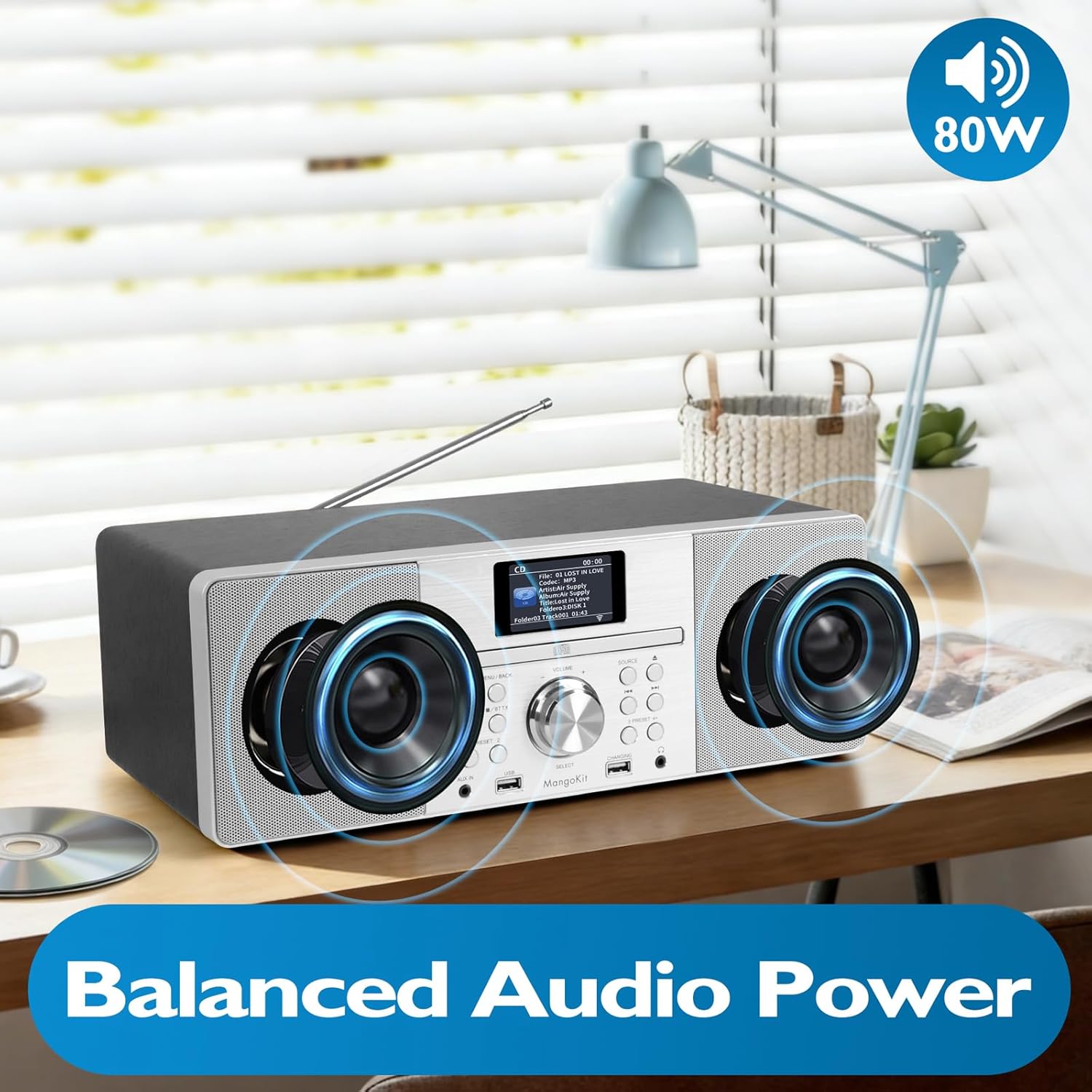
This image focuses on the internal speaker design of the MangoKit MS1, illustrating its balanced audio power. It visually represents the stereo sound delivery through its custom, high-quality speakers, contributing to a rich audio experience.
Huolto
Puhdistus
- Katkaise virta ennen puhdistusta.
- Pyyhi ulkopinnat pehmeällä, kuivalla ja nukkaamattomalla liinalla.
- Älä käytä hankaavia puhdistusaineita, vahoja tai liuottimia.
- Käytä CD-linssin puhdistamiseen tarvittaessa erityistä CD-linssin puhdistussarjaa.
Varastointi
If storing the unit for an extended period, disconnect it from the power supply and store it in a cool, dry place, preferably in its original packaging.
Vianetsintä
| Ongelma | Mahdollinen syy | Ratkaisu |
|---|---|---|
| Ei virtaa | Virtasovitin ei ole kytketty; pistorasia ei ole aktiivinen. | Check power adapter connection; try a different outlet. |
| Ei ääntä | Volume too low; headphones connected; incorrect mode. | Increase volume; disconnect headphones; select correct mode. |
| Huono radiovastaanotto | Antenna not extended/positioned correctly; weak signal. | Extend and adjust the telescopic antenna; try repositioning the unit. |
| CD-levy ei soi | CD inserted incorrectly; disc dirty/scratched; incorrect mode. | Re-insert CD label side up; clean or replace disc; select CD mode. |
| Bluetooth-pariliitos epäonnistui | Device not in pairing mode; MS1 not discoverable; device too far. | Ensure MS1 is in Bluetooth pairing mode; restart Bluetooth on your device; move device closer. |
Tekniset tiedot
- Malli: MS1
- Merkki: MangoKit
- Yhteystekniikka: USB, Bluetooth
- Virtalähde: AC Power (via adapter)
- Wattage: 20 wattia
- Tuotteen mitat (P x L x K): 38 x 21 x 14 cm
- Ominaisuudet: DAB/DAB+ Radio, FM Radio, CD Player, Bluetooth Streaming, USB Playback, USB Charging (1A), Dual Alarms, Headphone Port
Takuu ja tuki
For warranty information and technical support, please refer to the documentation provided at the time of purchase or contact MangoKit customer service. Keep your proof of purchase for warranty claims.