
1. Johdanto
Thank you for choosing the Edifier X1 Lite True Wireless Earbuds. This manual provides detailed instructions for setting up, operating, and maintaining your new earbuds to ensure optimal performance and longevity. Please read this manual thoroughly before use.

Image: Edifier X1 Lite True Wireless Earbuds in their open charging case.
2. Mitä laatikossa on
The Edifier X1 Lite package includes the following components:
- Edifier X1 Lite True Wireless -nappikuulokkeet (vasen ja oikea)
- Latauskotelo
- USB-latauskaapeli
- Käyttöopas (tämä asiakirja)
3. Asennus
3.1 Ensimmäinen lataus
Lataa nappikuulokkeet ja latauskotelo täyteen ennen ensimmäistä käyttökertaa.
- Aseta molemmat kuulokkeet latauskoteloon.
- Liitä USB-latauskaapeli kotelon latausporttiin ja virtalähteeseen (esim. USB-seinälaturiin tai tietokoneen USB-porttiin).
- The indicator light on the charging case will show charging status. Refer to the LED indicator section for details.
- Kotelon ja nappikuulokkeiden täysi lataus kestää yleensä noin 1.5 tuntia.
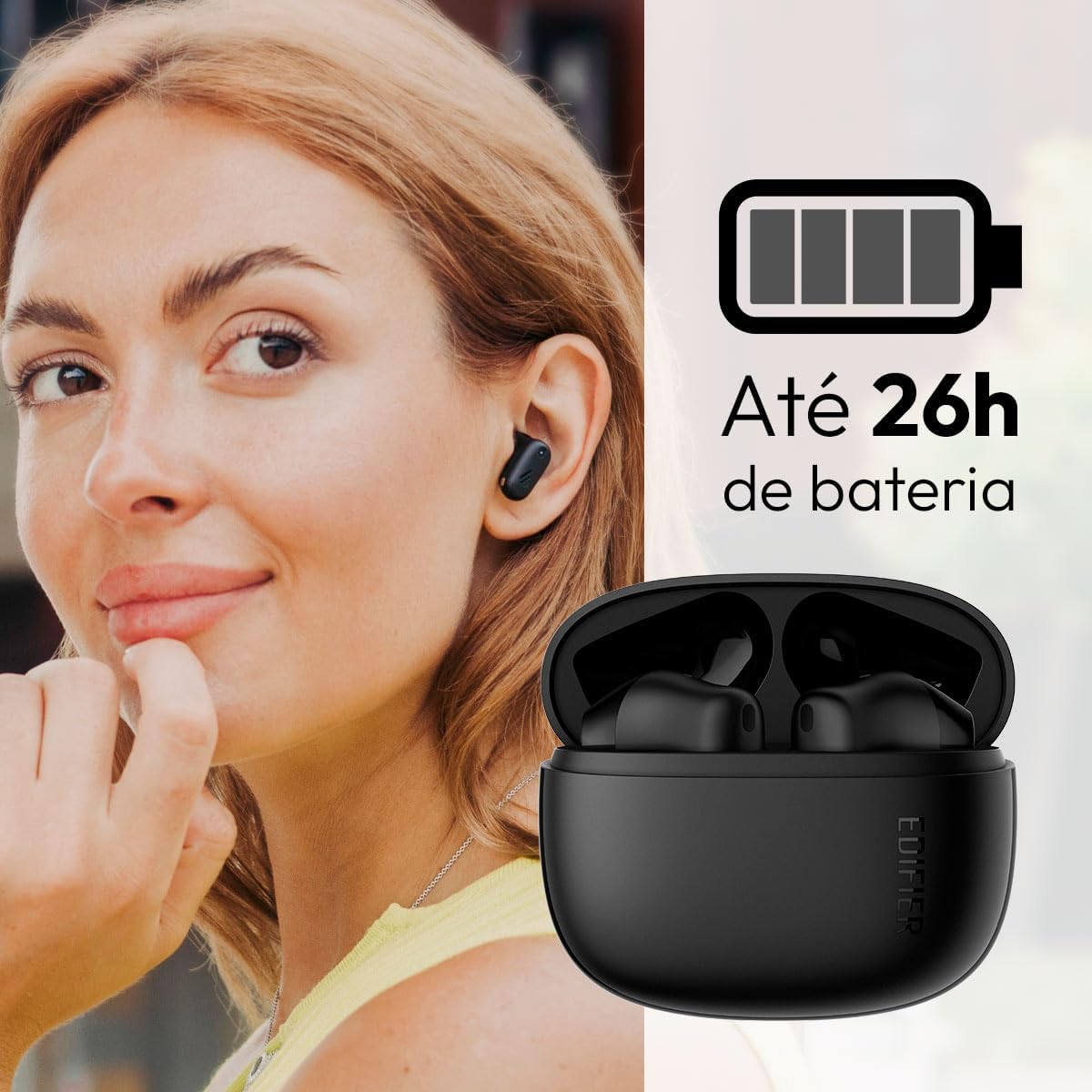
Image: Woman wearing an earbud, with the charging case and a battery icon indicating charging.
Pikalatausominaisuus:
A 15-minute quick charge can provide approximately 1.5 hours of playtime for the earbuds.

Image: Visual representation of battery life and fast charging capabilities.
3.2 Bluetooth -pariliitos
Follow these steps to pair your Edifier X1 Lite earbuds with your device:
- Ensimmäinen pariliitos: Open the charging case. The earbuds will automatically power on and enter pairing mode. The indicator light on the earbuds will flash rapidly.
- Ota Bluetooth käyttöön laitteellasi (älypuhelin, tabletti, kannettava tietokone).
- Etsi "EDIFIER X1 Lite" käytettävissä olevien Bluetooth-laitteiden luettelossa.
- Select "EDIFIER X1 Lite" to connect. Once connected, the indicator lights on the earbuds will turn off, and you will hear a confirmation tone.
- Re-pairing/Connecting to a New Device: If the earbuds are already connected to another device, disconnect them first. Alternatively, with the earbuds in the case and the lid open, press and hold the button on the charging case for 3 seconds to enter pairing mode.

Image: Man using earbuds, highlighting Bluetooth 5.4 connectivity.
3.3 Edifier ConneX App Installation
For enhanced features and customization, download the EDIFIER ConneX app:
- Scan the QR code provided in the image below or visit the official Edifier app download page.
- Asenna sovellus älypuhelimeesi tai tablettiisi.
- Open the app and follow the on-screen instructions to connect your X1 Lite earbuds.
- The app allows for sound effect customization, game mode activation, and touch control settings.

Image: EDIFIER ConneX app interface with QR code. Download the Edifier ConneX App
4. Käyttöohjeet
4.1 Korvanappikuulokkeiden käyttö
Proper fit ensures optimal sound quality and comfort:
- Tunnista vasen (L) ja oikea (R) nappikuuloke.
- Aseta jokainen korvanappi varovasti vastaavaan korvakäytävään.
- Kierrä korvanappia hieman, kunnes se tuntuu tukevalta ja mukavalta.

Image: Man demonstrating proper earbud placement.
4.2 Virta päälle/pois
- Virta päälle: Kuulokkeet käynnistyvät automaattisesti, kun ne poistetaan latauskotelosta.
- Virta pois: Kuulokkeet sammuvat automaattisesti ja alkavat latautua, kun ne asetetaan takaisin latauskoteloon ja kansi suljetaan.
4.3 Kosketusohjaimet
The Edifier X1 Lite earbuds feature touch-sensitive controls on each earbud. These controls can be customized via the EDIFIER ConneX app.
| Toiminta | Vasen nappikuuloke (L) | Oikea kuuloke (R) |
|---|---|---|
| Vastaa / Lopeta puhelu | Kaksoisnapautus | Kaksoisnapautus |
| Hylkää puhelu | Triple Tap | Triple Tap |
| Toista/keskeytä musiikki | Kaksoisnapautus | Kaksoisnapautus |
| Seuraava kappale | N/A (Customize via App) | Triple Tap |
| Edellinen kappale | Triple Tap | N/A (Customize via App) |
| Pelitila päälle/pois | Neljä napauta | Neljä napauta |
Note: These are default settings. Functions can be reconfigured using the EDIFIER ConneX app.

Image: Visual guide to earbud touch controls.
5. Huolto
5.1 Puhdistus
- Puhdista nappikuulokkeet ja latauskotelo säännöllisesti pehmeällä, kuivalla ja nukkaamattomalla liinalla.
- Älä käytä hankaavia puhdistusaineita, alkoholia tai kemiallisia liuottimia.
- Varmista, että sekä nappikuulokkeiden että kotelon latauskoskettimet ovat puhtaat ja vapaat roskista, jotta lataus jatkuu oikein.
5.2 Vedenkestävyys (IP54)
The Edifier X1 Lite earbuds are IP54 rated, meaning they are protected against dust ingress and splashing water from any direction. This makes them suitable for workouts and light rain.
- Älä upota nappikuulokkeita veteen.
- Latauskotelo ei ole vedenpitävä. Pidä se kuivana.
- If earbuds get wet, wipe them dry completely before placing them back in the charging case to prevent damage.

Image: Demonstrating IP54 sweat resistance during exercise.
5.3 Akun hoito
- Vältä nappikuulokkeiden ja kotelon altistamista äärimmäisille lämpötiloille (kuumille tai kylmille).
- Säilytä laitetta viileässä, kuivassa paikassa, kun sitä ei käytetä.
- Lataa laitetta säännöllisesti, vaikka sitä ei käytettäisi usein, akun kunnon ylläpitämiseksi.
6. Vianmääritys
If you encounter issues with your Edifier X1 Lite earbuds, refer to the following common problems and solutions:
6.1 Ei ääntä tai yhteys katkeilee
- Tarkista akku: Varmista, että sekä nappikuulokkeet että latauskotelo ovat riittävän latautuneita.
- Korjaus: Disconnect the earbuds from your device's Bluetooth settings and then re-pair them.
- Etäisyys: Ensure the earbuds are within the Bluetooth range (typically 10 meters) of your device.
- Häiriöt: Move away from strong Wi-Fi signals or other Bluetooth devices that might cause interference.
- Palauta: Place both earbuds in the charging case, close the lid, wait a few seconds, then open the lid and try pairing again.
6.2 Kuulokkeet eivät lataudu
- Tarkista kaapeli: Ensure the USB charging cable is securely connected to both the case and the power source.
- Virtalähde: Kokeile toista USB-porttia tai seinäsovitinta.
- Puhdista yhteystiedot: Clean the charging contacts on the earbuds and inside the charging case with a dry cotton swab.
- Oikea sijoitus: Varmista, että nappikuulokkeet ovat oikein latauskotelossa.
6.3 Huono puhelun laatu
- Mikrofonin estäminen: Ensure the microphone on the earbuds is not covered.
- Ympäristö: Move to a quieter environment if possible. The AI algorithm helps, but extreme noise can still affect clarity.
- Yhteyden vakaus: Varmista vakaa Bluetooth-yhteys.

Image: Man using earbuds for a clear call, highlighting AI voice pick-up technology.
6.4 Sovellusyhteysongelmat
- Bluetooth päällä: Ensure Bluetooth is enabled on your device and the earbuds are connected.
- Sovelluksen käyttöoikeudet: Check if the EDIFIER ConneX app has necessary Bluetooth and location permissions.
- Käynnistä sovellus/laite uudelleen: Sulje ja avaa sovellus uudelleen tai käynnistä älypuhelin uudelleen.
- Sovelluspäivitys: Varmista, että sovellus on päivitetty uusimpaan versioon.
7. Tekniset tiedot
| Ominaisuus | Yksityiskohta |
|---|---|
| Mallin nimi | X1 Lite |
| Yhteystekniikka | Langaton (Bluetooth) |
| Bluetooth-versio | 5.4 |
| Ääniohjaimen tyyppi | Dynamic Driver (Φ13mm) |
| Taajuusalue | 20Hz-20kHz |
| Akun kesto | Jopa 7 tuntia (nappikuulokkeet), jopa 26 tuntia (latauskotelon kanssa) |
| Pikalataus | 15 minuutin latauksella 1.5 tuntia soittoaikaa |
| Matala latenssi | 60 ms |
| Vedenkestävyys | IP54 (vain nappikuulokkeet) |
| Mikrofoni | Single Mic AI algorithm voice pick-up |
| Valvontamenetelmä | Touch Control, App (EDIFIER ConneX) |
| Materiaali | Muovi |
| Korvanapin paino | Noin 4 g nappikuuloketta kohden |
| Väri | Musta |
8. Takuu ja tuki
Edifier products are designed with quality and reliability in mind. For warranty information and customer support, please refer to the official Edifier websivustolta tai ota yhteyttä suoraan heidän asiakaspalveluunsa.
- Virallinen Websivusto: Vierailla www.edifier.com tuotteen rekisteröintiä, usein kysyttyjä kysymyksiä ja tukiresursseja varten.
- Asiakaspalvelu: Contact Edifier customer support for technical assistance or warranty claims. Contact details can typically be found on the official websivustolla tai tuotteen pakkauksessa.
Säilytä ostokuittisi takuun voimassaoloa varten.