
Johdanto
Thank you for choosing the Vieta Pro Silence 3 Bluetooth 5.4 Active Noise Cancelling Headphones. These headphones are designed to provide a superior audio experience with advanced features for comfort and convenience. Please read this manual carefully before using your headphones to ensure proper operation and to maximize their lifespan.
Pakkauksen sisältö
- Vieta Pro Silence 3 Headphones
- USB-C latauskaapeli
- 3.5 mm audiokaapeli
- Käyttöopas
Tuote loppuview
Familiarize yourself with the various parts and controls of your Vieta Pro Silence 3 headphones.
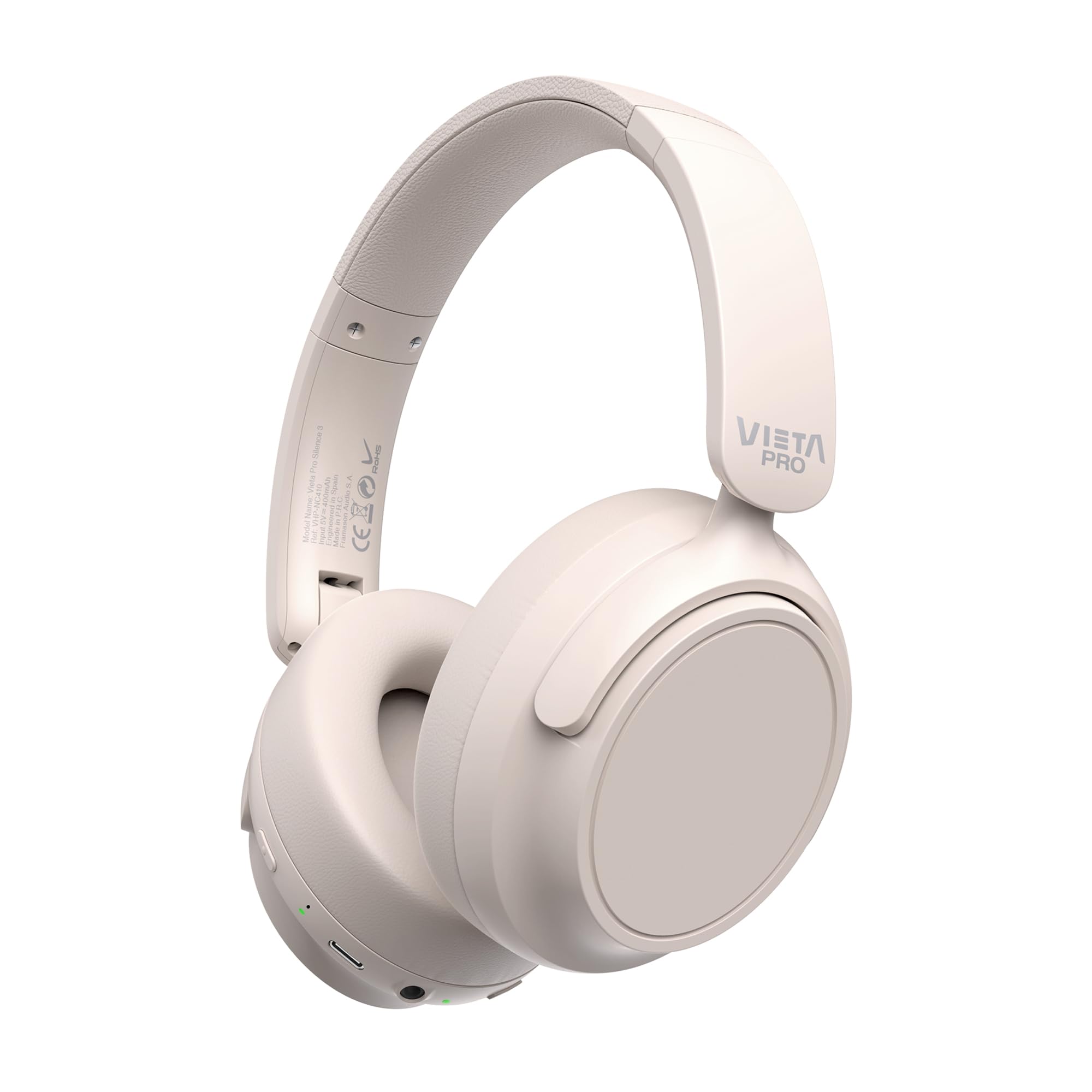
Kuva: Edessä view of the Vieta Pro Silence 3 headphones, showcasing niiden yleinen suunnittelu.

Kuva: Sivu view of the Vieta Pro Silence 3 headphones, highlighting the earcups and adjustable headband.

Image: Close-up of a Vieta Pro Silence 3 earcup, illustrating the control buttons, charging port, and 3.5mm audio jack.
The headphones feature a foldable design for easy portability.

Image: Vieta Pro Silence 3 headphones in their folded state, demonstrating their compact design for travel and storage.
Asennus
1. Kuulokkeiden lataaminen
Before first use, fully charge your headphones. Connect the supplied USB-C cable to the charging port on the headphones and the other end to a USB power source (e.g., wall adapter, computer USB port).
- LED-merkkivalo näyttää latauksen tilan (esim. punainen latauksen aikana, sininen/sammunut täyteen ladattuna).
- Täydellä latauksella saa jopa 50 tuntia toistoaikaa.
- Fast charging via USB-C allows for quick power-ups.
2. Virta päälle / pois
- Virran kytkeminen: Paina virtapainiketta ja pidä sitä painettuna noin 3 sekuntia, kunnes LED-merkkivalo syttyy ja kuulet äänimerkin.
- Virran sammuttaminen: Paina virtapainiketta ja pidä sitä painettuna noin 3 sekuntia, kunnes LED-merkkivalo sammuu ja kuulet äänimerkin.
3. Bluetooth-pariliitos
- Varmista, että kuulokkeista on katkaistu virta.
- Paina virtapainiketta 5–7 sekuntia, kunnes LED-merkkivalo vilkkuu vuorotellen sinisenä ja punaisena osoittaen pariliitostilan olevan valmis.
- Ota Bluetooth käyttöön laitteellasi (älypuhelin, tabletti, tietokone) ja hae käytettävissä olevia laitteita.
- Select "Vieta Pro Silence 3" from the list of found devices.
- Once paired, the LED indicator will flash blue slowly, and you will hear a confirmation tone.
Kuulokkeet yrittävät automaattisesti muodostaa yhteyden uudelleen viimeksi pariliitettyyn laitteeseen, kun ne käynnistetään.
4. Wired Connection (Auxiliary Input)
You can use the headphones with a wired connection when Bluetooth is not available or preferred. Connect one end of the 3.5mm audio cable to the auxiliary input port on the headphones and the other end to your audio source's 3.5mm jack.
- When using the wired connection, Bluetooth functionality is disabled.
- Active Noise Cancellation (ANC) can still be used in wired mode.
Käyttöohjeet
1. Musiikin toisto
- Toista/tauko: Paina monitoimipainiketta kerran.
- Seuraava kappale: Pidä äänenvoimakkuuden lisäyspainiketta painettuna.
- Edellinen kappale: Pidä äänenvoimakkuuden vähennyspainiketta painettuna.
- Ääni kovemmalle: Paina lyhyesti äänenvoimakkuuden lisäyspainiketta.
- Äänenvoimakkuutta pienemmälle: Paina äänenvoimakkuuden vähennyspainiketta lyhyesti.
2. Puhelunhallinta
- Puhelun vastaaminen/lopetus: Paina monitoimipainiketta kerran.
- Hylkää puhelu: Pidä monitoimipainiketta painettuna 2 sekunnin ajan.
- Ääni-avustaja: Double-press the Multi-function button to activate your device's voice assistant (Siri, Google Assistant, etc.).
3. Aktiivinen melunvaimennus (ANC)
The ANC feature reduces ambient noise, allowing for a more immersive listening experience.
- ANC:n aktivointi/deaktivointi: Press the dedicated ANC button once. The LED indicator for ANC will light up (e.g., green) when active.
- ANC can be used independently or with Bluetooth/wired audio.
4. Dual Pairing Function
The Dual Pairing feature allows you to connect your headphones to two Bluetooth devices simultaneously.
- Pair the headphones with the first device as described in the "Bluetooth Pairing" section.
- Poista Bluetooth käytöstä ensimmäisessä laitteessa.
- Aseta kuulokkeet takaisin pariliitostilaan ja muodosta pariliitos toisen laitteen kanssa.
- Enable Bluetooth on the first device. The headphones should now be connected to both devices.
- Audio will play from the device that is actively transmitting.
Huolto
- Puhdista kuulokkeet pehmeällä, kuivalla liinalla. Älä käytä hankaavia puhdistusaineita tai liuottimia.
- Vältä kuulokkeiden altistamista äärimmäisille lämpötiloille, kosteudelle tai suoralle auringonvalolle.
- Store the headphones in a cool, dry place when not in use, preferably in their folded state to protect them.
- Älä yritä purkaa tai muokata kuulokkeita, sillä se mitätöi takuun.
Vianetsintä
| Ongelma | Mahdollinen ratkaisu |
|---|---|
| Kuulokkeet eivät käynnisty. | Varmista, että kuulokkeet ovat ladatut. Liitä ne virtalähteeseen USB-C-kaapelilla. |
| Pariliitos Bluetoothin kautta ei onnistu. |
|
| Ei ääntä tai äänenvoimakkuus on alhainen. |
|
| ANC ei toimi tehokkaasti. |
|
Tekniset tiedot
| Ominaisuus | Yksityiskohta |
|---|---|
| Mallin nimi | Hiljaa 3 |
| Mallinumero | RM |
| Yhteystekniikka | Bluetooth 5.4, langallinen (3.5 mm:n liitin) |
| Melunvaimennus | Aktiivinen melunvaimennus (ANC) |
| Akun kesto | Jopa 50 tuntia |
| Latausportti | USB-C (pikalataus) |
| Mikrofoni | Integrated for hands-free calls |
| Muototekijä | Circum-Auricular (Over-Ear) |
| Impedanssi | 32 ohmia |
| Erikoisominaisuudet | Dual Pairing, Foldable Design, Low Latency Mode |
Turvallisuustiedot
- Älä käytä kuulokkeita pitkään suurella äänenvoimakkuudella kuulovaurioiden välttämiseksi.
- Älä käytä kuulokkeita tilanteissa, joissa ympäristön äänien kuulemattomuus voi olla vaarallista (esim. autolla ajaminen, pyöräily, kävely liikenteessä).
- Pidä poissa lasten ulottuvilta.
- Hävitä tuote vastuullisesti paikallisten määräysten mukaisesti.
Takuu ja tuki
For warranty information and technical support, please refer to the documentation provided with your purchase or visit the official Vieta Pro websivusto. Säilytä ostokuitti takuuvaatimuksia varten.
Note: Information regarding specific warranty duration or direct support contacts was not available in the provided product data.