
1. Johdanto
The LAUNCH Creader Elite 2.0 is a professional OBD2 diagnostic tool designed for BMW, Mercedes-Benz, and Audi group vehicles. It offers comprehensive system diagnostics, advanced reset services, bi-directional control (active tests), and ECU coding capabilities. This manual provides essential information for operating and maintaining your device.
2. Turvallisuustiedot
- Suorita auton testaus aina hyvin ilmastoidussa tilassa.
- Wear eye protection and safety gloves when working on vehicles.
- Pidä laite kuivana ja puhtaana. Vältä altistamista äärimmäisille lämpötiloille tai kosteudelle.
- Älä yritä purkaa tai muokata laitetta. Ota yhteyttä pätevään huoltohenkilöstöön korjauksia varten.
- Ensure the vehicle's ignition is off before connecting or disconnecting the diagnostic tool.
3. Laite loppuview
The LAUNCH Creader Elite 2.0 features a 4-inch Android 8.0 touchscreen display, providing an intuitive interface for diagnostics. It is equipped with a 3000 mAh battery and 2x16GB memory for efficient operation and data storage.

Kuva: Edessä view of the LAUNCH Creader Elite 2.0 diagnostic tool, showing its touchscreen interface and control buttons.
4. Asennus ja alkukonfigurointi
- Virta päälle: Paina ja pidä virtapainiketta painettuna käynnistääksesi laitteen.
- Kielen valinta: Valitse haluamasi kieli näytön ohjeiden mukaisesti. Laite tukee 10 kieltä.
- Wi-Fi-yhteys: Navigate to 'Settings' and connect to a stable Wi-Fi network. This is crucial for software updates and online features.
- Ohjelmistopäivitys: After connecting to Wi-Fi, check for available updates in the 'Upgrade' section. Perform a one-click update to ensure you have the latest software and vehicle coverage.
5. Käyttöohjeet
5.1. Yhdistäminen ajoneuvoon
- Locate the vehicle's OBD2 port (usually under the dashboard).
- Connect the diagnostic cable from the Creader Elite 2.0 to the vehicle's OBD2 port.
- Käännä ajoneuvon sytytysvirta ON-asentoon (moottori sammutettu).
- The device will automatically power on or prompt you to select 'Diagnose'.
5.2. Täydellinen järjestelmän diagnostiikka
This function allows you to scan all available electronic control systems in the vehicle, including Engine (ENG), Anti-lock Braking System (ABS), Supplemental Restraint System (SRS), Transmission, Tire Pressure Monitoring System (TPMS), Electronic Parking Brake (EPB), Battery Management System (BMS), and Fuel systems. The device supports Auto VIN for quick vehicle identification.

Image: Diagram illustrating the comprehensive system diagnostic capabilities, showing various vehicle systems like engine, ABS, SRS, and TPMS, and the device performing a scan.
5.3. OBDII-toiminnot
The device provides standard OBDII functions for all OBDII/EOBD compliant vehicles (1994-2000 for EOBD/OBDII global vehicles, 1996-2025 for BBA group vehicles). These include:
- Lue/tyhjennä diagnostiikkakoodit (DTC)
- View Live Data Stream (text and graph format)
- Retrieve Freeze Frame Data
- I/M-valmiustila
- O2 -anturitesti
- Junan monitoritesti
- Komponenttitesti
- Vehicle Information Retrieval (VIN, CIN, CVN)
5.4. Special Functions (Reset Services)
The Creader Elite 2.0 offers over 100 reset functions specifically for Benz, BMW, and Audi group vehicles. These services assist in maintenance and repair tasks.

Image: A collage of icons representing various reset functions such as Oil Reset, ABS Bleeding, DPF Regeneration, Injector Coding, and TPMS Reset, available on the diagnostic tool.
Examples of supported reset functions include:
- Öljyn palautus
- ABS-verenvuoto
- Kaasuvivun kalibrointi
- EPB-palautus
- DPF: n uudistaminen
- Injektorin koodaus
- SAS-kalibrointi
- BMS-nollaus
- TPMS Reset
- AdBlue-nollaus
- Vaihteiston palautus
- Kattoluukun nollaus
- Istuimen kalibrointi
Note: Specific reset functions may vary by vehicle model and year.
5.5. Bi-directional Control (Active Test)
This feature allows the diagnostic tool to send commands to vehicle components and modules to test their functionality directly, without using the vehicle's controls. This helps in quickly pinpointing faulty parts.
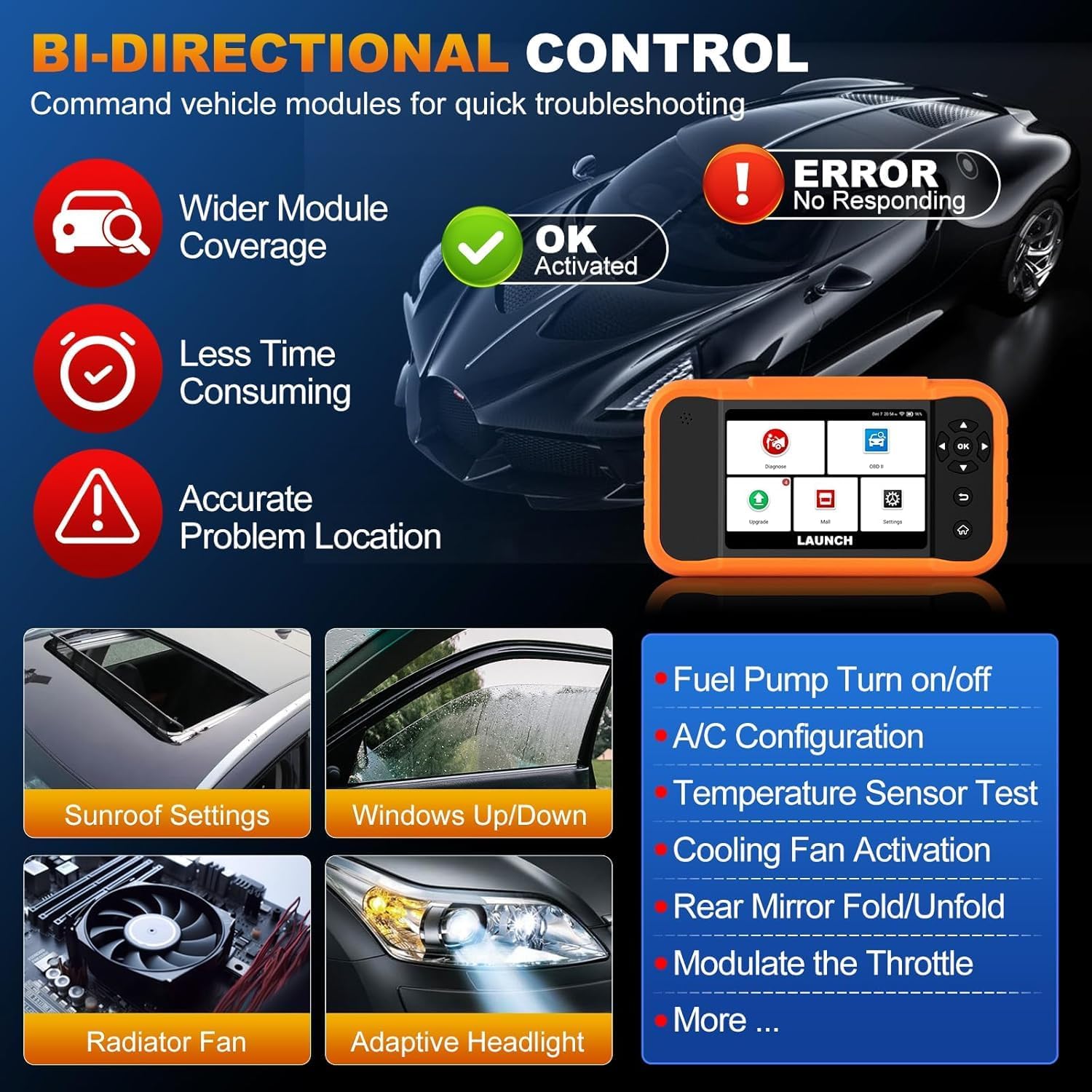
Image: Illustration of bi-directional control, showing the diagnostic tool sending commands to a car to test components like fuel pump, A/C, windows, and radiator fan, indicating successful activation or errors.
ExampAktiivisiin testeihin kuuluvat:
- Fuel Pump Turn on/off
- A/C Configuration
- Temperature Sensor Test
- Cooling Fan Activation
- Windows Up/Down
- Sunroof Settings
5.6. Ohjainyksikön koodaus
ECU Coding allows for customization of vehicle settings, re-flashing hidden functions, restoring data, and opening/closing comfort functions. It also supports adaptive data for replacement and complex ECU issue repair.
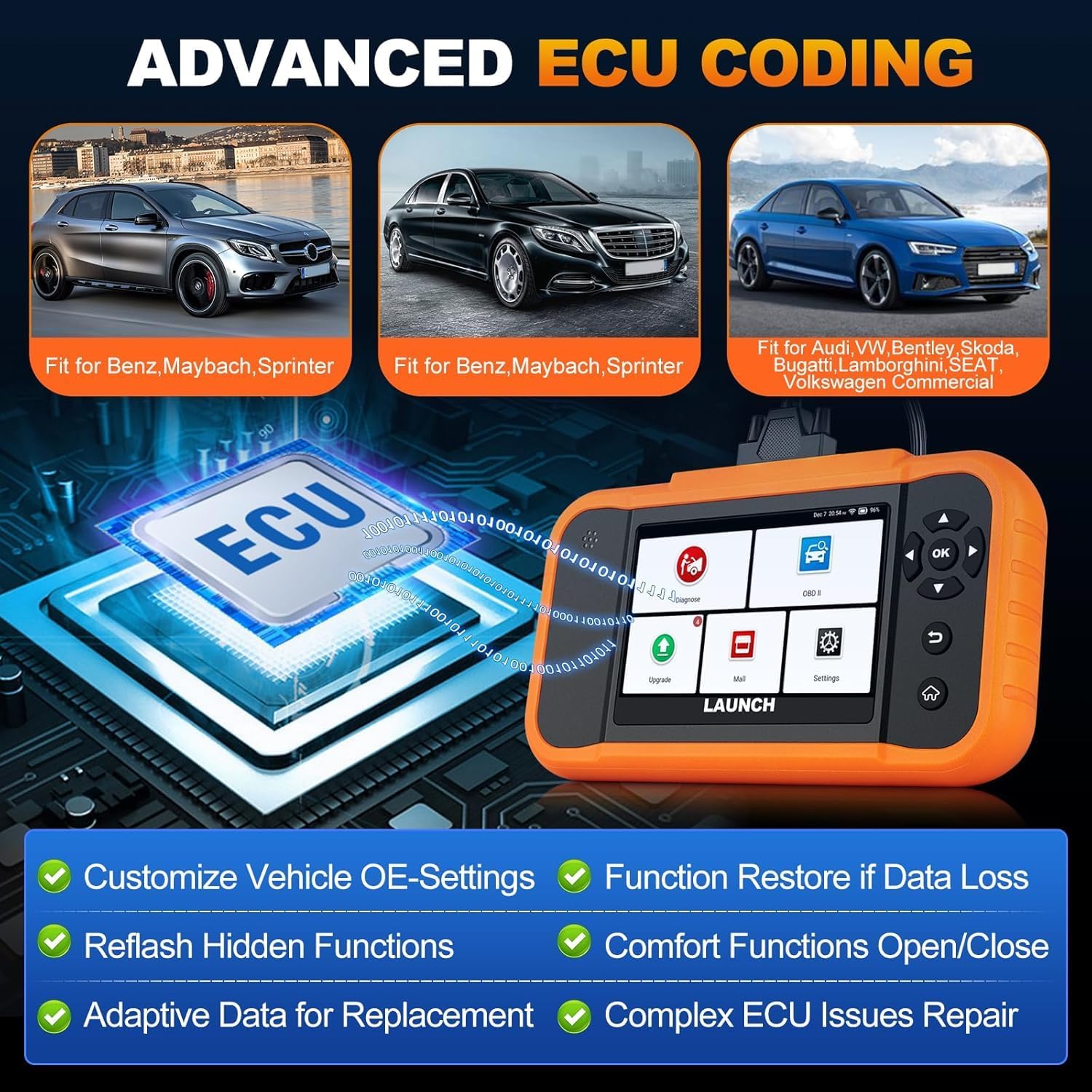
Image: A visual representation of ECU coding, showing a circuit board with 'ECU' text and the diagnostic tool, highlighting features like customizing OE-settings, re-flashing hidden functions, and restoring data.
5.7. Tiedonhallinta ja raportointi
The device facilitates efficient data handling:
- Automaattinen VIN-skannaus: Tunnistaa ajoneuvon tiedot automaattisesti nopeaa diagnostiikkaa varten.
- DTC-haku: Tarjoaa diagnostisten vikakoodien määritelmät.
- 4-in-1 reaaliaikainen datavirta: Displays multiple data parameters simultaneously for detailed analysis.
- Akun rekisteröinti: Supports battery registration functions.
- Diagnostiikkaraportti: Generates comprehensive health reports that can be shared or printed.
- Diagnostic History/Feedback: Stores diagnostic records and allows users to submit feedback to LAUNCH.

Image: A grid displaying various features of the diagnostic tool, including Auto VIN Scan, DTC Lookup, 4-in-1 Live Data Stream, Battery Registration, Online Diagnostic Feedback, and Diagnostic Report sharing.
6. Huolto
- Puhdistus: Käytä pehmeää, damp liinalla laitteen puhdistamiseen. Vältä hankaavia puhdistusaineita tai liuottimia.
- Varastointi: Säilytä laitetta kuivassa, viileässä paikassa, poissa suorasta auringonvalosta ja äärimmäisistä lämpötiloista.
- Akun hoito: Akun optimaalisen käyttöiän saavuttamiseksi vältä akun usein tapahtuvaa täydellistä purkamista. Lataa laite säännöllisesti.
7. Vianmääritys
- Laite ei käynnisty: Ensure the battery is charged or connect the device to the vehicle's OBD2 port for power.
- Yhteysongelmia ajoneuvon kanssa: Verify the OBD2 cable is securely connected to both the device and the vehicle. Ensure the vehicle's ignition is on.
- Software update problems: Check your Wi-Fi connection. If issues persist, try restarting the device and attempting the update again.
- Epätarkat lukemat tai toiminnot eivät toimi: Ensure the software is up to date. Verify the vehicle model and year are correctly selected.
8. Tekniset tiedot
| Ominaisuus | Erittely |
|---|---|
| Malli | YZB23-1 |
| Tuotteen paino | 900 g |
| Pakkauksen mitat | 25 x 18 x 8 cm |
| Akku | 1 AAA (included), 3000 mAh capacity |
| Muisti | 2 x 16 GB |
| Käyttöjärjestelmä | Android 8.0 |
| Näyttö | 4 tuuman kosketusnäyttö |
| Kielet | 10 tuettua kieltä |
| Yhteydet | Wi-Fi |
9. Takuu ja tuki
This product comes with a manufacturer's warranty. For warranty details, technical support, or any operational questions, please refer to the official LAUNCH website or contact your authorized dealer. Ensure you have your product model number (YZB23-1) and purchase information ready when seeking support.