
1. Johdanto
The LAMAX X5.2 is a versatile action camera designed to capture your adventures in high definition. Featuring real 4K video recording at 30 frames per second (FPS) and Full HD at 60 FPS, it ensures clear and detailed footage. The camera incorporates MAX Soft Electronic Stabilisation for smooth shots, even in dynamic environments. It is waterproof up to 40 meters with its included case, offers USB-C charging, a 2-inch LCD display, and Wi-Fi connectivity for easy file siirtää.

Kuva 1.1: Edessä view of the LAMAX X5.2 Action Camera, showcasinsen objektiivin ja kompaktin rakenteen ansiosta.
2. Pakkauksen sisältö
Before using your LAMAX X5.2 Action Camera, please verify that all items are present in the package:
- LAMAX X5.2 toimintakamera
- Waterproof Case (up to 40m)
- Mounting Accessories (various clips, mounts, and adhesive pads)
- USB-C latauskaapeli
- Puhdistusliina
- Ladattava akku
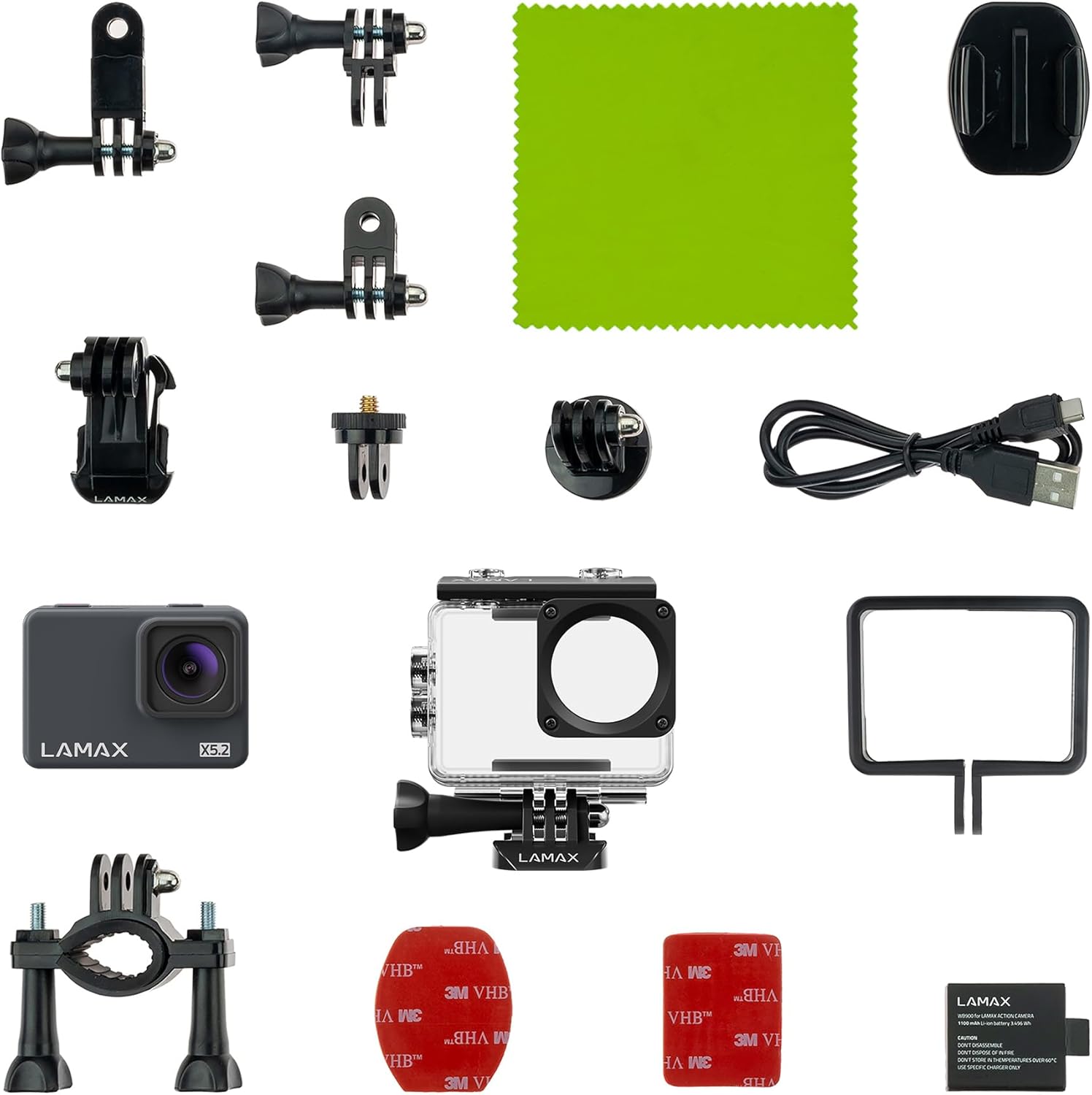
Image 2.1: All components included with the LAMAX X5.2 Action Camera, laid out for inspection.
3. Aloitus
3.1 Akun lataaminen
Before first use, fully charge the camera battery. Connect the camera to a USB power source (e.g., computer, wall adapter) using the provided USB-C cable. The charging indicator light will illuminate during charging and turn off when complete.
3.2 MicroSD-kortin asettaminen
The LAMAX X5.2 supports microSD cards up to 128 GB. Use a high-speed card (Class 10 or UHS-I/UHS-3 recommended) for optimal performance. Open the card slot cover, insert the microSD card with the contacts facing the correct direction until it clicks into place. To remove, press the card gently until it springs out.
3.3 Virran kytkeminen päälle/pois
- Virran kytkeminen: Paina virta-/tilapainiketta muutaman sekunnin ajan, kunnes näyttö syttyy.
- Virran sammuttaminen: Paina virta-/tilapainiketta uudelleen ja pidä sitä painettuna, kunnes näyttö sammuu.
4. Peruskäyttö
4.1 Valikon käyttö
Use the Power/Mode button to cycle through different modes (Video, Photo, Playback, Settings). Use the Up/Down buttons (if available, or the Shutter button for selection) to navigate within menus and adjust settings on the 2-inch LCD display. The multilingual menu allows for easy customization.
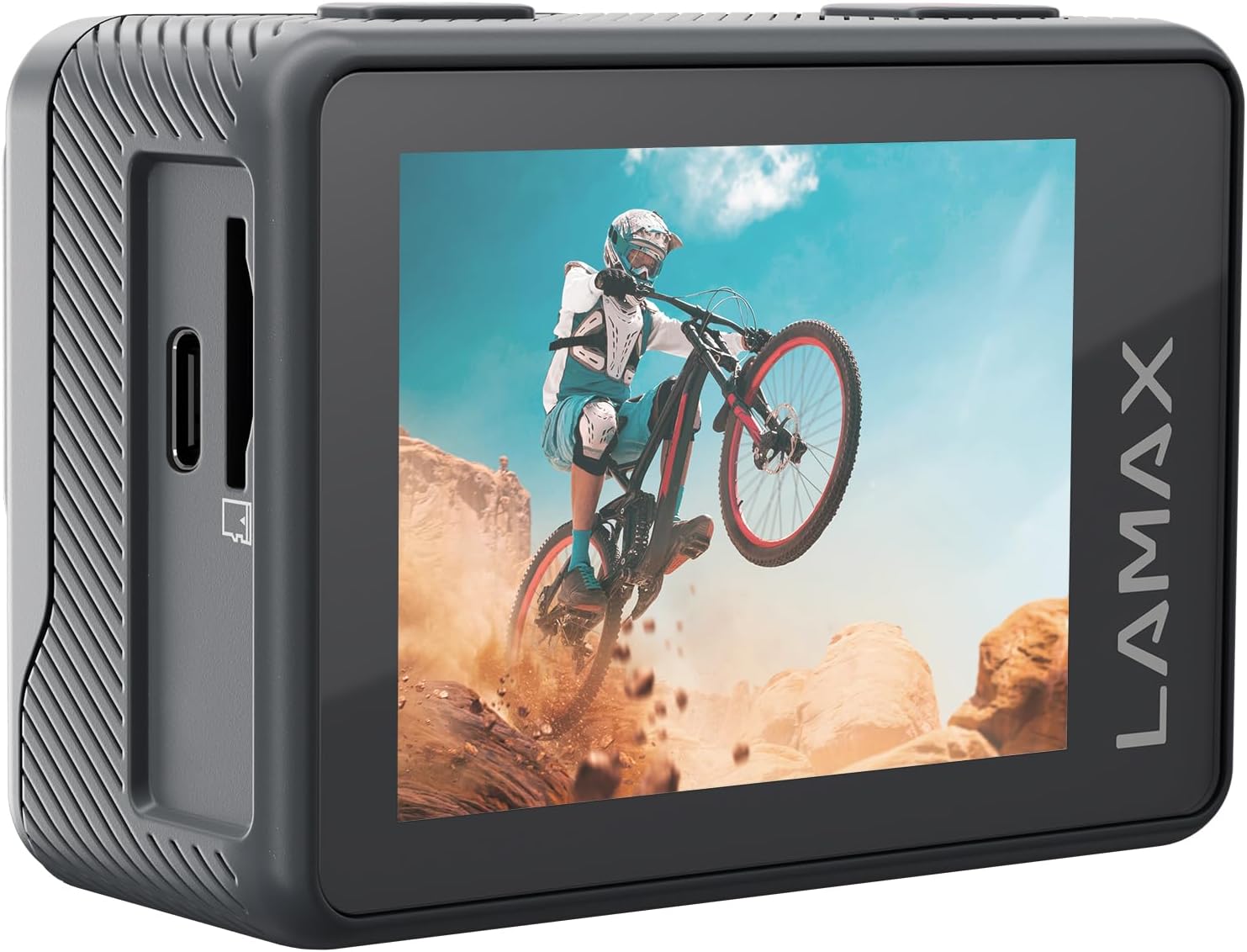
Kuva 4.1: Takaosa view of the LAMAX X5.2 Action Camera, showing the 2-inch LCD screen displaying captured action footage.
4.2 Videon tallennus
In Video mode, press the Shutter button to start recording. Press it again to stop. The camera supports real 4K at 30 FPS and Full HD at 60 FPS. MAX Soft Electronic Stabilisation helps achieve smooth video footage.
4.3 Valokuvien ottaminen
In Photo mode, press the Shutter button to take a picture.
4.4 Wi-Fi-yhteys
Activate Wi-Fi in the camera settings. Download the official LAMAX app on your smartphone or tablet. Connect to the camera's Wi-Fi network. This allows for fast and wireless transfer of footage and remote control of the camera.
5. Lisäominaisuudet
The LAMAX X5.2 offers several creative functions:
- Aikaviive: Ota sarja valokuvia tietyin väliajoin ja yhdistä ne videoksi.
- Loop-tallennus: Continuously record video, overwriting the oldest files kun muistikortti on täynnä.
- Hidastus: Record video at a higher frame rate to play back in slow motion.
- Itselaukaisin: Aseta viive ennen kuvan ottamista.
6. Vedenpitävä käyttö
The LAMAX X5.2 is waterproof up to 40 meters when enclosed in its dedicated waterproof case. Ensure the case is properly sealed before submerging the camera. Always rinse the case with fresh water after use in saltwater and allow it to dry completely.

Image 6.1: The LAMAX X5.2 Action Camera securely housed within its transparent waterproof case.
7. Huolto
7.1 Puhdistus
Wipe the camera body and lens with a soft, lint-free cloth. For the waterproof case, clean with fresh water and a soft cloth. Avoid harsh chemicals.
7.2 Akun hoito
Store the battery in a cool, dry place. Do not expose to extreme temperatures. If storing for extended periods, charge the battery to approximately 50% every few months.
7.3 Varastointi
When not in use, store the camera and accessories in a protective case to prevent damage from dust and impacts.
8. Vianmääritys
If you encounter issues with your LAMAX X5.2, try the following solutions:
- Kamera ei käynnisty: Ensure the battery is fully charged. Try a different USB-C cable and power source.
- Recording issues (freezing, corrupted files): Ensure you are using a high-speed microSD card (Class 10 or higher). Format the microSD card in the camera's settings.
- Wi-Fi-yhteysongelmat: Restart both the camera and your mobile device. Ensure the LAMAX app is up to date.
- Huono kuvan-/videonlaatu: Check the lens for smudges or dirt. Ensure adequate lighting conditions.
For persistent issues, contact LAMAX customer support.
9. Tekniset tiedot
| Ominaisuus | Erittely |
|---|---|
| Mallinumero | X5.2 |
| Videon sieppaustarkkuus | 4K (30 FPS), Full HD (60 FPS) |
| Valokuvatunnistintekniikka | CMOS |
| Electronic Stabilization | MAX Soft Electronic Stabilisation |
| Vedenpitävä syvyys | Up to 40 m (with waterproof case) |
| Yhteydet | USB-C, Wi-Fi |
| Näytön koko | 2 tuumaa |
| Flash-muistin tyyppi | Micro SD (jopa 128 Gt) |
| Videon kaappausmuoto | MP4 |
| Tuettu äänimuoto | MP4 |
| Suurin polttoväli | 2.8 millimetriä |
| Väri | Musta |
| Valmistaja | LAMAX |
10. Takuu ja tuki
For information regarding the product warranty, please refer to the warranty card included in your package or visit the official LAMAX website. For technical support or service inquiries, please contact LAMAX customer service through their official channels.