
1. Johdanto
This manual provides essential information for the proper use and maintenance of your EBTOOLS 8-Inch 2-in-1 Pocket PC Computer. Please read this guide thoroughly before operating the device to ensure optimal performance and longevity. This compact and versatile device features an 8-inch touchscreen, a 360-degree rotating design, and runs on Windows 11 Pro.

Image: The EBTOOLS 8-Inch 2-in-1 Pocket PC shown in its tablet configuration, with a scenic road displayed on the screen.
2. Pakkauksen sisältö
Varmista, että kaikki alla luetellut osat ovat mukana tuotepakkauksessasi:
- 1 x EBTOOLS 8-Inch 2-in-1 Laptop
- 1 x virtajohto
- 1 x virtalähde (US Plug)
- 2 x User Manuals (this document is one of them)

Image: The EBTOOLS 8-Inch 2-in-1 Pocket PC, its power supply cord, and the US plug adapter, laid out as they would appear in the package.
3. Tuote ohiview
The EBTOOLS 8-Inch 2-in-1 Pocket PC is designed for portability and versatility. It features a compact form factor and a 360-degree rotating display, allowing it to function as both a laptop and a tablet.
Tärkeimmät ominaisuudet:
- Prosessori: N100 CPU, capable of up to 3.4GHz frequency.
- Muisti: 12 Gt LPDDR5-RAM-muistia.
- Varastointi: 512GB M.2 SSD, expandable up to 2TB.
- Näyttö: 8-inch touchscreen with 360-degree rotation.
- Liitettävyys: WiFi6 (2.4G/5G band) and Bluetooth 5.2.
- Kamera: 2MP 30 Frame HD built-in front camera for video calls.
- Näppäimistö: Edge-less full-size QWERTY keyboard with integrated touchpad.
- Akku: Built-in 5000mAh polymer lithium battery, providing 4-6 hours of use.
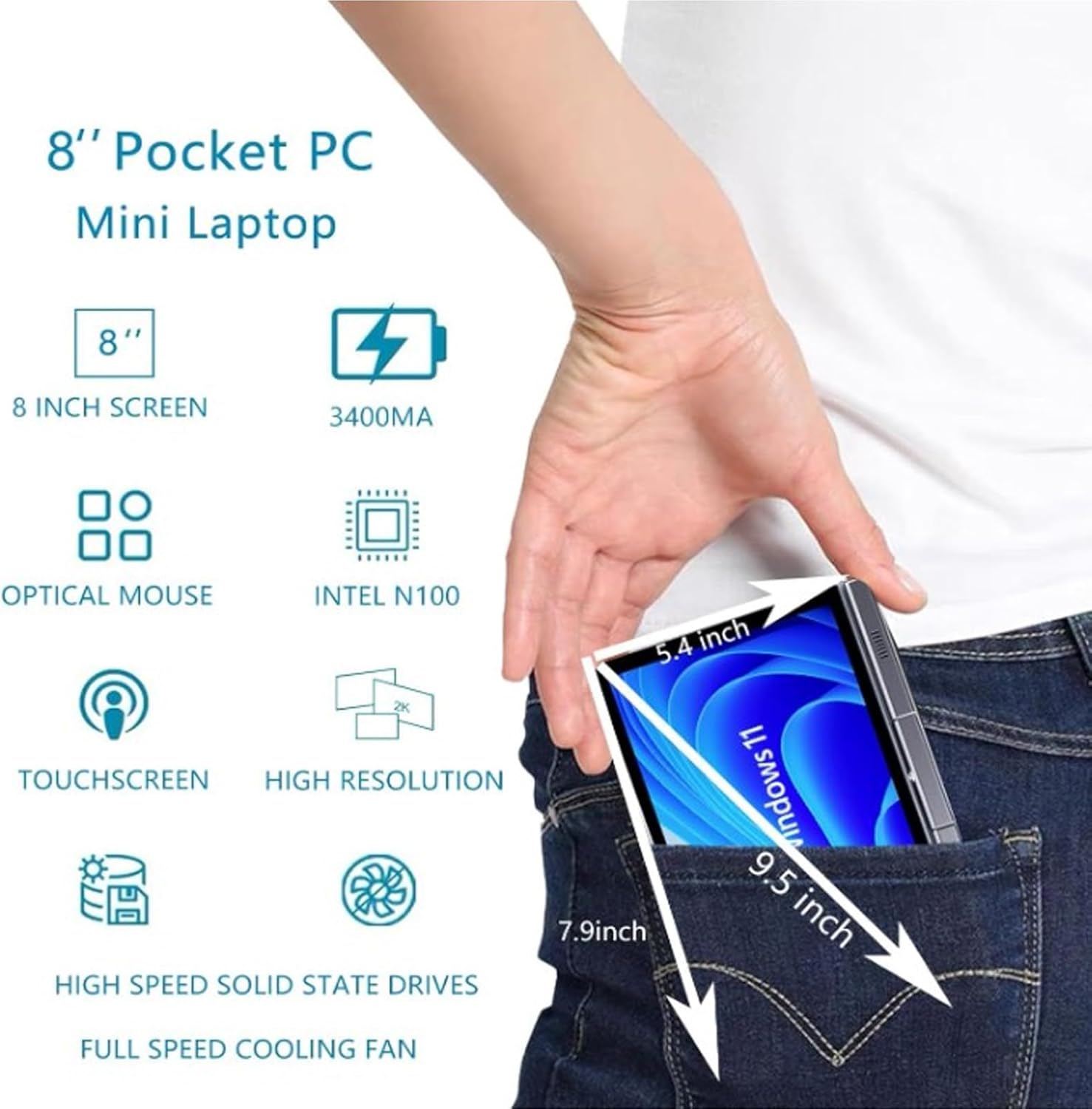
Image: A visual representation of the 8-inch Pocket PC's compact dimensions, demonstrating its portability by showing it fitting into a standard pocket.

Image: A labeled diagram highlighting the various ports (USB 3.0, Type-C, Audio, RJ45) and keyboard components (Front Camera, Speaker, Power Light, Power Button, Left/Right/Middle Mouse Buttons) of the EBTOOLS 8-Inch 2-in-1 Pocket PC.
4. Asennus
4.1 Ensimmäinen käynnistys ja lataus
- Lataa laite: Before first use, connect the power adapter to the Type-C port on the device and plug it into a power outlet. Allow the device to charge fully. The power light indicator will show charging status.
- Virta päälle: Press and hold the Power Button located on the keyboard deck until the screen illuminates.
- Alkuasennus: Suorita Windows 11 Pron asennusprosessi loppuun noudattamalla näytön ohjeita, mukaan lukien kielen valinta, verkkoyhteyden muodostaminen ja käyttäjätilin luominen.
The device is designed for immediate use upon completion of the initial Windows setup.
5. Käyttöohjeet
5.1 Näppäimistö ja kosketuslevy
- The device features an edge-less full-size QWERTY keyboard for typing.
- The integrated touchpad supports standard mouse functions, including moving the pointer, scrolling, and left/right clicks. The left, right, and middle mouse buttons are clearly indicated on the diagram.
5.2 Kosketusnäytön käyttö
- The 8-inch display is a multi-touch screen. Use gestures such as tap, swipe, pinch-to-zoom, and rotate for navigation and interaction with applications.
5.3 360 asteen kierto
- The display can be rotated 360 degrees to switch between laptop mode (traditional clamshell) and tablet mode (screen folded back against the base).
- When in tablet mode, the keyboard is automatically disabled to prevent accidental input.
5.4 Oheislaitteiden liittäminen
- USB 3.0: Connect external devices such as USB drives, mice, or keyboards to the USB 3.0 port.
- C-tyypin: Käytetään lataamiseen ja tiedonsiirtoon.
- Teräväpiirtomultimedialiitäntä (HDMI): Connect an external monitor or projector using an HDMI cable for extended display.
- 3.5mm Standard Headphone Jack: Liitä kuulokkeet tai ulkoiset kaiuttimet.
- RJ45-verkkoportti: Liitä Ethernet-kaapeli langallista internetyhteyttä varten.
5.5 Langaton yhteys
- WiFi6: Access wireless networks (2.4G and 5G bands) for internet connectivity. Enable Wi-Fi through Windows settings.
- Bluetooth 5.2: Pair with Bluetooth-enabled devices such as headphones, speakers, or other peripherals. Enable Bluetooth through Windows settings.
6. Huolto
6.1 Puhdistus
- Use a soft, lint-free cloth to clean the screen and exterior surfaces. For stubborn marks, slightly dampKostuta liina vedellä tai näytönpuhdistusliuoksella.
- Vältä voimakkaiden kemikaalien, hankaavien puhdistusaineiden tai aerosolisuihkeiden käyttöä suoraan laitteessa.
- Varmista, että laitteen virta on katkaistu ja irrotettu pistorasiasta ennen puhdistamista.
6.2 Varastointi
- Säilytä laitetta viileässä, kuivassa paikassa, poissa suorasta auringonvalosta ja äärimmäisistä lämpötiloista.
- If storing for an extended period, ensure the battery is charged to approximately 50% to preserve battery health.
7. Vianmääritys
This section addresses common issues you might encounter with your EBTOOLS 8-Inch 2-in-1 Pocket PC.
7.1 Laite ei käynnisty
- Ensure the device is fully charged. Connect the power adapter and wait a few minutes before attempting to power on again.
- Verify the power adapter and cable are securely connected and the power outlet is functional.
- Kokeile pitää virtapainiketta pohjassa 10–15 sekuntia suorittaaksesi laitekäynnistyksen.
7.2 Wi-Fi- tai Bluetooth-yhteysongelmat
- Tarkista Windowsin asetuksista, onko Wi-Fi tai Bluetooth käytössä.
- Restart the device and your wireless router/Bluetooth device.
- Varmista, että olet Wi-Fi-verkon tai Bluetooth-laitteen kantaman sisällä.
- Update wireless drivers if available.
7.3 Kosketusnäyttö ei reagoi
- Käynnistä laite uudelleen.
- Varmista, että näyttö on puhdas ja vapaa roskista.
- Check for any system updates that might include touchscreen driver fixes.
7.4 Lyhyt akunkesto
- Säädä Windowsin virranhallinta-asetuksia akun käytön optimoimiseksi.
- Sulje taustalla käynnissä olevat tarpeettomat sovellukset.
- Vähennä näytön kirkkautta.
- Ensure the device is not running resource-intensive tasks continuously.
8. Tekniset tiedot
| Ominaisuus | Erittely |
|---|---|
| Käyttöjärjestelmä | Windows 11 Pro |
| Näytön koko | 8 tuumaa |
| Prosessori | N100 CPU (up to 3.4GHz) |
| RAM | 12GB LPDDR5 |
| Varastointi | 512GB M.2 SSD (supports up to 2TB) |
| Etukamera | 2MP 30 Frame HD Built-In Camera |
| Bluetooth | BT 5.2 |
| Wireless Fidelity Type | 2.4G / 5G Band (WiFi6) |
| Liitännät | 1 x USB3.0, 1 x 3.5mm Standard Headphone Jack, 1 x High Definition Multimedia Interface Port, 1 x Type-C, 1 x RJ45 Network Port |
| Akun tyyppi | Sisäänrakennettu 5000 mAh:n polymeerilitiumparisto |
| Akun kesto | 4–6 tuntia (tyypillinen käyttö) |
| Tuotteen paino | 2.68 paunaa (noin 1.22 kg) |
| Pakkauksen mitat | 9.45 x 7.09 x 2.36 tuumaa |
9. Takuu ja tuki
9.1 Tuotetakuu
Specific warranty details for your EBTOOLS 8-Inch 2-in-1 Pocket PC are typically provided with your purchase documentation or on the manufacturer's official website. Please refer to these resources for information regarding warranty coverage, duration, and terms.
9.2 Asiakastuki
For technical assistance, troubleshooting beyond this manual, or warranty claims, please contact EBTOOLS customer support. Contact information can usually be found on the product packaging, the manufacturer's websivustolta tai jälleenmyyjän kautta.
When contacting support, please have your product model number (EBTOOLS9pxf4058ch-12) and purchase information readily available.