
1. Johdanto
The ZOYI ZT-MD1 is a compact, high-precision digital LCR meter designed in a tweezer form factor. It features a 1.14-inch color OLED screen and is powered by a lithium polymer battery, offering extended operation. This device intelligently identifies and accurately measures resistance, capacitance, and inductance across a wide range with high precision. Its flexible measuring arms and detachable gold-plated tips ensure reliable contact for various SMD or other LCR parameter measurements. This manual provides essential information for the safe and effective use of your ZT-MD1 LCR Meter Tweezer.
2. Pakkauksen sisältö
Varmista, että pakkauksessasi on kaikki alla luetellut tuotteet:
- 1x ZOYI ZT-MD1 LCR Meter Tweezer
- 1 Pair x Replaceable Tweezer Tips (Gold-plated)
- 1 x USB Type-C -datakaapeli
- 1 x Käyttöohje (tämä asiakirja)
- 1 x säilytyspussi
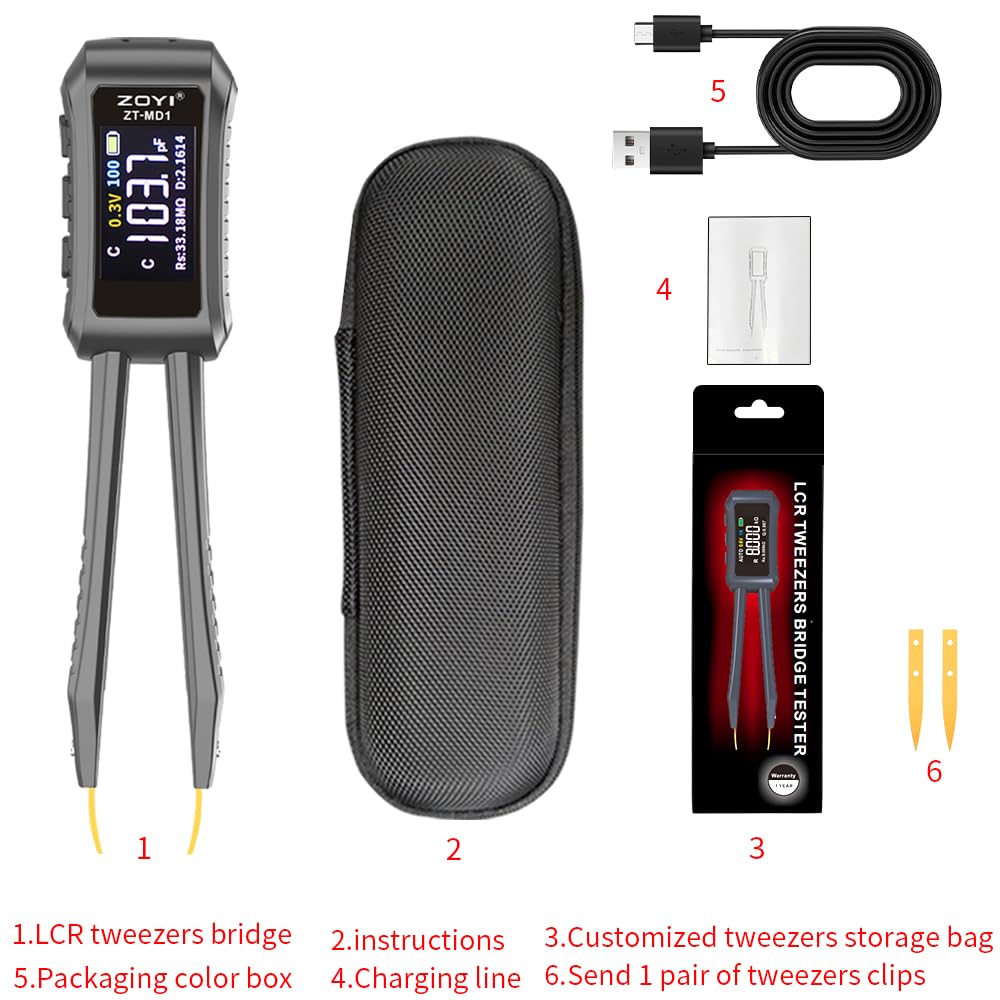
Image: Contents of the ZOYI ZT-MD1 package, including the LCR meter, USB cable, extra tweezer tips, and storage bag.
3. Tuote ohiview
The ZOYI ZT-MD1 is designed for precise measurement of electronic components. Key features include:
- 1.14 tuuman värillinen OLED-näyttö: Provides a clear, high-definition display for measurement results.
- Automaattinen tunnistus: Intelligently identifies and measures resistance, capacitance, and inductance.
- Laaja mittausalue:
- Resistance (R): 1mΩ - 10MΩ
- Capacitance (C): 1pF - 20mF
- Inductance (L): 1µH - 60H
- Dioditesti: Measures on-voltage (approximately 0.7V).
- Taajuustesti: Selectable frequencies of 100Hz, 1kHz, 10KHz.
- Level Test: Test voltages of 0.3V, 0.6V RMS.
- Flexible Tweezer Arms: Equipped with detachable gold-plated tips for reliable contact.
- Käyttäjän kalibrointi: Allows calibration based on standard resistors.
- Tietojen pito: Jäädyttää nykyisen mittauksen näytölle.
- Historiatiedot: Connect to a PC to view and export measurement history.
- Automaattinen sammutus: Säästää akun käyttöikää.
- Flippable Screen: Käteväksi viewing in various orientations.
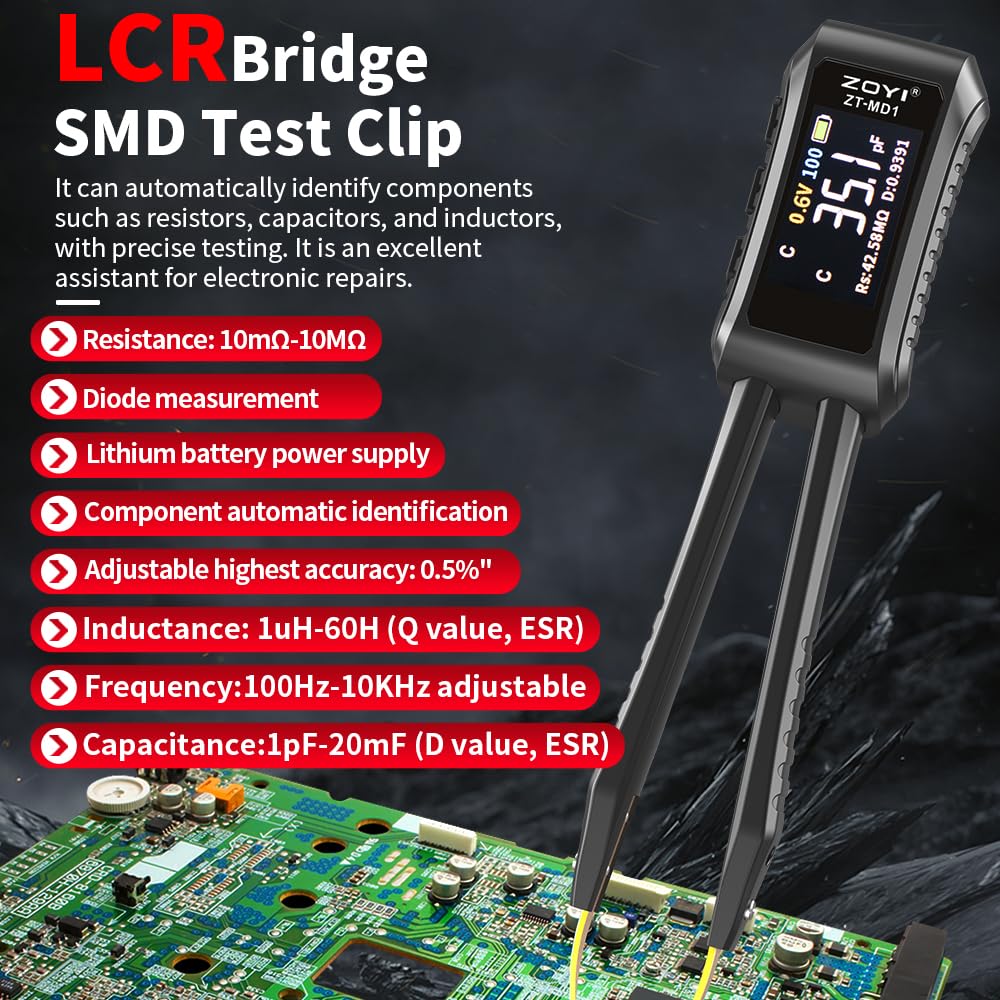
Image: The ZOYI ZT-MD1 LCR Meter Tweezer highlighting its key features and measurement capabilities, including resistance, diode, inductance, frequency, and capacitance ranges.
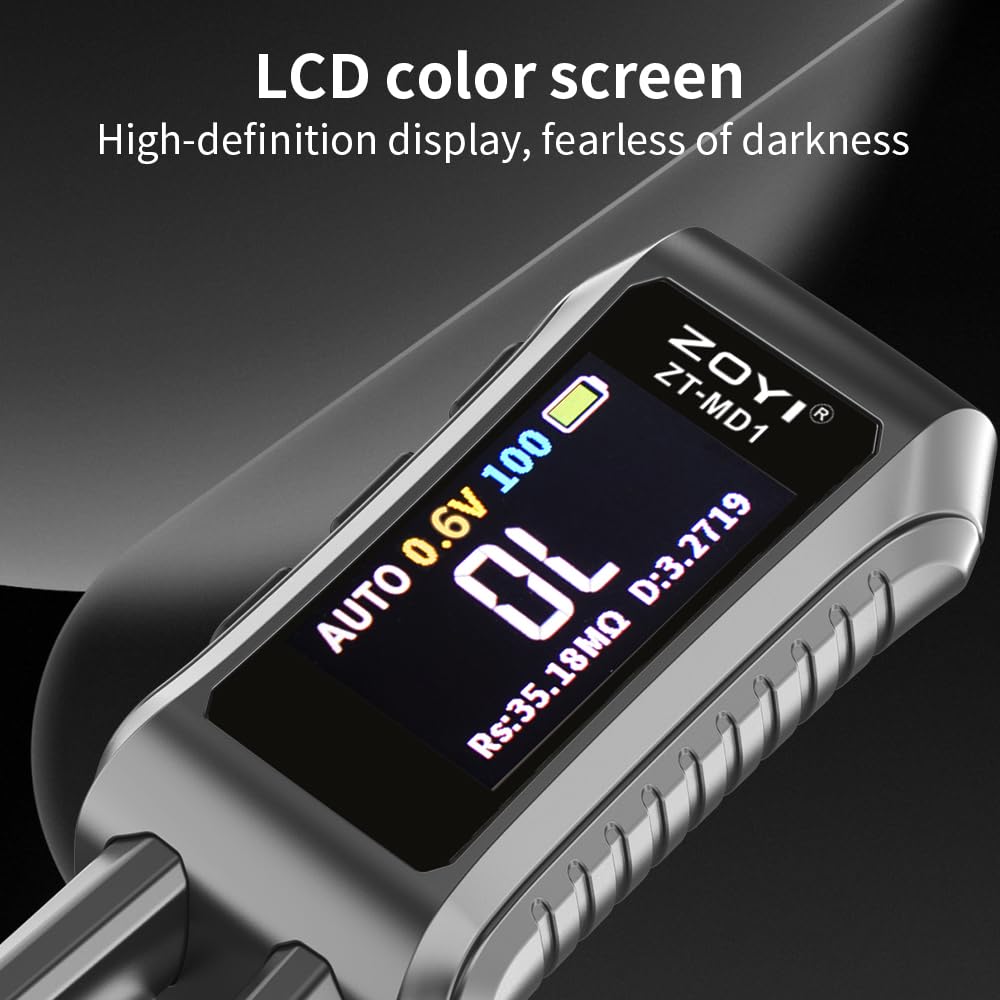
Kuva: Lähikuva view of the ZOYI ZT-MD1's 1.14-inch color OLED screen, demonstrating its clear, high-definition display.
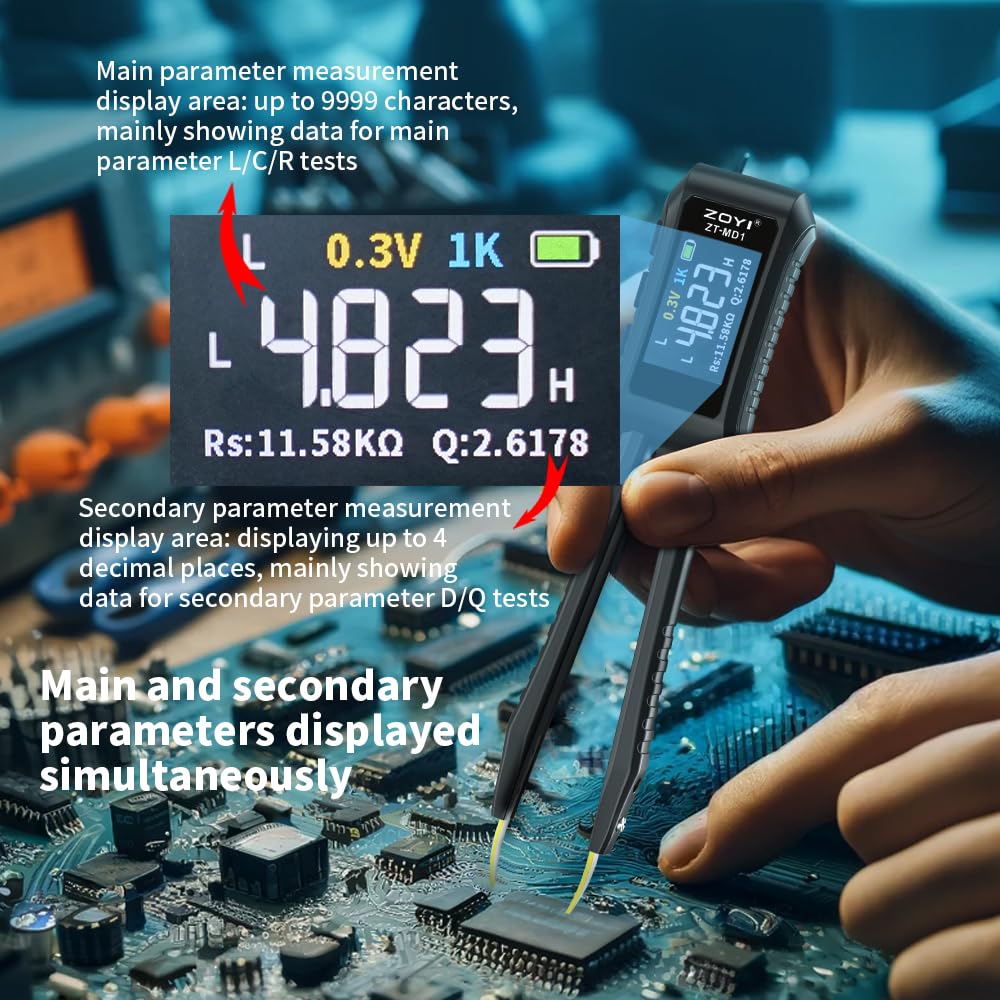
Image: The ZOYI ZT-MD1 displaying both main (L/C/R) and secondary (D/Q) measurement parameters simultaneously on its screen.
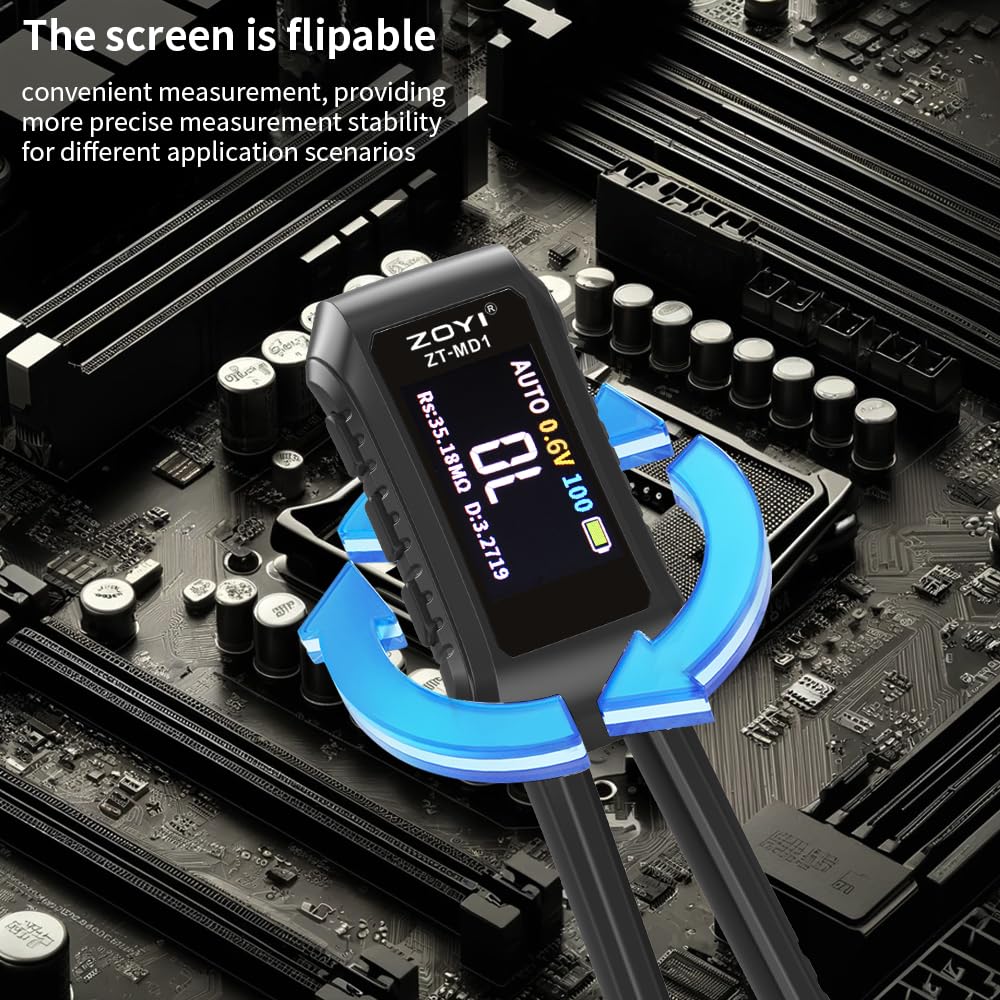
Image: The ZOYI ZT-MD1 demonstrating its flippable screen feature, allowing for convenient measurement vieweri näkökulmista.
4. Asennus
4.1. Alkulataus
Before first use, fully charge the device. Connect the provided USB Type-C cable to the charging port on the ZT-MD1 and the other end to a 5V/A USB power adapter (not included). The battery indicator on the screen will show charging status. A full charge ensures optimal performance and battery life.
4.2. Attaching Tweezer Tips
The ZT-MD1 comes with detachable gold-plated tweezer tips. Ensure they are securely attached to the arms of the device for accurate measurements. Gently push the tips into place until they are firm. To replace, carefully pull them out.

Image: The ZOYI ZT-MD1 LCR Meter Tweezer with its dimensions (146mm length, 30mm width) indicated, showing its compact size.
5. Käyttöohjeet
5.1. Virta päälle/pois
Press and hold the power button to turn the device on or off. The OLED screen will illuminate upon power-on.
5.2. Automaattinen mittaus
The ZT-MD1 defaults to automatic recognition mode. Simply touch the tweezer tips to the component you wish to measure. The device will automatically detect whether it is a resistor, capacitor, or inductor and display the corresponding value along with secondary parameters (D, Q, Rs) if applicable.
5.3. Manual Mode and Parameter Selection
Refer to the on-screen interface for options to switch between automatic and manual measurement modes, or to select specific test frequencies (100Hz, 1kHz, 10KHz) and test voltages (0.3V, 0.6V RMS) if needed for advanced measurements.
5.4. Tiedonpitotoiminto
Press the "Hold" button (if available, or indicated on screen) to freeze the current measurement reading on the display. Press again to release.
5.5. Flipping the Screen Display
The screen display can be flipped for better viewing angles. Consult the device's on-screen menu or physical buttons for this function.
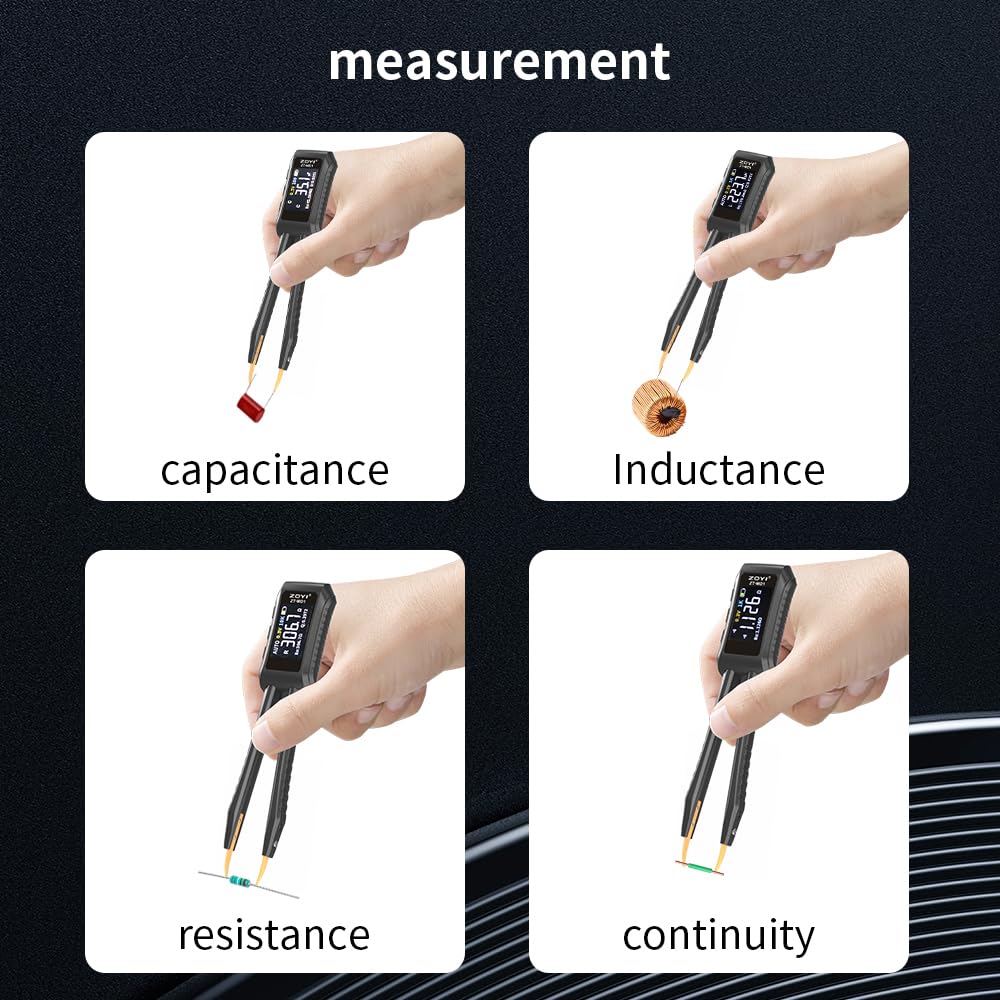
Image: The ZOYI ZT-MD1 LCR Meter Tweezer demonstrating its use in measuring capacitance, inductance, resistance, and continuity on different electronic components.
6. Kalibrointi
6.1. User Calibration Learning Mode
The ZT-MD1 supports a user calibration learning mode. To perform user calibration, connect a known standard resistor to the tweezer tips and follow the on-screen instructions. This allows the device to adjust its readings for improved accuracy based on your specific reference.
6.2. Tehdasasetusten palautus
If necessary, factory calibration data can be restored by performing a factory reset. This will revert all settings and calibration data to their original factory values. Consult the device's menu for the factory reset option.
7. Huolto
7.1. Puhdistus
Wipe the device with a soft, dry cloth. Do not use abrasive cleaners or solvents. Ensure the tweezer tips are clean and free of debris for accurate contact.
7.2. Varastointi
When not in use, store the ZT-MD1 in its provided storage bag to protect it from dust and physical damage. Store in a cool, dry place away from direct sunlight and extreme temperatures.
7.3. Akun hoito
To prolong battery life, avoid fully discharging the device frequently. Recharge the battery when the low battery indicator appears. If storing for an extended period, charge the battery to approximately 50% and recharge every few months.
8. Vianmääritys
| Ongelma | Mahdollinen syy | Ratkaisu |
|---|---|---|
| Laite ei käynnisty. | Akku on tyhjä. | Connect the device to a 5V/A USB charger using the provided Type-C cable and allow it to charge for at least 30 minutes before attempting to power on again. |
| Epätarkkoja lukemia. | Dirty or loose tweezer tips; device needs calibration. | Ensure tweezer tips are clean and securely attached. Perform user calibration with a known standard resistor. If issues persist, consider a factory reset. |
| Näyttö on tyhjä tai ei reagoi. | Laite jumiutunut; akku vähissä. | Try pressing and holding the power button for 10 seconds to force a restart. Ensure the battery is charged. |
| Cannot connect to PC for data export. | Incorrect cable or driver issues. | Ensure you are using the provided USB data cable. Check PC device manager for driver installation. Try a different USB port. |
9. Tekniset tiedot
| Parametri | Arvo |
|---|---|
| Tuotteen malli | ZOYI ZT-MD1 |
| kapasitanssi Range | 1pF - 20mF |
| Induktanssialue | 1µH - 60H |
| Resistanssialue | 1mΩ - 10MΩ |
| Dioditesti | Voltagja 0.7V |
| Taajuustesti | 100Hz, 1kHz, 10KHz |
| Tasotesti | 0.3V, 0.6V RMS |
| Parametrinäyttö | L, C, R, D, Q, RS |
| Näyttö | 1.14'' Color OLED Screen |
| Latausliitäntä | Type-C, 5V/A |
| Virtalähde | 400 mAh litiumakku |
| Auto Recognition Measurement | Tuettu |
| Replaceable Tweezer Head | Tuettu |
| Automaattinen sammutus | Tuettu |
| Tietojen säilytys | Tuettu |
| Historian tietue | Connect to PC to view ja vienti |
| Kieli | kiina, englanti |
| Mitat (P x L x K) | 146 x 30 x 18 mm |
| Tuotteen paino | 170 g |
10. Takuu ja tuki
10.1. Takuutiedot
ZOYI products are manufactured to high-quality standards. For specific warranty terms and conditions, please refer to the warranty card included with your product or visit the official ZOYI websivusto. Säilytä ostokuitti ostotodistuksena takuuvaatimuksia varten.
10.2. Asiakastuki
If you encounter any issues or have questions regarding your ZOYI ZT-MD1 LCR Meter Tweezer that are not addressed in this manual, please contact ZOYI customer support. Contact details can typically be found on the product packaging, the official ZOYI websivustolta tai jälleenmyyjän kautta.