
Kidsneed 35A
Kidsneed 3.5 inch Video Baby Monitor User Manual
Malli: 35A
1. Johdanto
This manual provides essential instructions for the safe and effective use of your Kidsneed 3.5 inch Video Baby Monitor. Please read this manual thoroughly before operating the device and retain it for future reference. This monitor system allows you to observe your baby remotely with video and audio, offering features like remote pan/tilt/zoom, night vision, two-way talk, temperature monitoring, and lullabies.

Image 1.1: Kidsneed 3.5 inch Video Baby Monitor, showing the parent unit and camera unit.
2. Turvallisuustiedot
- Kuristumisvaara: Keep cords out of reach of children. Never place the camera or cords within 3 feet (1 meter) of the crib or playpen. Secure cords to a wall or floor using clips or ties.
- Tukehtumisvaara: Tämä tuote sisältää pieniä osia. Pidä kaikki osat ja pakkausmateriaalit poissa lasten ulottuvilta.
- Ylikuumeneminen: Do not cover the monitor or camera with a blanket or towel. Ensure proper ventilation.
- Vesi ja kosteus: Do not expose the product to water or moisture. Use only in dry indoor environments.
- Virtalähde: Käytä ainoastaan laitteen mukana toimitettuja virtalähteitä. Muiden kuin hyväksyttyjen virtalähteiden käyttö voi vahingoittaa tuotetta ja mitätöidä takuun.
- Häiriöt: Keep the monitor away from other electronic devices that may cause interference, such as microwaves or Wi-Fi routers.
- Aikuisten valvonta: This product is intended to assist in monitoring your baby, but it is not a substitute for responsible adult supervision.
3. Pakkauksen sisältö
Varmista, että pakkauksessa on kaikki tarvittavat osat:
- Vanhemman yksikkö (monitori)
- Vauvan yksikkö (kamera)
- Vanhempien yksikön virtalähde
- Vauvan yksikön virtalähde
- Käyttöopas
4. Tuote ohiview
4.1 Vanhemman yksikkö (näyttö)
The parent unit features a 3.5-inch display for clear video monitoring. It includes controls for various functions.
4.2 Vauvan yksikkö (kamera)
The baby unit is equipped with a camera that offers remote pan, tilt, and zoom capabilities, as well as infrared night vision and a temperature sensor.

Kuva 4.1: ohiview of the Kidsneed Baby Monitor system highlighting key features such as remote pan/tilt/zoom, night vision, two-way talk, temperature display, lullabies, long range, and battery capacity.
5. Asennus
5.1 Vanhemman yksikön lataaminen
- Connect the small end of the parent unit power adapter to the parent unit's charging port.
- Kytke sovittimen toinen pää pistorasiaan.
- Charge the parent unit for at least 4 hours before initial use to ensure optimal battery performance. The battery indicator on the screen will show charging status.

Image 5.1: Connecting the parent unit to a power source for charging.
5.2 Vauvan yksikön (kamera) virransyöttö
- Connect the small end of the baby unit power adapter to the camera's power port.
- Plug the other end of the adapter into a power outlet. The camera will power on automatically.
5.3 Vauvan yksikön (kameran) sijoittaminen
- Place the camera on a flat surface, such as a dresser or shelf, at least 3 feet (1 meter) away from the crib.
- Varmista, että kameralla on selkeä ja esteetön näkyvyys view vauvan.
- Adjust the camera angle manually or use the remote pan/tilt function from the parent unit once powered on.
5.4 Initial Pairing (If Needed)
The parent unit and baby unit are pre-paired at the factory. If the connection is lost or you are adding a new camera, follow these steps:
- Varmista, että molempiin laitteisiin on kytketty virta.
- On the parent unit, navigate to the menu and select the 'Pairing' option.
- Follow the on-screen prompts to initiate pairing.
- Paina vauvan yksikön takana olevaa pariliitospainiketta 10 sekunnin kuluessa.
- A successful connection will be indicated on the parent unit screen.
6. Käyttöohjeet
6.1 Virta päälle/pois
- To power on the parent unit, press and hold the Power button until the screen illuminates.
- Sammuta virta pitämällä virtapainiketta painettuna uudelleen, kunnes näyttö sammuu.
6.2 Äänenvoimakkuuden ja kirkkauden säätäminen
- Use the volume buttons on the parent unit to increase or decrease the audio level.
- Access the menu to adjust screen brightness for optimal viewing.
6.3 Etäkäyttöinen panorointi, kallistus ja zoomaus
From the parent unit, you can remotely adjust the camera's view.
- Use the directional buttons on the parent unit to pan (move horizontally) and tilt (move vertically) the camera.
- Press the zoom button to digitally zoom in (2X) on the image for a closer view. Press again to zoom out.

Image 6.1: Demonstrating the remote pan (355°) and tilt (120°) capabilities of the camera unit.

Image 6.2: The monitor displaying both standard (1X) and zoomed (2X) views of the baby.
6.4 Kaksisuuntainen keskustelu
Press and hold the Talk button on the parent unit to speak to your baby through the camera's speaker. Release the button to hear your baby.
6.5 kehtolaulua
Access the menu on the parent unit to select and play built-in lullabies. You can choose to play a single lullaby or loop through all available melodies.
6.6 Lämpötilan valvonta
The baby unit includes a temperature sensor that displays the room temperature on the parent unit screen. This helps ensure a comfortable environment for your baby.
6.7 Pimeänäkö
The camera automatically activates infrared night vision in low-light conditions, providing a clear black and white image of your baby without disturbing their sleep.

Image 6.3: The monitor screen showing a clear image of a sleeping baby in a dark room using night vision.
6.8 VOX Mode (Voice Operated Exchange)
VOX mode conserves battery by turning off the screen when no sound is detected from the baby's room. The screen will automatically turn on when sound is detected. You can adjust the VOX sensitivity level in the menu.

Image 6.4: The monitor displaying a baby, indicating an alert or sound detection, useful for VOX mode.
6.9 Range and Connectivity
The monitor offers a long range of up to 960 feet in open areas. Performance may vary indoors due to walls and other obstructions. This system operates on a secure 2.4GHz FHSS wireless technology, ensuring a private connection without requiring Wi-Fi or a smartphone application.
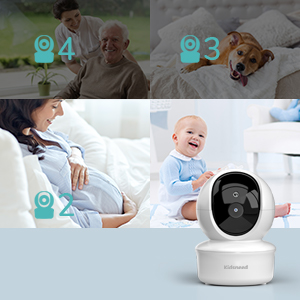
Image 6.5: Highlighting the monitor's independent operation without Wi-Fi or a dedicated application.
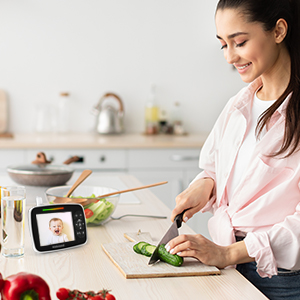
Image 6.6: Illustrating the extended range capability of the baby monitor system within a home environment.
7. Huolto
7.1 Puhdistus
- Wipe the surfaces of the parent unit and baby unit with a dry, soft, lint-free cloth.
- Älä käytä puhdistussuihkeita tai nestemäisiä puhdistusaineita.
7.2 Varastointi
- If storing the product for an extended period, ensure both units are fully charged and then powered off.
- Säilytä viileässä, kuivassa paikassa suojassa suoralta auringonvalolta ja äärimmäisiltä lämpötiloilta.
8. Vianmääritys
| Ongelma | Mahdollinen syy | Ratkaisu |
|---|---|---|
| Ei kuvaa/ääntä vanhemman yksikössä | Yksiköt eivät ole päällä tai niitä ei ole yhdistetty pariksi. | Ensure both units are powered on and charged. Re-pair the units if necessary (refer to Section 5.4). |
| Huono kuvanlaatu | Camera lens is dirty or insufficient lighting. | Clean the camera lens with a soft cloth. Ensure adequate lighting or verify night vision is active in dark conditions. |
| Häiriöt/Staattinen | Too far apart or near other electronic devices. | Move the parent unit closer to the baby unit. Move units away from other electronic devices (e.g., Wi-Fi routers, microwaves). |
| Vanhemman yksikön akku tyhjenee nopeasti | Frequent screen activation or old battery. | Reduce screen brightness. Use VOX mode to conserve battery. Ensure full charge before use. |
| Lämpötilalukema näyttää epätarkalta | Camera placed near heat source or draft. | Relocate the baby unit to an area that provides a more accurate ambient room temperature reading. |
9. Tekniset tiedot
- Malli: 35A
- Näytön koko: 3.5 tuumaa
- Akun kapasiteetti (vanhemmille): 1200 mAh
- Langaton tekniikka: 2.4 GHz: n FHSS
- Alue: Jopa 960 jalkaa (avoin tila)
- Ominaisuudet: Remote Pan/Tilt/Zoom, Night Vision, Two-Way Talk, Temperature Sensor, Lullabies, VOX Mode
- Tuotteen mitat: 5.2 x 4.1 x 6.4 tuumaa
- Tuotteen paino: 1.23 kiloa
10. Takuu ja tuki
Kidsneed products are designed and manufactured to the highest quality standards. For warranty information or technical support, please refer to the warranty card included with your product or visit the official Kidsneed website. You may also contact customer service via the contact information provided on the product packaging or purchase platform.
Ask a question about this manual
Ask about setup, troubleshooting, compatibility, parts, safety, or missing instructions. Manuals+ will review the question and use this page’s manual context to help answer it.