
Johdanto
This manual provides essential information for the proper setup, operation, and maintenance of your ONN 24-inch FHD Gaming Monitor, model 100027813. Please read this manual thoroughly before using the product to ensure optimal performance and safety. This monitor is designed to deliver a high-quality gaming experience with its 1080p resolution, 165Hz refresh rate, 1ms response time, and FreeSync technology.
Turvallisuustiedot
Noudata aina seuraavia turvaohjeita näytön vahingoittumisen estämiseksi ja käyttäjän turvallisuuden varmistamiseksi:
- Älä altista näyttöä sateelle tai kosteudelle tulipalo- tai sähköiskuvaaran välttämiseksi.
- Älä avaa näyttöä casing. Laitteen sisällä ei ole käyttäjän huollettavia osia. Anna kaikki huoltotoimenpiteet pätevän huoltohenkilöstön tehtäväksi.
- Aseta näyttö vakaalle ja tasaiselle alustalle, jotta se ei putoa.
- Varmista näytön ympärillä oleva asianmukainen ilmanvaihto. Älä tuki tuuletusaukkoja.
- Käytä ainoastaan näytön mukana toimitettua virtalähdettä.
- Irrota näyttö pistorasiasta ukkosmyrskyjen aikana tai jos sitä ei käytetä pitkään aikaan.
Pakkauksen sisältö
Varmista, että pakkauksessa on kaikki tarvittavat osat:
- ONN 24-inch FHD Gaming Monitor
- Näytön jalusta (jalusta ja kaula)
- Virtalähde
- DisplayPort Cable (6 ft)
- HDMI-kaapeli (6 jalkaa)
- Käyttöopas (tämä asiakirja)

Image: Retail box of the ONN 24-inch Gaming Monitor, highlighting key features like 165Hz, 1ms response time, DisplayPort, HDMI, and Adaptive-Sync.
Asennus
1. Jalustan kokoaminen
- Poista näytön ja jalustan osat varovasti pakkauksesta.
- Attach the stand neck to the stand base. Secure it with the provided screw, if applicable.
- Align the assembled stand with the mounting slot on the back of the monitor. Gently push until it clicks into place or secure with screws as per the design.
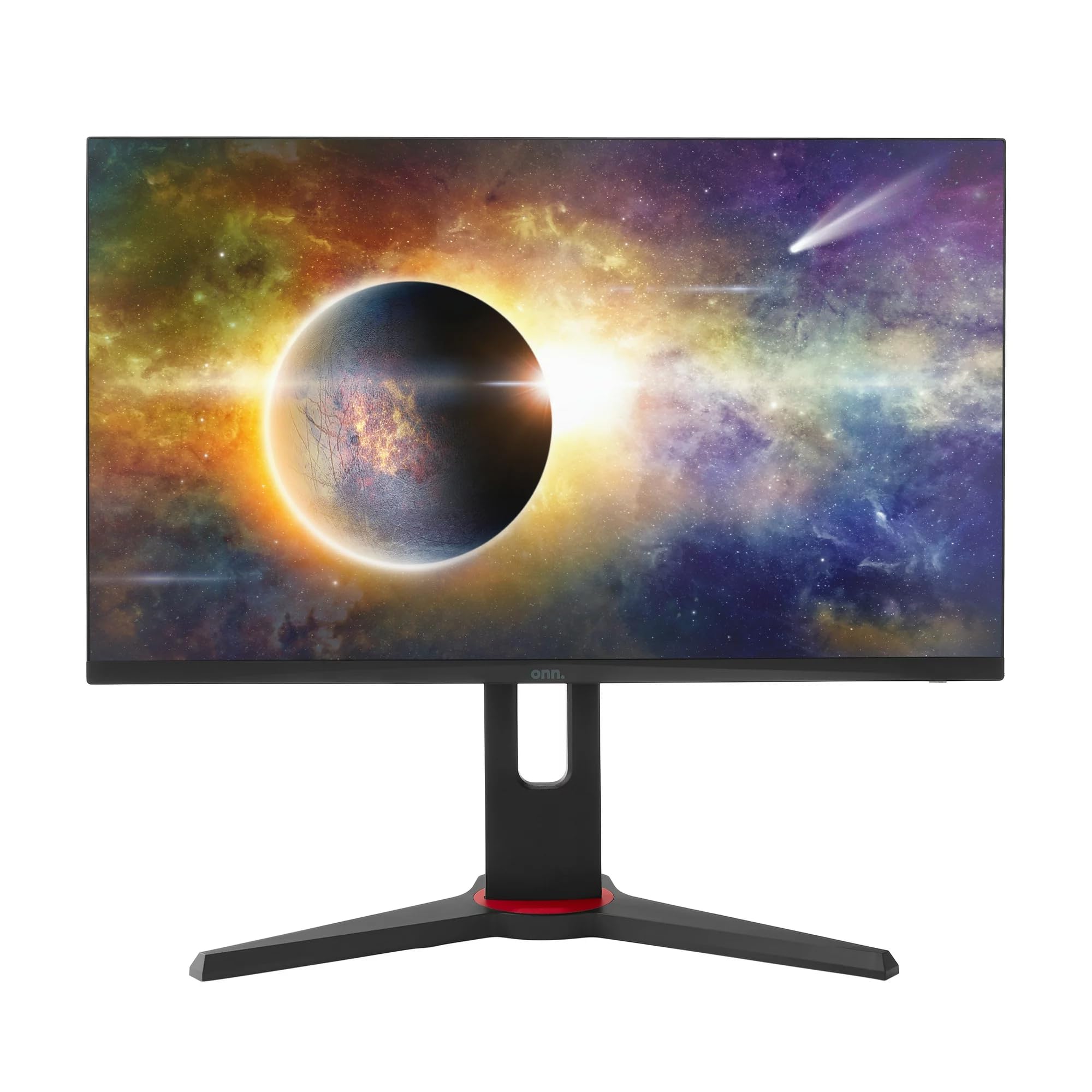
Kuva: Edessä view of the ONN 24-inch Gaming Monitor, fully assembled with its stand.

Kuva: Takaosa view of the ONN 24-inch Gaming Monitor, illustrating the stand attachment and cable management area.
2. Liitäntäkaapelit
Paikanna näytön takaosassa olevat tuloportit:
- Teho: Kytke virtalähde näytön virransyöttöön ja sitten pistorasiaan.
- Video Input: Connect one end of the provided DisplayPort or HDMI cable to the corresponding port on your computer's graphics card and the other end to the monitor. The monitor supports 2 HDMI inputs and 1 DisplayPort input.
- Äänilähtö (valinnainen): If your monitor has a 3.5mm audio jack, you can connect external speakers or headphones.

Kuva: Lähikuva view of the monitor's rear ports, including HDMI 1, HDMI 2, DisplayPort (DP), and power input.
3. Ensimmäinen käynnistys
- Varmista, että kaikki kaapelit on kytketty kunnolla.
- Press the power button on the monitor (usually located on the back or bottom right).
- The monitor should display the ONN logo and then search for an input signal.
- If no image appears, ensure your computer is powered on and the correct input source is selected on the monitor (see Operating section).
Toiminnassa
1. Virta päälle/pois
Press the power button to turn the monitor on or off. The power indicator light will show the monitor's status (e.g., blue for on, amber for standby).
2. Näyttövalikon (OSD) navigointi
Your monitor features an OSD menu for adjusting various settings. Typically, buttons on the back or bottom of the monitor control the OSD:
- Valikkopainike: Avaa OSD-valikon.
- Navigointipainikkeet (ylös/alas/vasemmalle/oikealle): Käytetään valikkovaihtoehtojen selaamiseen.
- Valitse/Syötä-painike: Vahvistaa valinnan tai siirtyy alivalikkoon.
- Poistu-painike: Poistuu nykyisestä valikosta tai kuvaruutunäytöstä.
3. Asetusten säätäminen
Tärkeimpiä asetuksia, joita voit säätää OSD-valikon kautta, ovat:
- Kirkkaus/kontrasti: Säädä kokonaisluminanssia ja eroa vaaleiden ja tummien alueiden välillä.
- Väriasetukset: Muokkaa värilämpötilaa, gammaa ja yksittäisiä RGB-tasoja.
- Syöttölähde: Valitse manuaalisesti HDMI 1-, HDMI 2- tai DisplayPort-tulojen välillä.
- Päivitystaajuus: Ensure your graphics card and monitor are set to 165Hz for the smoothest experience. This is usually configured in your operating system's display settings.
- Vastausaika: Adjust the monitor's response time setting (e.g., 1ms) for reduced motion blur in fast-paced games.
- FreeSync-tekniikka: Enable FreeSync in the OSD menu and in your AMD graphics card settings to synchronize the monitor's refresh rate with your GPU's frame rate, eliminating screen tearing and stuttering.
- Kuvatilat: Valitse eri sisällölle optimoiduista esiasetetuista tiloista (esim. Vakio, Peli, Elokuva, Teksti-TV).

Image: The ONN 24-inch Gaming Monitor displayed in a typical desk setup, connected to a laptop with gaming peripherals.
Huolto
Näytön puhdistaminen
- Irrota näyttö aina ennen puhdistamista.
- Käytä pehmeää, nukkaamatonta liinaa kevyesti dampvedellä tai miedolla, hankaamattomalla näytönpuhdistusaineella.
- Älä suihkuta puhdistusainetta suoraan näytölle. Levitä sitä ensin liinaan.
- Vältä voimakkaiden kemikaalien, hankaavien tyynyjen tai liuottimien käyttöä.
Varastointi
Jos näyttöä säilytetään pitkään, irrota kaikki kaapelit, pakkaa se alkuperäispakkaukseensa (jos saatavilla) ja säilytä sitä viileässä, kuivassa paikassa, poissa suorasta auringonvalosta ja äärimmäisistä lämpötiloista.
Vianetsintä
Jos kohtaat ongelmia näytön kanssa, katso seuraavat yleiset ongelmat ja ratkaisut:
| Ongelma | Mahdollinen ratkaisu |
|---|---|
| Ei kuvaa näytöllä |
|
| Image is flickering or distorted |
|
| Ei ääntä (jos käytät näytön kaiuttimia/äänilähtöä) |
|
| Näyttö ei saavuta 165 Hz:iä |
|
Tekniset tiedot
Detailed technical specifications for the ONN 24-inch FHD Gaming Monitor (Model 100027813):
| Ominaisuus | Erittely |
|---|---|
| Mallinumero | 100027813 |
| Näytön koko | 24 tuumaa |
| Resoluutio | Full HD 1080p (1920x1080) |
| Päivitystaajuus | 165 Hz |
| Vastausaika | 1 millisekuntia |
| Näyttötekniikka | IPS |
| Mukautuva synkronointi | FreeSync |
| Kuvasuhde | 16:9 |
| Kontrastisuhde | 2000:1 |
| Näytön pinta | Matte, Anti-glare with low blue light setting |
| Yhteydet | 2 x HDMI, 1 x DisplayPort |
| Tuotteen mitat (S x L x K) | 61.3 x 11.3 x 37.3 cm |
| Tuotteen paino | 6.1 kg |
| Väri | Musta |
| Asennustyyppi | Pöytäteline |
| Erityiset käyttötarkoitukset | Entertainment, Gaming |
Takuu
This ONN 24-inch FHD Gaming Monitor is a renewed product. Warranty terms and conditions for renewed products may vary. Please refer to the specific warranty information provided by the seller or retailer at the time of purchase. It is recommended to retain your proof of purchase for any warranty claims.
Tukea
For technical assistance, troubleshooting beyond this manual, or warranty inquiries, please contact the retailer or the Amazon Renewed support channel where the product was purchased. Have your model number (100027813) and proof of purchase ready when contacting support.