
1. Johdanto
This manual provides detailed instructions for the VIKYLIN 8MP Fixed Dome PoE IP Camera Outdoor, Model VK-YC2583I-28. This camera features 4K Ultra HD resolution, full-color night vision, human/vehicle detection, a built-in microphone, and Power over Ethernet (PoE) for simplified installation. Please read this manual thoroughly before installation and operation to ensure proper use and optimal performance.
2. Pakkauksen sisältö
Varmista, että pakkauksessasi on kaikki alla luetellut tuotteet. Jos jokin tuote puuttuu tai on vaurioitunut, ota yhteyttä asiakastukeen.
- 1x 4K PoE IP Dome Camera
- 1x Base Sticker
- 1x käyttöohje
- 1x Screw Bag (containing screws for mounting)
- 1x Waterproof Kit

Image: Package contents of the VIKYLIN 8MP Fixed Dome PoE IP Camera.
3. Tuotteen ominaisuudet
- 4K Ultra HD -resoluutio: Provides clear image quality with 8MP (3840 × 2160) resolution at 20 frames per second, featuring a 1/2.8” 8 Megapixel Scan CMOS sensor and a 2.8mm fixed lens for a 112° ultra-wide viewkulma.
- Täysvärinen yönäkö: Equipped with F1.6 aperture and soft supplemental lighting, this camera provides detailed full-color video even in extremely dark scenes.
- Smart Dual Light: The camera intelligently switches between IR (infrared) and warm light illumination based on detection, ensuring optimal night vision while deterring intruders with a warm light flash.
- Ihmisen/ajoneuvon tunnistus: Advanced detection functions reduce false alarms by accurately identifying human and vehicle movement. Detection areas and sensitivity can be adjusted.
- Sisäänrakennettu mikrofoni: Capture clear audio from the camera's vicinity, allowing for one-way audio monitoring and recording.
- Power over Ethernet (PoE): Simplifies installation by providing both power and data connection through a single Cat 5 or Cat 6 Ethernet cable.
- Kestävä muotoilu: IP67 weatherproof and IK10 vandal-proof rating ensures reliable outdoor performance in various conditions.
- Tehokas pakkaus: Utilizes H.265+/H.264 encoding technology to save bandwidth and storage space without compromising video quality.
Feature Demonstrations
Video: Demonstration of the camera's UltraHD 4K picture display quality.

Image: Smart Dual Illuminators in action, providing full-color night vision when a target is detected.
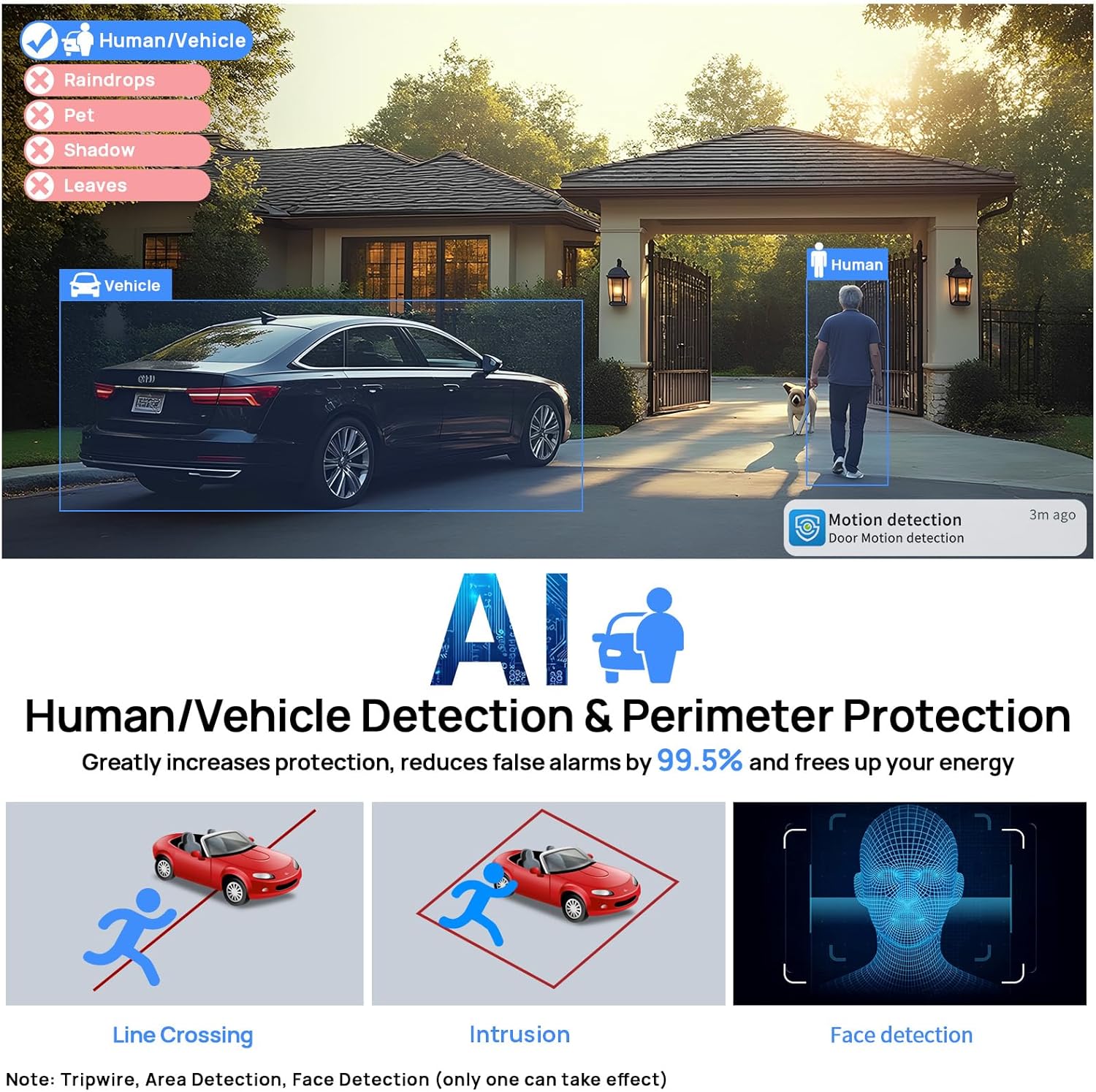
Image: Human and Vehicle Detection capabilities, highlighting reduced false alarms.
Video: Full Color Camera Night Vision demonstration, showcasing clear imaging in low-light conditions.

Image: Built-in microphone feature allowing for one-way audio communication.
4. Asennus ja asennus
The VIKYLIN 8MP Fixed Dome PoE IP Camera is designed for easy installation using Power over Ethernet (PoE). A single Ethernet cable provides both power and data connectivity.
4.1 Fyysinen asennus
- Valitse sijainti: Select a suitable indoor or outdoor location for mounting. The camera is IP67 rated for weather resistance and IK10 for vandal resistance.
- Asennus: Use the provided base sticker as a template to mark drill holes. Secure the camera using the included screws.
- Kaapeliliitäntä: Connect a Cat 5 or Cat 6 Ethernet cable from the camera to a PoE injector, PoE switch, or PoE NVR. Ensure the waterproof kit is properly installed for outdoor use.

Image: Camera's IP67 weatherproof and IK10 vandal-proof design.
4.2 Alkukokoonpano
After physical installation, configure the camera using the web käyttöliittymä tai mobiilisovellus.
- Yhdistä verkkoon: Ensure the camera is connected to your network via PoE.
- Tutustu kameraan: Use a PC software like VMS or SADP Tool to search for the camera device on your network.
- Pääsy Web Käyttöliittymä: Avaa a web browser and enter the camera's IP address. Log in using the default credentials (usually admin/admin or admin/12345).
- Enable P2P: Navigate to Configuration > Network > P2P and enable the P2P function. Scan the QR code to add the device to your mobile app.
Video: Detailed guide on configuring the 4K Full Color PoE IP Dome Camera, including human/vehicle detection settings and night vision options.
5. Käyttöohjeet
Operate your VIKYLIN IP camera using the 'Remoteeyes' mobile app or compatible PC software.
5.1 Mobile App (Remoteeyes)
- Lataa sovellus: Download the 'Remoteeyes' app from the Apple App Store or Google Play Store.
- Lisää laite: Use the P2P function (QR code scan) to add your camera to the app.
- Elää View: Access live video feeds from your camera anytime, anywhere.
- Toisto: Review tallennettu footage with smart playback features.
- Yksisuuntainen ääni: Utilize the built-in microphone for one-way audio communication.
- Hälytykset: Receive real-time video/snapshot alerts on your mobile phone when human or vehicle detection is triggered.
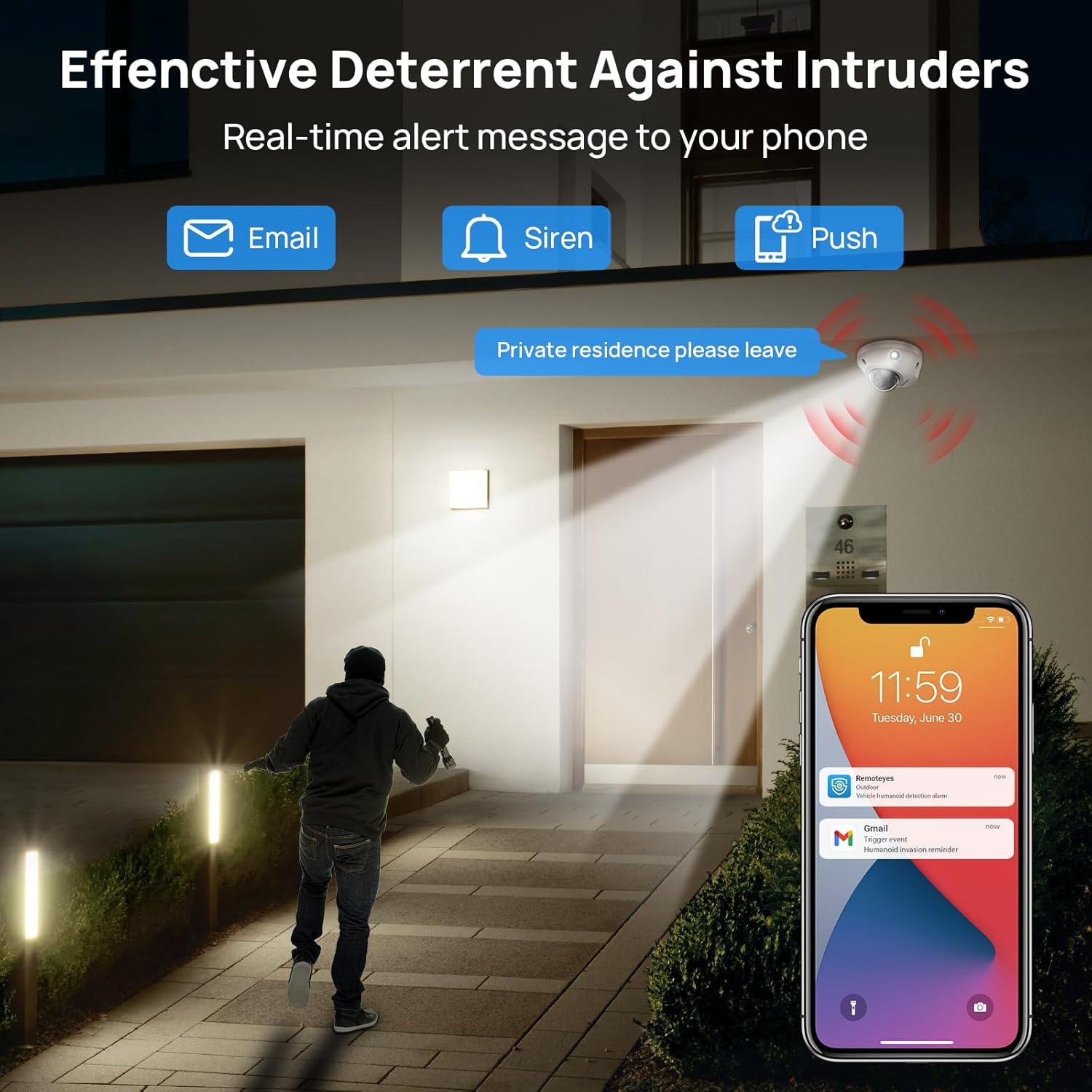
Image: Real-time alerts and deterrent features in action.
5.2 PC Software and Third-Party Compatibility
The camera is compatible with free PC software (VMS) and third-party monitoring software such as Blue Iris, iSpy, and VLC. It supports the Open Network Video Interface protocol (ONVIF) and RTSP for integration with various systems.
Local PC/NVR/NAS video storage is supported, with options for 24/7 recording or motion-triggered video to NVR or FTP.
6. Huolto
To ensure optimal performance and longevity of your VIKYLIN IP Camera, consider the following maintenance tips:
- Säännöllinen puhdistus: Puhdista kameran linssi ja kotelo säännöllisesti pehmeällä,amp liinalla pölyn ja roskien poistamiseen. Vältä hankaavia puhdistusaineita.
- Laiteohjelmistopäivitykset: Tarkista valmistajalta website or app for available firmware updates to ensure your camera has the latest features and security enhancements.
- Kaapelin tarkastus: Regularly inspect the Ethernet cable and connections for any signs of wear or damage, especially for outdoor installations.
- Tallennuksen hallinta: If using local storage (Micro SD card, NVR, NAS), ensure sufficient storage space is available and manage recordings as needed.
7. Vianmääritys
If you encounter issues with your VIKYLIN 8MP Fixed Dome PoE IP Camera, refer to the following common troubleshooting steps:
- Ei virtaa/liitäntää:
- Verify the Ethernet cable is securely connected to both the camera and the PoE source (NVR, switch, or injector).
- Ensure the PoE source is powered on and functioning correctly.
- Tarkista kaapeli vaurioiden varalta.
- Cannot Access Camera:
- Confirm the camera's IP address using the SADP Tool or VMS software.
- Ensure your computer or mobile device is on the same network as the camera.
- Check firewall settings on your computer or router that might be blocking access.
- Reset the camera to factory defaults if you have forgotten the password (a reset button is available on the camera).
- Huono kuvanlaatu:
- Puhdista kameran linssi.
- Check network bandwidth; insufficient bandwidth can affect streaming quality.
- Adjust image settings (brightness, contrast, WDR) in the camera's web käyttöliittymä tai sovellus.
- Väärät hälytykset:
- Adjust the sensitivity of human/vehicle detection.
- Define specific detection zones to exclude areas with irrelevant motion (e.g., trees swaying).
For further assistance, please contact VIKYLIN customer support.
8. Tekniset tiedot
| Ominaisuus | Yksityiskohta |
|---|---|
| Mallin nimi | 4K Dual-light Built-in Microphone PoE IP Dome Camera (VK-YC2583I-28-N) |
| Tuotteen mallinumero | VK-YC2583I-28 |
| Tehokas Still-resoluutio | 8 MP (3840 2160 x XNUMX XNUMX) |
| Kuvataajuus | 20 kuvaa sekunnissa |
| Linssi | 2.8mm fixed lens, F1.6 Super Aperture |
| Viewkulma | 112° Ultra-wide |
| Yönäköalue | 98 Feet (Full Color / IR View) |
| Low Light -tekniikka | Night Color / IR, Smart Dual Light |
| Audio | Built-in Mic (One-way Audio) |
| Havaitseminen | Ihmisen/ajoneuvon tunnistus |
| Yhteystekniikka | Ethernet (PoE) |
| Virtalähde | Johdollinen sähkö (PoE) |
| Varastointi | Local PC/NVR/NAS Video Storage, supports up to 256GB Micro SD card (not included) |
| Yhteensopivuus | PoE NVR, ONVIF, Blue Iris, iSpy, VLC, Remoteeyes App (iOS/Android), VMS PC software |
| Kansainvälinen turva-arviointi | IP67 (vedenpitävä) |
| Iskusuojaus | IK10 (Vandal-proof) |
| Käyttölämpötila | -30 °C - 60 °C (-22 °F - 140 °F) |
| Kosteus | < 90 % |
| Materiaali | Metalli |
| Tuotteen mitat | 5.51 x 5.51 x 3.94 tuumaa |
| Tuotteen paino | 1.17 kiloa |

Image: Technical specifications overview kamerasta.
9. Takuu ja tuki
VIKYLIN provides comprehensive support for its products.
- Takuu: Tuotteella on 2 vuoden takuu.
- Tekninen tuki: Elinikäinen tekninen tuki on saatavilla.
- Yhteystiedot: For any questions or issues, please contact our support team via email at cairo@vikylin.com.
- Suojaussuunnitelmat: Extended protection plans are available for purchase separately (e.g., 2-Year Protection Plan, 3-Year Protection Plan, Complete Protect).