
1. Johdanto
Thank you for choosing the SODLK T13 Portable Bluetooth Speaker. This manual provides essential information for setting up, operating, and maintaining your speaker. Please read it thoroughly before use to ensure optimal performance and longevity of your device.
2. Tuote ohiview
2.1 Komponentit
- SODLK T13 Portable Bluetooth Speaker
- Virtajohto (USB-C)
- 3.5 mm: n Aux -kaapeli
- Pika-aloitusopas
2.2 Tärkeimmät ominaisuudet
- Booming Bass & 360-degree Sound: Tarjoaa tehokkaan äänentoiston.
- Stereo Dual Pairing: Connect two T13 speakers for an enhanced stereo sound experience.
- IP67 vedenpitävä ja pölytiivis: Designed to withstand water immersion and dust ingress, suitable for various environments.
- RGB-juhlavalo: Integrated LED lighting effects to enhance your listening experience.
- Useita syöttövaihtoehtoja: Supports Bluetooth, USB, TF Card, and AUX input.
- Kannettava muotoilu: Compact size with a convenient handle for easy transport.
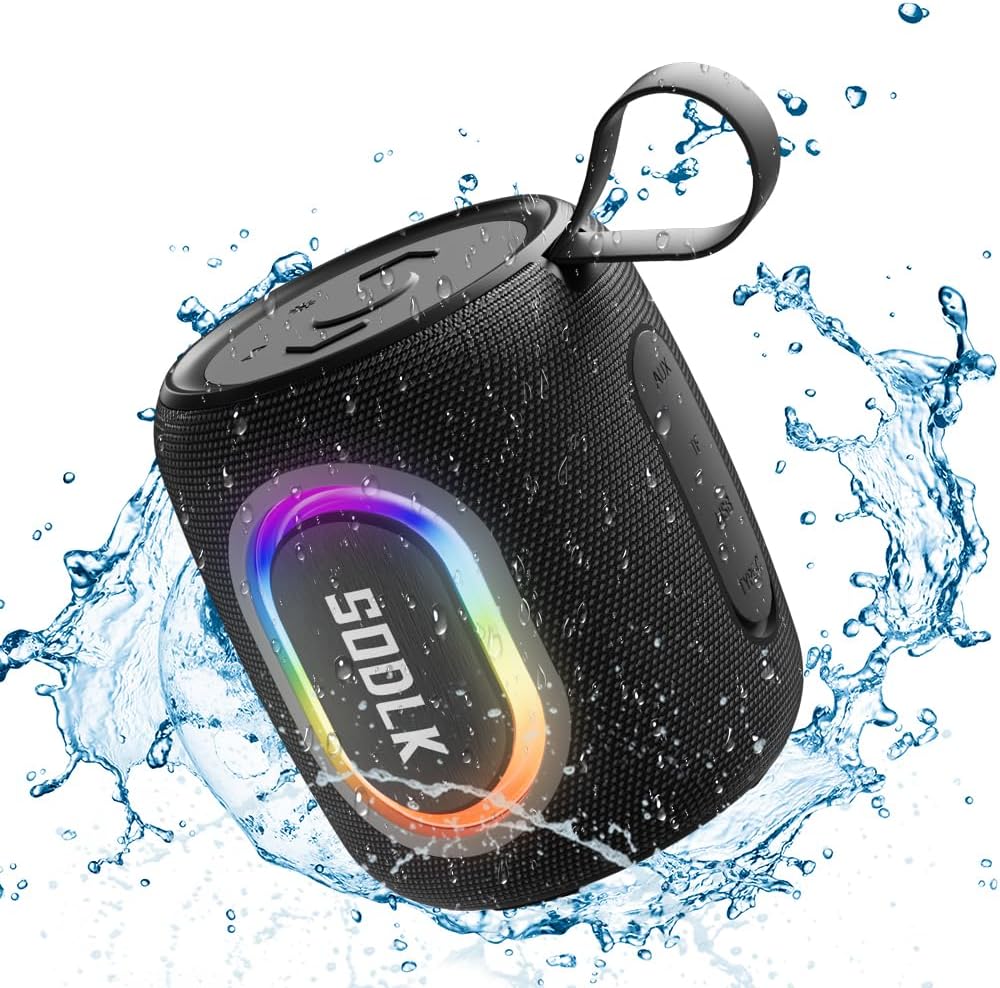
Figure 1: The SODLK T13 Portable Bluetooth Speaker demonstrating its IPX7 waterproof capability amidst splashing water.

Figure 2: Internal components of the SODLK T13 speaker, illustrating its sound engineering for loud sound and bass boost.
3. Asennus
3.1 Kaiuttimen lataaminen
Before first use, fully charge the speaker. Connect the provided USB-C power cable to the speaker's charging port and the other end to a compatible USB power adapter (not included) or a computer's USB port. The charging indicator light will show the charging status and turn off when fully charged.
3.2 Virta päälle/pois
- Virran kytkeminen: Pidä virtapainiketta painettuna (U) noin 3 sekunnin ajan, kunnes kuulet äänimerkin ja merkkivalot syttyvät.
- Virran sammuttaminen: Pidä virtapainiketta painettuna (U) noin 3 sekunnin ajan, kunnes kuulet äänimerkin ja merkkivalot sammuvat.
3.3 Bluetooth -pariliitos
- Ensure the speaker is powered on and in Bluetooth pairing mode (indicated by a flashing blue LED). If not, briefly press the Bluetooth button.
- Ota Bluetooth käyttöön laitteellasi (älypuhelin, tabletti, tietokone) ja hae käytettävissä olevia laitteita.
- Select "SODLK T13" from the list of found devices.
- Once connected, you will hear a confirmation sound, and the Bluetooth indicator light will turn solid blue.
Kaiutin yrittää automaattisesti muodostaa yhteyden uudelleen viimeksi pariliitettyyn laitteeseen, kun se käynnistetään.
4. Käyttöohjeet
4.1 Musiikin toisto
- Toista/tauko: Paina Toisto / Tauko-painiketta (||).
- Ääni kovemmalle: Paina äänenvoimakkuuden lisäyspainiketta (+).
- Äänenvoimakkuutta pienemmälle: Paina äänenvoimakkuuden vähennyspainiketta (-).
- Seuraava kappale: Pidä äänenvoimakkuuden lisäyspainiketta (+).
- Edellinen kappale: Pidä äänenvoimakkuuden vähennyspainiketta (-).
4.2 valotilaa
The SODLK T13 features dynamic RGB lighting. Press the Light Mode button (often indicated by a lightbulb icon or similar) to cycle through different light patterns and colors. Press and hold to turn the lights off or on.

Figure 3: The SODLK T13 speaker illuminating a party atmosphere with its integrated RGB lighting.
4.3 Stereo Dual Pairing (TWS Function)
To achieve true wireless stereo (TWS) sound, you can pair two SODLK T13 speakers together:
- Ensure both T13 speakers are powered on and not connected to any Bluetooth device.
- On one speaker (this will be the primary speaker), press and hold the TWS button (often indicated by two interlocking circles or similar icon) for approximately 3 seconds. You will hear a prompt indicating it's searching for another speaker.
- Kaiuttimet yhdistyvät automaattisesti toisiinsa. Kuulet vahvistusäänen, kun pariliitos on muodostettu.
- Yhdistä nyt laitteesi ensisijaiseen kaiuttimeen Bluetoothin kautta osiossa 3.3 kuvatulla tavalla. Ääni toistetaan molemmista kaiuttimista stereona.
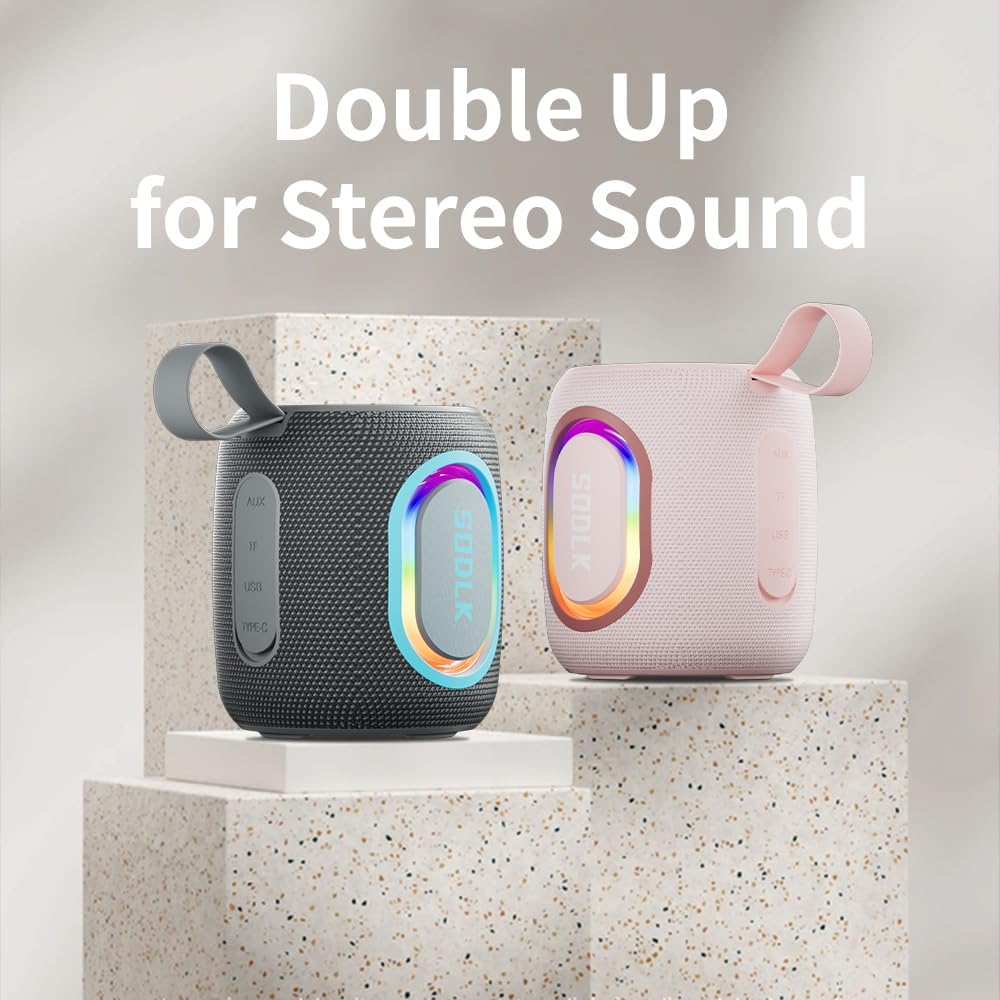
Figure 4: Two SODLK T13 speakers ready for stereo dual pairing, enhancing the audio experience.
4.4 Auxiliary and USB/TF Card Modes
- AUX-tulo: Insert the 3.5mm AUX cable into the speaker's AUX port and connect the other end to your audio source. The speaker will automatically switch to AUX mode.
- USB/TF-korttitulo: Insert a USB flash drive or a TF (microSD) card with audio files into the respective port. The speaker will automatically detect the media and begin playback. Use the playback controls (Play/Pause, Volume Up/Down) to manage your music.
5. Huolto
5.1 Puhdistus
Puhdista kaiutin pehmeällä, damp cloth. Do not use harsh chemicals, cleaning solvents, or strong detergents, as they may damage the surface or internal components. Ensure all ports are dry before charging or connecting other devices.
5.2 Varastointi
Store the speaker in a cool, dry place away from direct sunlight and extreme temperatures. If storing for an extended period, charge the battery periodically (e.g., every 3 months) to maintain battery health.
6. Vianmääritys
| Ongelma | Mahdollinen syy | Ratkaisu |
|---|---|---|
| Kaiutin ei käynnisty. | Akku on tyhjä. | Lataa kaiutin täyteen. |
| Pariliitos Bluetoothin kautta ei onnistu. | Kaiutin ei ole pariliitostilassa tai ei ole jo yhdistetty toiseen laitteeseen. | Ensure speaker is in pairing mode (flashing blue LED). Disconnect from other devices. Restart speaker and device. |
| Kaiuttimesta ei kuulu ääntä. | Äänenvoimakkuus on liian alhainen; väärä syöttötila; laite ei toista. | Increase speaker and device volume. Check if correct input mode (Bluetooth, AUX, USB/TF) is selected. Ensure audio is playing on the connected device. |
| TWS-pariliitos epäonnistuu. | Kaiuttimet ovat liian kaukana toisistaan; yksi kaiutin on jo yhdistetty laitepariksi. | Varmista, että kaiuttimet ovat lähellä toisiaan. Irrota molemmat kaiuttimet kaikista Bluetooth-laitteista ennen TWS-pariliitoksen aloittamista. |
7. Tekniset tiedot
| Mallin nimi | T13 |
| Yhteystekniikka | Bluetooth, lisälaite, USB |
| Langaton viestintätekniikka | Bluetooth |
| Kaiuttimen suurin lähtöteho | 15 wattia |
| Vedenkestävyystaso | IP67 Vedenpitävä |
| Virtalähde | Paristokäyttöinen (1 litiumioniakku mukana) |
| Valvontamenetelmä | Kosketa |
| Tuotteen mitat | 4.4" S x 3.8" L x 3.8" K |
| Tuotteen paino | 1.34 kiloa |
8. Takuu ja tuki
8.1 Rajoitettu takuu
The SODLK T13 Portable Bluetooth Speaker comes with a limited warranty. Please refer to the warranty card included in your product packaging for specific terms and conditions. This warranty typically covers manufacturing defects and material flaws under normal use.
8.2 Asiakastuki
For any questions, technical support, or warranty claims, please contact SODLK customer service. Contact information can typically be found on the product packaging or the official SODLK websivusto.


